
Choosing between logical and physical backups is one of the most consequential decisions a MySQL administrator makes. Get it wrong, and you could face recovery times measured in hours instead of minutes — or discover your backup is corrupted when you need it most.
In this guide, I break down exactly how logical vs physical backup in MySQL work, compare their performance head-to-head, and give you a clear decision framework so you know which approach fits your environment. Whether you’re managing a 5GB development database or a 500GB production system, the right backup strategy saves time, storage, and sleep.
After working with MySQL backups across dozens of production environments, I’ve seen teams waste days restoring from the wrong backup type. The differences are real and the stakes are high.
Table of Contents
Logical vs Physical Backup in MySQL: Quick Comparison
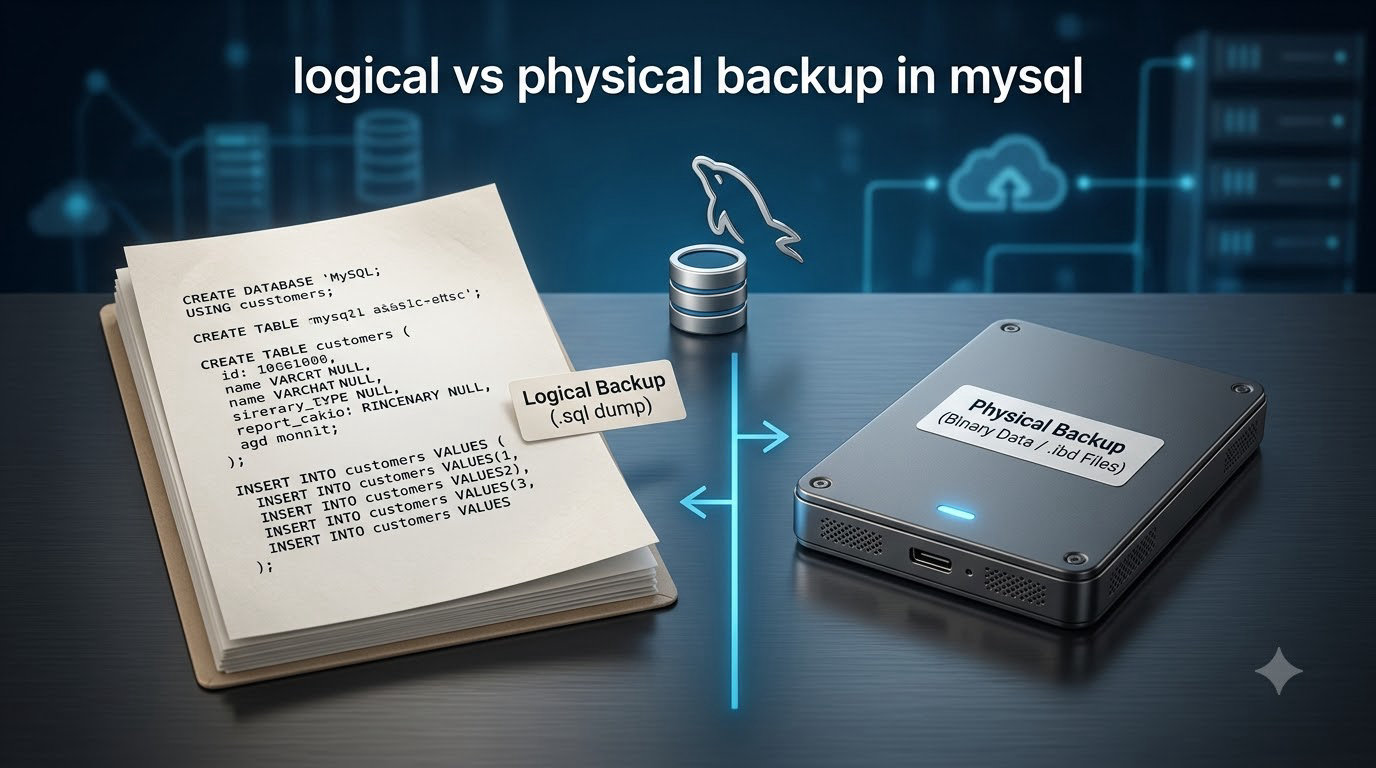
Logical backups export your database content as SQL statements (CREATE TABLE, INSERT), while physical backups copy the raw database files directly from disk. This fundamental difference drives everything else — speed, portability, tooling, and restore complexity.
Here’s the core distinction at a glance:
- Logical backup: Reads data through the MySQL server, outputs SQL text files. Tools: mysqldump, mysqlpump, SELECT INTO OUTFILE.
- Physical backup: Copies the actual InnoDB tablespace files, redo logs, and data directory. Tools: Percona XtraBackup, MariaDB Mariabackup, MySQL Enterprise Backup.
Physical backups are significantly faster because they skip the SQL parsing layer entirely. For a 100GB database, a physical backup might finish in 15-20 minutes while a logical backup could take 2-4 hours. The trade-off? Physical backups are tied to the specific MySQL version, storage engine, and operating system they were created on.
Logical backups win on portability. You can restore a mysqldump file to a completely different MySQL version, a different operating system, or even a different storage engine. That flexibility makes logical backups essential for migrations and development workflows.
What Are Logical Backups in MySQL?
A logical backup in MySQL extracts database objects and data by querying the MySQL server and converting everything into human-readable SQL statements. The output is a text file containing CREATE TABLE definitions, INSERT statements, and other DDL/DML commands that recreate your database structure and data.
How Logical Backups Work
When you run mysqldump, it connects to your MySQL server as a client. It reads each table’s schema, then queries every row using SELECT statements. The tool formats the output as SQL text — you can literally open the backup file in a text editor and read it.
For InnoDB tables, mysqldump uses consistent reads (MVCC) to get a point-in-time snapshot without locking tables. For MyISAM, it acquires table locks, which can impact production performance.
Common Logical Backup Tools
mysqldump is the default MySQL utility and the most widely used logical backup tool. It ships with every MySQL installation and supports all storage engines.
# Full database backup
mysqldump -u root -p --single-transaction --routines --triggers --all-databases > full_backup.sql

# Single database backup
mysqldump -u root -p --single-transaction mydb > mydb_backup.sql

# Specific tables only
mysqldump -u root -p --single-transaction mydb users orders > tables_backup.sql
mysqlpump is MySQL’s parallel backup utility, introduced in MySQL 5.7. It can dump multiple databases and tables simultaneously using multiple threads, which speeds up backups for multi-database environments.
# Parallel backup of multiple databases
mysqlpump -u root -p --default-parallelism=4 --databases db1 db2 db3 > parallel_backup.sql
SELECT INTO OUTFILE exports individual tables as delimited text files (CSV, TSV). It’s fast for single tables but lacks schema information — you’ll need to recreate the table structure separately.
Advantages of Logical Backups
- Cross-platform portability: Restore to any MySQL version, any OS, any architecture
- Human-readable output: You can inspect, edit, or selectively restore individual statements
- Selective restore: Extract and restore specific databases, tables, or even individual rows
- Version migration: Perfect for upgrading MySQL versions or migrating between forks (MySQL to MariaDB)
- No special tools required: mysqldump ships with every MySQL installation
- Storage engine agnostic: Works with InnoDB, MyISAM, MEMORY, and all other engines
Disadvantages of Logical Backups
- Slow for large databases: A 100GB database can take 2-4 hours to dump and 6-12 hours to restore
- Higher storage requirements: SQL text files are larger than compressed binary files
- CPU intensive: The MySQL server must parse and execute every INSERT during restore
- No incremental support: mysqldump cannot do incremental backups — you must dump the full database each time
- Production impact: While InnoDB supports consistent reads, the I/O load can still affect performance
What Are Physical Backups in MySQL?
A physical backup copies the actual database files from the filesystem — InnoDB tablespace files (.ibd), redo logs, binary logs, and the entire data directory. Instead of reading through the MySQL server layer, physical backup tools access the raw files directly, which makes them dramatically faster.
How Physical Backups Work
Physical backup tools like Percona XtraBackup read the InnoDB tablespace pages and redo log files directly from disk. For InnoDB, they track the Log Sequence Number (LSN) to ensure consistency. During backup, XtraBackup monitors the redo log for changes and applies them during the prepare phase to create a consistent snapshot.
The backup process has two stages:
- Backup phase: Copy data files and monitor redo logs for changes during the copy
- Prepare phase: Apply accumulated redo log changes to make the backup consistent (similar to InnoDB crash recovery)
Hot Backup vs Cold Backup
Hot backups run while MySQL is actively serving queries. Percona XtraBackup and Mariabackup support hot backups for InnoDB tables — zero downtime required. This is critical for production systems that cannot afford maintenance windows.
Cold backups require shutting down the MySQL server first. You simply copy the data directory while the server is offline. Cold backups are the simplest approach but demand downtime, making them impractical for 24/7 production systems.
Common Physical Backup Tools
Percona XtraBackup is the industry standard for MySQL physical backups. It’s open-source, supports hot backups of InnoDB and XtraDB, and handles incremental backups efficiently by tracking LSN changes.
# Full backup
xtrabackup --backup --target-dir=/backups/full/

# Prepare the backup (apply redo logs)
xtrabackup --prepare --target-dir=/backups/full/

# Incremental backup
xtrabackup --backup --target-dir=/backups/inc1/ --incremental-basedir=/backups/full/
Mariabackup is MariaDB’s fork of XtraBackup, optimized for MariaDB’s InnoDB and Aria storage engines. It functions identically to XtraBackup but is maintained by the MariaDB team.
MySQL Enterprise Backup is Oracle’s commercial backup solution. It supports hot backups, compression, encryption, and parallel streaming. It’s the only tool that officially supports all MySQL storage engines including NDB Cluster.
Advantages of Physical Backups
- Dramatically faster: 5-10x faster backup and restore for large databases
- Incremental support: Only copy changed pages since the last backup, saving storage and time
- Lower server load: Reads files directly from disk rather than querying through the MySQL server
- Faster recovery: Restore involves copying files back and starting MySQL — no SQL parsing
- Point-in-time recovery: Combine with binary logs for precise recovery to any moment
Disadvantages of Physical Backups
- Platform-specific: Cannot restore to a different OS, architecture, or significantly different MySQL version
- Less portable: Tied to the same storage engine and file format
- Requires specialized tools: Need XtraBackup, Mariabackup, or MySQL Enterprise Backup
- More complex restore: Requires the prepare phase and careful file permission management
- Storage engine limitations: Hot backup support varies by tool and engine
Performance Comparison: Backup Speed and Restore Times
Performance is where physical backups dominate. The difference becomes dramatic as database size increases — a 10GB database shows modest differences, but at 100GB+, the gap is enormous.
Here are real-world time estimates based on typical production hardware (SSD storage, 8 cores, 32GB RAM):
| Database Size | Logical Backup (mysqldump) | Physical Backup (XtraBackup) | Logical Restore | Physical Restore |
|---|---|---|---|---|
| 1 GB | 2-5 minutes | 30-60 seconds | 5-15 minutes | 1-2 minutes |
| 10 GB | 20-40 minutes | 3-6 minutes | 1-2 hours | 5-10 minutes |
| 50 GB | 2-3 hours | 15-25 minutes | 4-8 hours | 20-40 minutes |
| 100 GB | 3-5 hours | 25-45 minutes | 8-14 hours | 40-75 minutes |
| 500 GB | 15-25 hours | 2-4 hours | 40-70 hours | 2-5 hours |
These estimates assume non-compressed backups with default settings. Compression reduces storage by 60-80% but increases CPU usage and backup time by 20-40%.
The restore time difference matters most in disaster recovery scenarios. When your production database goes down and every minute costs money, a physical restore that completes in under an hour versus a logical restore that takes 12+ hours is a game-deciding factor.
Storage Space Requirements
Logical backups produce SQL text files that are typically 1.5-3x the size of the raw database. With gzip compression, they shrink to roughly 0.3-0.8x the database size.
Physical backups are approximately equal to the database size, or 0.3-0.5x with compression. Incremental physical backups are even smaller — typically only 5-15% of the full backup size, depending on how much data changed.
When to Use Logical vs Physical Backup
The right choice depends on your specific scenario. In my experience, most production environments benefit from using both types strategically rather than picking one exclusively.
Use Logical Backups When:
- Migrating between MySQL versions: A logical dump from MySQL 5.7 can restore to MySQL 8.0 without issues
- Cross-platform migration: Moving from Linux to Windows, or from bare metal to a different cloud provider
- Creating development copies: Developers need a copy of production data on their local machines with different configurations
- Small databases under 10GB: The speed difference is minimal, and the portability benefits outweigh the time cost
- Selective data export: You need specific tables or databases, not the entire instance
- Database version upgrades: MySQL’s upgrade process works best with logical dumps
Use Physical Backups When:
- Large production databases over 50GB: The time savings are too significant to ignore
- Disaster recovery: Fast restore times minimize downtime and business impact
- Minimal backup window: Hot backups with XtraBackup require zero downtime
- Incremental backups needed: Physical tools support efficient incremental backups; mysqldump does not
- Same-environment restores: Restoring to the same MySQL version on the same OS
- Point-in-time recovery: Combine physical backups with binary logs for granular recovery
The Hybrid Approach: Best of Both Worlds
The most resilient backup strategy uses both approaches together:
- Weekly full physical backup with XtraBackup for fast disaster recovery
- Daily incremental physical backups for minimal data loss windows
- Weekly logical dump for portability and cross-environment restores
- Binary log archiving for point-in-time recovery between backups
This combination ensures you can recover quickly from hardware failures (physical backup) while maintaining the flexibility to migrate or create dev copies (logical backup). Many experienced DBAs follow exactly this pattern.
MySQL Backup Tools: A Complete Overview
Understanding your tool options helps you build the right backup pipeline. Each tool has specific strengths that make it ideal for certain scenarios.
Logical Backup Tools
mysqldump — The standard utility included with MySQL. Single-threaded, widely documented, and compatible with every MySQL version and fork. Best for small-to-medium databases and migration scenarios.
mysqlpump — MySQL’s built-in parallel dump utility. Supports multi-threaded backups across databases, but each table is still dumped single-threaded. Useful for environments with many small databases.
mydumper — A third-party multi-threaded logical backup tool that parallelizes at the table level. Significantly faster than mysqldump for large databases. Community-maintained and widely used in production environments.
phpMyAdmin export — Web-based export functionality suitable for small databases and quick exports. Not recommended for production backup automation due to PHP timeout limitations.
Physical Backup Tools
Percona XtraBackup — The gold standard for MySQL physical backups. Open-source, supports hot backups, incremental backups, parallel compression, and streaming. Supports MySQL, Percona Server, and MariaDB.
Mariabackup — MariaDB’s maintained fork of XtraBackup, optimized for MariaDB’s storage engines. Ships with MariaDB Server — no separate installation needed.
MySQL Enterprise Backup — Oracle’s commercial solution with official support, encryption, cloud storage integration, and NDB Cluster support. Requires a commercial MySQL subscription.
Filesystem snapshots — Using LVM snapshots or cloud provider snapshots (EBS snapshots on AWS) to capture a consistent point-in-time copy. Requires coordination with MySQL to flush and lock tables during the snapshot.
MySQL Backup Best Practices for 2026
A backup strategy is only as good as its last successful restore test. These practices come from years of managing MySQL backups in production environments and learning from what goes wrong.
Always Test Your Restores
The most common backup failure isn’t a failed backup — it’s discovering the backup is corrupted or incomplete when you desperately need it. Schedule regular restore tests to a staging environment. At minimum, verify restores monthly. For mission-critical databases, test weekly.
A simple verification approach:
# Create a test restore database
mysql -e "CREATE DATABASE backup_verify;"

# Restore and verify row counts
mysql backup_verify < mydb_backup.sql

# Compare table counts
mysql -e "SELECT table_name, table_rows FROM information_schema.tables WHERE table_schema='backup_verify';"
Combine Binary Logs with Your Backup Strategy
Binary logs enable point-in-time recovery between backup intervals. If you take nightly backups and your database fails at 3 PM, binary logs let you replay all changes from the last backup to 3 PM — minimizing data loss to near zero.
# Enable binary logging (my.cnf)
[mysqld]
log-bin=mysql-bin
binlog_expire_logs_seconds=604800
server-id=1

# Restore with binary log replay
mysql < full_backup.sql
mysqlbinlog --start-datetime="2026-09-11 00:00:00" --stop-datetime="2026-09-12 15:00:00" mysql-bin.000042 | mysql
Automate and Monitor Your Backups
Manual backups are forgotten backups. Set up cron jobs or use orchestrator tools to schedule backups automatically. Monitor backup completion, duration, and file size over time — growing backup times or unexpected size changes often indicate problems before they become disasters.
Consider Cloud-Managed Database Options
If you’re running on AWS RDS, Google Cloud SQL, or Azure Database for MySQL, the cloud provider handles physical backups automatically. These services take daily snapshots and retain transaction logs for point-in-time recovery, typically up to 35 days.
The trade-off is control. Cloud-managed backups don’t give you access to the raw backup files, and restoring to a different region or account can be complex. For most teams, though, the automation and reliability of managed backups outweigh the loss of control.
Frequently Asked Questions
What is the difference between logical and physical backup in MySQL?
Logical backups export database content as SQL statements (using tools like mysqldump), while physical backups copy the raw database files directly from disk (using tools like XtraBackup). Physical backups are significantly faster but less portable; logical backups work across different MySQL versions and operating systems.
Which is faster, physical or logical backup?
Physical backups are 5-10x faster than logical backups for large databases. A 100GB database takes 3-5 hours with mysqldump but only 25-45 minutes with XtraBackup. Restore times show an even bigger gap — physical restores complete in under an hour while logical restores can take 8-14 hours for the same database.
Can I use both logical and physical backups together?
Yes, and it is the recommended approach for production environments. Use physical backups (XtraBackup) for fast disaster recovery and logical backups (mysqldump) for portability, migrations, and development copies. Combining both gives you speed and flexibility.
Does mysqldump support incremental backups?
No, mysqldump does not support incremental backups. It always dumps the full database. For incremental backup capability, you need physical backup tools like Percona XtraBackup or Mariabackup, which track page-level changes using Log Sequence Numbers (LSN).
What is the best MySQL backup strategy for production?
The best strategy combines weekly full physical backups with XtraBackup, daily incremental physical backups, binary log archiving for point-in-time recovery, and periodic logical dumps for portability. Test restores regularly to verify backup integrity.
Is logical backup portable across MySQL versions?
Yes, logical backups are highly portable. A mysqldump file from MySQL 5.7 can be restored to MySQL 8.0, MariaDB, or even a different operating system. This portability makes logical backups the preferred choice for database migrations and version upgrades.
Final Thoughts
Understanding logical vs physical backup in MySQL comes down to matching the right tool to your specific situation. Physical backups excel at speed and disaster recovery for large production systems. Logical backups win on portability and cross-environment flexibility.
For most teams, the answer isn’t choosing one or the other — it’s using both. Build a hybrid strategy that leverages physical backups for your primary disaster recovery pipeline and logical backups for migrations, development copies, and version upgrades. Test your restores regularly, monitor your backup processes, and you’ll never be caught off guard.