
Most people buy a home printer twice: once as an inkjet that clogs after three idle weeks, then again as a color laser that keeps working. The best color laser printers for home use solve the two problems inkjets create, dried printheads and runaway ink cost, while adding what home users actually want: automatic duplex printing, Wi-Fi, and toner that sits on a shelf for months without spoiling.
Our team spent weeks working through the current generation of color laser machines, reading the long-term owner reports, and comparing the numbers that never appear on the box: paper capacity, speed in both directions, warranty length, and whether the toner cartridge works with third-party suppliers or is locked down. We narrowed the field to 11 models that still make sense in a house or home office in 2026.
A quick note on what we left out. Two of the models most often recommended online for home color laser use either had thin review histories or were discontinued by the time we looked. Instead of padding the list, we kept every pick here, and every pick ships with a clear verdict on who it suits and who it will frustrate.
The headline finding: cost per page, not purchase price, decides which printer wins. A cheaper machine with a locked-in cartridge can cost more over three years than a pricier one with open toner supply. We explain how to do that math in the buying guide below, and the drum unit cost that most roundups leave out.
Table of Contents
Top 3 Picks for the Best Color Laser Printers for Home Use (October 2026)
Our top three cover the three situations most homes fall into. Start here, then read the full review for the model you are leaning toward.

Canon imageCLASS MF644Cdw
- Print scan copy fax
- 5 inch color touchscreen
- Automatic duplex
- 3 year warranty

Brother HL-L3230CDW
- 25 ppm color and mono
- 250 sheet paper tray
- Wi-Fi and Ethernet
- Single sheet manual feed

Brother MFC-L3720CDW
- Print scan copy fax
- 3.5 inch color touchscreen
- 50 sheet ADF
- 250 sheet tray
The Canon imageCLASS MF644Cdw takes the top slot because it does the most jobs per unit of desk space: it prints, scans, copies and faxes, has a 5-inch color touchscreen, and carries a three-year warranty that no Brother model in this group matches. If you want to spend less and do not need a scanner, the Brother HL-L3230CDW is the value pick at 25 ppm in both color and black. If you want the smallest all-in-one with a real document feeder, the Brother MFC-L3720CDW is the one.
All 11 Color Laser Printers Compared in 2026
Every pick below appears in the table with the specs that actually change daily use. Speed is the manufacturer rating in pages per minute, and capacity is the standard paper tray, not the manual feed slot.
| Product | Specs | Action |
|---|---|---|
| Canon imageCLASS MF644Cdw |
|
Check Latest Price |
| Brother HL-L3230CDW |
|
Check Latest Price |
| Brother MFC-L3720CDW |
|
Check Latest Price |
 Canon imageCLASS LBP632Cdw Canon imageCLASS LBP632Cdw |
|
Check Latest Price |
 Brother HL-L3300CDW Brother HL-L3300CDW |
|
Check Latest Price |
 Canon imageCLASS MF753Cdw II Canon imageCLASS MF753Cdw II |
|
Check Latest Price |
 Canon imageCLASS MF652Cw Canon imageCLASS MF652Cw |
|
Check Latest Price |
 Canon imageCLASS MF751Cdw Canon imageCLASS MF751Cdw |
|
Check Latest Price |
 Brother MFC-L8930CDW Brother MFC-L8930CDW |
|
Check Latest Price |
 Brother HL-L3295CDW Brother HL-L3295CDW |
|
Check Latest Price |
 Canon imageCLASS MF662Cdw Canon imageCLASS MF662Cdw |
|
Check Latest Price |
Two patterns jump out. Canon ships three-year warranties across nearly the whole range, while Brother covers one year on most models. And the fastest machines on paper, the two Canon 35 ppm units and the Brother MFC-L8930CDW at 33 ppm, are all large enough that they dominate a home desk rather than fit on one.
1. Canon Color imageCLASS MF644Cdw: Best All-in-One for Most Homes
Color imageCLASS MF644Cdw – All-in-One, Wireless, Mobile-Ready, Duplex Laser Printer with 3 Year Warranty,Works with Alexa
22 ppm color and mono
Automatic duplex
50 sheet capacity
3 year exchange warranty
Pros
- Print scan copy and fax in one machine
- 5 inch color touchscreen
- One pass duplex document feeder
- Wi-Fi Direct hotspot without a router
Cons
- Heavy at 48.4 pounds
- Modest 50 sheet maximum capacity
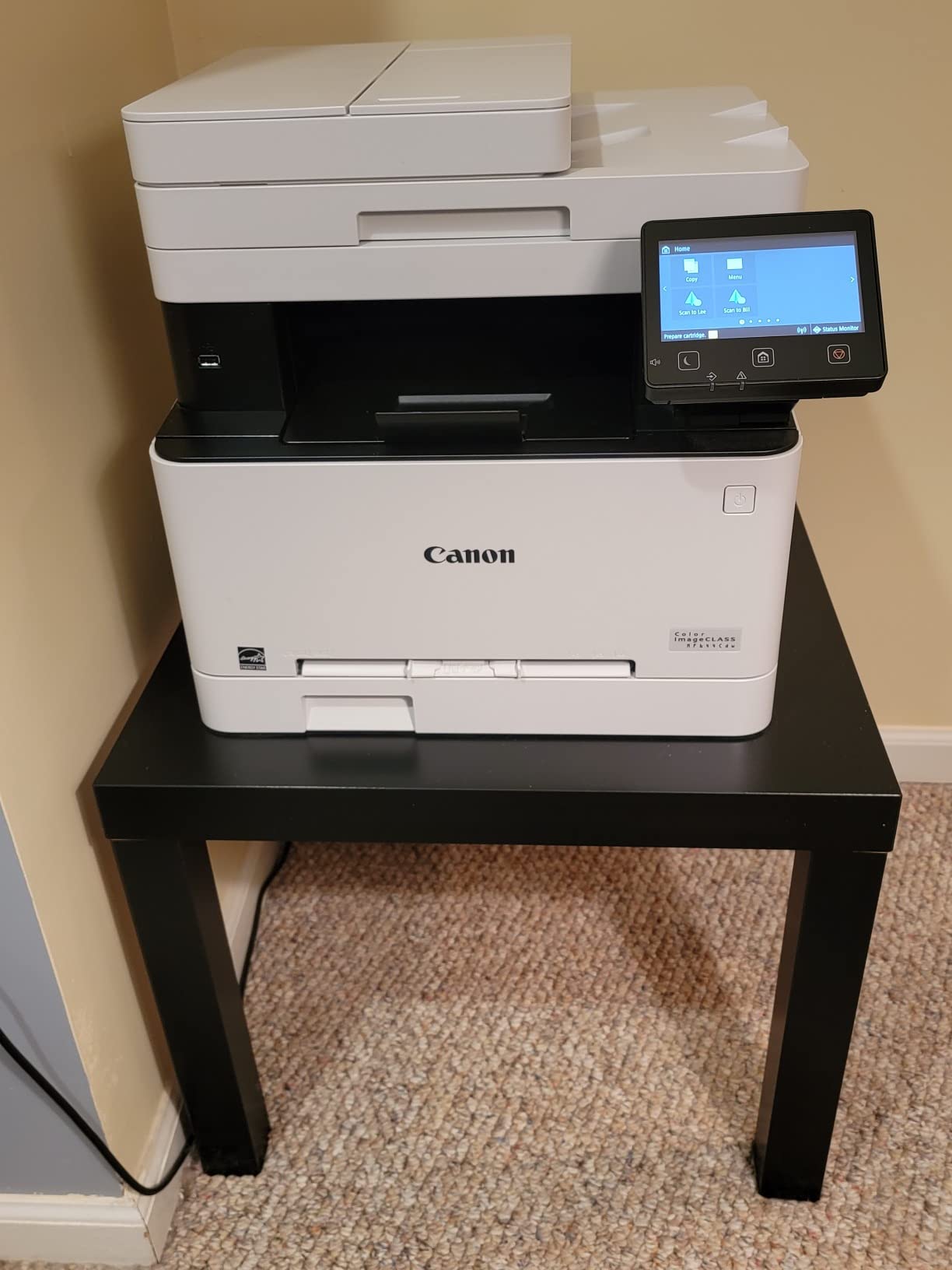
The MF644Cdw is the machine we keep coming back to for one reason: it is the only unit in this group that pairs a large color touchscreen with a three-year warranty. That combination matters more than any spec sheet number once a printer lives in a house and gets moved around.
In daily use it behaves like a small office machine that someone squeezed for a study. Print speed is 22 pages per minute in both color and black, first page out in about 10 seconds, and automatic duplex handles double-sided documents without a manual flip. The 5-inch color touchscreen runs Canon’s Application Library, so scan-to-email and copy presets are one tap rather than a menu dive.
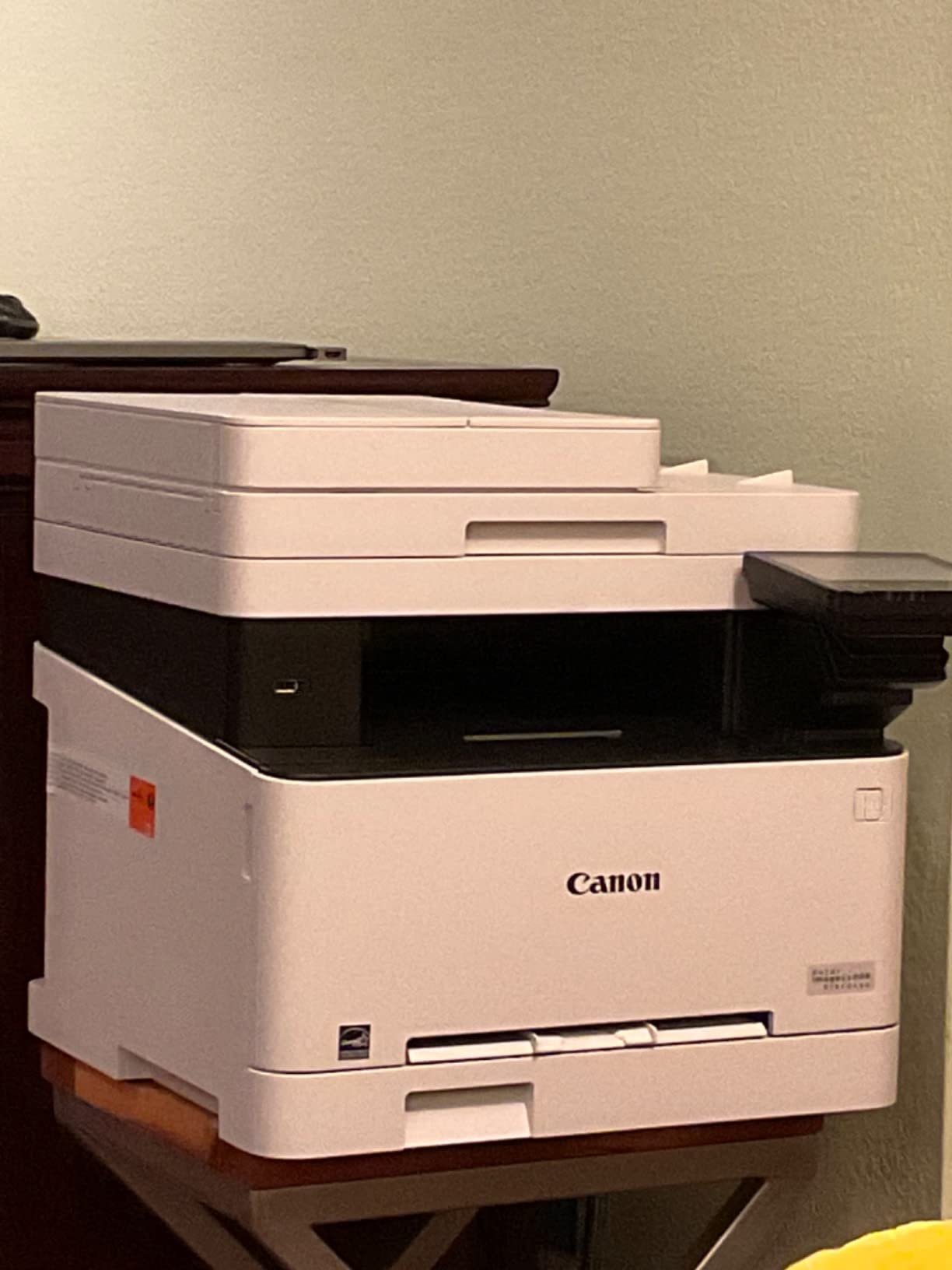
The document feeder does a one-pass duplex scan, turning a stack of receipts into a single searchable PDF rather than a pile of half-sheets. Owners also like the high-capacity all-in-one cartridge, since a combined drum and toner unit means fewer supply items to track.
Two things temper the recommendation. At 48.4 pounds it is not a device you slide onto a floating shelf, and the 50-sheet maximum sheet capacity means constant refilling if you run long print jobs. The high-capacity cartridge is what keeps cost per page reasonable; on the standard cartridge, running costs climb sharply.
What the MF644Cdw does better than the alternatives
Compared with the Brother MFC-L3720CDW, this Canon has a bigger touchscreen, a faster 22 ppm engine against 19 ppm, and a warranty that runs three years instead of one. The trade is paper capacity: 50 sheets on the Canon side of the equation versus a 250-sheet tray on the Brother.
Canon’s security posture also suits a shared network better. Documents are held in short-term memory only, which matters if your printer sits on a home network that guests and neighbors’ devices can reach.
Where the MF644Cdw falls short
If your printing is mostly spreadsheets and forms with a monthly color need under 100 pages, this is more machine than you need and the toner outlives the demand. A print-only model such as the Canon imageCLASS LBP632Cdw uses less power, takes less room, and costs less to keep supplied.
Owners who replaced an aging office unit report the transition was painless, and the two most common criticisms in reviews are the footprint and the capacity ceiling. Neither is a dealbreaker in a roomy office, and both are real problems in a small flat.
2. Brother HL-L3230CDW: Top Rated Print-Only Model
Brother HL-L3230CDW Compact Digital Color Printer Providing Laser Printer Quality Results with Wireless Printing and Duplex Printing, Amazon Dash Replenishment Ready, White
25 ppm color and mono
Automatic duplex
250 sheet paper tray
Wi-Fi, Ethernet, USB
Pros
- Low cost per page with Brother genuine toner
- 25 ppm in color and black
- 250 sheet adjustable tray
- Quiet enough for a bedroom office
Cons
- Print only with no scanner
- Large footprint
- Single sheet manual feed slot
- Slow first color page
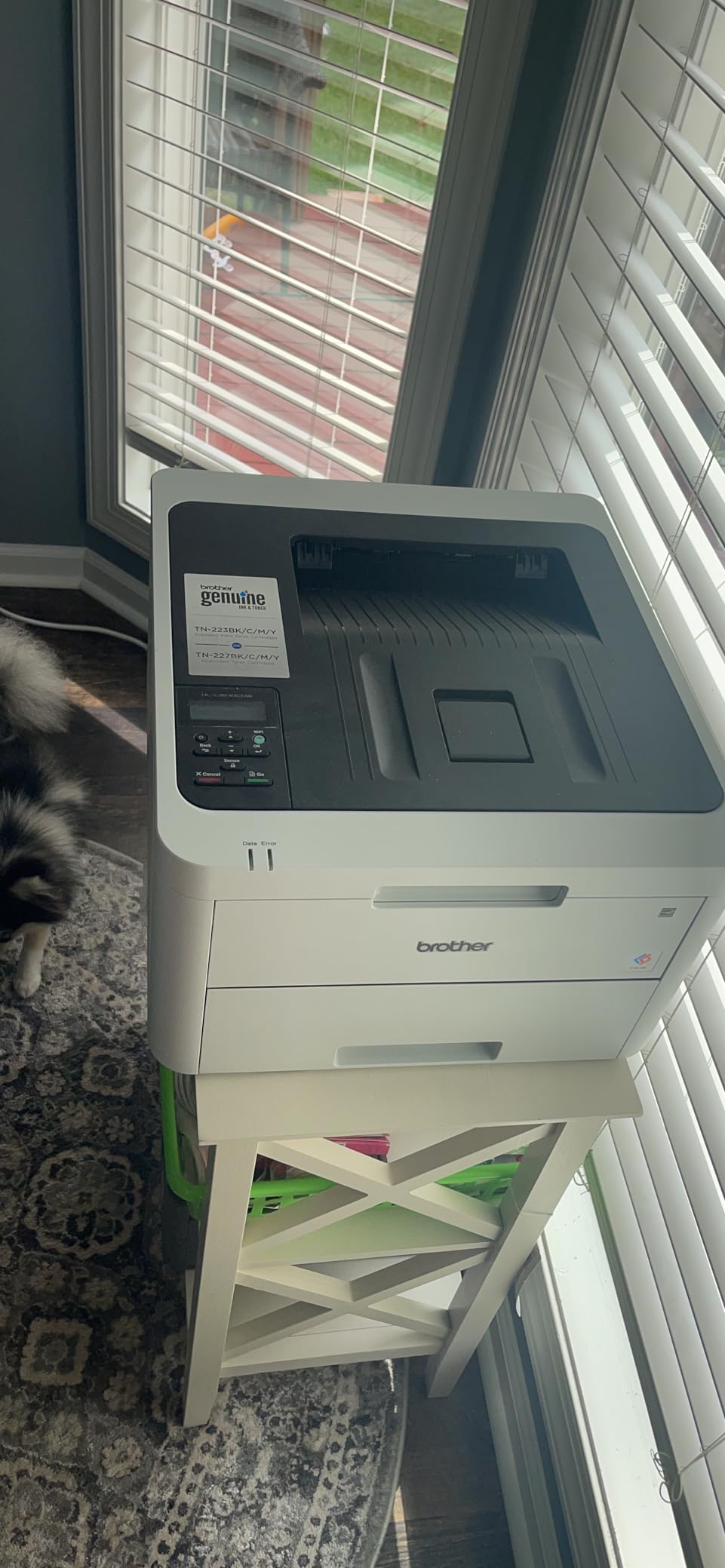
If you print and do not scan, the HL-L3230CDW is the printer we recommend most often. At 25 pages per minute in both color and black, it is the joint fastest print-only unit here, and the 250-sheet tray means you refill once a month rather than twice a week.
Brother’s TN223 and TN227 toner cartridges are widely available and inexpensive compared with most color laser supplies, which is where most of the running-cost advantage comes from. The printer accepts AirPrint, Mopria, Wi-Fi Direct and the Brother mobile app, so phones and Chromebooks connect without a cable.
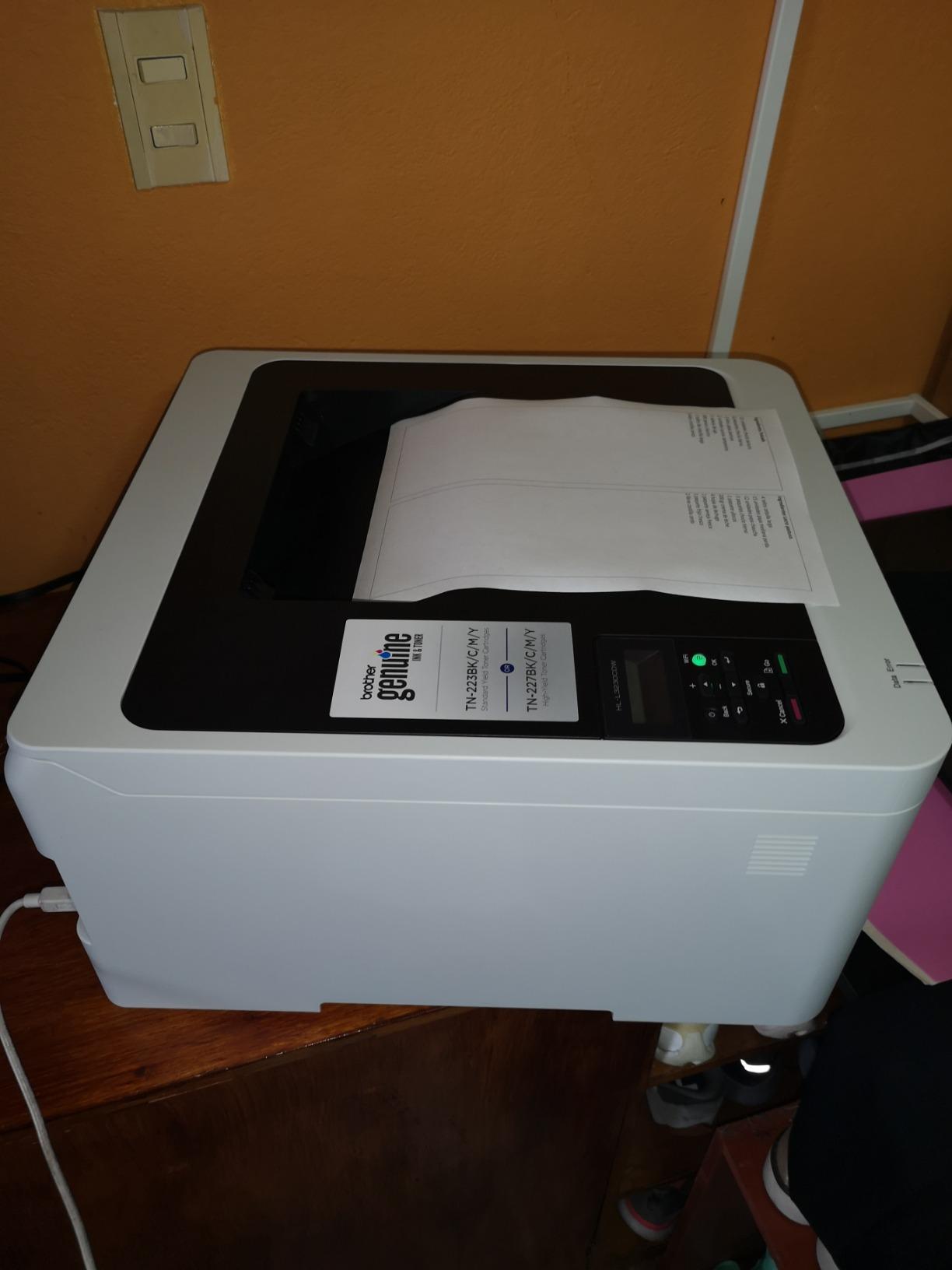
Long-term owners describe it as boring in the best sense. We found no accounts of jams over months of regular duplex color work, and several mention the installation software being simple enough to set up without a network, which is rare in this category.
The physical reality is worth planning for. At 18.1 inches wide and 9.9 inches tall it is wider than most compact laser printers, and the manual feed is a single narrow slot rather than a real tray, so envelopes and card stock take patience.
Why this is the value pick
It is one of only three models here rated 4.3 or higher that also carries a review count above 1400, which means the reliability reports come from a large pool of real households rather than a handful of early adopters. Long-lived Brother and Dell color laser owners commonly report five to seven years of service with only toner replaced.
Automatic duplex is standard, not optional, at this level. That alone halves paper use on double-sided documents and is the feature that most changes day-to-day cost for a family printing homework and school projects.
Where the HL-L3230CDW frustrates buyers
There is no scanner, copier or fax. If you need to digitize receipts, sign a document by copying it to a flatbed, or send a fax, this machine cannot do any of that and you will need a separate scanner or a different model.
Color jobs are slow to start because the engine runs repeated warm-up cycles before it settles, and some owners report the printer pausing output when a color cartridge runs low. Budget for the high-yield TN227 cartridges rather than the standard TN223 if you print color regularly.
3. Brother MFC-L3720CDW: Best for Working From Home
Brother MFC-L3720CDW Wireless Color Laser Printer, Scanner, Copier, Fax, Auto Duplex, 250-Sheet Capacity
19 ppm color and mono
250 sheet tray
50 sheet document feeder
3.5 inch color touchscreen
Pros
- Print scan copy and fax in a compact body
- 3.5 inch touchscreen with 48 shortcuts
- 50 sheet ADF plus 250 sheet tray
- Dual band wireless and Wi-Fi Direct
Cons
- Modest 19 ppm color speed
- One year limited warranty
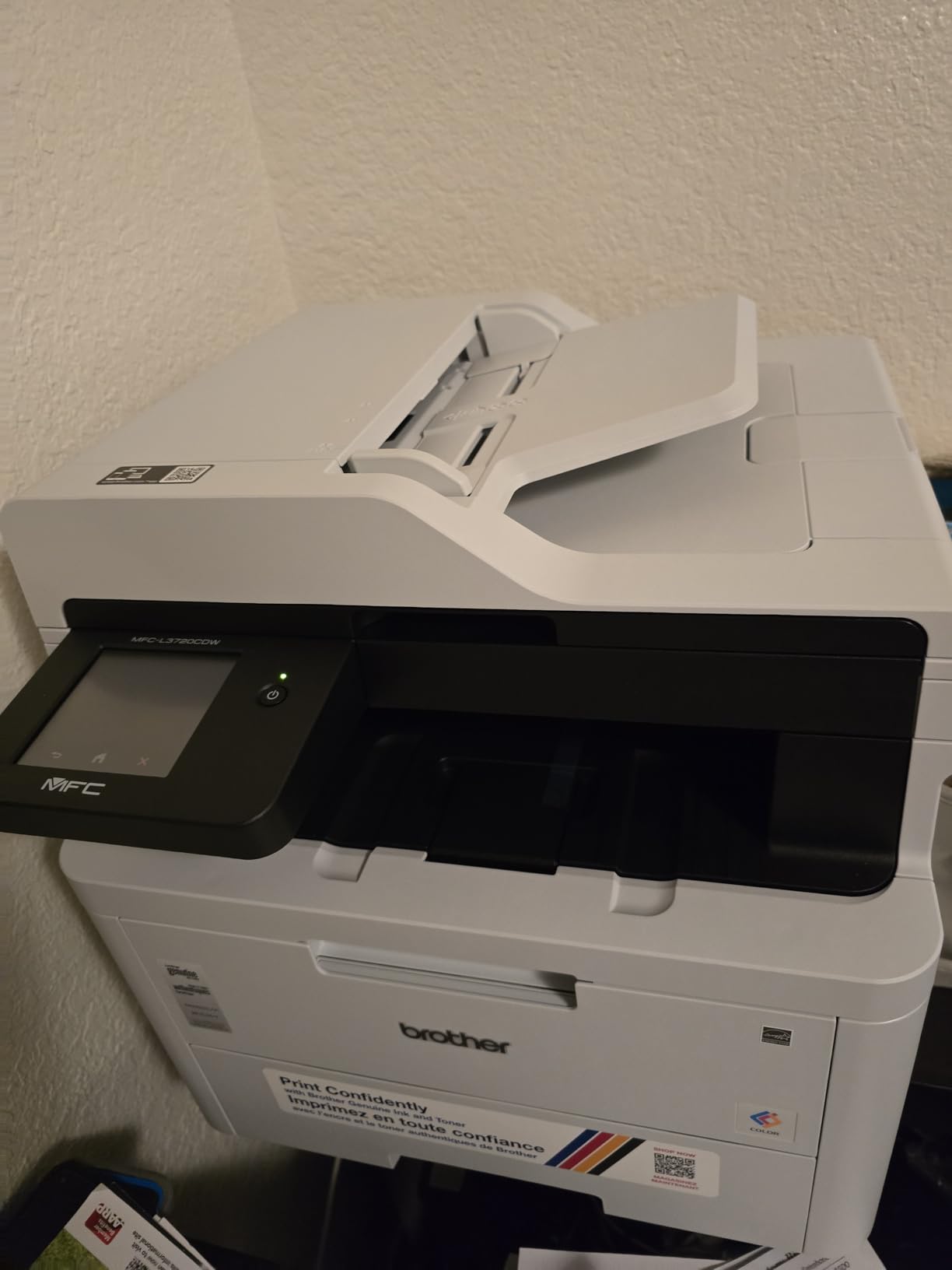
The MFC-L3720CDW is built for the person whose printer is also their office. It handles print, scan, copy and fax, feeds 50 sheets through the automatic document feeder, and holds 250 sheets in the main tray, which covers a week of a remote worker’s printing without a refill.
Connectivity is the strongest part of the package. Dual-band wireless on 2.4GHz and 5GHz, Wi-Fi Direct, and USB 2.0 cover everything from an old desktop to a modern phone, and the touchscreen carries 48 customizable shortcuts that you can point at Google Drive, Dropbox or OneNote.
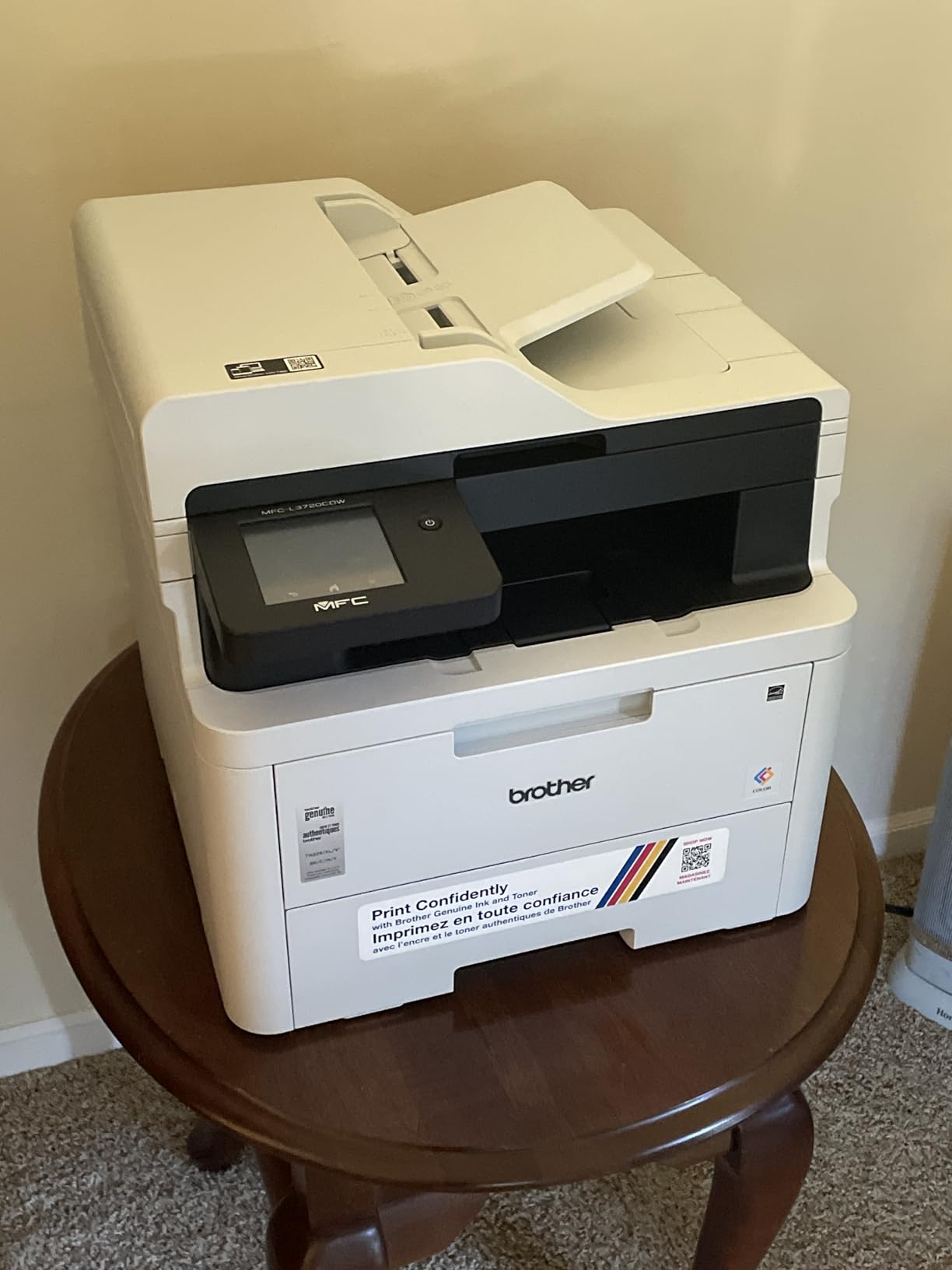
It also takes TN229, TN229XL and TN229XXL toner plus a DR229CL drum unit, so you have real choice on supply. The companion app reports toner levels remotely, which for a printer in another room is more useful than it sounds.
Speed is the honest weakness. Nineteen pages per minute is the second slowest engine here, and first page out is under 15 seconds but not much under it. For a single worksheet that is irrelevant; for a 200-page report it adds up.
What works well for a home office
The document feeder turns a stack of signed forms into a searchable digital file, and the flatbed covers anything the feeder cannot take. Having fax in a home office still matters for medical, school and landlord paperwork, and this machine covers it without a separate device.
At 44 pounds and roughly 17.5 inches wide it is a normal size for an all-in-one, and it sits under a standard desk in a home office without needing a dedicated cabinet.
Where it falls short
The one-year limited warranty is the first thing to notice. Canon imageCLASS models in this same list carry three years, and over a five-year home ownership span that difference is meaningful on a machine this size.
A 16 percent one-star share of reviews points to setup and software friction for some users, alongside mixed toner supply experiences. If you are not comfortable with a short network configuration sequence, the Canon MF644Cdw with its larger guided touchscreen is the calmer choice.
4. Canon imageCLASS LBP632Cdw: Best Lightweight Print-Only Pick
Canon imageCLASS LBP632Cdw – Wireless Duplex Color Laser Printer, Single Function, Home Office, Mobile Ready, 22 PPM Color, White
22 ppm color and mono
250 sheet cassette
1200 x 1200 dpi color
ENERGY STAR and EPEAT Silver
Pros
- Lightest body of the print-only models at 35.3 pounds
- 22 ppm in color and black
- 250 sheet cassette plus multipurpose tray
- Chromebook compatible
Cons
- No scanner copier or fax
- One year warranty is short for the price
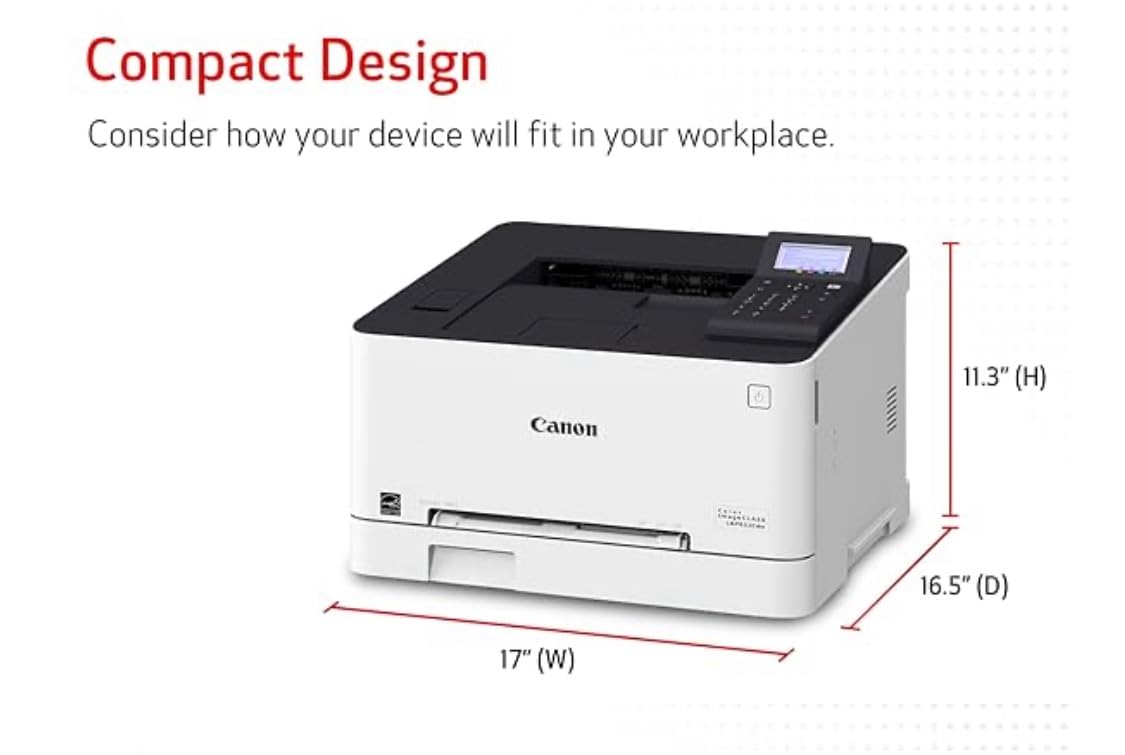
The LBP632Cdw is the print-only machine to buy if you want Canon’s engine and toner ecosystem without an all-in-one. It runs 22 pages per minute in color and black, prints at up to 1200 x 1200 dpi in color, and includes automatic duplex.
It is the lightest printer in this entire group at 35.3 pounds, which matters if the machine lives in a spare room and you occasionally need to move it. The 250-sheet standard cassette takes letter and legal, and a one-sheet multipurpose tray covers envelopes and card stock.

Reviewers consistently praise the straightforward duplex color output and the compact print-only footprint. Canon’s Toner 067 and 067 high-capacity cartridges are easy to find, and the machine is ENERGY STAR certified and EPEAT Silver rated.
Sixty-two percent of reviews are five stars, and the recurring reservation is simply the absence of scan and copy functions. There is also a 13 percent one-star share, which in the reviews points to people who expected a multifunction device.
When this is the right machine
If you print documents, charts, and flyers and scan everything else with a phone or a separate flatbed scanner, this is the tidiest option. It does not spend energy and desk depth on a scanner deck you will not open.
The high-capacity 067 toner is where the economics live. Using the high-capacity cartridge rather than the standard one is the single biggest lever on cost per page for this engine.
When it is the wrong machine
The one-year warranty is a real limitation on a Canon model in a category where Canon offers three years elsewhere. Buyers who keep printers for a decade, and those who print a lot of receipts and forms, are better served by a longer-covered model.
It also has no physical control panel beyond a small LCD, so settings changes happen in software. That suits a networked computer and frustrates anyone who wants to adjust copies or contrast at the machine itself.
5. Brother HL-L3300CDW: Best Three-in-One Without a Fax
Brother HL-L3300CDW Wireless Digital Color Multi-Function Printer with Laser Quality Output, Copy & Scan, Duplex, Mobile | Includes 2 Month Refresh Subscription Trial ¹, Works with Alexa
19 ppm color and mono
250 sheet tray
Flatbed scanner
Automatic duplex
Pros
- Print copy and scan in one compact body
- Flatbed glass for books and odd sizes
- Dual band wireless and Wi-Fi Direct
- Automatic duplex on every page
Cons
- No fax capability
- One year limited warranty
The HL-L3300CDW does the thing most home users actually want from an all-in-one, which is print, copy and scan, and skips the fax. That single omission keeps the body compact and the price lower than the four-function models on this list.
Speed is 19 pages per minute with automatic duplex, and the 250-sheet tray is handled from the front with a paper guide that adjusts for letter or legal. The flatbed scanner handles anything the sheet feed cannot, which matters if you copy from books or odd-sized paper.
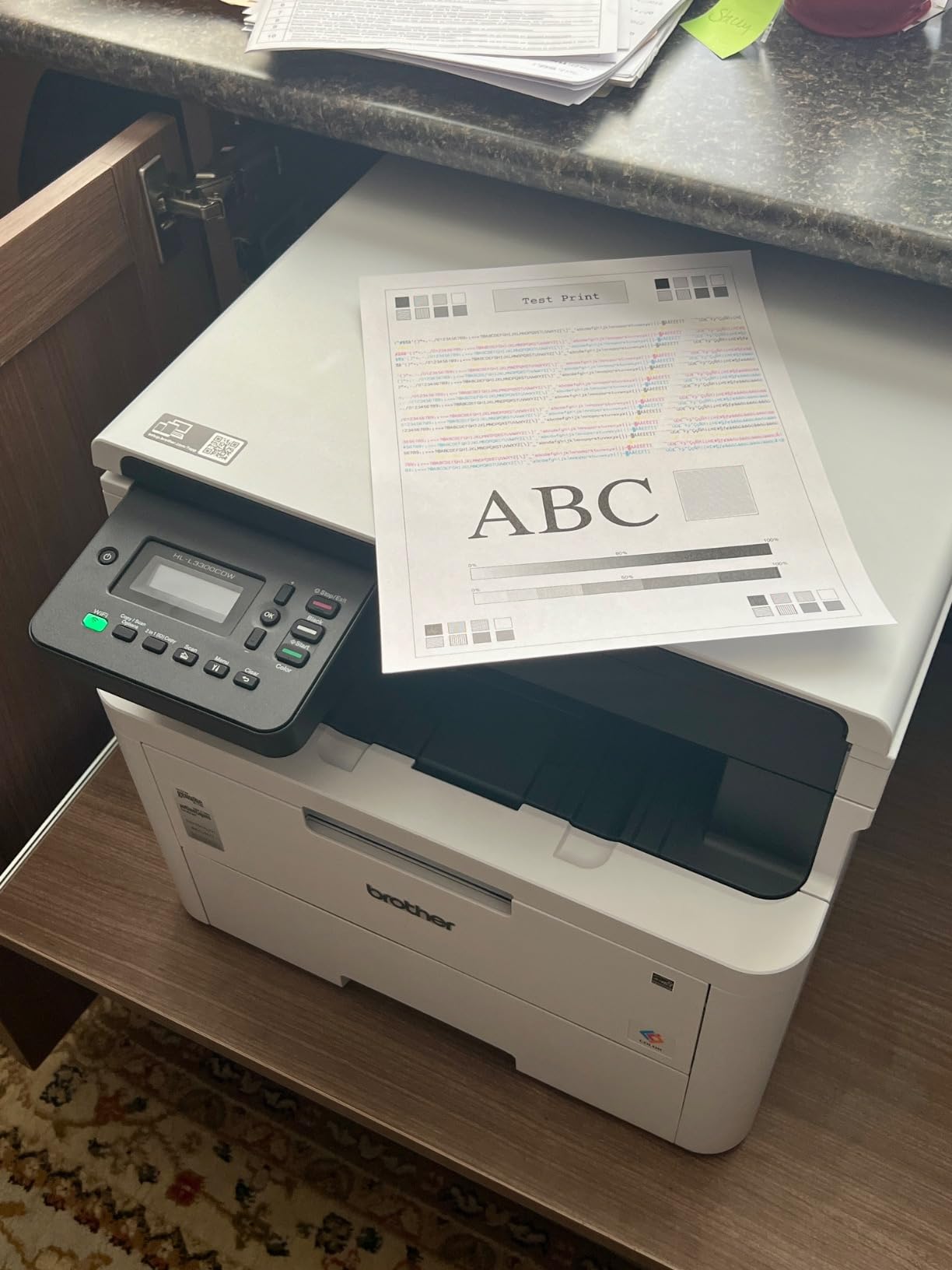
It uses the same TN229 and DR229CL supplies as the Brother MFC-L3720CDW, so one toner order covers two machines in the same house. Dual-band wireless and Wi-Fi Direct handle connection, and a USB port covers a wired setup.
Sixty-eight percent of reviews are five stars. The most common criticism is the missing fax, and a 17 percent one-star share points to inconsistent setup and supply experiences for some buyers.
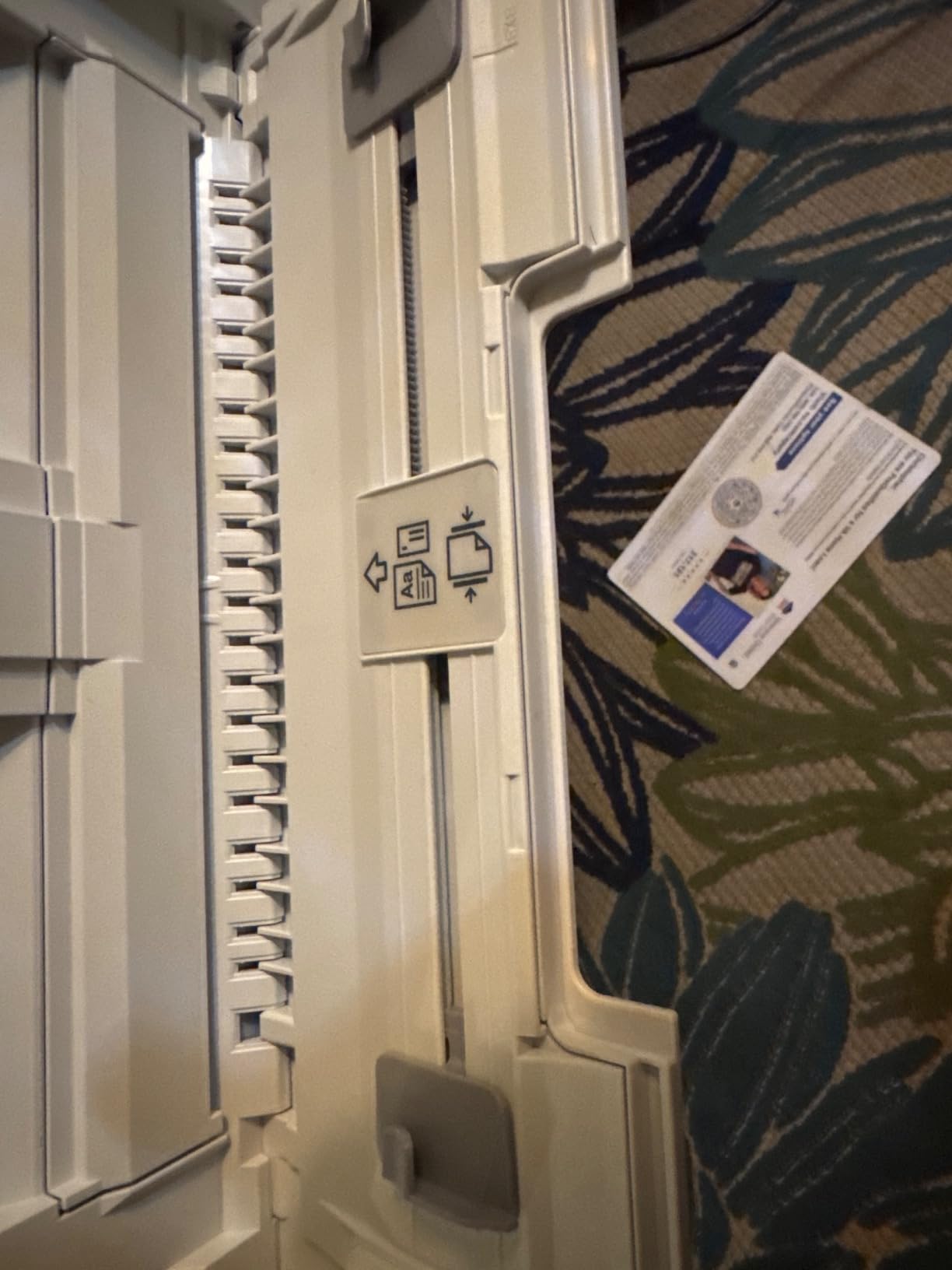
Best fit for a family printer
Copy and scan cover school projects, permission slips and digitizing paperwork, which are the three things a home printer is asked to do most often after printing. Without an automatic document feeder, multi-page scans go on the glass one at a time, and that is the main workflow limit here.
Brother’s genuine toner pricing keeps running costs modest, and the same cartridge family is shared with several models here, which makes restocking simple.
Where it falls short
No automatic document feeder means a twenty-page scan takes twenty placements. If you file a lot of paper, the Brother MFC-L3720CDW with its 50-sheet ADF is the better tool despite costing more.
It also carries only a one-year limited warranty, and the review data shows some buyers struggling with driver installation on current systems. The install disc approach is dated, so download the full package from the manufacturer’s site before you start.
6. Canon Color imageCLASS MF753Cdw II: Best for Long Print Jobs
Canon Color imageCLASS MF753Cdw II – All-in-One Color Duplex Laser Printer
35 ppm color and mono
7 second first print
250 sheet tray
3 year manufacturer warranty
Pros
- Fastest engine here at 35 ppm in color and black
- Large onboard memory for very long jobs
- Automatic duplex with scan copy and fax
- 3 year warranty
Cons
- Canon's desktop software often fails to discover it on Windows 11
- Heavy at 50 pounds
- 250 sheet tray refills often
The MF753Cdw II is the fastest color laser in this group at 35 pages per minute in both color and black, with a first page out in 7 seconds. If you print a lot and you do not like waiting, that number is the whole argument.
It is a four-in-one with print, scan, copy and fax, all with automatic duplex. The 250-sheet main tray is supported by a second tray, and the large onboard memory is what stops long jobs from stalling partway through.
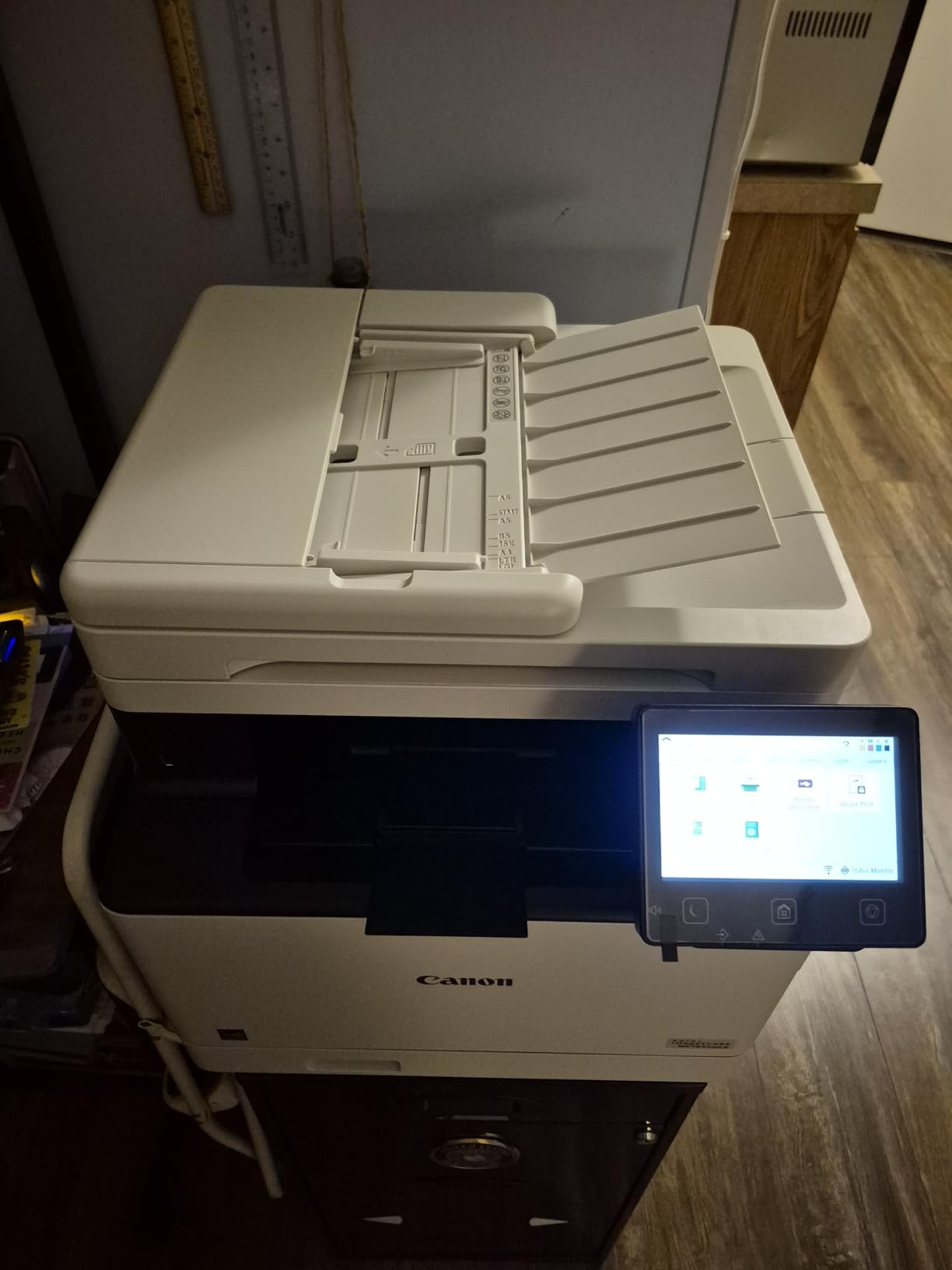
Owners who came from aging office units or from inkjets report strong color, sharp duplex output and low per-page toner cost, and 69 percent of reviews are five stars. The touchscreen guides setup, handles color calibration automatically, and configures the network for you.
It can also scan and copy straight to a network folder or USB stick, which removes a step from archiving receipts and school paperwork. A quiet sleep mode keeps it from humming in a room where someone is trying to work.
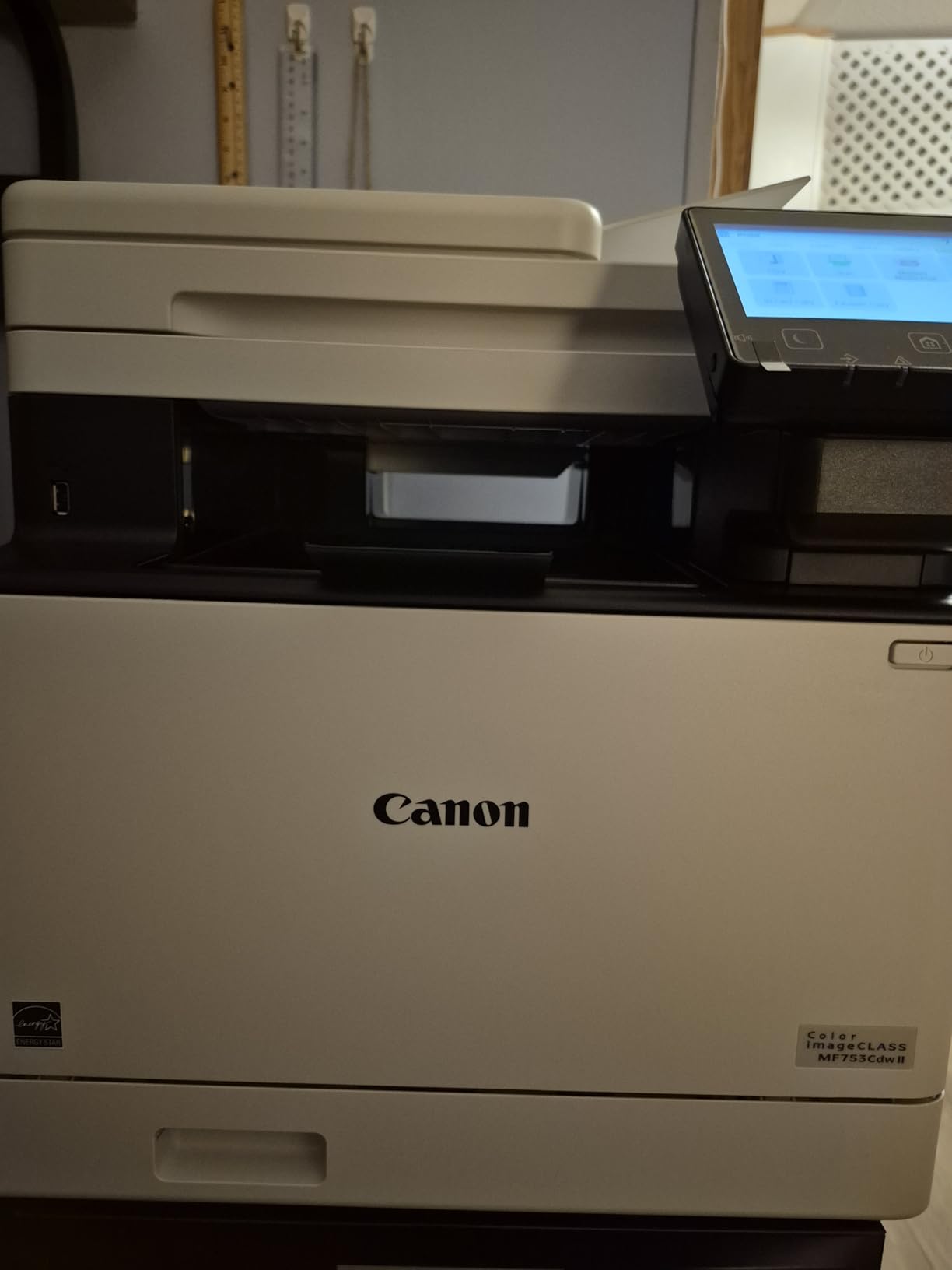
What the extra speed buys
At 35 ppm, a 50-page color report finishes in roughly a minute and a half. The 250-sheet tray means you can load it once, which matters for anyone printing course materials, menus, or client packs rather than single pages.
The three-year manufacturer warranty and genuine Toner 069 supplies make it a strong choice for a home business that has to justify the outlay as a business expense.
Where it goes wrong
The single most repeated complaint is software. Canon’s own desktop utility frequently fails to discover the printer on Windows 11, and some reviewers hit errors on the support site during setup. Windows built-in installation works well, so use that route rather than the vendor app.
At 50 pounds it is awkward to reposition, and some buyers reported a damaged scan feeder part on arrival. Check the feeder before the packaging goes in the recycling bin.
7. Canon Color imageCLASS MF652Cw: Best for Single-Sided Printing
Canon Color imageCLASS MF652Cw – Wireless Laser Printer, Multifunction with Scanner, Copier, Mobile Ready, 3 Year Limited Warranty, 22 PPM Color, White
22 ppm color and mono
251 sheet capacity
5 inch class LCD touchscreen
Simplex only
Pros
- Print scan and copy with a clear touchscreen
- 251 sheet capacity
- Consistent wireless printing from phones
- Toner 067 lasts thousands of pages
- 3 year warranty
Cons
- No duplex printing
- AirPrint fails to wake it from sleep
- Some mesh networks drop it
The MF652Cw is the odd one out here, and that is a feature rather than a flaw for some buyers. It prints 22 pages per minute in color and black with a 251-sheet capacity, but it has no automatic duplex, so two-sided pages are flipped by hand.
Everything else about it is a home office all-in-one: print, scan and copy, a color LCD touchscreen, and Canon Genuine Toner 067 in standard or high-capacity form. It is ENERGY STAR certified and EPEAT Silver rated, and it carries a three-year manufacturer warranty.
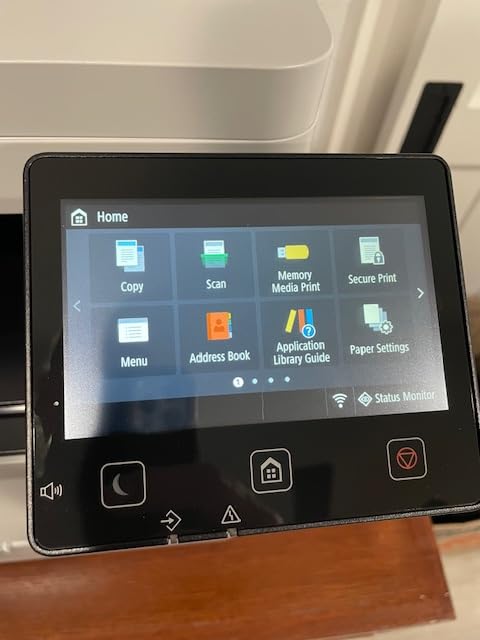
Reviewers describe it as a dependable, economical replacement for an inkjet, with sharp color and long-lasting toner. Sixty-nine percent of reviews are five stars, which is the second highest five-star share in this group.
The most cited technical complaint is sleep behaviour. AirPrint can fail to wake the printer from sleep, and some owners report trouble on mesh Wi-Fi systems where the printer is on a different node from the laptop.
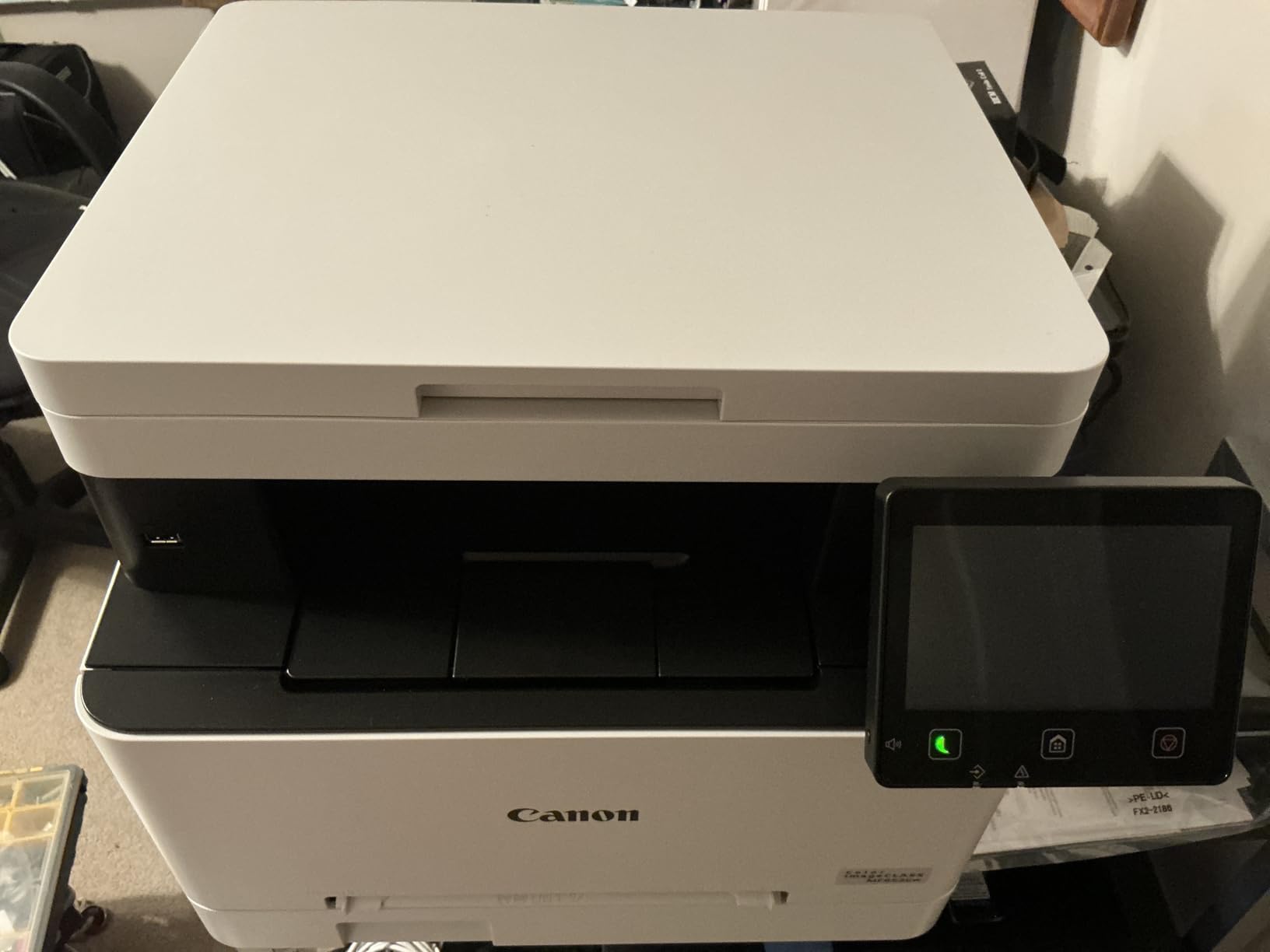
Who should skip automatic duplex
If you mostly print one-sided color, such as a single page of activity sheets, flash cards or labels, duplex adds nothing and costs you paper handling time on the rare double-sided job. Plenty of families simply never print double-sided.
The 251-sheet capacity is genuinely the largest standard tray among the Canon models here, and the touchscreen makes copying without a computer straightforward for anyone less technical.
Where single-sided becomes a problem
Every two-sided document means a manual flip, and the reverse side can land slightly misaligned in a stack feeder. If your household prints anything resembling homework, a two-sided report or a lease, that irritation repeats hundreds of times a year.
Color output is also shallower than printshop work, and the web admin console is online-only, so a technician cannot fix it from a computer with no internet connection. For a machine this capable, that is an odd limitation.
8. Canon imageCLASS MF751Cdw: Best Where Third-Party Toner Matters
Canon imageCLASS MF751Cdw – Wireless Duplex Color Laser Printer, Multifunction with Copier, Scanner, Automatic Document Feeder, Mobile Ready, 3 Year Limited Warranty, 35 PPM, White
35 ppm color and mono
250 sheet tray
Expandable to 850 sheets
3 year warranty
Pros
- No cartridge chip restrictions so third-party toner works
- 35 ppm color and black
- Expandable paper capacity to 850 sheets
- 3 year warranty
Cons
- Duplex applies to printing only
- Starter toner depletes quickly
- Very large and heavy at 48.5 pounds
If you plan to buy toner from a supplier other than the manufacturer, this is the printer to buy. Reviewers of this model specifically note no microchip restrictions, so third-party and remanufactured Toner 069 cartridges work and cost less. That is the single biggest running-cost lever available on this list.
On paper it is a strong machine: 35 pages per minute in color and black, first page in 7 seconds, automatic duplex printing, a 50-sheet automatic document feeder, and color output up to 1200 x 1200 dpi.
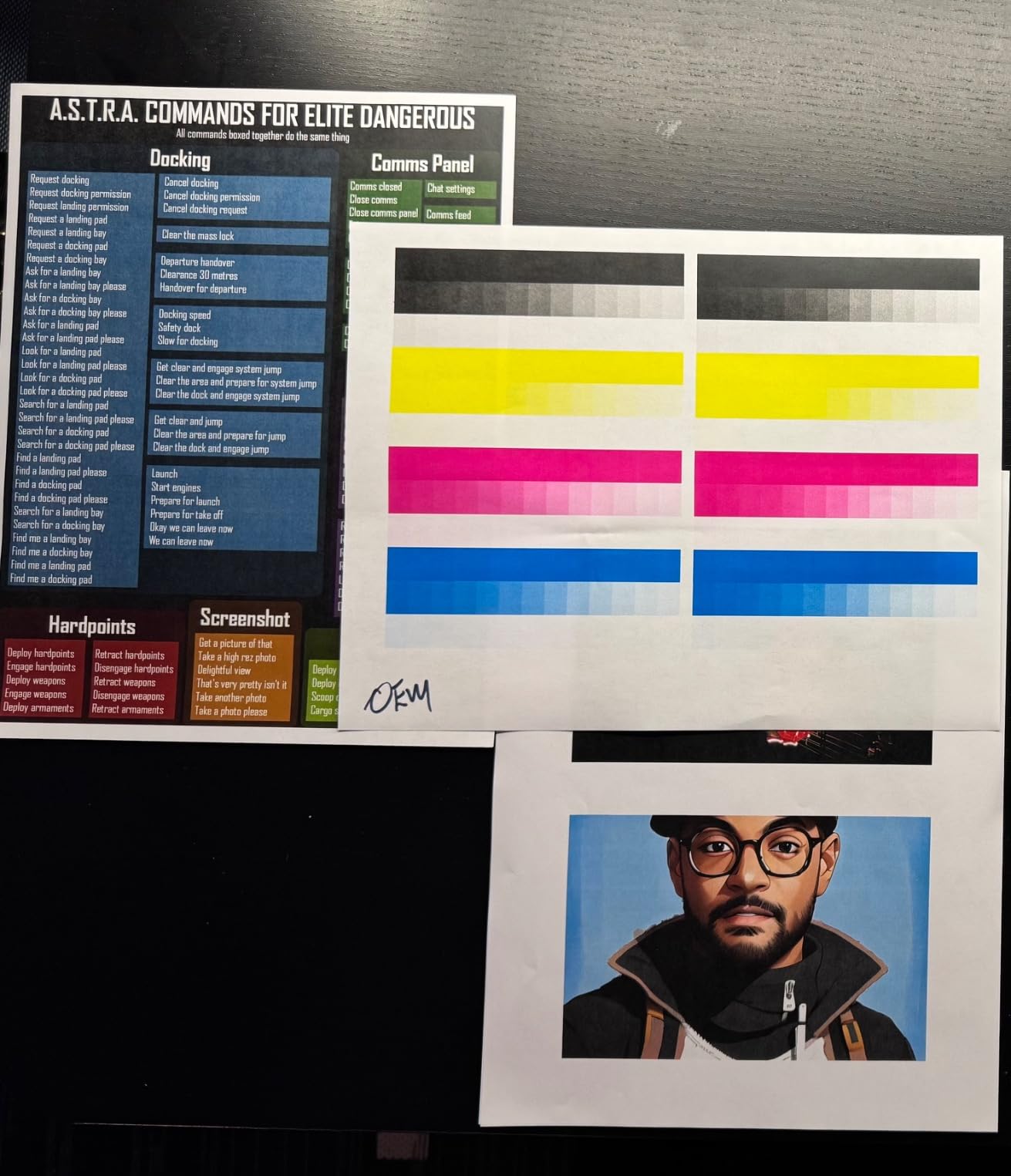
The paper handling is the standout for a busy home. A 250-sheet standard cassette and a 50-sheet multipurpose tray can expand to 850 sheets with the optional PF-K1 cassette, and there are three tray positions in the chassis.
Users switching from inkjets or older office units describe it as a durable workhorse that holds up on plain and photo paper alike. Sixty-eight percent of reviews are five stars.
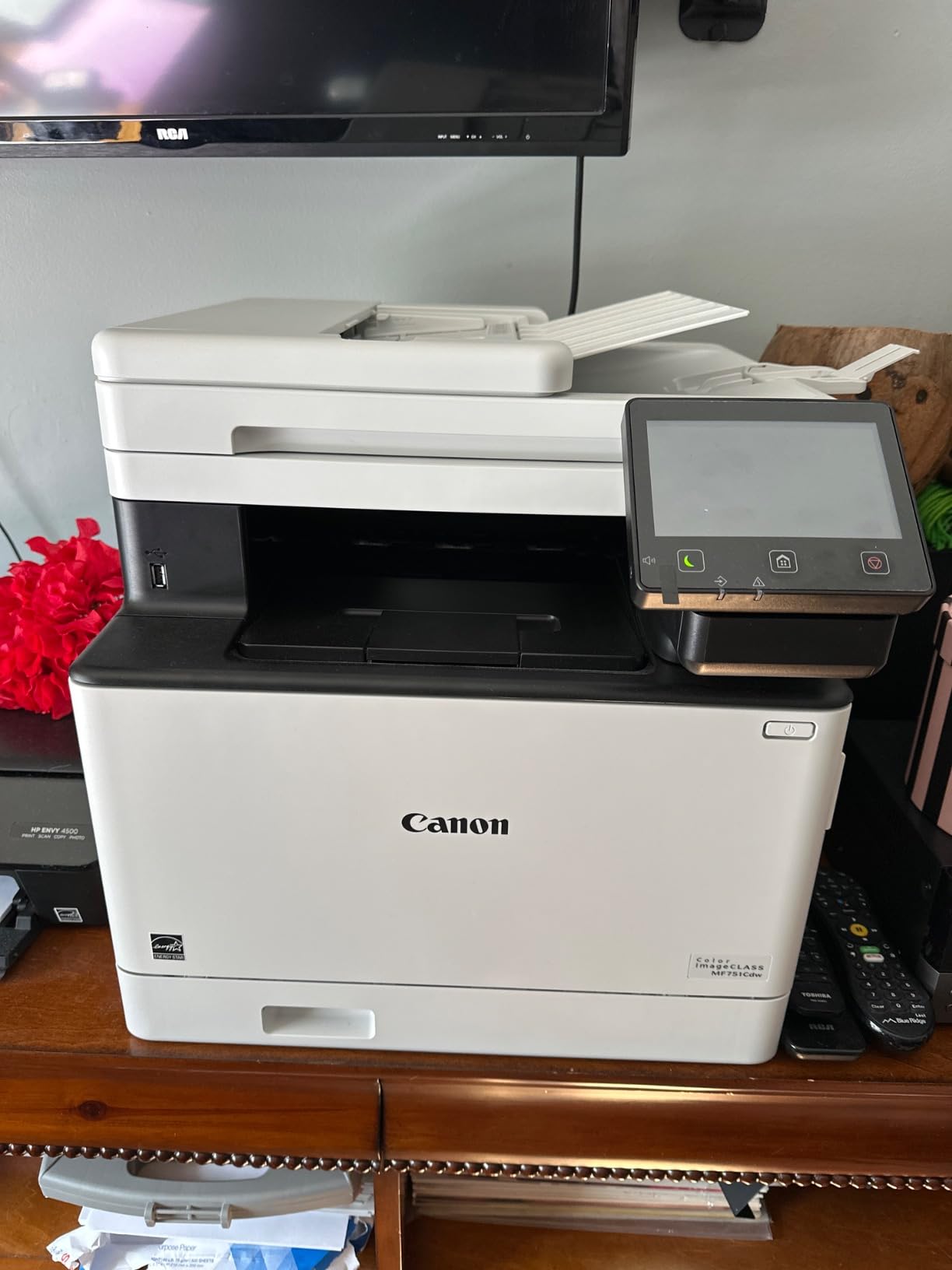
Why the open toner supply matters
Cartridge chip authentication is the reason many owners abandon laser entirely. When a printer will only accept manufacturer cartridges, the cheapest supply disappears and the advertised low cost per page quietly stops being true. This model avoids that trap.
Brand-exit risk is the related concern. Owners of Samsung color lasers have found themselves unable to source cartridges at all after Samsung left the printer business, which is why buying from a manufacturer with a long-term parts commitment matters more than it used to.
Where the MF751Cdw disappoints
The automatic duplex applies to printing only. The document feeder is simplex, so scanning a double-sided document still means flipping the stack, and the review data calls this out as a recurring mismatch between expectation and reality.
Starter cartridges deplete quickly and trigger repeated alerts that can pause a job, so buy high-capacity Toner 069 H from the start. At 48.5 pounds and 17 inches tall it also needs a real corner of a room, not a desk edge.
9. Brother MFC-L8930CDW: Best for a Home Business
Brother MFC-L8930CDW Business Color Laser All-in-One Printer with Duplex Print, Scan, Copy, Low-Cost Printing, and Advanced Security Features
33 ppm color and mono
1340 sheet total capacity
7 inch color touchscreen
80 page document feeder
Pros
- Fast 33 ppm color and black
- Two sided scanning up to 104 ipm
- 7 inch touchscreen with 64 shortcuts
- Triple layer security with NFC badge reader
- EPEAT Gold rated
Cons
- Very heavy at 71.2 pounds
- Premium price for a home
- Only a one year limited warranty
The MFC-L8930CDW carries the highest average rating of any printer here at 4.4, with 77 percent of reviews at five stars. It is also the largest and heaviest at 71.2 pounds, which is why it sits at number nine rather than higher for a household.
What it delivers is real business capability. Print and copy run at 33 pages per minute, two-sided scanning hits up to 104 images per minute through an 80-page document feeder, and the 7-inch color touchscreen holds 64 custom shortcuts and a scan preview.
Paper capacity is the outlier figure. Maximum sheet capacity is 1340 sheets, far beyond anything else on this list, so a busy home business can stock months of paper once. Connectivity covers dual-band wireless and Gigabit Ethernet, and scanning goes to cloud, email and SharePoint.
The security suite includes Triple Layer Security with an integrated NFC card reader for badge authentication, which is the feature that pushes this into the small workgroup bracket. It is EPEAT Gold rated and ENERGY STAR certified.
Where the money goes
Brother ships TN635 standard, TN635XL high yield and TN635XXL super high yield cartridges. The super high yield black runs to 7500 pages and the color set to 6500, and using those instead of the included standard cartridges is where the low cost per page comes from.
The included cartridges are rated 3000 pages black and 1800 pages color, which is unusually generous as a starter set and gets you most of the way to a full year of moderate printing.
Why most homes should not buy it
At 16.1 inches wide, 20.7 inches deep and 21.6 inches tall, this needs a floor or a cabinet rather than a desk. Moving it is a two-person job. The one-year limited warranty is also out of step with the business positioning and with Canon imageCLASS models in this roundup.
If your printing is under a few hundred pages a month, the extra capacity goes unused and you have spent money on features, security and throughput you will not touch.
10. Brother HL-L3295CDW: Best for NFC Tap-to-Print
Brother HL-L3295CDW Wireless Compact Digital Color Printer with Laser Quality Output, Duplex, NFC, Mobile & Ethernet | Includes 2 Month Refresh Subscription Trial ¹, Amazon Dash Replenishment Ready
31 ppm color and mono
250 sheet tray
2.7 inch color touchscreen
NFC plus Wi-Fi and Ethernet
Pros
- Only model here with NFC tap to print
- 31 ppm with automatic duplex
- Prints from Google Drive Dropbox and Evernote
- Refresh EZ Print subscription option
Cons
- Print only with no scanner
- 2.7 inch touchscreen is small
- One year limited warranty
The HL-L3295CDW is the only printer in this group with an NFC contact point, so you hold a phone or card to the panel and the print job starts. For a house with several people sharing one machine, that removes the app dance entirely.
Otherwise it is a fast print-only workhorse at 31 pages per minute in color and black with automatic duplex, a 250-sheet tray, and first page out in under 12.5 seconds. Connectivity covers NFC, Wi-Fi, Ethernet and USB 2.0.
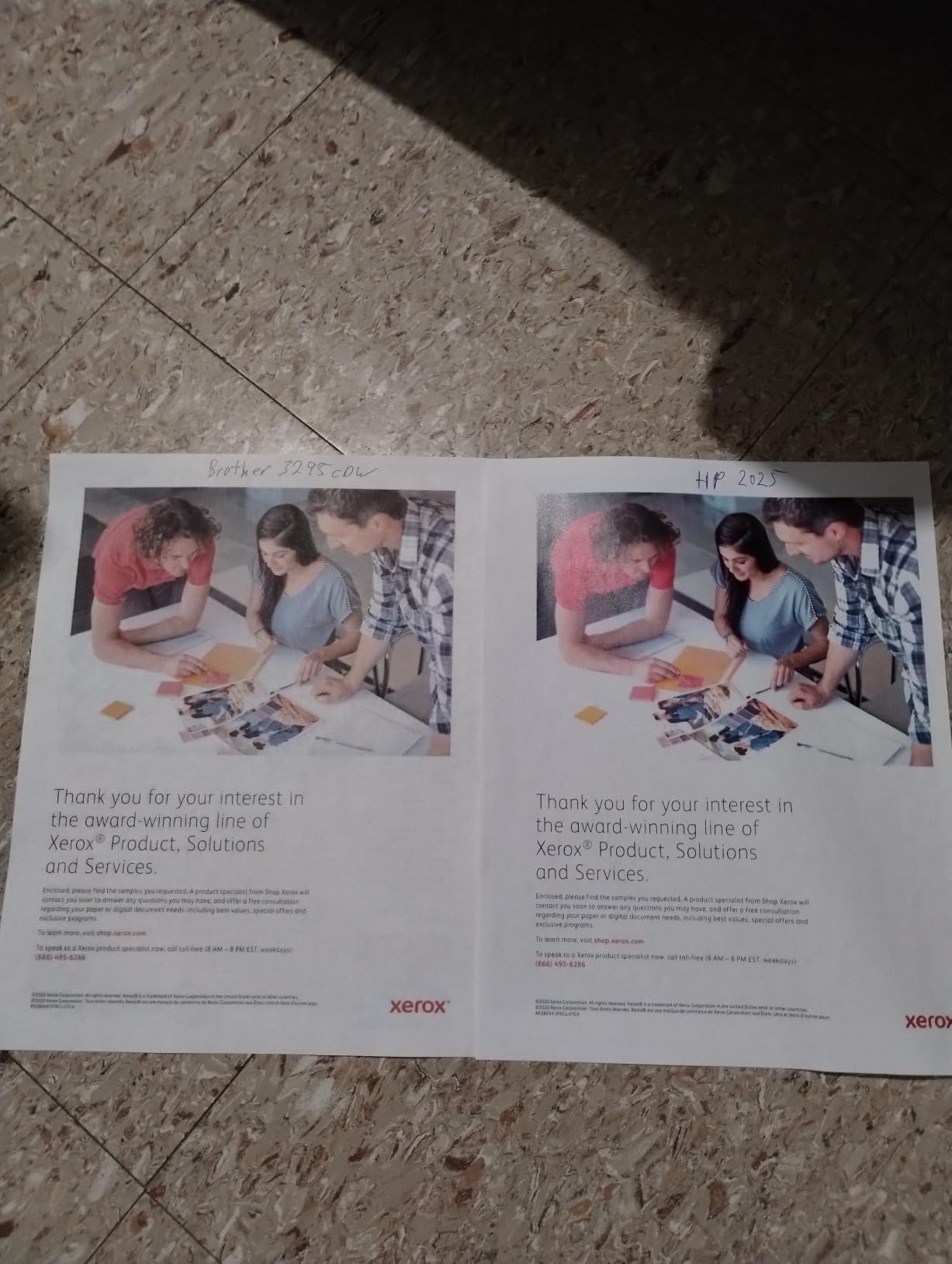
The 2.7-inch color touchscreen is small but functional, and it opens Google Drive, Dropbox and Evernote directly. It also supports the Refresh EZ Print subscription, which can cut toner spending substantially for households that print steadily month to month.
Sixty-four percent of reviews are five stars, and the physical footprint of 15.7 by 17.8 by 10.8 inches is the shortest chassis among the print-only models here. At 36.8 pounds it is also one of the easier ones to reposition.
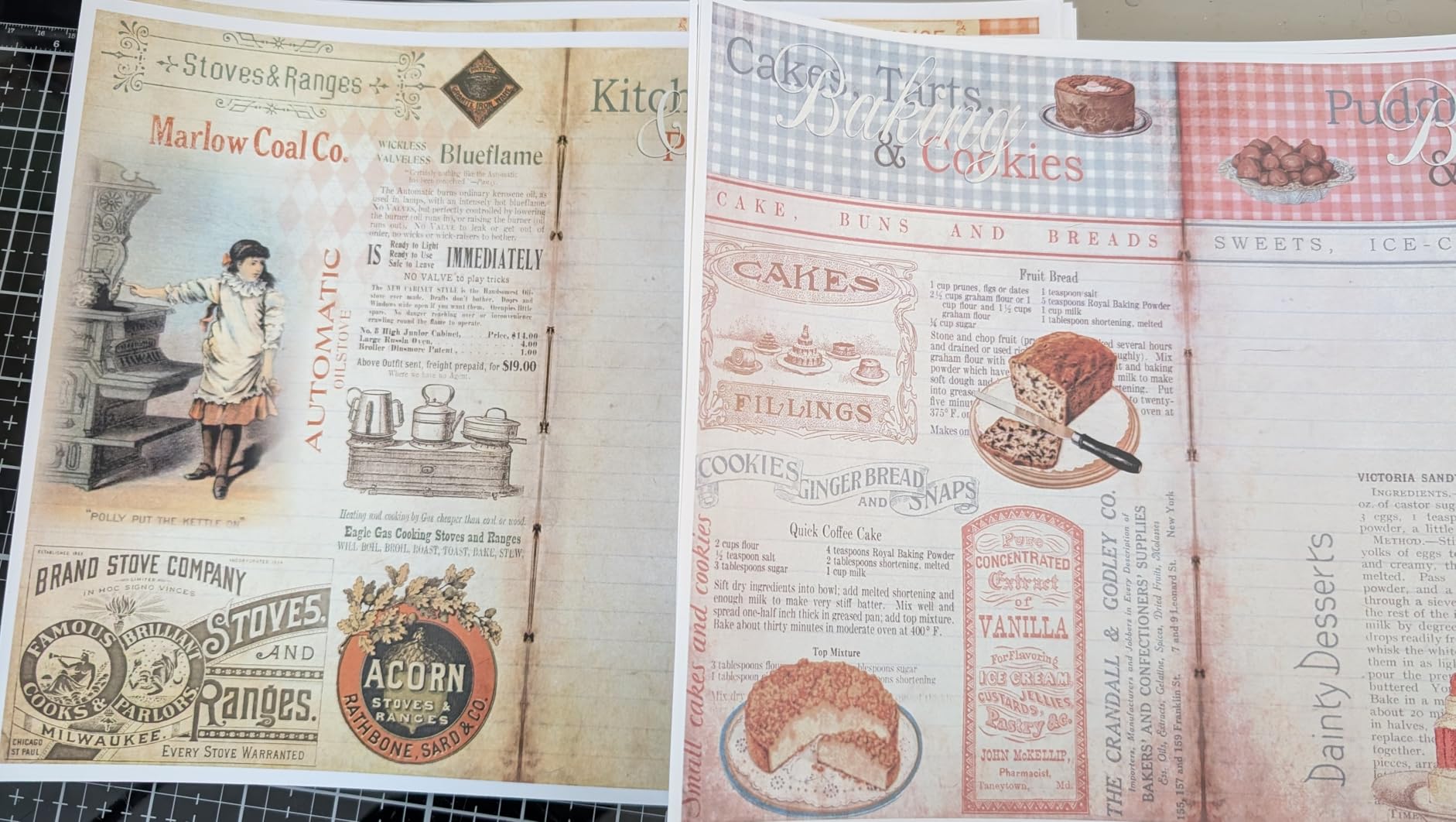
Is the subscription worth it for a home
Refresh EZ Print bills per page and ships toner automatically. It pays off when you print a predictable amount every month and do not want to remember cartridges. If your printing is seasonal, or you already buy toner in bulk from a discount supplier, a subscription usually costs you more than managing your own supply.
For occasional users, the two-month trial included with this model is enough to see whether the automatic deliveries actually beat buying high-yield Brother genuine cartridges yourself.
What you give up
There is no scanner or copier, so this is a printer and nothing more. The 2.7-inch screen also feels tight next to the 3.5-inch panel on the MFC-L3720CDW and the 5-inch panels on the Canon models, particularly when starting a job from a phone.
And the warranty is one year, which is the main reason this Brother print-only model sits below the Canon LBP632Cdw in our ranking despite faster speed and NFC.
11. Canon Color imageCLASS MF662Cdw: Best on a Budget
Canon Color imageCLASS MF662Cdw – Wireless Duplex Laser Printer with Copier, Scanner, 3 Year Limited Warranty, 26 PPM
26 ppm color and mono
250 sheet cassette
5 inch color touchscreen
3 year warranty
Pros
- Print scan copy with automatic duplex
- 26 ppm in color and black
- 5 inch touchscreen with Application Library
- Three year limited warranty
- Handles photo paper without jamming
Cons
- Drops off the network in sleep mode
- Canon PRINT app missing basic features
- Heavy at 55.1 pounds
- 075 toner is costly
The MF662Cdw is the least expensive all-in-one here, and it is the rare budget machine that still carries a three-year warranty. It prints, scans and copies with automatic duplex at 26 pages per minute in both color and black, with a 10.3-second first print.
The 5-inch color touchscreen runs the Application Library, which puts your most-used features on the home screen rather than in a settings tree. Paper sits in a 250-sheet standard cassette with a one-sheet multipurpose tray for envelopes and card stock.
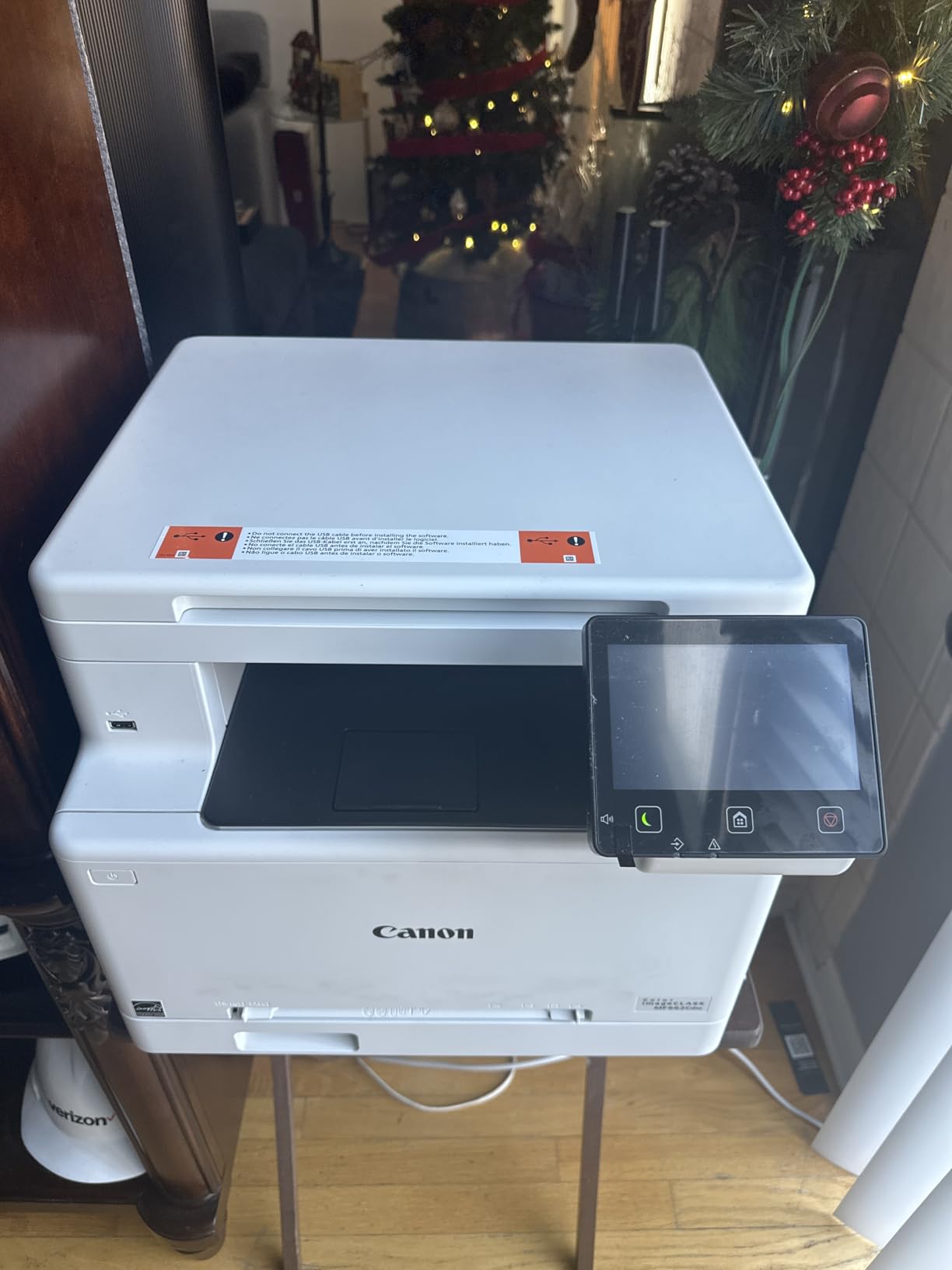
Reviewers highlight crisp color contrast on everyday documents, photo paper handling without bending or jamming, and quick wireless setup. It is ENERGY STAR and EPEAT Silver certified and works with Chromebooks.
Sixty-one percent of reviews are five stars. The recurring thread in the rest is connectivity: the printer drops off the network when it enters sleep mode and cannot be woken remotely, which is a genuine annoyance in a shared house.
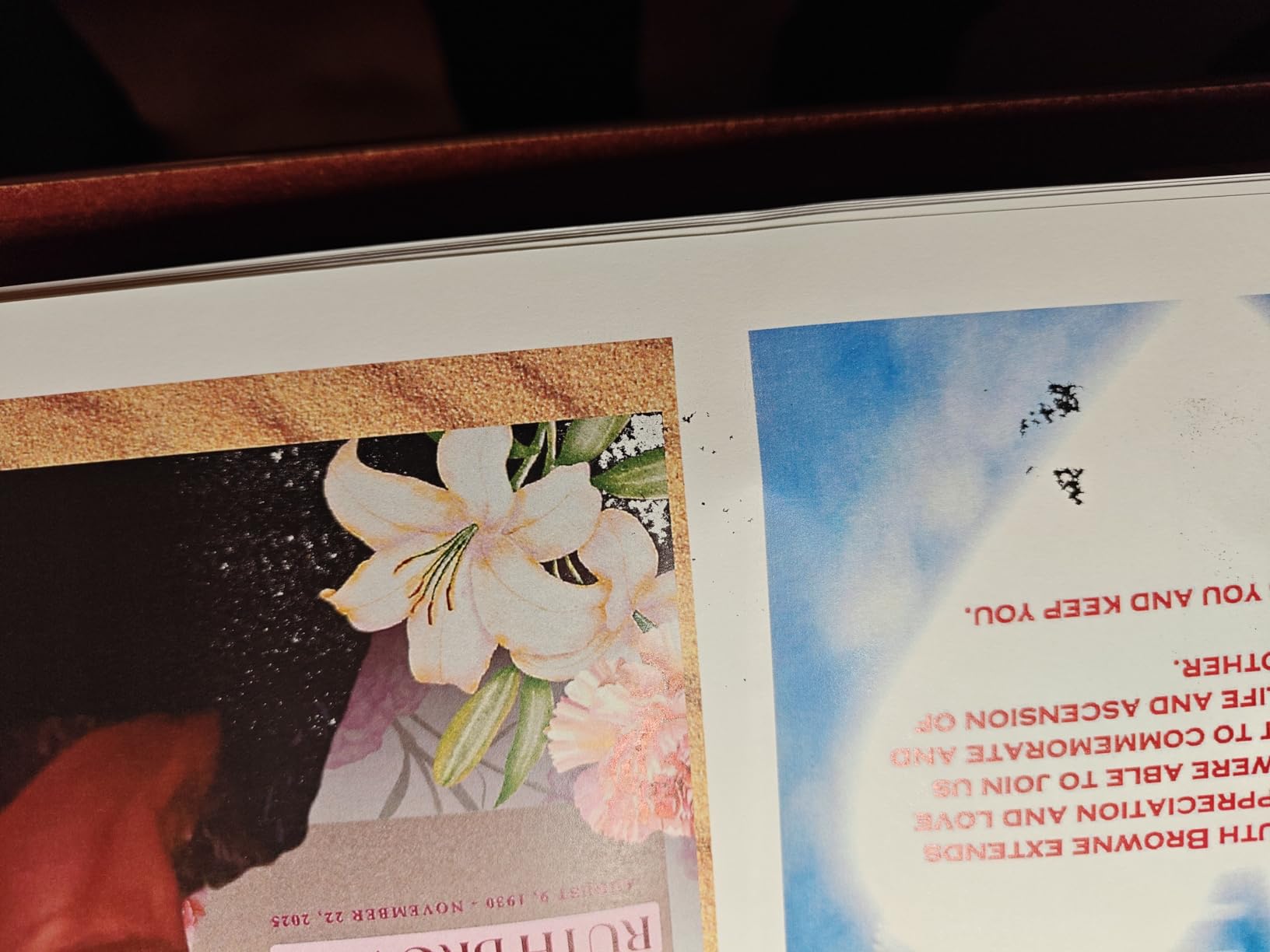
Where the budget shows
Toner 075 cartridges are costly relative to the machine, so the sticker price flatters this model. Run the numbers with high-capacity 075 cartridges and a realistic monthly page count before you commit, because the running cost is what separates a bargain from a false economy.
At 55.1 pounds it is the second heaviest machine in this roundup, and reviewers describe the footprint as needing a dedicated space rather than a shelf. Unboxing and repositioning are a two-person task.
The software problem
The Canon PRINT app is missing some basic image and document selection features, and reviewers call it awkward compared with the Brother and HP apps. If you mostly print from a computer, that barely matters; if you print from your phone daily, it does.
Disable deep sleep in the network settings if the machine keeps disappearing from your wireless list. That single setting resolves most of what people report about this model.
How to Choose a Color Laser Printer for Home Use?
Every recommendation above follows from a handful of decisions you can make in about ten minutes. Work through them in order and the model choice makes itself.
Color laser or inkjet: which one your home actually needs
Color laser printers are not obsolete, and the answer depends on what you print. A color laser prints faster, never clogs from sitting unused, and produces text that does not smear when wet, because the fuser melts toner into the sheet rather than soaking liquid ink into it. Running cost per color page is typically lower than a home inkjet once you buy high-yield cartridges.
An inkjet still wins on glossy photo printing and cheap occasional color. If your family prints more than roughly a few hundred color pages a year, the math tips toward laser. If you print a handful of photos a year and nothing else, an ink-tank inkjet is the cheaper answer and the physical machine is smaller.
The most common reason people migrate to laser is not speed or cost. It is a printhead that clogged after three weeks of idleness and the waste of ink consumed by cleaning cycles. Laser toner has no such failure mode, which is why a printer that sits unused over summer and still works in September is worth paying for.
Print-only or all-in-one: does the scanner earn its desk space
A print-only machine such as the Brother HL-L3230CDW or the Canon imageCLASS LBP632Cdw is shorter, lighter, draws less power and costs less to supply. An all-in-one adds a flatbed scanner, a copier, and usually a document feeder, along with 20 to 40 extra pounds.
Count how many times a month you would actually digitize something. For receipts, permission slips, homework and medical paperwork, a scanner is worth it and an automatic document feeder is worth far more. If you already scan on your phone and never copy anything, print-only is the honest choice.
Watch the duplex detail. Two of the models here, the Canon MF652Cw and the Brother HL-L3300CDW’s sibling units, apply automatic duplex to printing but not to scanning. The Canon MF751Cdw has a simplex feeder, so double-sided document scans need a manual flip.
Matching monthly volume to the right duty cycle
Duty cycle is the recommended monthly page volume a printer is designed to handle. Under 250 pages a month, a home user, any of the models here will cope. Between 250 and 1000 pages a month, typically a remote worker or a family with school-age children, prioritize a 250-sheet tray and a document feeder. Above 1000 pages, you are into home business territory and should look at the Brother MFC-L8930CDW.
Also match speed to burst behavior. Nineteen to 22 ppm suits single documents and short runs. Thirty-plus ppm machines earn their size when you print a fifty-page report or a batch of materials rather than one page at a time.
Toner economics and the drum unit nobody mentions
Calculate cost per page yourself in three steps. Find the price of the high-yield cartridge for your model, divide by its rated page yield, and do it twice, once for black and once for the color set. A color page costs roughly a quarter of what a black page costs because the page uses all four toners.
Then add the drum or imaging unit. Most models here bundle a drum with the cartridge, but the Brother units take a separate DR229CL or similar imaging unit. That is a one-time cost per cycle that most roundups leave out and that meaningfully changes a three-year total.
Finally, check cartridge restrictions. A printer locked to manufacturer toner removes the cheapest supply option entirely. The Canon imageCLASS MF751Cdw is called out in owner reviews specifically because its cartridges carry no chip restrictions, and that open supply is worth real money over time.
Connectivity that works when the router does not
Wi-Fi is table stakes, so look for more. Wi-Fi Direct creates a hotspot from the printer itself, which means you can print a form from a phone with no router in range at all. AirPrint and Mopria support cover iPhone, iPad, Mac and Chromebook printing without installing anything.
Dual-band wireless, meaning 2.4GHz and 5GHz, reduces the dropouts that make people give up on network printers. Ethernet is worth having on any all-in-one even if you never plug it in, because it gives setup a stable path before Wi-Fi is configured.
Two recurring issues to plan for. Some mesh systems put the printer on a different node than your laptop, and some machines drop off the network in sleep mode. Both are fixed in settings rather than by replacing hardware, once you know they are the cause.
Brother vs Canon: warranty, toner supply and app quality
HP, Lexmark and Xerox are worth considering too, but the models with the strongest home reputations in this roundup come from Canon and Brother, and the differences are consistent enough to summarize.
Canon imageCLASS models carry a three-year warranty across almost the entire range, including budget units like the MF662Cdw. Brother covers one year on most models, with the exception of nothing in this group. Over a five-year home span, that gap is a real cost difference.
On toner, Brother genuine cartridges are widely available and inexpensive, and Canon supplies are easy to source too. Brother’s advantage is a longer high-yield ladder, with super high yield options on the TN635 and TN229XXL families that push cost per page down further. Canon’s advantage is the MF751Cdw’s open cartridge supply.
On software, Brother’s companion apps are consistently rated better by owners, with remote toner monitoring and cloud access that reviewers mention approvingly. Canon’s own desktop utility draws the most complaints, particularly printer discovery on Windows 11, though the built-in Windows route works well.
Lexmark and Xerox models are worth a look if you find one on a strong deal, but their toner pricing tends to run higher and third-party supply is more restricted. Samsung is a brand to avoid new purchases of entirely, since its exit from the printer business left existing owners unable to source cartridges at all.
When a Color Laser Printer Is the Wrong Choice
Color lasers are the right default for documents, homework, charts, flyers and school projects. There are four situations where they are the wrong buy, and saving money by choosing correctly beats any discount on the machine.
First, if your main output is glossy photos. Laser toner has no gloss differential to create depth, and the dots are visible under a loupe at large print sizes. A dedicated photo inkjet or an ink-tank model produces images no office laser can match.
Second, if your color volume is genuinely tiny, a few pages a quarter. Starter cartridges often hold only a few hundred pages, and a partly used cartridge that sits for months risks developing issues, while the money you saved on the machine evaporates in the cartridge price. An ink-tank inkjet costs less to own in that scenario.
Third, if space is tight. These are floor-standing machines disguised as desktops, and every model here weighs between 35 and 71 pounds. Measure the shelf, not the box, and check that a tray can open without hitting a wall.
Fourth, if you print only black and white. A monochrome laser does the same job for less money with a cheaper cartridge, and color engines add four consumables you will never replace.
Frequently Asked Questions
Are color laser printers being phased out?
No. Color laser printers are expanding in home offices and small businesses while being displaced in casual homes by ink-tank inkjets and dedicated photo printers. The shift is about the customer, not the technology. Lasers still win on documents, homework, charts and flyers, on speed, on not clogging when idle, and on cost per page once high-yield toner is used.
What is the best wireless color laser printer for home use?
The Canon Color imageCLASS MF644Cdw is our top pick for most homes. It prints, scans, copies and faxes at 22 pages per minute with automatic duplex, has a 5-inch color touchscreen, supports Wi-Fi and Wi-Fi Direct, and carries a three-year warranty. For a print-only machine, the Brother HL-L3230CDW runs at 25 ppm with a 250-sheet tray.
Which is the best home color laser printer?
It depends on whether you need a scanner and how much you print. Under 250 pages a month, the Canon imageCLASS MF644Cdw handles documents and light color work with a three-year warranty. Between 250 and 1000 pages, the Brother MFC-L3720CDW adds a 50-sheet document feeder and a 250-sheet tray. Above 1000 pages, the Brother MFC-L8930CDW handles up to 1340 sheets of capacity.
Which brand of color laser printer is better, HP or Canon?
Canon imageCLASS models usually carry a three-year warranty, which is longer than the one-year terms common on HP color lasers. Canon toner, particularly Toner 067 and 069, is broadly available, and some Canon models accept third-party cartridges without chip restrictions. HP printers often have faster engines and stronger apps, but check whether cartridge authentication blocks cheaper supply for that specific model.
Which color laser printer is better, Brother or HP?
Brother wins on toner economics. The TN223, TN227, TN229 and TN635 cartridge families have a deep high-yield ladder, and third-party supply is plentiful, which lowers cost per page over a few years. HP often ships stronger companion apps and faster engines. Brother covers one year on most models, so warranty length favors Canon rather than either of these two.
Are Canon or Brother color laser printers better?
Canon imageCLASS wins on warranty, with three years on nearly every model in this roundup, and on output resolution up to 1200 x 1200 dpi in color. Brother wins on supply choice, on cheaper genuine toner, and on a wider range of high-yield and super high yield cartridges. Canon’s weaker spot is its desktop software, which some owners report failing to detect the printer on Windows 11.
Is a color laser printer better than inkjet for home use?
Yes for documents and frequent printing. Color lasers print faster, do not clog when idle, produce text that does not smear when wet, and usually cost less per color page when high-yield toner is used. Inkjets win on glossy photos and on very low color volume, where a cartridge that sits part-used is cheaper than a laser supply. Photos are the deciding factor more often than anything else.
The Best Color Laser Printers for Home Use in 2026
The Canon Color imageCLASS MF644Cdw is the best color laser printer for home use for most people. It prints, scans, copies and faxes at 22 pages per minute, carries a 5-inch color touchscreen, and is the only model here with a three-year warranty alongside a one-pass duplex document feeder. It is heavy and its 50-sheet paper ceiling is modest, and neither matters if you are working from a spare room rather than a shoebox.
Buy the Brother HL-L3230CDW if you do not need a scanner and want the lowest running cost with a 250-sheet tray. Buy the Brother MFC-L3720CDW if you want a document feeder and a touchscreen at 19 ppm. Buy the Canon imageCLASS MF751Cdw if you intend to buy toner anywhere other than the manufacturer, and the Brother MFC-L8930CDW only if you are running a genuine home business.
Before you buy anything, work out your real monthly volume, decide whether a scanner earns its desk space, and price the high-yield toner rather than the sticker price. Those three answers narrow the field faster than any spec sheet, and they keep the best color laser printers for home use a decision rather than a gamble.