
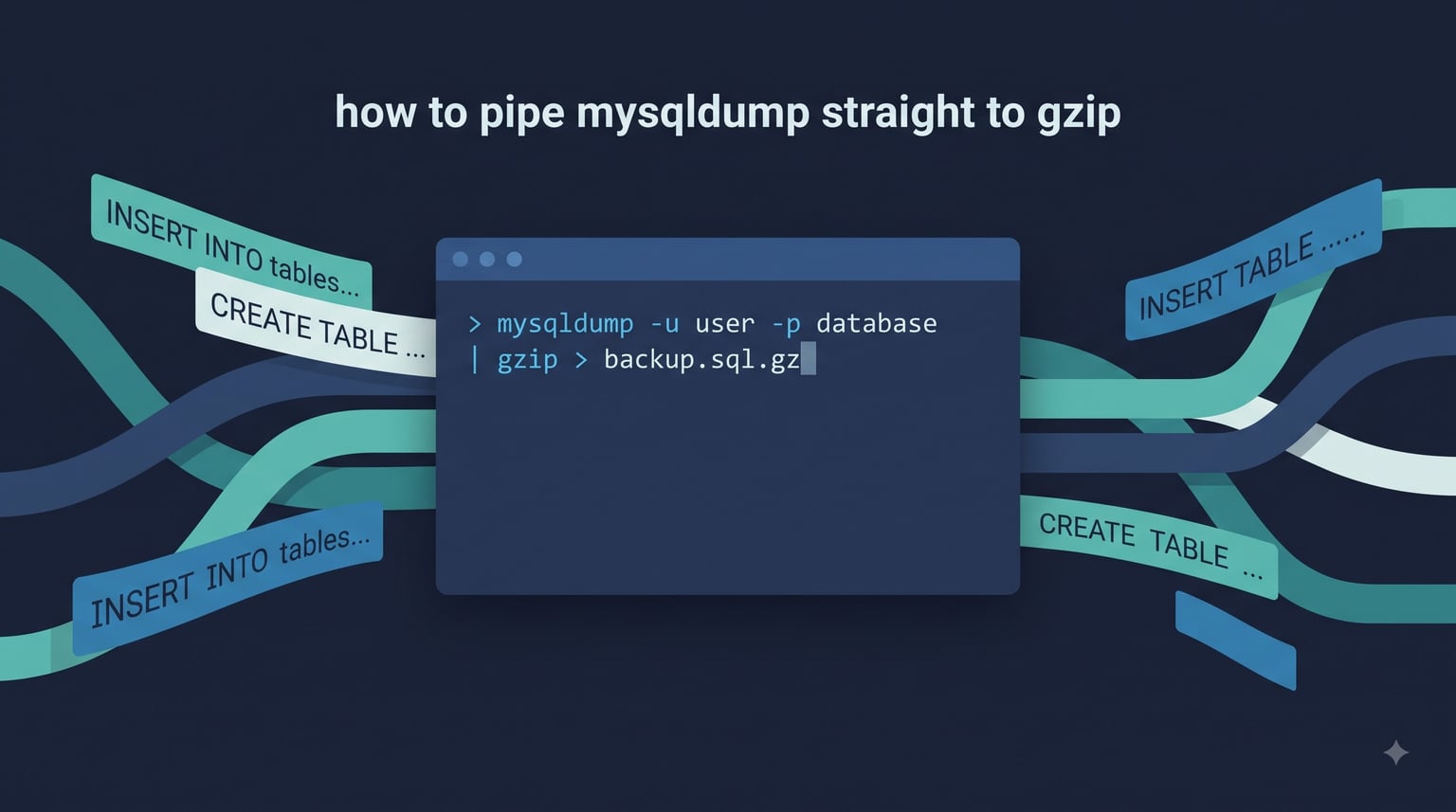
If you need a compressed MySQL backup in one command, pipe mysqldump straight to gzip with the Unix shell | operator. The shortest working one-liner is:
mysqldump mydb | gzip > backup.sql.gz
That single line writes a compressed backup without ever creating an intermediate .sql file, which is exactly why sysadmins reach for the pipe pattern on nightly cron jobs. In this guide I walk through every variation I use in production: the safe flags, the restore side, conditional-only-on-success piping with pipefail, remote SSH streaming, cron automation with retention, and how to verify the resulting .sql.gz is not a silent partial dump.
Table of Contents
The one-liner: mysqldump straight to gzip
The basic form takes one database, dumps it to standard output, and pipes that stream into gzip, which writes the compressed bytes to backup.sql.gz:
mysqldump mydb | gzip > backup.sql.gz
For all databases on the server, pass --all-databases:
mysqldump --all-databases | gzip > all_databases_$(date +%F).sql.gz
For a single table only, add the table name after the database:
mysqldump mydb users | gzip > users.sql.gz
The pipe is doing two jobs at once: it connects mysqldump‘s stdout to gzip‘s stdin, and it lets the shell write only the compressed bytes to disk. Nothing else changes on the source server.
Why pipe mysqldump to gzip instead of dumping then compressing?
The pipe pattern avoids creating an uncompressed .sql file. On busy production hosts that means a lot less disk I/O and zero risk of running out of space on the temporary file.
Practical difference from the older two-step pattern:
mysqldump db && gzip db.sqlwritesdb.sqlto disk first, then compresses it. You need twice the free space temporarily and you wait for both stages.mysqldump db | gzip > db.sql.gzstreams directly into the compressed file. The uncompressed bytes live only inside the pipe buffer, not on disk.
I keep the pipe pattern for nightly cron jobs and ad-hoc snapshots on small databases. For very large dumps (over 50 GB) or hosts where I want to keep a quick uncompressed copy, the two-step pattern is still useful because it lets me inspect or split the raw SQL.
One thing the pipe hides: error handling. If mysqldump fails halfway, gzip will happily create a valid-looking but truncated .sql.gz file. I cover the safe pipe pattern with pipefail and PIPESTATUS further down.
Choosing a compressor: gzip vs pigz vs bzip2 vs xz vs zstd
Gzip is not the only choice any more. The five compressors I see used with mysqldump all behave the same way from the shell’s point of view: read stdin, write compressed bytes to stdout. Pick by speed, ratio, and CPU budget:
| Compressor | Compression ratio | Speed | CPU | File extension | When to use |
|---|---|---|---|---|---|
| gzip | Good | Fast | Low | .sql.gz | Default choice; works everywhere |
| pigz | Same as gzip | Faster (multi-core) | Higher | .sql.gz | Multi-core hosts; same format as gzip |
| bzip2 | Better than gzip | Slower | Medium | .sql.bz2 | Cold archival when gzip ratio is not enough |
| xz | Best | Slowest single-thread | High | .sql.xz | Long-term storage, very small dumps |
| zstd | Better than gzip | Faster than gzip | Low to medium | .sql.zst | My 2026 default for production backups |
The one-liners for each:
# pigz - parallel gzip, drop-in replacement
mysqldump mydb | pigz > backup.sql.gz

# bzip2 - better ratio than gzip, slower
mysqldump mydb | bzip2 > backup.sql.bz2

# xz - best ratio, slowest
mysqldump mydb | xz > backup.sql.xz

# zstd - faster than gzip and better ratio, my default in 2026
mysqldump mydb | zstd > backup.sql.zst
On a multi-core box, pigz -p 4 and zstd -T0 both use every available core and dramatically shorten wall-clock time. Reddit’s r/mysql regulars lean toward zstd on nightly backups because the compression speed beats gzip while the ratio is close to bzip2.
Production-safe flags for piped mysqldump
A raw mysqldump db | gzip works on a small dev box and breaks on a busy production server. The flags I always add when piping to gzip on production are:
mysqldump
  --single-transaction
  --quick
  --routines
  --triggers
  --events
  --default-character-set=utf8mb4
  mydb | gzip > backup.sql.gz
What each flag does:
--single-transactionwraps the dump in a single transaction so InnoDB tables get a consistent snapshot without locking writes. This is the single most important flag for live production data.--quickforces row-by-row fetching instead of buffering the whole table in memory. Without it, multi-gigabyte tables can blow the client buffer.--routines --triggers --eventsinclude stored procedures, triggers, and scheduled events thatmysqldumpskips by default in some MySQL versions.--default-character-set=utf8mb4avoids the silent latin1 fallback that mangles emoji and Asian characters during restore.
If your dump is large, also raise max_allowed_packet on the server side and confirm the client has free RAM equal to roughly net_buffer_length per concurrent session. A common production failure mode reported on r/linuxadmin is an 80 GB dump that dies at 10 GB because --quick was missing.
Safe piping: gzip only if mysqldump succeeds
The standard pipe silently swallows errors. If mysqldump exits non-zero because of a wrong password, a missing table, or an out-of-memory event, gzip still finishes and writes a partial .sql.gz. The shell sees a zero exit code from gzip and reports success.
The fix on bash is set -o pipefail, which propagates a failure from anywhere in the pipeline as the pipeline’s exit code:
set -o pipefail
mysqldump mydb | gzip > backup.sql.gz || echo "dump did not complete" >&2
For a one-shot script where you want the .gz created only when the dump is clean, the if-then-else pattern is the clearest:
if mysqldump mydb | gzip > backup.sql.gz; then
  echo "backup ok: $(stat -c %s backup.sql.gz) bytes"
else
  rm -f backup.sql.gz
  echo "backup failed, partial file removed" >&2
  exit 1
fi
The same logic without set -o pipefail uses PIPESTATUS to inspect each stage:
mysqldump mydb | gzip > backup.sql.gz
dump_status=${PIPESTATUS[0]}
if [ "$dump_status" -ne 0 ]; then
  rm -f backup.sql.gz
  echo "mysqldump exited $dump_status" >&2
  exit "$dump_status"
fi
The classic Stack Overflow answer suggests mysqldump db && gzip db.sql instead of a pipe. That advice protects you, but it pays the price of writing the full .sql to disk first. With set -o pipefail you get the same safety and keep the streaming behaviour.
Restoring a gzipped mysqldump
Restoring is just as straightforward as the backup side. The decompressor reads the file and pipes the recovered SQL into the mysql client:
# using gunzip
gunzip < backup.sql.gz | mysql mydb

# using zcat, which is identical for .gz files
zcat backup.sql.gz | mysql mydb

# streaming straight from a remote host through ssh, no local file
ssh user@db-host "mysqldump mydb | gzip" | mysql mydb
For zstd backups the equivalent is zstd -dc:
zstd -dc backup.sql.zst | mysql mydb
For bzip2 and xz backups, use bzcat and xzcat:
bzcat backup.sql.bz2 | mysql mydb
xzcat backup.sql.xz   | mysql mydb
To restore into a different database name, target the new database on the right side of the pipe and create it first:
mysql -e "CREATE DATABASE mydb_copy;"
gunzip < backup.sql.gz | mysql mydb_copy
I always restore to a scratch database before trusting a backup. If the dump is corrupt or the character set is wrong, that is the moment you find out, not during a real incident at 02:00.
Piping mysqldump to a remote server over SSH
When the source server is short on disk or you want to centralise backups, push the compressed stream over SSH instead of writing a local file:
mysqldump mydb | gzip -c | ssh [email protected] "cat > /backups/mydb/$(date +%F).sql.gz"
gzip -c writes compressed bytes to stdout instead of a file, which is exactly what you need for the next stage of the pipe. The remote shell receives that stream and writes it to a dated filename.
The reverse direction works too: dump on a remote host and pull the compressed file down without ever writing the uncompressed SQL on either side:
ssh [email protected] "mysqldump mydb | gzip -c" > mydb.sql.gz
For a real-time migration where you want to skip the file entirely, stream straight into the destination mysql client:
mysqldump mydb | gzip -c | ssh [email protected] "gunzip | mysql mydb"
Bandwidth note: gzipping before SSH usually halves the bytes on the wire for typical SQL dumps, so the pipe saves wall-clock time on every remote backup.
Automating piped mysqldump with cron
Once the pipe is safe and the destination is correct, automating it is a small step. I keep the script in /usr/local/bin/mysql-pipe-backup.sh and call it from crontab:
#!/usr/bin/env bash
set -euo pipefail

BACKUP_DIR="/backups/mysql"
KEEP_DAYS=7
DB="mydb"
STAMP="$(date +%F_%H%M)"
DEST="$BACKUP_DIR/${DB}-${STAMP}.sql.gz"

mkdir -p "$BACKUP_DIR"
mysqldump --single-transaction --quick --routines --triggers
  --events --default-character-set=utf8mb4 "$DB" | gzip -9 > "$DEST"
gzip -t "$DEST"

find "$BACKUP_DIR" -name "${DB}-*.sql.gz" -mtime +"$KEEP_DAYS" -delete
The crontab entry that runs it every night at 02:00:
0 2 * * * /usr/local/bin/mysql-pipe-backup.sh >> /var/log/mysql-backup.log 2>&1
Two details that matter in cron and frequently come up on Server Fault threads: set -euo pipefail at the top of the script so a failed pipe aborts the whole job, and gzip -t as the last step so a corrupt archive never stays in rotation. The find -mtime +7 -delete line is the retention policy. Tune KEEP_DAYS to match your storage budget.
Verifying the compressed backup
A backup you have not tested is not a backup. Three checks I run on every newly created .sql.gz:
# 1. integrity check - the compressor can read the file end-to-end
gzip -t backup.sql.gz

# 2. sample the first SQL statements look sensible
zcat backup.sql.gz | head -50

# 3. dry-restore to a throwaway database
mysql -e "CREATE DATABASE _backup_test;"
gunzip < backup.sql.gz | mysql _backup_test
mysql -e "DROP DATABASE _backup_test;"
For zstd backups swap the first two lines for zstd -t backup.sql.zst and zstd -dc backup.sql.zst | head -50. The dry-restore is the only check that proves the SQL inside the archive is valid, not just that gzip’s CRC matches.
Frequently Asked Questions
How do I pipe mysqldump output into gzip?
Run mysqldump db | gzip u0026gt; backup.sql.gz. The shell pipes mysqldump’s stdout into gzip’s stdin and gzip writes the compressed bytes to backup.sql.gz. No uncompressed .sql file is created on disk.
How do I restore a mysqldump .sql.gz file?
Pipe the decompressed stream straight into the mysql client: gunzip u0026lt; backup.sql.gz | mysql mydb. zcat backup.sql.gz | mysql mydb is an equivalent one-liner.
Should I use gzip, zstd, xz, or bzip2 for mysqldump?
Use zstd for most production backups in 2026: better compression than gzip, faster, multi-threaded with -T0. Use gzip when you need maximum compatibility. Use xz for cold archival where file size matters more than speed. Use bzip2 only if your toolchain already depends on the .bz2 format.
Why pipe mysqldump to gzip instead of dumping then compressing?
Piping avoids writing the uncompressed .sql file to disk, which saves disk space, reduces I/O, and lets you stream straight into a remote server or the mysql client. The trade-off is that error handling needs pipefail or an if-then-else wrapper, because a failed mysqldump will otherwise produce a partial .sql.gz.
How do I only gzip the dump if mysqldump succeeds?
Add set -o pipefail at the top of the script. With pipefail on, mysqldump db | gzip u0026gt; backup.sql.gz exits non-zero if either stage fails, so a cron job or if-then-else wrapper can react and remove the partial file.
Can I pipe mysqldump through gzip to a remote server over SSH?
Yes. Use mysqldump mydb | gzip -c | ssh user@host ‘cat u0026gt; file.sql.gz’. gzip -c writes compressed bytes to stdout, so SSH carries them straight to a file on the remote host.
How do I verify the integrity of a gzipped mysqldump file?
Run gzip -t backup.sql.gz to confirm the archive is well-formed, then zcat backup.sql.gz | head -50 to confirm the SQL inside starts cleanly. The strongest verification is a dry-restore into a scratch database: gunzip u0026lt; backup.sql.gz | mysql _backup_test.
Conclusion
To pipe mysqldump straight to gzip, the whole answer is one line: mysqldump mydb | gzip > backup.sql.gz. Add --single-transaction --quick --routines --triggers --events for production data, wrap the pipeline in set -o pipefail, and pick zstd if you want a faster, smaller backup on a multi-core host.
Your next step is to run that one-liner on a non-production database right now, then dry-restore it to a scratch database and confirm the data is intact. Once that works, drop the script into crontab and add the find -mtime +7 -delete retention line. A backup you can restore beats a backup you cannot, every time.