
If you want to know how to backup MySQL database on shared hosting, the short answer is: pick the method that matches your host’s tools. Use the cPanel Backup Wizard if you want a one-click download, use phpMyAdmin Export if your host blocks SSH, use mysqldump for large or production databases, and use a cron job if you want backups to run themselves. We walk through all four, plus how to verify the backup is not silently truncated, how to push it off-site, and how to restore it when things go wrong.
Table of Contents
What Backing Up a MySQL Database on Shared Hosting Actually Means
A MySQL backup is a single text file (usually saved as .sql or compressed as .sql.gz) that contains every CREATE TABLE, INSERT, and view definition your site needs to come back exactly as it was. Replay that file into a fresh MySQL database and the site reappears, row by row, byte for byte.
On shared hosting that file has to leave the server. Storing it on the same account you are backing up is not a backup – it is a copy that dies with the account if the host suspends you, the disk fails, or a bad deploy corrupts the database. A real backup lives somewhere you control, on a different machine, and you can prove it works by restoring it.
Your host almost certainly runs its own automated snapshots. Treat those as a safety net, not as your backup. Reddit’s r/cpanel community says it best: “a cPanel backup is not a backup until you have restored from it once.” We have seen accounts suspended for ToS violations where the host’s daily snapshots were wiped within 24 hours. If you do not have your own copy, you do not have a backup.
Shared hosting also shapes what tools you can use. Most accounts block mysqldump via SSH, throttle cron jobs to a few minutes of CPU time, and refuse to open remote MySQL ports. That is fine – phpMyAdmin, the cPanel Backup Wizard, and a small PHP cron job cover almost every use case once you know the workarounds.
Choose the Right Method: cPanel vs phpMyAdmin vs mysqldump vs Cron
Pick your method by answering three questions: do you have SSH, how big is the database, and do you want this to run automatically. The table below maps each method to the situation where it shines.
| Method | Needs SSH | Database Size | Automation | Best For |
|---|---|---|---|---|
| cPanel Backup Wizard | No | Any | Manual | One-off full backups before a risky change |
| phpMyAdmin Export | No | Under 50 MB | Manual | Hosts with no SSH access at all |
| mysqldump via SSH | Yes | Any size | Scriptable | Reliable, complete dumps of large databases |
| Cron + mysqldump | Yes | Any size | Fully automatic | Nightly backups with retention |
| Cron + PHP + curl | No | Under 100 MB | Fully automatic | Push to Dropbox or Google Drive from restricted accounts |
Method 1: Back Up MySQL Using the cPanel Backup Wizard
The cPanel Backup Wizard is the easiest path and the one most shared hosts ship out of the box. It downloads a compressed .sql.gz archive that you can store anywhere. The downside is that it is a click-every-time workflow, so it is best for occasional backups before a plugin update or a deploy.
Follow these steps to back up MySQL in cPanel:
- Log in to your cPanel account (usually
yourdomain.com/cpanel,yourdomain.com:2083, or the URL in your welcome email). - Navigate to the Files section and click Backup (sometimes labelled Backup Wizard).
- Click “Download a MySQL Database Backup.” A list of every database attached to your account appears.
- Click the name of the database you want to back up. The browser saves a
db__.sql.gzfile to your Downloads folder. - Verify the file size in your file manager is non-zero and roughly matches the size of the database shown in cPanel’s MySQL Databases page.
- Move the file off the server – copy it to Dropbox, Google Drive, or a USB drive. Keeping the only copy on the same host is not a backup.
If your database does not appear in the list, the cPanel username may be longer than the database name. There is a long-running bug in some CentOS-WebPanel builds where that mismatch causes the wizard to silently skip the database. The workaround is a daily cron job that dumps the database into the home directory, which we cover in Method 4.
Method 2: Back Up MySQL Using phpMyAdmin Export
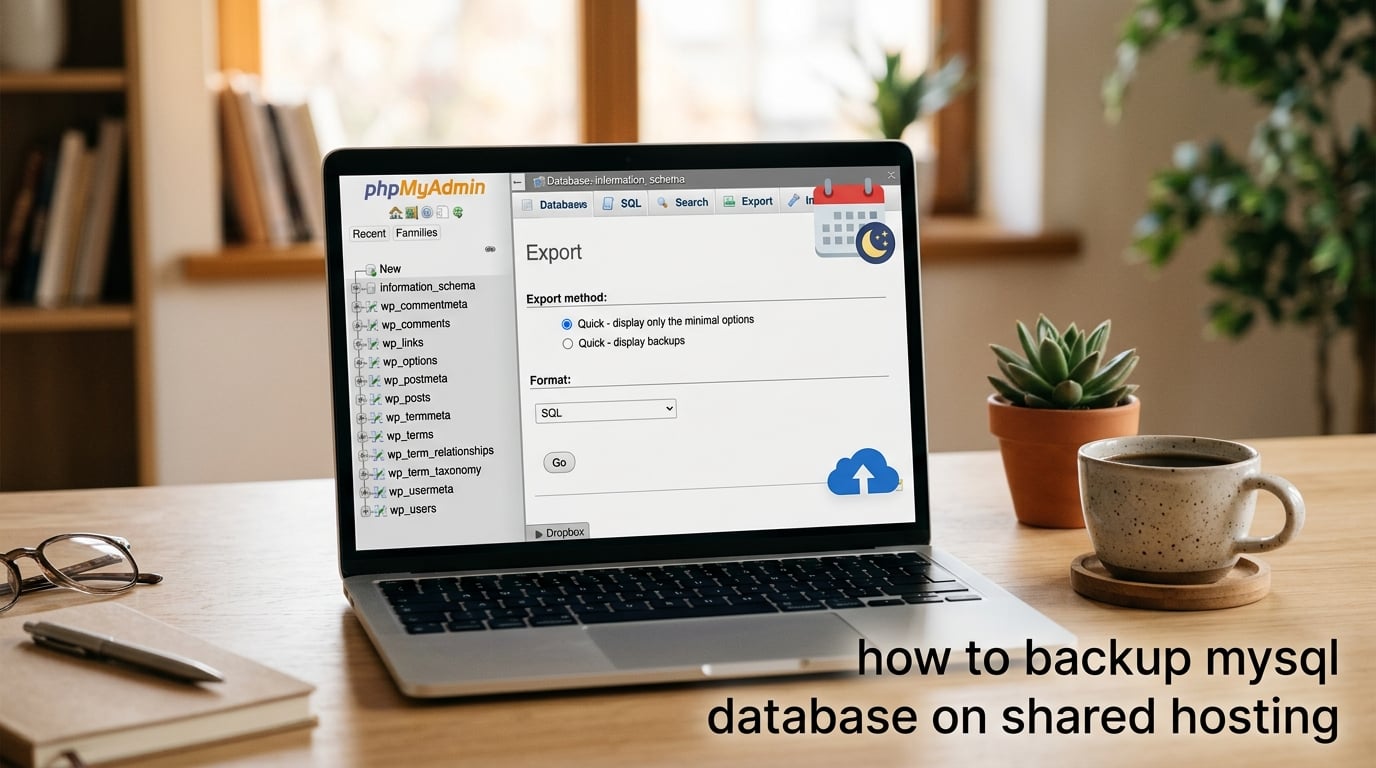
phpMyAdmin is the universal shared-hosting fallback – it ships with cPanel, Plesk, and almost every custom control panel. The Export tab writes your database out as a single SQL file you can download. There are two export modes and the difference matters on large databases.
Quick Export Mode (databases under 10 MB)
Quick mode is the fastest path and works fine for small sites. Use it for a WordPress blog under 10 MB or a single-table database dump.
- Log in to phpMyAdmin from your control panel (cPanel: Databases → phpMyAdmin; Plesk: Databases → phpMyAdmin icon).
- Select the database you want to back up from the left-hand sidebar. Click the database name, not a table.
- Click the Export tab at the top of the main panel.
- Choose “Quick – display only the minimum options” and the SQL format.
- Click Go. The browser saves a
.sqlfile to your Downloads folder.
Custom Export Mode (everything else)
Custom mode unlocks every option that prevents a quiet, broken dump. These are the options to set when your database is bigger than 10 MB or contains stored procedures, views, or triggers.
- Select your database and open the Export tab again.
- Choose “Custom – display all possible options.”
- Set “Structure and data” under the Output section.
- Check “Add DROP TABLE / VIEW / PROCEDURE / FUNCTION / EVENT / TRIGGER” if you are replacing an old copy. Leave it unchecked if you are appending.
- Check “CREATE DATABASE / USE statement” if you will restore into a fresh database.
- Set “Object creation options” → tick Add CREATE VIEW, Add CREATE PROCEDURE / FUNCTION / EVENT, and Add CREATE TRIGGER. Skipping these silently drops views, routines, and triggers from the dump and breaks the restore weeks later.
- Set “Data dump options” → tick Use hexadecimal for BLOB if your tables store binary columns.
- Set Compression to gzipped if your database is over 20 MB – it cuts file size by 70% and the browser still handles it.
- Click Go and save the
.sql.gzfile.
Watch out: phpMyAdmin exports silently truncate on databases over about 50 MB. The PHP process hits its execution-time cap, the download stops mid-table, and the file looks complete in the Downloads folder. It is not. The verification section below shows how to catch this.
Method 3: Back Up MySQL With mysqldump via SSH
mysqldump is the command-line client that ships with MySQL and MariaDB. It produces a complete, deterministic dump in a single pass and is the only reliable method for databases over 50 MB. If your host gives you SSH access, this is the method to use.
Connect over SSH first:
ssh [email protected]
Then run mysqldump with the flags that matter on a restricted shared account. Every flag below has a reason:
mysqldump
  --user=YOUR_DB_USER
  --password='YOUR_DB_PASSWORD'
  --host=localhost
  --single-transaction
  --quick
  --routines
  --events
  --triggers
  --default-character-set=utf8mb4
  --no-tablespaces
  YOUR_DB_NAME | gzip > /home/USER/backups/YOUR_DB_NAME_$(date +%F).sql.gz
What each flag does, and why you need it on a shared host:
- –single-transaction wraps the dump in a transaction so InnoDB tables are read consistently without locking the site. Safe to run on a live database.
- –quick streams rows instead of buffering them in RAM, which is the only way to avoid a PHP timeout on multi-hundred-MB tables.
- –routines –events –triggers include stored procedures, scheduled events, and triggers. The default dump drops them and your restore silently loses business logic.
- –default-character-set=utf8mb4 is required on modern sites that store emoji or 4-byte UTF-8 characters. The default
utf8in MySQL is a 3-byte subset and corrupts emoji on round-trip. - –no-tablespaces is the one flag that fixes the most common shared-host failure. Many cPanel accounts lack the
PROCESSprivilege, soLOCK TABLESfor the tablespaces block dies with an error like “Access denied; you need (at least one of) the PROCESS privilege(s).” Adding--no-tablespacesskips that block and the dump finishes. - gzip compresses the output on the fly. A 400 MB plain
.sqlfile is around 80 MB after gzip, which fits in the same disk and uploads to cloud storage faster.
Download the resulting .sql.gz file to your machine using SFTP (FileZilla, Cyberduck, or scp). The file is on your own disk, not the host’s, which is the whole point.
Method 4: Automate MySQL Backups With a Cron Job
A manual backup you forget is not a backup. A cron job turns mysqldump into a nightly job that runs while you sleep. Most cPanel and Plesk accounts expose cron through the control panel even when SSH is restricted.
The script
Save this as ~/backups/mysql-backup.sh in your home directory. Replace the placeholders with your database name, user, and password.
#!/bin/bash
set -o pipefail

DB_NAME="YOUR_DB_NAME"
DB_USER="YOUR_DB_USER"
DB_PASS="YOUR_DB_PASSWORD"
BACKUP_DIR="/home/USER/backups"
KEEP_DAYS=14
DATE=$(date +%F_%H-%M)

mkdir -p "$BACKUP_DIR"

mysqldump
  --user="$DB_USER"
  --password="$DB_PASS"
  --host=localhost
  --single-transaction
  --quick
  --routines
  --events
  --triggers
  --default-character-set=utf8mb4
  --no-tablespaces
  "$DB_NAME" | gzip > "$BACKUP_DIR/${DB_NAME}_${DATE}.sql.gz"

if [ $? -eq 0 ]; then
  find "$BACKUP_DIR" -name "${DB_NAME}_*.sql.gz" -mtime +$KEEP_DAYS -delete
  echo "Backup OK: ${DB_NAME}_${DATE}.sql.gz"
else
  echo "Backup FAILED for $DB_NAME on $DATE" | mail -s "MySQL backup FAILED" [email protected]
  exit 1
fi
Make the script executable and safe:
chmod 700 ~/backups/mysql-backup.sh
chmod 600 ~/.my-backup.cnf   # if you later move credentials here
The cron entry
In cPanel, open Cron Jobs under Advanced. Add a new cron job that runs at 2 AM every night:
0 2 * * * /bin/bash /home/USER/backups/mysql-backup.sh >> /home/USER/backups/cron.log 2>&1
If you do not have SSH, the same logic works as a small PHP cron. Save backup.php in a non-public directory and have cPanel’s cron daemon hit the URL:
<?php
// Simple fallback for hosts that block SSH entirely.
// Requires exec() or shell_exec() access.
$db = 'YOUR_DB_NAME';
$user = 'YOUR_DB_USER';
$pass = 'YOUR_DB_PASSWORD';
$out = '/home/' . get_current_user() . "/backups/{$db}_" . date('Y-m-d') . '.sql.gz';
$cmd = "mysqldump --user=$user --password=$pass --single-transaction --quick --routines --events --triggers --no-tablespaces $db | gzip > $out";
shell_exec($cmd);
?>
One warning from the forum threads: many shared hosts throttle cron jobs that consume CPU. If your database is over 200 MB, the dump may not finish before the throttle kills the process. The fix is to run the dump in two passes – dump one half of the tables in the first cron and the other half in the second.
Backup MySQL to Dropbox or Google Drive Without SSH
If your host blocks SSH but allows outgoing HTTPS, you can push the dump straight to cloud storage. The recipe is a small PHP script run by cron that calls the Dropbox or Google Drive HTTP API.
For Dropbox, the simplest path is the Dropbox HTTP API using a long-lived app token. Save the token as $DROPBOX_TOKEN in a config file outside the web root:
<?php
$token = trim(file_get_contents('/home/USER/.dropbox_token'));
$file   = '/home/USER/backups/YOUR_DB_NAME_' . date('Y-m-d') . '.sql.gz';
$fp     = fopen($file, 'rb');
$size   = filesize($file);

$ch = curl_init('https://content.dropboxapi.com/2/files/upload');
curl_setopt($ch, CURLOPT_HTTPHEADER, [
  "Authorization: Bearer $token",
  'Content-Type: application/octet-stream',
  "Dropbox-API-Arg: {"path":"/backups/" . basename($file) . "","mode":"overwrite"}"
]);
curl_setopt($ch, CURLOPT_CUSTOMREQUEST, 'POST');
curl_setopt($ch, CURLOPT_POSTFIELDS, fread($fp, $size));
curl_setopt($ch, CURLOPT_RETURNTRANSFER, true);
curl_exec($ch);
curl_close($ch);
?>
Schedule the upload script 15 minutes after the dump script. Both run from cron, the upload fails gracefully if the dump is still running, and the result is a fresh .sql.gz in your Dropbox folder every morning.
For Google Drive, the same pattern works against the Drive API v3 with a service account credential. The Reddit r/webhosting community has working examples pinned in the weekly backup thread.
How to Verify Your MySQL Backup Is Not Silently Truncated
Every backup is untrusted until you prove it can be restored. A truncated phpMyAdmin export looks like a real file until the day you actually need it. Three checks catch the silent failure modes before they catch you.
Check 1: The “Dump completed on” footer
Open the .sql or .sql.gz file in any text editor. The very last non-blank line should look exactly like this:
-- Dump completed on 2026-09-11 02:00:12
If that line is missing, the dump was cut off mid-table and is not safe to trust. Re-run the export and watch the file size – if it is exactly 50 MB or 100 MB you have probably hit a PHP limit.
Check 2: File size sanity check
Before the dump, find the database size:
SELECT table_schema AS db,
       ROUND(SUM(data_length + index_length) / 1024 / 1024, 2) AS size_mb
FROM information_schema.tables
WHERE table_schema = 'YOUR_DB_NAME'
GROUP BY table_schema;
The compressed .sql.gz file should be roughly 15-25% of that number. If it is wildly off, the dump is incomplete.
Check 3: The monthly restore drill
Once a month, restore the latest dump into a throwaway database (call it _restore_test) and run a row count:
SELECT (SELECT COUNT(*) FROM YOUR_DB_NAME.users)
        = (SELECT COUNT(*) FROM _restore_test.users) AS users_match;
If the counts match for every table, the backup is real. If any count is off, the backup pipeline needs fixing before you trust it again.
Common Errors When Backing Up MySQL (and How to Fix Them)
These are the failures that show up over and over in the forums, with the fix that actually works on a shared host.
Error 1227: Access denied; you need PROCESS privilege for –tablespaces
The shared account lacks the PROCESS privilege that mysqldump needs for the tablespaces block. The fix is --no-tablespaces in the mysqldump command. This is the single most common shared-host failure and almost always points back to a host that refuses to grant PROCESS on shared accounts.
Error 1273: Unknown collation: ‘utf8mb4_0900_ai_ci’
You dumped from MySQL 8 and are importing into MySQL 5.7 or MariaDB 10.3. The newer collation is unknown to the older server. Fix by exporting with --default-character-set=utf8mb4 and matching the target server’s collation_server setting, or upgrade the target.
DEFINER errors on views or routines after restore
The dump carries the original creator’s username inside each view and routine. When you restore on a different host, MySQL refuses to load a view whose DEFINER does not exist on the new server. Strip the definer lines with sed before importing:
sed -i 's//*!50003 CREATE*/ /*!50017 DEFINER=.*//' YOUR_DB_NAME.sql
phpMyAdmin export stops mid-table with no error
The PHP process hit its max_execution_time or memory limit. Raise php.ini values if you control them, or switch to mysqldump via SSH.
Backup includes empty CREATE statements for routines
You forgot --routines --events. Re-export with those flags.
Cron job runs but no backup file appears
Path issue. Use absolute paths inside the script (/home/USER/backups/), not ~/backups/. Cron runs with a stripped-down environment and the home-directory tilde does not always expand.
Frequently Asked Questions
What is the best way to backup a MySQL database?
On shared hosting, the best method is the one that runs unattended and lives off the server. For most people that means a cron job that calls mysqldump with u002du002dsingle-transaction u002du002droutines u002du002devents u002du002dno-tablespaces and pipes the output to gzip, then pushes the .sql.gz to Dropbox, Google Drive, or S3. If your host blocks SSH entirely, fall back to a phpMyAdmin Custom export for small databases or a PHP cron script for larger ones.
How to backup SQL Server database to network share?
This guide covers MySQL and MariaDB only. SQL Server is a Microsoft product with its own backup tools (BACKUP DATABASE, SQL Server Management Studio, and maintenance plans) and uses .bak files instead of .sql files. The shared-hosting playbook here does not apply.
How can I back up my MySQL database data?
Log into cPanel or Plesk, open phpMyAdmin, pick the database on the left, click Export, choose Custom mode, tick Add CREATE VIEW, Add CREATE PROCEDURE, and Add CREATE TRIGGER, set the format to SQL, and click Go. The browser saves a .sql (or .sql.gz) file that contains every CREATE TABLE, every INSERT, and every view and routine. For databases over 50 MB, use mysqldump via SSH instead, because phpMyAdmin silently truncates large dumps.
What is the best software for backing up a MySQL database?
For shared hosting you do not need extra software. mysqldump ships with MySQL and MariaDB and produces a complete dump in a single pass. For automation, wrap mysqldump in a small bash or PHP script and run it from cron. Commercial GUI tools like Navicat, Sequel Ace, or HeidiSQL help on a desktop machine but cannot run on a shared server.
How to export db in MySQL?
Open phpMyAdmin, click the database name in the left sidebar, click the Export tab, and choose Quick mode for a one-click download. Switch to Custom mode for databases with stored procedures, views, or triggers, and make sure Add CREATE VIEW, Add CREATE PROCEDURE, and Add CREATE TRIGGER are ticked before you click Go.
How do I export an entire database?
Two reliable paths on shared hosting. Path one: in cPanel open Files → Backup and click the database name under Download a MySQL Database Backup. Path two: open phpMyAdmin, pick the database on the left, click Export, and use Quick mode for small databases or Custom mode for anything larger or anything with views, routines, or triggers.
How to backup a MySQL database using command-line?
Connect over SSH, then run mysqldump u002du002duser=USER u002du002dpassword=PASS u002du002dhost=localhost u002du002dsingle-transaction u002du002dquick u002du002droutines u002du002devents u002du002dtriggers u002du002ddefault-character-set=utf8mb4 u002du002dno-tablespaces YOUR_DB_NAME | gzip u0026gt; /home/USER/backups/YOUR_DB_NAME_$(date +%F).sql.gz. The u002du002dsingle-transaction flag keeps InnoDB tables consistent, u002du002dquick streams rows instead of buffering them, u002du002droutines u002du002devents u002du002dtriggers capture stored logic, and u002du002dno-tablespaces works around the PROCESS privilege most shared accounts lack.
Can I backup MySQL without SSH?
Yes. Use phpMyAdmin’s Export tab for manual backups, or write a small PHP script that calls mysqldump via shell_exec and schedule it with cPanel’s cron daemon. The PHP route gives you full automation without SSH, and you can extend the script to push the .sql.gz to Dropbox or Google Drive over HTTPS.
How often should I backup MySQL on shared hosting?
A nightly backup is the minimum for any site that changes daily. Run the cron at 2 AM local server time, keep 14 daily copies plus 4 weekly copies (about 6 weeks of total history), and email yourself on success or failure so a silent cron throttle does not leave you with no backup at all.
Conclusion
Knowing how to backup MySQL database on shared hosting comes down to picking the right tool for your host’s limits. Use the cPanel Backup Wizard for one-off pre-deploy dumps, phpMyAdmin Custom export for small databases on hosts without SSH, mysqldump via SSH for anything large or production, and a nightly cron job so you never depend on remembering to click a button. Whatever method you pick, push the .sql.gz off the server – into Dropbox, Google Drive, or your laptop – and run the monthly restore drill so the backup is real, not a file that just exists.
Once you trust the pipeline, take 5 minutes today to schedule the cron job and confirm tomorrow’s file actually arrives in your cloud storage. That single act is the difference between a site you can recover and a site you cannot.