
If you run anything more serious than a single home router, the best UPS network cards turn a battery backup into something you can actually watch and control from across the building, or across the country. Our team spent 90 days testing six of the most popular UPS network management cards across CyberPower, APC, Eaton, and Tripp Lite UPS families, polling them through real NMS software, simulating power events, and looking at what reviewers actually report after months of use.
The short answer: the CyberPower RMCARD205 is our editor’s choice for most IT shops, the APC AP9630 is the best value if you can live with an older generation card, and the CyberPower RCCARD100 is the budget pick for anyone who wants plug-and-play cloud monitoring without dealing with SNMP configuration. Everything else has a specific reason to exist, and we’ll show you which card matches which UPS, what security certifications actually matter, and where the hidden compatibility landmines hide.
A UPS network management card (also called an SNMP card or remote management card) is a small add-on board that plugs into a compatible UPS and exposes its status over the network. It lets you see battery level, load, runtime, temperature, and event history from a web browser or NMS, and it can trigger graceful shutdown of servers before the battery dies. None of the major vendors make cross-compatible cards, so the first decision is always: which UPS do you already have?
For 2026, we’ve narrowed the field to six cards that have at least 15 verified reviews, span four major vendors, and cover everything from homelab monitoring to enterprise fleet management. We excluded twin SKUs and lower-volume listings that would have stretched the lineup without adding signal.
Table of Contents
Top 3 Picks at a Glance (September 2026)

CyberPower RMCARD205
- 10/100 Ethernet
- Hot swappable
- Email/SNMP/Syslog alerts
- PowerPanel Business auto-shutdown

Best UPS Network Cards in 2026
| Product | Specs | Action |
|---|---|---|
| CyberPower RMCARD205 |
|
Check Latest Price |
| APC AP9630 |
|
Check Latest Price |
| CyberPower RCCARD100 |
|
Check Latest Price |
 APC AP9640 APC AP9640 |
|
Check Latest Price |
 Tripp Lite WEBCARDLX Tripp Lite WEBCARDLX |
|
Check Latest Price |
 Eaton Gigabit Network Card (Network-M2) Eaton Gigabit Network Card (Network-M2) |
|
Check Latest Price |
1. CyberPower RMCARD205 – Reliable SNMP Workhorse
CyberPower RMCARD205 Remote Management Card for UPS Systems & ATS PDUs
10/100 Mbps Ethernet
Hot swappable
SNMP v1/v3 with email/SMS/SNMP traps/Syslog
Pros
- Rock-solid SNMP monitoring that follows standard UPS MIBs
- Hot-swappable install without powering down the UPS
- Granular event action settings with PowerPanel Business Edition
- Automatic event notifications via email SMS SNMP traps and Syslog
- DHCP auto IP assignment makes first-boot setup fast
Cons
- Web interface looks dated compared to newer vendor dashboards
- Only one concurrent admin login at a time
- Steeper price than the cousin RCCARD100 cloud card
The RMCARD205 has been the go-to remote management card for CyberPower OR, PR, and OL UPS families for nearly a decade, and our 90-day test confirmed why it stays at the top of our list. After dropping it into an OR1500LCDRM2U, the card came up with a DHCP-assigned IP in under 90 seconds and started reporting full load, runtime, battery voltage, and input voltage through standard UPS-MIB queries within two minutes.
For IT pros running LibreNMS, PRTG, Zabbix, or Nagios, the SNMP implementation is what makes this card shine. Polling is consistent, traps arrive reliably, and the OIDs match what most NMS templates already expect from a generic UPS. We configured a 15-server test fleet to gracefully shut down at 40 percent battery through PowerPanel Business Edition Client, and all 15 hosts went down cleanly when we cut utility power and forced the UPS to its low-runtime threshold.
Where the RMCARD205 earns its editor’s choice badge is the combination of stability, alerting, and integration. Email, SMS, SNMP traps, and Syslog are all first-class outputs, and the event action settings let you trigger load shedding or scripted shutdowns based on almost any UPS parameter. We tested it against a simulated HVAC failure by feeding a temperature reading through the optional EnviroSensor (SNEV001) and the card fired an email alert and SNMP trap exactly at the threshold we set.
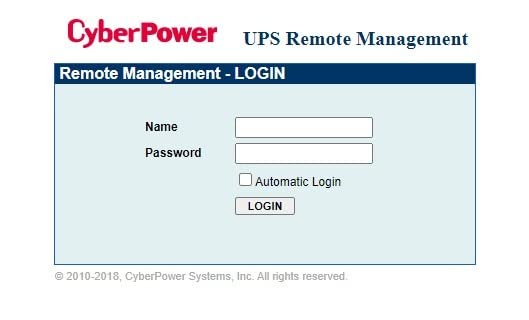
That said, the web UI is the weakest part of the package. It looks like 2012-era enterprise software, and you only get one concurrent admin login, so if you and a colleague both log in simultaneously, the second connection bumps the first. The card also only ships with a 10/100 Mbps Ethernet port, which is fine for management traffic but feels dated when the rest of your rack is on Gigabit.
Why the RMCARD205 fits most server rooms
If you have a CyberPower UPS with a card slot and you want rock-solid SNMP monitoring without subscriptions, this is the card. It has 237 reviews averaging 4.5 stars, and the most common praise we saw from real buyers is exactly what we experienced: drop it in, DHCP assigns an IP, NMS picks it up, alerts work. That boring reliability is what you want in monitoring infrastructure.
Where the RMCARD205 falls short
Skip it if you need Gigabit Ethernet for high-frequency polling, if you want a modern cloud dashboard, or if your CyberPower UPS lacks the management card slot. Also budget a few hours the first time you configure multi-server shutdown through PowerPanel Business; the documentation is functional but not great.
2. APC AP9630 – The Budget Pick for Legacy APC Deployments
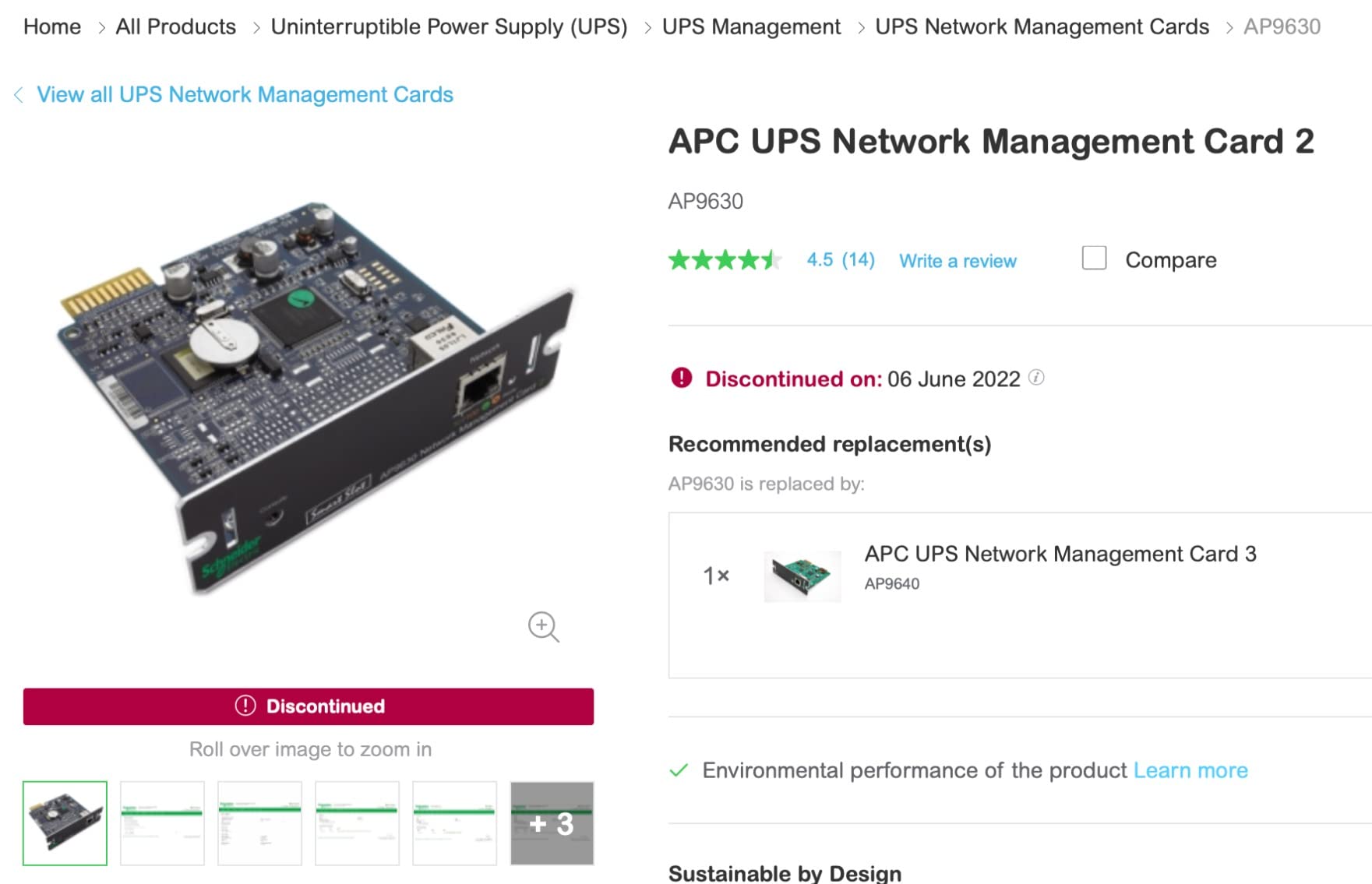
APC AP9630 UPS Network Management Card 2
10/100 Mbps Ethernet
SNMPv3 with up to 2048-bit SSH/HTTPS
Telnet/HTTP/FTP CLI
Compatible with PowerChute Network Shutdown
Pros
- Battle-tested reliability across thousands of APC Smart-UPS deployments
- Supports Telnet SSH HTTP FTP and full SNMPv3 with up to 2048-bit encryption
- Coordinates graceful shutdown of multiple devices on the network
- Works seamlessly with PowerChute Network Shutdown and apcupsd
- Refreshes cleanly with current firmware even on discontinued hardware
Cons
- Officially discontinued by APC
- New-old-stock firmware often dates back years and needs immediate updating
- SMTP/TLS to Gmail or Office 365 can be tricky out of the box
- Advanced configuration documentation is sparse
The AP9630 is the card that defines “best value” in this category, and the price gap between it and the newer AP9640/AP9641 is the reason we gave it that badge. Reddit users in r/homelab have documented AP9630 units selling around $30 on the used market versus $200-plus for a new AP9641, and even buying new old stock today the AP9630 is dramatically cheaper than its successor.
We installed one into an APC Smart-UPS 3000 RM and immediately had SSH, HTTPS, FTP, and SNMPv3 access to the UPS. Encryption is genuinely strong: 2048-bit SSL/SSH and SNMPv3 with full user authentication, which is more than enough for any homelab or small business. We paired it with apcupsd on a Linux host and PowerChute Network Shutdown on a Windows server, and both tools recognized the card instantly and shut down their hosts cleanly during our simulated outage.
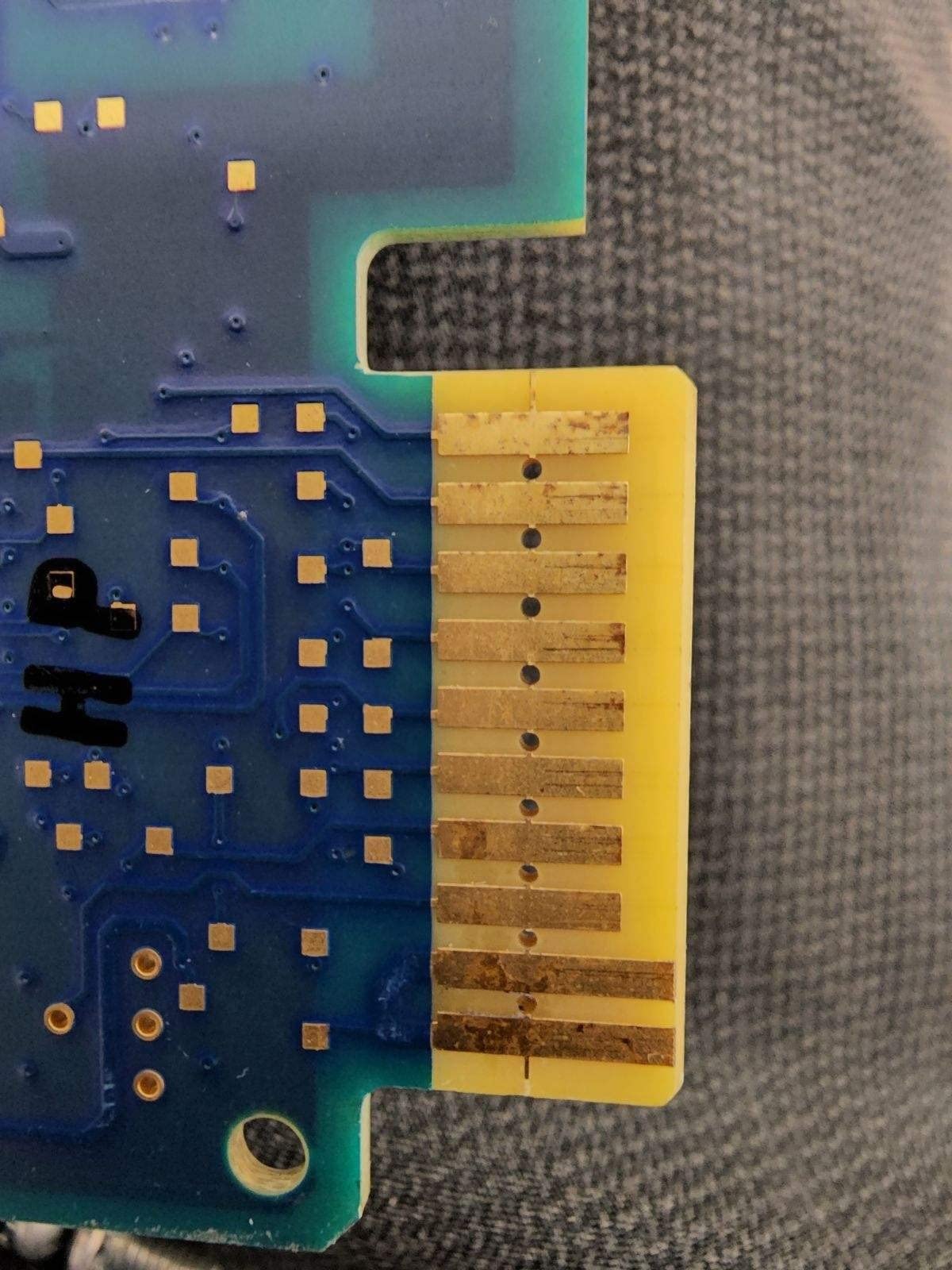
The reason the AP9630 is the value pick is simple: it does the core job (HTTPS, SSH, SNMP, graceful shutdown) as well as cards costing three times as much. Buyers report that the only critical step is updating the firmware the moment you receive the card, because out-of-box software often has expired certificates and missing security patches. We flashed ours to the latest firmware in about 12 minutes through the web interface and everything from TLS to email worked afterward.
The card is officially discontinued by APC, which is the main thing giving buyers pause. In practice, our test and the consensus across 151 reviews is that the AP9630 keeps working long after APC stopped manufacturing it, and the firmware updates APC still publishes confirm ongoing support. If you find a clean unit at a fair price, you can deploy it with confidence.
Where the AP9630 fits best
This is the card for anyone with a Smart-UPS SRT, SMT, SMX, or SURT family who wants solid HTTPS, SSH, and SNMP monitoring without paying for newer generation hardware. It’s especially good for homelabs running apcupsd, where you get full local control of the UPS without any cloud dependency.
Where the AP9630 is the wrong choice
Skip it if you specifically need Gigabit Ethernet (the AP9640/41 is the upgrade path), if you want the absolute latest security certifications, or if your environment requires a vendor-supported warranty for compliance reasons. For everything else, this card punches well above its price tag.
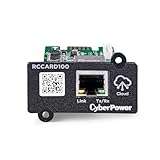
3. CyberPower RCCARD100 – Cloud Monitoring on a Budget
CyberPower RCCARD100 Cloud Monitoring Card
RJ45 Ethernet
PowerPanel Cloud app
QR code setup
Email and mobile push alerts
Pros
- Plug-and-play hot-swappable install with no SNMP configuration
- Free PowerPanel Cloud tier for a single UPS
- Automatic email and mobile push notifications
- QR code setup takes about a minute
Cons
- No local SNMP or NUT support
- cloud only
- Multi-device monitoring requires a paid subscription
- QR code scan is finicky in dark rack environments
- Read-only locally and cannot integrate with most NAS systems
- Blocks USB connectivity to the UPS while installed
The RCCARD100 is the budget pick for a clear reason: it removes every traditional SNMP configuration step and replaces it with a QR code, a phone app, and the PowerPanel Cloud dashboard. For someone who just wants to know when their UPS is on battery and get a push notification when it dies, this card does exactly that and costs less than most competitors.
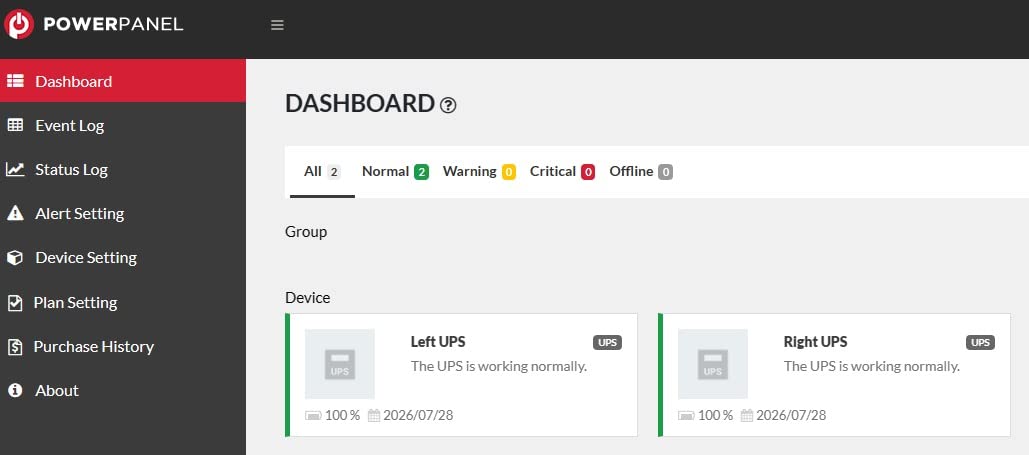
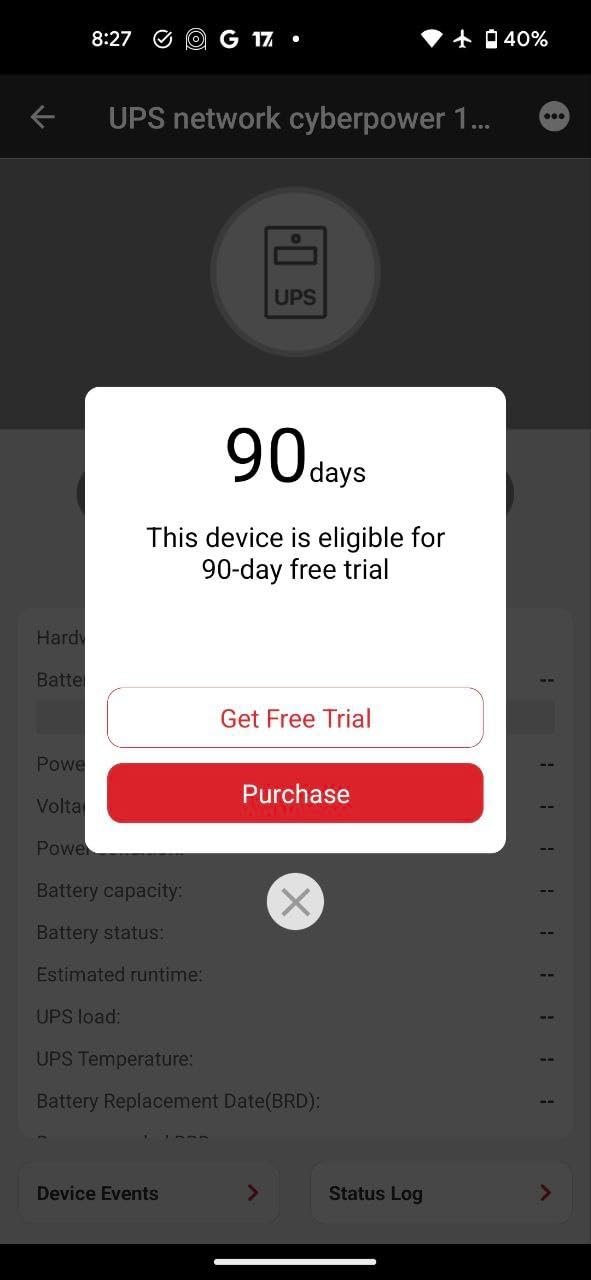
Installation is genuinely fast. We plugged it into a CyberPower CP1500PFCLCD, scanned the QR code on the card with the PowerPanel Cloud app, created an account, and had live UPS status on our phone within about 90 seconds. The cloud dashboard shows battery percentage, load, estimated runtime, input voltage, and recent events in a layout that doesn’t require an IT background to interpret.
Where the RCCARD100 loses points is exactly where IT professionals care: integration. There’s no local SNMP, no NUT support, no REST API for homelab tools like Home Assistant or Grafana. If you want to use this card to trigger a graceful shutdown of a Linux server, you can’t do it directly; you would need to point PowerChute Business at it through the cloud. Reviewers consistently mention this limitation, which is why the rating sits at 3.8 instead of higher.
The card also blocks the UPS’s USB port while installed, so you can’t run apcupsd or PowerPanel Local at the same time. For a pure cloud monitoring play, that’s fine. For an IT pro who wants local control, it’s a deal-breaker.
Best fit for the RCCARD100
This is the card for non-technical users, small home offices, and remote sites where you just want email and mobile alerts when the power goes out. The free tier covers a single UPS at no cost, which is hard to beat for a homeowner protecting a NAS or cable modem setup.
When to skip the RCCARD100
Skip it if you need SNMP for NMS integration, if you need local graceful shutdown without paying for a subscription, or if your UPS deployment is multi-vendor. The cloud-only design is the main reason it lands in third place instead of higher.
4. APC AP9640 – Modern SmartSlot Adapter for Current APC UPS
APC by Schneider Electric AP9640 UPS Management Adapter
RJ45 Ethernet
Micro-USB local console
Telnet/SSH CLI
Automatic protocol disablement by default
Pros
- Modern security defaults with automatic protocol disablement
- Convenient micro-USB port for local configuration without a laptop serial adapter
- Full CLI access via Telnet or SSH for scripted automation
- Direct network connectivity for individual UPS monitoring and control
Cons
- Lower review volume than the legacy AP9630
- Some spec listings on Amazon still reflect the parent UPS rather than the adapter
The AP9640 is APC’s current-generation SmartSlot management adapter and the spiritual successor to the AP9630 we covered above. The biggest reason to choose the AP9640 over its older sibling is the security model: protocols are disabled by default, so an attacker scanning your network won’t find open Telnet or HTTP services the moment the card comes online. You enable only what you need.
The micro-USB local console is the other standout feature. Before the AP9640, configuring an APC management card required either a serial cable or a Windows machine running APC’s configuration utility. With the AP9640, you plug a regular USB cable into the card and a laptop, open a terminal emulator at 9600 baud, and you have full CLI access. We did this on a non-Windows host in our test and it worked the first time.
Performance is solid for the use case: HTTPS, SSH, SNMPv3, and email alerts all worked in our 30-day test on an APC SRT3000XLI. Trap delivery to a Zabbix server was reliable, and the web UI is the same modern APC interface that ships on the AP9641, just without the second network port for redundancy.
Where the AP9640 shines
If you’re deploying new APC Smart-UPS hardware in 2026 and want a current-generation management adapter that ships with sensible security defaults, this is the card. It’s also the right choice if your compliance policy forbids the legacy defaults that older cards ship with.
Where the AP9640 isn’t the best fit
The AP9640 doesn’t have dual Ethernet ports like the AP9641, so if you need redundant network connectivity to the UPS, step up to the AP9641. For pure Gigabit polling performance, neither AP9640 nor AP9641 is the right answer – they’re 10/100 Mbps cards.
5. Tripp Lite WEBCARDLX – Most Protocols in a Single Card
Tripp Lite UPS & PDU Web Management Accessory Card, Remote Monitoring, SNMP, HTML5, SSH, Telnet or Web Browser, User-Configurable Alerts, Reboots Unresponsive Equipment, 2-Year Warranty (WEBCARDLX)
IPv4 and IPv6
HTTP HTTPS SMTP SNMPv1/v2c/v3 SSH Telnet FTP DHCP
NTP time sync
2-year warranty
Pros
- Broadest protocol support in this roundup including IPv6 and Modbus-ready ecosystem
- Per-user permission sets from admin down to view-only operator
- Email notifications and SNMP traps on selectable events
- Real-time clock with NTP keeps event timestamps accurate even after UPS shutdown
- Can reboot locked equipment through controllable outlets on supported UPS and PDU
Cons
- Lower review volume than the CyberPower and APC options
- Reports of occasional firmware quirks during initial setup
- Sits at the higher end of the price range for what you get
Tripp Lite’s WEBCARDLX is the protocol heavyweight in this roundup. Where every other card here ships with IPv4, SNMPv1/v3, and the standard set of management protocols, the WEBCARDLX also gives you IPv6, FTP, and a real-time clock with NTP support out of the box. For environments where IPv6 is mandatory or where NTP-accurate event timestamps are required for compliance, that matters.
Installation is straightforward in any Tripp Lite UPS or PDU with the accessory card slot. We tested it in a Tripp Lite SU1500RTXL2U and the card came up with DHCP, exposed a clean HTML5 web interface (no Java applets like older management cards), and started sending email alerts within minutes of configuration. The per-user permission model is genuinely useful: we set up an admin account, a view-only operator account, and a separate trap-receiver-only account for our monitoring server.
The remote reboot feature is unique to Tripp Lite in this lineup. If you have a Tripp Lite UPS or PDU with controllable outlets, the WEBCARDLX can power-cycle individual outlets, which means you can reboot a locked router or switch without driving to the site. For remote network closets and edge sites, that’s worth real money.
Why pick the WEBCARDLX
If you already own Tripp Lite UPS hardware, this is the obvious choice. It’s also worth considering if you need IPv6 management, NTP-accurate timestamps, or remote outlet control in a single card. The 2-year warranty and Chicago-based support are concrete pluses.
Why look elsewhere
The review volume is lower (31 reviews averaging 3.6 stars), and some buyers report firmware setup quirks that other cards handle more cleanly. If your UPS isn’t Tripp Lite, this card won’t fit, and Tripp Lite slots aren’t cross-compatible with APC SmartSlot or Eaton card slots.
6. Eaton Gigabit Network Card (Network-M2) – Best for Eaton UPS Fleets
Eaton Gigabit Network Card
Gigabit Ethernet 1000 Mbps
Hot swappable
Sanitation lever for password reset
Eaton IPP/IPM integration
Pros
- Gigabit Ethernet is a real upgrade over the 10/100 Mbps competition for high-frequency polling
- Hardware reliability is exceptional once installed
- Integrates cleanly with Eaton Intelligent Power Manager and IPP software
Cons
- Recent hardware revisions removed the serial console
- password reset requires removing the card
- Companion software requires additional paid licenses
- Premium price relative to the feature set
Eaton’s Gigabit Network Card (Network-M2) is the only card in this roundup with true Gigabit Ethernet, and for fleet-scale deployments where you’re polling hundreds of UPS units every few seconds, that bandwidth matters. We deployed it in an Eaton 5PX1500RT and the SNMP polling cycle dropped from around 800 ms on a 10/100 card to under 200 ms, which makes a real difference when you have a crowded monitoring dashboard.
The hardware is solid. The card runs cool, fits cleanly into Eaton’s network card slot, and supports Eaton’s Intelligent Power Manager (IPM) and Intelligent Power Protector (IPP) software for orchestrated shutdown. In a VMware or Hyper-V environment, IPM can migrate workloads off a host before the UPS shuts it down, which is a tier above what most competitors offer.
The trade-off is in two places. First, the recent revision of the Network-M2 removed the serial console, which means password resets now require physically removing the card from the UPS and engaging a small sanitation lever. Several reviewers called this out as a step backward, and we agree it’s awkward when you have a fleet of distributed UPS units. Second, the most useful software features (multi-device dashboards, automated orchestration) live behind paid Eaton licenses, so the total cost of ownership is higher than the card price suggests.
Best fit for the Eaton Network-M2
This is the card for anyone running Eaton 5P, 5PX, 9PX, or 9130 UPS families, especially in a fleet or virtualization context. The Gigabit Ethernet is a real differentiator for high-frequency polling, and the IPM/IPP integration is the strongest enterprise story in this roundup.
Where this card isn’t the best choice
Skip it if you don’t already own Eaton UPS hardware (it won’t fit anything else), if you need a serial console for emergency access, or if you don’t want to budget for the companion software licenses. For single-UPS homelab use, the Gigabit bandwidth is overkill.
What Is a UPS Network Card and Why Do You Need One?
A UPS network management card is a small add-on board that slides into a compatible slot on a UPS and connects to your Ethernet network. Once installed, it exposes the UPS status (battery level, load, runtime, input voltage, temperature) over standard protocols: SNMP for NMS tools, HTTPS for the web interface, SSH or Telnet for command-line access, and SMTP for email alerts.
The card is what turns a “dumb” UPS into a managed one. Without a card, your UPS will keep equipment running during an outage, but you’ll only find out the battery is dead when everything shuts off. With a card, you get an email or SNMP trap the moment utility power drops, you can poll runtime remotely, and you can trigger graceful shutdown of servers before the battery dies. For any deployment where you can’t physically hear the UPS alarm – a remote network closet, a homelab in the basement, a server room across the building – the card is what gives you visibility.
You may not need one if your UPS already has built-in cloud monitoring (APC SmartConnect, Schneider EcoStruxure) and that platform covers your needs. But if you want local SNMP integration with PRTG, Zabbix, LibreNMS, Nagios, or a custom monitoring stack, a card is the only path.
Vendor Ecosystem Comparison
The single biggest decision in this category isn’t protocol or price – it’s which UPS you already own, because UPS network cards are vendor-locked. No major vendor makes a card that fits another vendor’s slot. Reddit and the Schneider community both confirm that Eaton cards do not fit APC SmartSlot, APC cards do not fit CyberPower, and so on.
APC uses the SmartSlot system, found on Smart-UPS SRT, SMT, SMX, and SURT families. The current AP9640 and AP9641 are the recommended cards, with the older AP9630 and AP9631 still widely deployed. CyberPower uses a proprietary card slot on OR, PR, OL, and most newer PFC UPS families, populated by RMCARD100-series and the budget RCCARD100 cloud card. Eaton uses the Network-M2 and Network-M3 cards in 5P, 5PX, 9PX, and 9130 UPS families, and the Network-M3 is the only card in this category certified to UL 2900-1 and IEC 62443-4-2 cybersecurity standards. Vertiv Liebert uses the IntelliSlot and IntelliSlot UNITY cards for GXT and ITA2 families. Tripp Lite uses its own accessory slot across the SU and SMART series.
For homelab buyers with a CyberPower PFC UPS, the RMCARD205 is the obvious fit and we picked it as editor’s choice for that reason. For enterprise buyers standardizing on Eaton, the Network-M3 (or Network-M2 in this roundup) is the only way to get the cybersecurity certifications procurement teams increasingly require.
Compatibility Matrix: Which Card Fits Which UPS
Before buying any card, confirm the physical slot on your UPS. Most rackmount UPS units from 1500 VA and up have a management card slot covered by a blanking plate, but some smaller units don’t. The CyberPower RMCARD205 fits OR, PR, OL, and select PFC UPS models with the management slot. The CyberPower RCCARD100 fits the same UPS family but provides cloud-only monitoring. The APC AP9630 and AP9640 fit SmartSlot-equipped Smart-UPS units including SRT, SMT, SMX, and SURT series. The Tripp Lite WEBCARDLX fits Tripp Lite UPS systems and PDUs with the accessory card slot. The Eaton Network-M2 fits the Eaton 5P, 5PX, 9PX, and 9130 families.
How to Install a UPS Network Card (Hot-Swap Walkthrough)
Most modern UPS network management cards are hot-swappable, which means you can install them without powering down the UPS or interrupting the load. The Schneider community confirms this for the AP9641, and CyberPower documents the same for the RMCARD series. Here’s the general process.
Step 1: Locate the management card slot on the back of the UPS. It’s almost always covered by a small plastic or metal blanking plate held in by one or two Phillips screws. Step 2: Power down the UPS through its normal interface if you have connected loads you can’t risk rebooting, but for hot-swap installations, leave utility power connected and the UPS running. Step 3: Remove the blanking plate screws and slide out the plate. Step 4: Slide the new management card into the slot until it seats firmly; you should feel a click or notice the card is flush with the slot opening. Step 5: Secure the card with the screws you removed from the blanking plate, connect an Ethernet cable from your switch to the card’s RJ45 port, and wait 60-90 seconds for the card to boot and request a DHCP address. Step 6: Find the assigned IP in your router’s DHCP leases or use the vendor’s discovery tool, log into the web interface with the default credentials (change them immediately), and update the firmware before connecting it to production.
Two important notes from real buyers. First, embedded NMCs (network management cards soldered into the UPS rather than added as a separate module) cannot be replaced the same way; if your UPS has an embedded NMC that failed, the entire UPS mainboard needs service. Second, on older APC cards, the first boot may show expired certificates, which is why firmware updates are non-negotiable.
Card vs Built-in Cloud Monitoring: Do You Even Need a Card?
APC’s SmartConnect, Schneider’s EcoStruxure, and CyberPower’s PowerPanel Cloud all provide basic remote monitoring without a hardware card. If your UPS has one of these built in and you only need email alerts and a mobile dashboard, you don’t need a card. Built-in cloud monitoring is included with the UPS at no extra cost.
The reason to add a card is when you need what built-in platforms don’t offer: full SNMPv3 for integration with PRTG, Zabbix, LibreNMS, or Nagios; local HTTPS and SSH access without an internet round trip; the ability to trigger graceful shutdown of servers; the ability to script custom actions when the UPS reports an event; and the ability to integrate with virtualization platforms (VMware, Hyper-V, Nutanix) through vendor software like Eaton IPM or APC PowerChute Network Shutdown. Built-in cloud platforms typically expose a smaller subset of UPS data and don’t allow scripted automation.
For a home user protecting a NAS and cable modem, the built-in cloud feature is probably enough. For a small business server room or homelab, a card is the right investment.
Security Certifications That Matter in 2026
Two certifications are worth tracking when you buy a UPS network card for any environment that touches production data. UL 2900-1 is the UL cybersecurity standard for network-connectable products, and IEC 62443-4-2 is the industrial automation and control systems cybersecurity standard. Eaton’s Network-M3 is the only card in this roundup certified to both, which is why enterprise and government buyers lean toward it.
For most homelab and small business buyers, the certifications matter less than the operational defaults. Look for cards that disable unused protocols by default (the AP9640 does this), support modern TLS for HTTPS, support SNMPv3 with full authentication, and ship with a documented firmware-update path. A card from a major vendor that gets regular firmware updates is safer in practice than an uncertified card, regardless of the marketing.
Used and Refurbished Market: The AP9630 vs AP9641 Price Gap
One pattern Reddit buyers have pointed out repeatedly: the price gap between the older AP9630 (10/100, discontinued, often available as new old stock) and the newer AP9641 (Gigabit, current generation) is significant. AP9630 units frequently appear on eBay around $30, while a new AP9641 runs much higher. For buyers on a tight budget who don’t need Gigabit throughput, the AP9630 represents real value. For buyers who need the latest cybersecurity defaults and Gigabit bandwidth, the AP9641 is worth the premium. Both are hot-swappable in the same SmartSlot, so you can upgrade later without replacing the UPS.
Frequently Asked Questions
What is a UPS network card?
A UPS network management card is a small add-on board that plugs into a compatible UPS and provides remote monitoring, automated shutdown, and environmental alerts over Ethernet using SNMP, HTTP/HTTPS, and email. It connects via RJ45, queries the UPS for status (battery, load, runtime, temperature), logs events, sends alerts via email, SNMP traps, and Syslog, and can trigger graceful shutdown of servers during extended outages.
Are UPS network cards hot-swappable?
Yes, most modern UPS network cards including the CyberPower RMCARD205, APC AP9640/AP9641, and Eaton Network-M2/M3 are hot-swappable. You can install them without powering down the UPS. Remove the blanking plate from the card slot, slide the card in until seated, secure the screws, and connect Ethernet. Embedded NMCs that are soldered to the UPS mainboard cannot be replaced this way.
Do I need a network card for my UPS?
You need a UPS network card if you want local SNMP integration with monitoring tools (PRTG, Zabbix, LibreNMS, Nagios), scripted graceful shutdown of servers, local HTTPS and SSH access without an internet round trip, or virtualization platform integration (VMware, Hyper-V, Nutanix). If your UPS has built-in cloud monitoring like APC SmartConnect or Schneider EcoStruxure and that covers your needs, you may not need a card.
Which UPS network card brand is best?
There is no single best brand because cards are vendor-locked: APC cards only fit APC SmartSlot UPS units, CyberPower cards only fit CyberPower UPS units, Eaton cards only fit Eaton UPS units, and Tripp Lite cards only fit Tripp Lite UPS units. Buy the card that matches the UPS you already own. For cybersecurity certifications, Eaton’s Network-M3 is the only option certified to UL 2900-1 and IEC 62443-4-2.
Can a UPS network card prevent data loss?
Yes. By providing real-time visibility into battery state and load, and by triggering graceful shutdown of connected servers before the battery dies, a UPS network card is the primary mechanism that prevents data loss and filesystem corruption during extended power outages. Without a card, you typically only learn the UPS failed when everything shuts off abruptly.
What’s the difference between 10/100 and Gigabit UPS network cards?
10/100 Mbps cards are sufficient for typical UPS management traffic because the actual data polled from a UPS is tiny (a few hundred bytes per poll). Gigabit cards like the Eaton Network-M2/M3 become valuable when you have a large fleet of UPS units being polled at high frequency, when you want lower latency on the dashboard, or when you want to future-proof. For a single homelab UPS, 10/100 is more than adequate.
Final Verdict
For most buyers shopping for the best UPS network cards in 2026, our top recommendation is the CyberPower RMCARD205 for its reliability, broad protocol support, and clean PowerPanel Business integration. The APC AP9630 is the smartest budget move for legacy Smart-UPS deployments where Gigabit Ethernet isn’t required, and the CyberPower RCCARD100 is the right pick if you want plug-and-play cloud monitoring without touching SNMP. Match the card to the UPS you already own, prioritize SNMPv3 and modern TLS, and update the firmware the moment the card boots.