
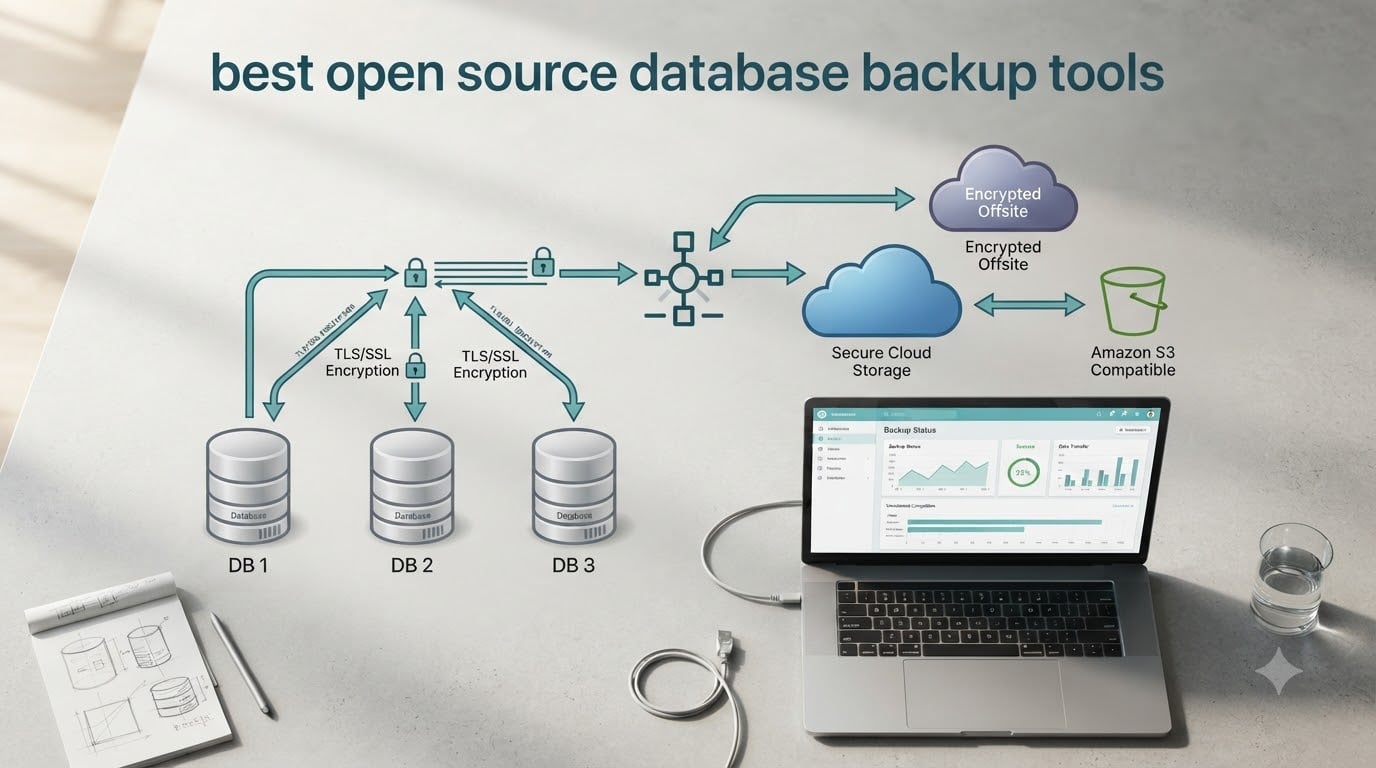
Every database eventually breaks. Hardware fails, a misguided DELETE statement gets committed, an upgrade corrupts a row, or ransomware encrypts the storage volume. When any of those happen, the difference between a normal afternoon and a career-defining incident comes down to one thing: whether you have a tested backup of the best open source database backup tools you actually trust.
This guide covers the tools I would actually deploy in 2026 for PostgreSQL, MySQL, MariaDB, MongoDB, SQL Server, and multi-database fleets. I have organized the list around real operational situations – small teams on a single VPS, enterprises running dozens of Postgres clusters, Docker shops that want a one-command backup, and WordPress sites that just need a daily S3 dump. For each tool, I explain what it is, the language and license it ships under, the databases it handles, and the use case where it shines.
I also want to flag one big piece of news up front. As of April 2026, pgBackRest has been moved into archival mode by its maintainers. The repository is preserved and the binary still works on every version it ever supported, but new features have stopped. If you are starting a fresh Postgres deployment in 2026, you should look at WAL-G, Barman, or Databasus instead. I have called this out explicitly under each tool and in the decision guide.
Table of Contents
How Open Source Database Backup Tools Work
Most open source database backup tools combine four building blocks: a scheduler, a data-capture method, compression and encryption, and a destination. Understanding these blocks makes every tool in this list easier to evaluate.
The scheduler is usually either a cron job on the host or a built-in scheduler inside the tool itself. The data-capture method is what defines the difference between dump-style and archival-style backups. Dump-style tools run a native utility such as pg_dump, mysqldump, mongodump, or a SQL Server equivalent, capture the resulting logical file, and store it somewhere safe. Archival-style tools stream database changes as they happen, ship the database’s own transaction log (known as the Write-Ahead Log in PostgreSQL, the binlog in MySQL, or the oplog in MongoDB), and combine that stream with periodic base snapshots to enable point-in-time recovery (PITR).
Point-in-time recovery is the ability to restore the database to any specific second in the past, not just to the moment of the last snapshot. For production workloads it is usually more important than backup speed, because it is what lets you recover from a bad migration committed at 14:32.
Compression and encryption then turn the captured data into a compact, opaque file. Modern tools support algorithms like LZ4, ZSTD, and Brotli for compression and AES-256-GCM for encryption. The destination is typically a local path, an NFS mount, or one of the three big cloud stores: AWS S3, Google Cloud Storage, or Azure Blob.
What to Look for in a Database Backup Tool
Before picking a tool, I always score candidates on the same six criteria. Use them as a checklist when comparing the options below.
- Supported databases. The most obvious filter. Postgres, MySQL, MariaDB, MongoDB, SQL Server, and SQLite are the most common targets. Some tools also handle ClickHouse, Redis, and Cassandra.
- License. Open source does not mean one license. The list spans MIT (most permissive), BSD, Apache 2.0, GPLv2/v3, and AGPLv3 (the “share-alike” variant). AGPL is fine for self-hosted use but matters if you build a hosted product on top.
- Interface. Pure CLI tools fit cleanly into a sysadmin’s terminal multiplexer but terrify small teams. A web UI such as the one in Databasus or pgBackWeb lets junior engineers see backup history, run a restore, and check retention without SSH.
- Cloud storage integration. For a self-hosted backup to be useful in 2026, it has to write to S3, GCS, or Azure Blob natively. Otherwise you are bolting on
rcloneand writing wrapper scripts. - Restore capability. Full, incremental, and differential restore modes are standard. Point-in-time recovery and parallel restore are the higher-tier features that matter for production databases.
- Observability. Look for Prometheus metrics, audit logs, role-based access control, and notifications through Slack, Telegram, email, or webhooks. A backup that runs silently and fails silently is not really a backup.
Encryption deserves its own callout. AES-256-GCM with TLS 1.2 in transit is the modern baseline, and any tool that only supports weaker ciphers is a red flag for compliance-sensitive workloads.
Best Open Source Database Backup Tools
Here is the deep dive. I have ordered the list starting with the strongest general-purpose PostgreSQL options, then added multi-database tools, lighter scripts, and the PHP-native option that fits this site’s identity.
1. WAL-G
WAL-G is an open source archival tool for PostgreSQL, MySQL, and MongoDB, written in Go. It is the successor to the now-dated WAL-E and is maintained by Citus / Microsoft alongside a wide community.
WAL-G handles full, incremental, and delta backups, supports parallel upload, and ships native storage backends for S3, GCS, Azure Blob, Swift, and any S3-compatible store (MinIO, Wasabi, Backblaze B2). Compression options include LZ4, LZMA, and Brotli, and the tool can apply AES-256 encryption before upload. License: Apache 2.0. Best for cloud-native PostgreSQL and MySQL deployments where you want fast delta backups straight to S3.
2. pgBackRest (Now in Archival Mode)
pgBackRest is a high-performance PostgreSQL backup tool written in C, originally created by Crunchy Data. It supports full, incremental, and differential backups, parallel backup and restore, block-level deduplication, and AES-128 encryption. License: MIT.
Status call-out: as of April 2026, the upstream pgbackrest/pgbackrest repository is in archival mode. Crunchy has shifted engineering effort toward its commercial fork. Existing pgBackRest 2.x installations continue to work fine on the Postgres versions they target, and I still consider them production-safe. But for new deployments in 2026, I now pair pgBackRest with an alternative (WAL-G, Barman, or Databasus) so you are not anchored on a single vendor.
Best for large Postgres clusters where you need the fastest possible restore of a multi-terabyte database and already have a Crunchy or EnterpriseDB relationship.
3. Barman
Barman (Backup and Recovery Manager) is the EnterpriseDB-sponsored tool for PostgreSQL, written in Python. It supports full, incremental, and WAL-based continuous archiving, with built-in PITR, retention policies, and integration with S3, GCS, Azure, and SSH-backed fileservers.
Barman shines in enterprise shops that already run EnterpriseDB Postgres. The CLI is the canonical interface, but a community-built Barman plugin for pgBackWeb adds a web UI. License: GPLv3. Best for organizations that want institutional backing from a Postgres vendor and are happy with a CLI-driven workflow.
4. Databasus
Databasus is a modern self-hosted backup tool written in TypeScript (backend) and React (frontend). It supports PostgreSQL, MySQL, and MariaDB today, with MongoDB support on the roadmap. The web UI covers schedules, retention, restore, encryption keys, and notification channels (Slack, Telegram, Discord, webhooks) without leaving the browser.
Databasus stores metadata in its own PostgreSQL instance and writes encrypted, compressed backup chunks to S3, GCS, Azure, MinIO, or any S3-compatible endpoint. License: AGPL-3.0. Best for teams who want a web UI in 2026 and do not want to maintain cron scripts by hand.
5. pgmoneta
pgmoneta is a high-performance PostgreSQL backup and restore daemon, written in C by the team at Red Hat / Fedora. It is designed as a fast alternative to pg_basebackup that runs as a long-lived process, handles PITR, and exposes Prometheus metrics out of the box.
pgmoneta can act as a TCP-level proxy in front of a Postgres primary and stream WAL directly, reducing the number of moving parts you need for an HA plus backup topology. License: PostgreSQL (BSD-style). Best for high-throughput Postgres clusters where you want a single process that does backup, WAL shipping, and metrics.
6. pgBackWeb
pgBackWeb is a web-based UI for managing PostgreSQL backups, written in Go with a Vue frontend. It wraps pg_dump and pg_basebackup behind a scheduler, retention policy, and notification system, then writes the resulting files to S3, GCS, Azure, or a local path.
It is not as feature-rich as Databasus, but it is lighter weight and ships as a single binary plus the web frontend. License: MIT. Best for small teams that want a simple web UI for Postgres specifically.
7. PGHoard
PGHoard was originally created by Aiven for managing PostgreSQL backups across their managed fleet. It supports full and incremental backups, automated restore drills, base backups, and PITR. License: Apache 2.0.
PGHoard is a Python daemon with a JSON-RPC control interface, which makes it scriptable but means there is no graphical UI. Best for operators comfortable with a service-style CLI and Python tooling.
8. pg_probackup
pg_probackup is the Postgres Professional fork of the older pg_basebackup utilities, written in C and maintained by the Postgres Pro team behind Postgres Pro Enterprise. It supports full, incremental, and delta backups with PITR, page-level checksums, and parallel restore. License: PostgreSQL (BSD-style).
It is the tool I reach for when a customer is already on Postgres Pro Enterprise and wants a single binary that the vendor owns. Best for Postgres Pro or PG-EE environments.
9. AutoMySQLBackup
AutoMySQLBackup is a self-contained shell script that wraps mysqldump, mysqlhotcopy, and binary log archiving for MySQL / MariaDB. It has been around since the early 2000s and still works on modern MySQL 8 and MariaDB 10/11 installations.
AutoMySQLBackup supports daily, weekly, and monthly schedules, per-database opt-in, email reporting, gzip and bzip2 compression, and remote copy via scp/rsync. License: GPLv2. Best for small MySQL/MariaDB servers where a 200-line cron-friendly script beats anything more elaborate.
10. MariaDB Backup Wrapper
mariadb-backup (formerly percona-xtrabackup-compatible) is the native hot backup tool for MariaDB. It performs physical, non-blocking backups of InnoDB tables, supports incremental and streaming backups, and integrates with binary logs for PITR.
License: GPLv2 (server), the backup utility is part of MariaDB Server. Best for production MariaDB clusters where logical dumps are too slow.
11. phpMyBackupPro
phpMyBackupPro is a PHP-native backup application focused on MySQL and MariaDB, distributed under the GPL. It installs as a PHP script on any LAMP or LEMP stack, schedules backups through a web interface, and supports local storage plus FTP/SFTP and email delivery.
For PHP application stacks – WordPress, Joomla, Laravel, custom CMSs – phpMyBackupPro fits naturally because it lives inside the same web server as the application itself. You do not need a separate Go or Python daemon. License: GPLv2. Best for PHP application teams that want a web UI on the same host as the database.
12. Docker DB Backup
Docker DB Backup is a family of small container images that handle scheduled backups for Postgres, MySQL, MariaDB, and MongoDB. The most popular is prodrigestivill/docker-postgres-backup-local, which writes compressed pg_dump output to a mounted volume and rotates it on a cron schedule.
License: MIT. Best for single-host Docker Compose stacks where the database itself is a container and you just want a sidecar container to handle scheduled dumps.
Comparison Table: Tool vs License vs Interface vs Supported DBs vs Cloud Storage
| Tool | Language | License | Interface | Supported DBs | Cloud Storage |
|---|---|---|---|---|---|
| WAL-G | Go | Apache 2.0 | CLI | PostgreSQL, MySQL, MongoDB | S3, GCS, Azure, Swift, S3-compatible |
| pgBackRest | C | MIT | CLI | PostgreSQL | S3, Azure, GCS, NFS, SFTP |
| Barman | Python | GPLv3 | CLI + plugin UI | PostgreSQL | S3, GCS, Azure, SSH, NFS |
| Databasus | TypeScript | AGPL-3.0 | Web UI + API | PostgreSQL, MySQL, MariaDB | S3, GCS, Azure, MinIO |
| pgmoneta | C | PostgreSQL | CLI + Prometheus | PostgreSQL | S3, GCS, Azure, NFS |
| pgBackWeb | Go + Vue | MIT | Web UI | PostgreSQL | S3, GCS, Azure, local |
| PGHoard | Python | Apache 2.0 | CLI + JSON-RPC | PostgreSQL | S3, GCS, Azure, Swift |
| pg_probackup | C | PostgreSQL | CLI | PostgreSQL | S3, GCS, local, remote |
| AutoMySQLBackup | Shell | GPLv2 | Cron + email | MySQL, MariaDB | Local, scp/rsync, email |
| MariaDB Backup | C/C++ | GPLv2 | CLI | MariaDB, MySQL | Local, streaming |
| phpMyBackupPro | PHP | GPLv2 | Web UI | MySQL, MariaDB | FTP/SFTP, email, local |
| Docker DB Backup | Shell | MIT | Cron container | PostgreSQL, MySQL, MariaDB, MongoDB | Local, any via mount |
Best Backup Tool by Database Engine
The right tool depends heavily on which engine you run. Here is how I would pick for each major database in 2026.
PostgreSQL
For new Postgres deployments, I default to WAL-G for cloud-native environments and Barman for enterprise on-prem setups. If your team wants a web UI without writing systemd unit files, Databasus is the closest thing to a turnkey experience in 2026. pgmoneta is the right pick for HA topologies because it doubles as a proxy. For legacy pgBackRest installations, keep them – they still work – but plan a parallel run with one of the above so you have a fallback.
MySQL and MariaDB
For production MySQL or MariaDB on bare metal, mariadb-backup (or Percona XtraBackup for MySQL 8) gives you hot physical backups and PITR. For lighter environments or smaller databases, AutoMySQLBackup is the dependable shell-script answer. If your database sits behind a PHP application, phpMyBackupPro fits the stack and runs from the same web server.
MongoDB
MongoDB has its own native mongodump for logical backups and filesystem snapshots or mongo-backup style tools for physical backups. WAL-G also supports MongoDB in 2026 and is my preferred pick because it gives you a single backup pipeline across PostgreSQL, MySQL, and MongoDB environments. Pair it with S3 and you have consistent ops across mixed fleets.
Multi-Database Fleets
If you are running more than one engine, prioritize tools with broad coverage. WAL-G covers three engines in one binary. Databasus covers Postgres, MySQL, and MariaDB with a single web UI. BorgBackup and restic are database-agnostic but require you to write the dump pipeline yourself.
How to Choose the Right Backup Tool for Your Setup
Match the tool to the scenario rather than chasing the most feature-complete option. Here is how I would think through it.
Enterprise / regulated: Barman (EnterpriseDB-backed, GPLv3, Python) and pgmoneta (Red Hat-adjacent, BSD-style) are your safest picks. Both have clear documentation, support contracts available, and audit-log-friendly architectures.
Cloud-native / SaaS: WAL-G is the standard. It writes to S3, GCS, or Azure in parallel and handles delta backups that keep your storage cost predictable as data grows.
Docker / Kubernetes: For a Docker Compose stack, sidecar containers like docker-postgres-backup-local keep the surface area small. For Kubernetes, look at tools with a custom controller or use the operator pattern with WAL-G as the underlying engine.
Small team or solo developer: Databasus or pgBackWeb gives you a web UI without forcing you to learn a complex CLI. You can be running scheduled backups to S3 inside an hour.
PHP / WordPress / CMS: phpMyBackupPro lives inside the same web server as the application. For WordPress sites on shared hosting where installing a Go binary is not an option, phpMyBackupPro plus a scheduled cron is often the only practical choice.
Users on r/PostgreSQL often mention that pgBackRest works great for large production DBs but the learning curve is steep for smaller deployments, which is exactly why I now reach for WAL-G or Databasus for new mid-size work in 2026. Self-hosters on r/selfhosted consistently call out Databasus and pgBackWeb for having a modern web UI that non-DBAs can actually use.
How to Test and Verify Your Database Backups
An untested backup is not a backup. This is the single most common root cause of failed recoveries I see in incident postmortems – the backup tool ran every night, the S3 bucket had files, and nobody had ever run a real restore.
Here is the restore-testing checklist I give to every team I onboard:
- Provision a clean test environment. A separate VM, container, or namespace. Never restore into the production database.
- Restore to the latest backup and verify row counts match the source database. A simple
SELECT COUNT(*) FROM <biggest_table>per table is the bare minimum. - Restore to an arbitrary point in time from the middle of a known window. Confirm the data matches what you expect at that second – this is what proves PITR is actually wired up.
- Run your application’s smoke test suite against the restored database. Better yet, run integration tests that exercise real queries.
- Measure recovery time. From “I clicked restore” to “the application is back online” – that is your RTO. If it is too long, you know the recovery time is not theoretical.
- Measure data loss. The gap between “last successful backup” and “incident” is your RPO. Whether that gap is acceptable is a business decision, not a tooling decision.
- Automate this on a weekly or monthly cadence. Tools like PGHoard, pgmoneta, and Databasus have built-in restore-drill features that can run and report automatically.
- Re-test after every schema change. A new column type or a partitioning change can break restore scripts that worked six months ago.
Run this checklist quarterly and you will catch most restore failures before a real outage ever hits.
Frequently Asked Questions
What are the best open source database backup tools?
The most popular open source database backup tools in 2026 are WAL-G (PostgreSQL, MySQL, MongoDB; Apache 2.0), Barman (PostgreSQL; GPLv3), pgmoneta (PostgreSQL; BSD-style), Databasus (PostgreSQL, MySQL, MariaDB; AGPLv3), pgBackWeb (PostgreSQL; MIT), PGHoard (PostgreSQL; Apache 2.0), and pg_probackup (PostgreSQL; BSD-style). For MySQL/MariaDB-specific needs, mariadb-backup, AutoMySQLBackup, and phpMyBackupPro are strong picks.
Is there a free database backup tool?
Yes. Every tool listed in this guide is free in the open source sense – the source code is published under a permissive or copyleft license (MIT, Apache 2.0, BSD, GPL, or AGPL) and you can install and run it without paying a vendor. Operational costs (cloud storage, S3 egress, the VM hosting the tool) are separate, but the software itself is free.
What is the best free PostgreSQL backup tool?
For most teams in 2026, WAL-G is the best free PostgreSQL backup tool because it supports full, incremental, and delta backups, parallel upload, AES-256 encryption, and native storage backends for S3, GCS, and Azure. Barman is the right pick for enterprise installations that want vendor backing from EnterpriseDB. Databasus is the right pick for teams that want a web UI rather than a CLI.
Which is better: pgBackRest vs WAL-G vs Barman?
pgBackRest is the fastest for very large PostgreSQL clusters but has the steepest learning curve; WAL-G is the most flexible for cloud-native stores (S3, GCS, Azure) and supports MySQL and MongoDB too; Barman is the most enterprise-friendly with institutional backing from EnterpriseDB. Pick WAL-G for greenfield cloud-native work in 2026, Barman if you have an EnterpriseDB support contract, and pgBackRest only if you are maintaining an existing large-cluster deployment that already works on it.
Is pgBackRest still maintained in 2026?
pgBackRest’s GitHub repository was moved into archival mode in April 2026. The existing 2.x releases continue to work on every PostgreSQL version they target, but no new features are being added upstream. For new deployments in 2026, I recommend WAL-G, Barman, or Databasus, or a maintained fork from Crunchy Data if you specifically need pgBackRest’s performance characteristics.
Do open source database backup tools support cloud storage?
Yes. WAL-G, Barman, Databasus, pgmoneta, pgBackWeb, PGHoard, and pg_probackup all support AWS S3 natively. Most also support Google Cloud Storage, Azure Blob, and S3-compatible stores such as MinIO, Wasabi, and Backblaze B2. Verify S3-compatible endpoints on a test run before committing – some tools have minor differences in how they handle path-style versus virtual-hosted addressing.
Final Thoughts
The best open source database backup tools in 2026 split cleanly into two camps: the professional, vendor-backed engines (WAL-G, Barman, pgmoneta) for production and cloud-native workloads, and the lighter self-hosted scripts (AutoMySQLBackup, phpMyBackupPro, Docker DB Backup) for single-host deployments and PHP stacks. Pick the camp that matches your team’s complexity tolerance, then verify your setup against the restore checklist before you trust it.
If you only do one thing after reading this, set up a restored-database smoke test on a recurring schedule. That single practice catches more outages than any new piece of software.