
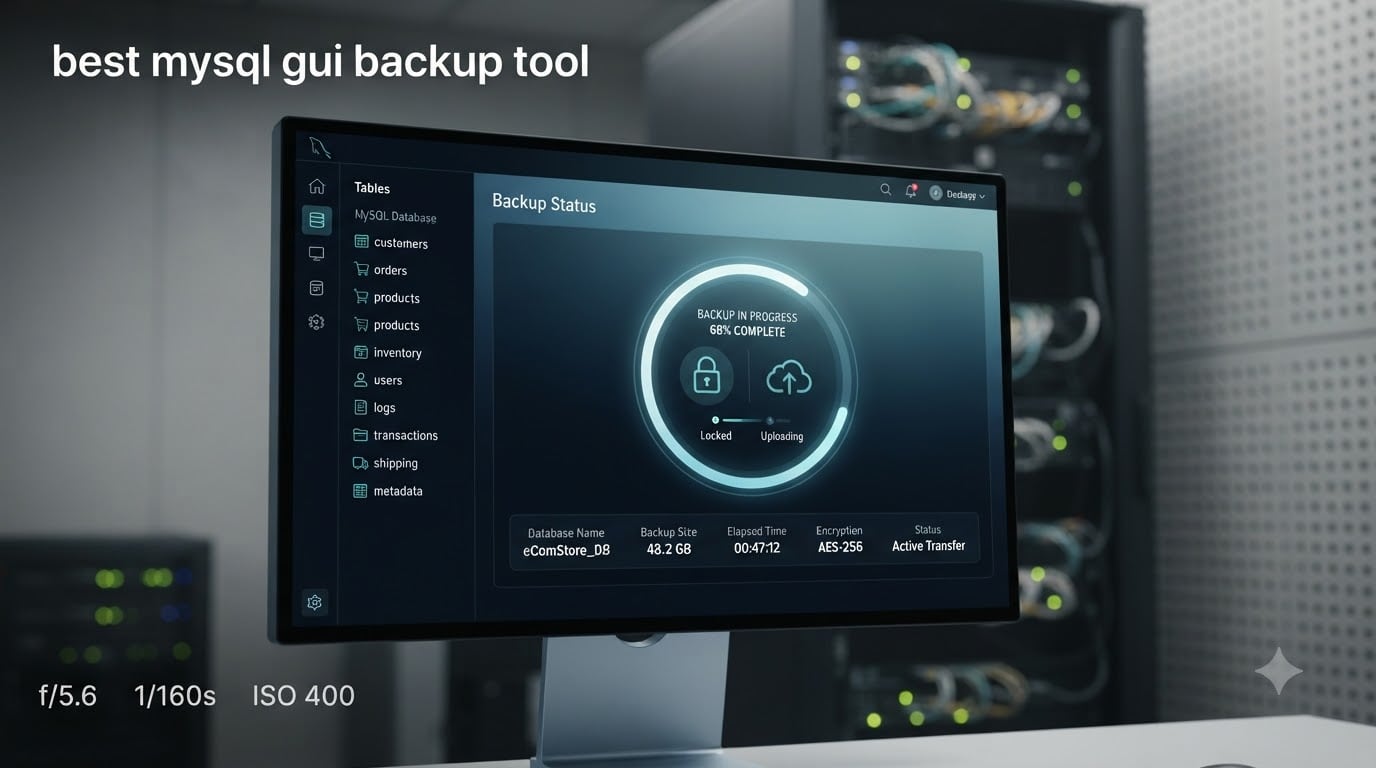
Finding the best MySQL GUI backup tool can change the way you protect your databases. I have spent years testing backup software, and the difference between a well-designed GUI and a brittle command-line script is the difference between a five-minute scheduled task and a 2 AM emergency restore. In this guide, I walk through what a MySQL GUI backup tool is, how MySQL backup actually works under the hood, the features that matter, the top tools worth your time, and a step-by-step walkthrough you can follow today.
If you are a developer, a small-team DBA, or an MSP running multiple MySQL servers, this guide is for you. I cover free tools, commercial suites, cross-platform options, and AI-assisted clients, so you can pick a MySQL backup solution that fits your stack and your budget.
Table of Contents
What Is a MySQL GUI Tool?
A MySQL GUI tool is a visual, graphical application that lets you manage, query, and back up MySQL or MariaDB databases without typing commands at a terminal. Instead of memorizing mysqldump flags, you click buttons, choose tables from a tree view, and watch progress bars fill.
Most GUI clients bundle backup and restore with query editing, schema design, and user management. The backup component is what we care about here: it runs the underlying dump or hot-backup routine for you, handles compression, applies encryption, and ships the result to a local folder, a network share, or a cloud bucket. Do MySQL GUI tools help with database administration? Yes, and backup is one of the highest-leverage jobs they simplify.
The core capabilities you should expect from any modern MySQL GUI tool include connection management for multiple servers, a visual schema browser, an SQL editor with syntax highlighting, and a backup module that supports scheduled and ad-hoc dumps. The best tools add cloud integration, AES-256 encryption, and table-level restore on top.
MySQL Backup Basics: How MySQL Backup Works
Before you pick a GUI tool, it helps to understand what is happening behind the scenes. Does MySQL have a backup tool? Yes: MySQL ships with several, including the mysqldump logical backup utility and the MySQL Enterprise Backup (MEB) hot-backup product. A GUI tool simply wraps one or more of these engines in a friendly interface.
There are three backup strategies you will see again and again: logical backups via mysqldump, physical or hot backups with Percona XtraBackup or MEB, and incremental backups built on top of MySQL’s binary log. Each has tradeoffs, and the best MySQL GUI backup tool will let you choose between them.
What Is SQL Dump?
A SQL dump is a plain-text file containing the SQL statements needed to recreate your database: CREATE TABLE, INSERT, and so on. mysqldump is the classic tool that produces one. Dumps are portable, easy to inspect in a text editor, and trivial to restore on a different MySQL version or MariaDB instance. The downside is that very large databases take a long time to dump and even longer to restore.
Hot Backup vs Cold Backup
A cold backup happens while the database is offline and is the safest method. A hot backup runs while MySQL is serving traffic and relies on copy-on-write snapshots plus the binary log to capture changes in flight. Percona XtraBackup and MySQL Enterprise Backup are the two most common hot-backup engines. GUI tools that wrap XtraBackup can perform terabyte-scale backups without locking your tables.
Incremental, Differential, and Transaction Logs
An incremental backup stores only the changes since the last backup. A differential backup stores changes since the last full backup. MySQL’s binary log is the engine that makes both possible: every committed change is appended to the log, and you can replay the log up to a specific second for point-in-time recovery. The best GUI tools expose these options as checkboxes instead of command-line flags.
Key Features to Look for in a MySQL GUI Backup Tool
Not every MySQL GUI tool treats backup as a first-class feature. Some only ship with a thin mysqldump wrapper, while others offer scheduled jobs, encryption, cloud uploads, and point-in-time recovery. When I evaluate a GUI backup tool, I score it against the same checklist every time.
- Scheduled and automatic backup: A cron-style scheduler with email or webhook notifications when jobs fail. Forgetting to run a manual dump is the single most common cause of data loss I see.
- Full, incremental, and differential backup modes: Let me trade off restore speed against storage cost instead of forcing me into a single mode.
- AES-256 encryption: Backups often contain customer data, credentials, and PII. Encryption at rest with a passphrase or KMS-managed key is non-negotiable for production use.
- Cloud storage integration: One-click destinations for Amazon S3, Google Cloud Storage, Azure Blob, Backblaze B2, or SFTP servers. Local-only backups are a single point of failure.
- Table-level and point-in-time restore: I want to pull one broken table out of yesterday’s full backup without restoring the entire 200 GB database.
- Compression: Built-in gzip, zstd, or zip compression keeps backup files small and uploads fast.
- Cross-platform support: Native builds for Windows, Linux, and macOS so my team is not stuck on one OS.
- MariaDB and cloud MySQL compatibility: Aurora MySQL, Google Cloud SQL, and MariaDB all speak the MySQL protocol but have quirks. The tool should handle them without manual edits.
- Audit log and access control: Compliance teams want to see who triggered which backup and when.
- AI assistance (optional but growing): Newer tools use AI to suggest retention policies, detect schema drift, and warn about risky backup windows.
Best MySQL GUI Backup Tools to Consider
Below is my shortlist of the strongest MySQL GUI backup tools in 2026. I have grouped them by what they are best at, so you can scan to your situation. Every entry includes key features, the pros and cons I found in testing, and the audience I would recommend it for.
1. MySQL Workbench
MySQL Workbench is the official GUI from Oracle, and it ships with a Data Export and Import wizard that wraps mysqldump and mysqlimport. It runs on Windows, macOS, and Linux, and it is free.
- Key features: Visual schema design, SQL editor with autocomplete, server administration panel, Data Export wizard with project-based dumps, scheduled export via the command-line utilities.
- Pros: Free, official, wide community, integrates with MySQL Enterprise Backup if you have a license.
- Cons: Resource-heavy on large schemas, no built-in cloud upload, scheduling requires external tooling, the UI can feel slow on databases with thousands of tables.
- Best for: Developers and DBAs who want a free official client and do not need cloud or automated scheduling.
2. phpMyAdmin
phpMyAdmin is the de facto web-based MySQL GUI. It runs in any browser, exports SQL dumps, and is free and open source.
- Key features: Browser-based UI, quick and custom SQL exports, scheduled dumps via cron + PHP scripts, multi-server management.
- Pros: Free, web-based (no install), huge community, works on any OS with PHP, supports MariaDB fully.
- Cons: Security hardening is on you, no native encryption of export files, performance dips on large databases, must be paired with cron for automation.
- Best for: Small teams running LAMP stacks who want a free browser-based tool.
3. dbForge Studio for MySQL
dbForge Studio for MySQL is a commercial Windows client from Devart that bundles backup with schema compare, data compare, and a visual query builder. The Professional and Enterprise editions include scheduled backups with encryption and SFTP uploads.
- Key features: Visual query builder, schema and data compare, scheduled backup jobs, command-line automation, integrated source control, AI-assisted SQL completion.
- Pros: Polished UI, deep backup feature set, AI query assistance, strong MariaDB support.
- Cons: Windows-only desktop client (Linux/macOS support is limited), commercial license required for full backup module, heavier than minimalist tools.
- Best for: Windows-based DBAs who want one tool for query, schema, and backup work.
4. Navicat for MySQL
Navicat is a cross-platform commercial GUI that runs on Windows, macOS, and Linux. It supports scheduled backups, cloud destinations (S3, Google Cloud, Azure), and AES-256 encryption of dump files.
- Key features: Cross-platform desktop client, scheduled backup with email notifications, cloud storage targets, data and schema synchronization, AI assistant for query writing.
- Pros: Mature UI, runs on all three major OSes, reliable scheduling, strong cloud integration.
- Cons: Commercial license, no built-in hot backup engine (relies on
mysqldump), resource use is moderate to heavy. - Best for: Cross-platform teams that need a polished scheduler and cloud destinations out of the box.
5. HeidiSQL
HeidiSQL is a free, open-source Windows client. It is lightweight, fast, and can export databases to SQL files, though it has no native scheduler.
- Key features: Lightweight Windows client, fast SQL export, SSH tunneling, MariaDB and PostgreSQL support, batch export wizard.
- Pros: Free, very fast on small and medium databases, simple UI, active open-source community.
- Cons: Windows-only, no built-in scheduled backup, no cloud upload, no built-in encryption for exports.
- Best for: Developers who want a fast free Windows client for ad-hoc exports.
6. DBeaver
DBeaver is a free, open-source, cross-platform database client. It supports MySQL, MariaDB, PostgreSQL, and dozens of other engines, and includes a backup task framework.
- Key features: Cross-platform, multi-engine, SQL editor, data transfer tasks, ER diagrams, community and enterprise editions.
- Pros: Free community edition, runs everywhere, broad database support, active community.
- Cons: Backup is task-based and less polished than dedicated tools, cloud upload requires plug-ins, enterprise edition is paid for some advanced features.
- Best for: Teams that work across MySQL, PostgreSQL, and other engines and want one client.
7. Percona XtraBackup (GUI wrappers)
Percona XtraBackup itself is a command-line hot-backup tool, but several GUI wrappers expose it visually. It is free and open source and is the de facto choice for production-grade hot backups on large MySQL installations.
- Key features: Hot physical backups, incremental and differential modes, point-in-time recovery support, parallel compression, encryption.
- Pros: Free, production-grade, no locking on InnoDB, scales to terabyte databases.
- Cons: Native CLI is not beginner-friendly, GUI wrappers are limited and often community projects, Linux-focused.
- Best for: Production DBAs running large InnoDB workloads who need hot backups without downtime.
8. SQLBackupAndFTP
SQLBackupAndFTP is a Windows-focused backup tool with a simple wizard. It creates scheduled jobs that run mysqldump, compress the output, encrypt it, and send it to local, network, or cloud destinations.
- Key features: Wizard-based job setup, scheduled jobs, AES-256 encryption, native S3/Google Drive/Azure/Dropbox destinations, email notifications.
- Pros: Very easy setup, native cloud targets, encryption built in, free for standard use.
- Cons: Windows-only desktop client, relies on
mysqldump(no native hot backup), UI is functional rather than modern. - Best for: Small businesses and solo developers on Windows who want a set-and-forget backup job.
9. Iperius Backup
Iperius Backup is an Italian backup suite with strong MySQL support. It can dump MySQL databases, zip and encrypt the result, and ship it to S3, Google Drive, Azure, or an FTP server.
- Key features: MySQL hot backup add-on, scheduled tasks, AES encryption, cloud and tape destinations, image-based disk backup.
- Pros: Comprehensive destinations, strong encryption, MySQL hot backup add-on, affordable licensing tiers.
- Cons: Full feature set requires paid editions, UI is dense, the MySQL hot backup add-on is sold separately.
- Best for: IT teams that need backup plus broader server image protection.
10. SqlBak
SqlBak is a web-based MySQL backup service. You install a small agent on your server, configure jobs in the browser, and SqlBak handles scheduling, cloud storage, encryption, and notifications.
- Key features: Web dashboard, scheduled jobs, cloud destinations (S3, Google Drive, OneDrive, Dropbox, Azure), AES-256 encryption, email and Slack notifications.
- Pros: No server-side UI to maintain, works on any OS, built-in cloud and encryption, quick setup.
- Cons: Subscription pricing, requires installing an agent, less control over backup internals than self-hosted tools.
- Best for: Teams that want a managed backup service without standing up their own scheduler.
How to Back Up MySQL Using a GUI Tool (Step-by-Step)
If you have never run a GUI backup before, the process is the same across most tools. Here is a general walkthrough using a typical desktop client (the screenshots and menu names vary, but the flow holds).
- Connect to your MySQL server. Open the GUI, choose “New Connection” or “Connection Manager,” and enter the host, port, username, and password. Test the connection before saving.
- Select the database(s) to back up. In the schema tree on the left, check the box next to each database or table you want to include. For a full server backup, select everything.
- Open the backup or export wizard. Look for a menu named “Server,” “Tools,” “Backup,” or “Export.” Most tools label this as “Data Export” or “Backup.”
- Choose the backup type. Pick “Custom” or “Advanced” if you want to dump structure and data separately. For a full restore-ready backup, choose “Full Dump” with both schema and data.
- Configure output options. Set the destination folder, choose compression (gzip or zstd), and turn on encryption if your tool supports it. A passphrase is required to decrypt the file later, so store it in your password manager.
- Add cloud destinations (optional). If your tool supports S3, Azure, or Google Drive, add credentials here. Many tools let you chain local plus cloud targets so you have a redundant copy.
- Schedule the job (optional but recommended). Set a daily or hourly schedule, configure notifications, and save the job. Test it once manually before trusting it to run unattended.
- Run the backup and verify. Trigger the job, watch the log, then open the resulting dump file in a text editor (for SQL dumps) or check its size and checksum. A backup you have never restored is not a real backup.
For hot backups, the same flow usually adds a step where the tool calls Percona XtraBackup or MySQL Enterprise Backup instead of mysqldump. The user interface hides the difference, but the result is a physical copy of the data files instead of a SQL script.
GUI Backup vs mysqldump: Which Should You Use?
The CLI version of mysqldump is the bedrock of MySQL backup. It ships with MySQL itself, has been stable for two decades, and can be scripted in any language. So why would you pay for a GUI tool? The honest answer is that you probably should not, unless you need what the GUI adds.
A GUI backup tool shines when you want scheduling, encryption, cloud uploads, and notifications without writing a shell script. It also shines when non-technical teammates need to trigger a restore, since a button is friendlier than a terminal. The CLI shines when you need a one-line command, want to put the backup inside a CI/CD pipeline, or need fine-grained control over mysqldump flags for very large databases.
Many production teams use both: a cron-driven mysqldump for nightly logical backups, and a GUI tool for ad-hoc snapshots, table-level restores, and cloud destinations. The two are not in opposition; they complement each other.
When GUI Beats mysqldump
Use a GUI tool when you want scheduled backups with email notifications, point-and-click restores for a single table, encrypted backups with a passphrase prompt, or built-in cloud uploads to S3, Azure, or Google Drive. DBAs and small teams save hours per week when these features are one click away.
When mysqldump Beats GUI
Stick with the CLI when you need fine-grained flags (such as --single-transaction for InnoDB snapshots or --routines for stored procedures), when you want to pipe the backup directly into another process, or when you are scripting backups as part of a deployment pipeline. The CLI is also faster to invoke from SSH on a headless server.
Free vs Paid MySQL GUI Backup Tools
The free options (MySQL Workbench, phpMyAdmin, HeidiSQL, DBeaver Community, Percona XtraBackup) cover the basics well. They will dump your database, let you restore it, and pair with cron for scheduling. If you are a solo developer or running a small LAMP stack, free is enough.
The paid options (dbForge Studio, Navicat, Iperius, SqlBak, Vembu BDR Suite) add polish and automation. You get scheduled jobs with notifications, AES-256 encryption, cloud destinations, table-level restore, and vendor support. For a business where downtime costs money, these features pay for themselves quickly.
A simple decision framework: if you are comfortable writing a cron job and a small shell script, free tools will serve you well. If you want a single tool that handles scheduling, encryption, cloud, and notifications out of the box, paid tools are worth the license.
Cross-Platform Support: Windows, Linux, and macOS
Cross-platform support is more uneven than it looks. Many GUI clients advertise “Windows, macOS, Linux” but ship a second-class Linux build or skip one OS entirely. Below is a quick map of the tools we covered and where they actually run well.
- Windows-only: HeidiSQL, SQLBackupAndFTP, full dbForge Studio backup module.
- Windows + macOS: Navicat (full support on both), MySQL Workbench.
- Windows + macOS + Linux: DBeaver, Navicat (Linux build available), phpMyAdmin (browser-based, runs anywhere).
- Linux-first: Percona XtraBackup (Linux CLI), MySQL Workbench on Linux.
- Browser-based (any OS): phpMyAdmin, Adminer, SqlBak dashboard.
If your team is mixed-OS, lean toward DBeaver, Navicat, phpMyAdmin, or SqlBak. If you are all on Windows, the full set of options opens up.
Security and Encryption Considerations
Backups are a high-value target because they contain everything an attacker needs: schemas, data, and often credentials. Is MySQL a secure database? MySQL itself is, but backups need the same level of care as the live database.
AES-256 encryption of backup files at rest is the baseline. Look for tools that encrypt with a passphrase you control, or with a KMS-managed key for cloud destinations. In transit, backups uploaded to S3 or Azure should travel over TLS, and access to the bucket should use IAM roles with least privilege, not static access keys.
For regulated workloads (HIPAA, GDPR, PCI-DSS), confirm the tool supports audit logging, role-based access control, and immutable or append-only storage so a compromised admin account cannot tamper with backups. Ransomware protection features, such as air-gapped copies and object-lock on cloud buckets, are increasingly common in commercial GUI backup tools and worth the upgrade.
Best MySQL GUI Backup Tool by Use Case
If you only have a minute, here is the fastest way to pick a tool. Each of these recommendations is grounded in the strengths and weaknesses I outlined above.
- Best for beginners: phpMyAdmin or SQLBackupAndFTP. Both are free, have a wizard, and need almost no setup.
- Best free all-rounder: MySQL Workbench for the official experience, DBeaver for cross-platform multi-engine work.
- Best for Windows power users: dbForge Studio or Navicat for MySQL.
- Best for cross-platform teams: Navicat or DBeaver.
- Best for web-based access: phpMyAdmin (self-hosted) or SqlBak (managed).
- Best for production hot backups: Percona XtraBackup wrapped in a GUI like Iperius or Vembu BDR Suite.
- Best for AI-assisted workflows: dbForge Studio and Navicat both ship AI helpers for SQL writing and schema suggestions.
- Best for compliance-heavy environments: Iperius, SqlBak, or Vembu BDR Suite, all of which support encryption, audit logs, and immutable storage.
Frequently Asked Questions
What is the best MySQL GUI backup tool?
There is no single winner, but the strongest all-rounders in 2026 are Navicat for MySQL for cross-platform polish, dbForge Studio for Windows power users, and SQLBackupAndFTP for set-and-forget scheduled backups. For hot backups on large databases, wrap Percona XtraBackup in a GUI like Iperius.
What is a MySQL GUI tool?
A MySQL GUI tool is a visual, graphical application that lets you connect to MySQL or MariaDB, browse schemas, edit data, and run backups without typing commands at a terminal. Most modern GUI tools bundle backup, restore, query editing, and user management in one window.
Does MySQL have a backup tool?
Yes. MySQL ships with mysqldump for logical backups and includes MySQL Enterprise Backup as a paid hot-backup product. Percona XtraBackup is the popular free open-source alternative for hot backups, and many GUI tools wrap these engines in a friendlier interface.
How does MySQL backup work?
A MySQL backup can be logical (a SQL dump produced by mysqldump), physical (a copy of the data files via a hot-backup tool like XtraBackup), or incremental (changes captured from the binary log). GUI tools usually wrap one or more of these methods, then compress, encrypt, and ship the result to local or cloud storage.
What is SQL dump?
A SQL dump is a plain-text file containing the CREATE TABLE, INSERT, and other statements needed to recreate a database. mysqldump is the standard tool that produces one. Dumps are portable across MySQL versions and MariaDB, easy to inspect, but slow on very large databases.
Are there free MySQL GUI tools for Windows?
Yes. MySQL Workbench, HeidiSQL, and DBeaver Community are all free Windows clients. phpMyAdmin runs in any browser on Windows. For scheduled encrypted backups, SQLBackupAndFTP has a free tier that covers most small business needs.
What MySQL GUI tools support MariaDB?
Most modern GUI tools support MariaDB since it speaks the MySQL protocol. dbForge Studio, Navicat, DBeaver, HeidiSQL, phpMyAdmin, and MySQL Workbench all handle MariaDB schemas, though some advanced MariaDB features may need manual config.
Do MySQL GUI tools help with database administration?
Yes. Beyond backup, GUI tools handle query editing, user and permission management, schema design, performance dashboards, and replication setup. For teams without a dedicated DBA, a good GUI is the fastest path to safe routine administration.
Is MySQL enterprise backup free?
MySQL Enterprise Backup is a paid product that ships with MySQL Enterprise subscriptions. The free alternatives for hot backups are Percona XtraBackup (open source) and MariaDB Backup (open source, ships with MariaDB).
Is MySQL a secure database?
MySQL itself supports TLS in transit, AES encryption at rest, role-based access control, and audit logging. However, backups, credentials, and admin endpoints still need hardening with encryption, least-privilege access, and immutable cloud storage to keep the data safe.
Final Thoughts: Picking the Best MySQL GUI Backup Tool
The best MySQL GUI backup tool is the one you will actually configure, schedule, and test. A polished commercial suite that you never set up is worse than a free mysqldump cron job that runs every night and restores cleanly.
Start by matching the tool to your workload. Small teams and LAMP stacks do well with phpMyAdmin, MySQL Workbench, or SQLBackupAndFTP. Cross-platform professional teams get the most from Navicat or DBeaver. Production databases that cannot afford downtime need Percona XtraBackup wrapped in a GUI like Iperius. Whatever you pick, schedule it, encrypt it, ship it off-server, and restore from it on a test box at least once a quarter. A backup you have never restored is just a file sitting on a disk, and that is not what protects your MySQL data in 2026 and beyond.