
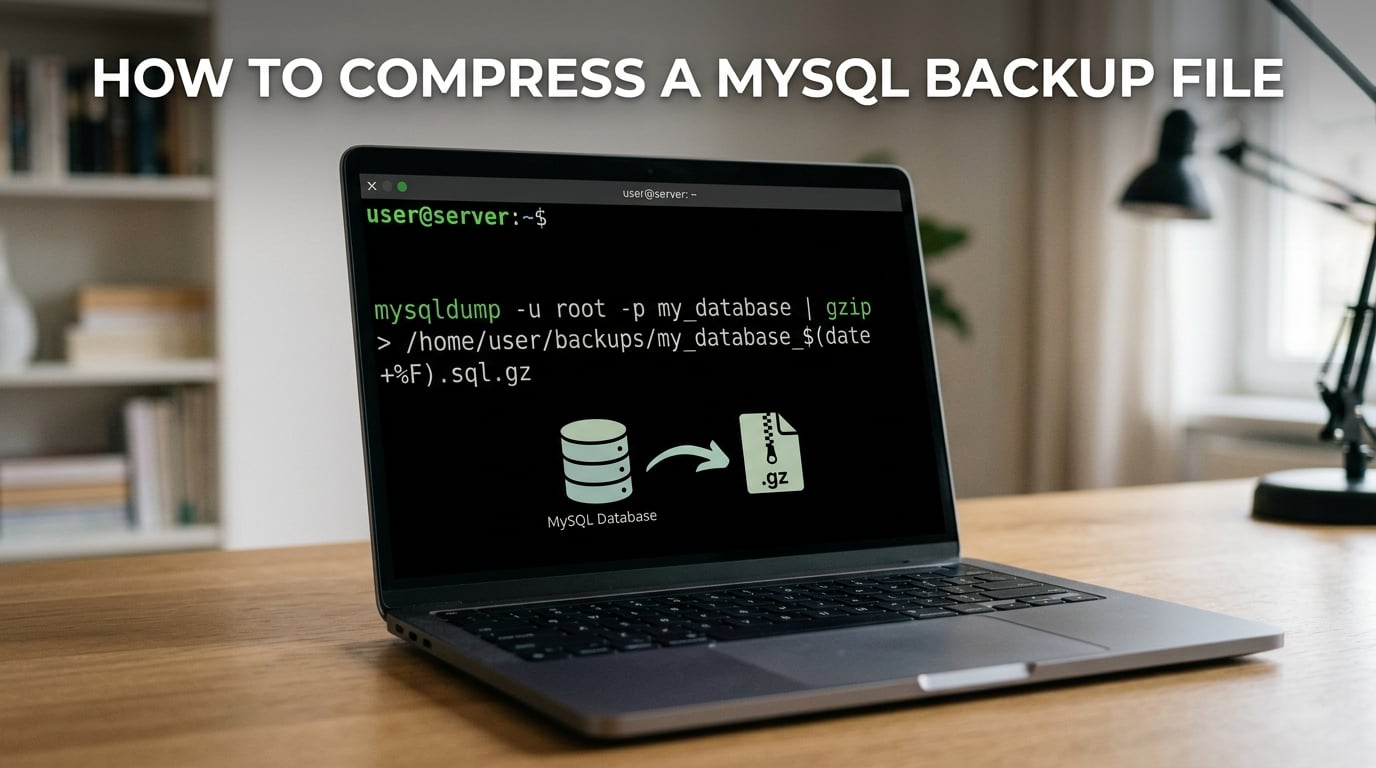
The fastest way to compress a MySQL backup file is to pipe mysqldump straight into gzip so the backup never touches disk uncompressed. A typical 10 GB dump shrinks to 1-3 GB as a .sql.gz file, and switching to zstd can shrink it further while running faster. This guide shows the exact commands, the trade-offs between formats, and how to automate, verify, and restore compressed MySQL backups.
Table of Contents
Why Compress a MySQL Backup File
Compressing a MySQL backup file saves disk space, cuts transfer time, and reduces cloud storage bills. A raw mysqldump is just SQL text, and SQL text compresses extremely well – commonly 70-90% with gzip and 85-95% with zstd on typical InnoDB workloads.
The forum users on r/linuxadmin who tried to FTP an 80 GB uncompressed dump confirm the pain: the transfer never finished. Once they piped the same dump through gzip, the same backup was a 6 GB file that uploaded in minutes. Forum threads on Discourse and HestiaCP show the same pattern – smaller files mean faster restores, more backups retained in the same window, and lower S3 or Backblaze bills.
Compression also matters when disk is tight. On a server where the uncompressed dump would not fit, streaming compression (piping stdout straight into gzip) creates no extra copy on disk, only the compressed file. That single trick is why almost every production backup script pipes mysqldump through a compressor.
Quick Answer: Pipe mysqldump into gzip
The canonical one-liner to compress a MySQL backup file on the fly uses a shell pipe so the dump streams straight into gzip with no intermediate file:
mysqldump --single-transaction --quick --user=root --password='YOUR_PASS' db_name | gzip > /backups/db_name_$(date +%F).sql.gzWhat each piece does:
--single-transactiontakes a consistent InnoDB snapshot without locking tables – safe for live databases.--quickstreams rows one at a time so mysqldump never loads the whole table into memory.- The pipe
|sends the SQL text directly into gzip, so no uncompressed file is ever written. >redirects gzip’s output into a dated.sql.gzfile on disk.
This single command is the answer most Stack Overflow answers and DBA playbooks settle on. It is fast, predictable, and produces a file you can restore with a one-line command.
Compressing with gzip (the Default Choice)
gzip is the most common compressor for MySQL backups because it is preinstalled on every Linux distribution, runs at predictable memory, and decompresses quickly. The basic syntax is already shown above; here is a slightly safer variant that uses a config file instead of a password on the command line:
mysqldump --defaults-file=/etc/mysql/backup.cnf --single-transaction --quick --routines --triggers --events db_name | gzip -9 > /backups/db_name.sql.gzThe -9 flag asks gzip for maximum compression (slower, smaller). For nightly backups where CPU time matters more than the last few percent of ratio, drop to -1 or omit the level and accept the default (level 6). The restore is always fast because gzip is asymmetric – slow to compress, fast to decompress.
If you want to peek inside a .sql.gz without restoring it, use zcat:
zcat /backups/db_name.sql.gz | head -50This prints the first 50 lines of the SQL file straight to your terminal, which is the fastest way to confirm a backup is not corrupted and contains the tables you expect.
Alternative Compression Algorithms (bzip2, xz, zstd, pigz)
Five algorithms show up in real-world MySQL backup scripts. Each has a different trade-off between ratio, speed, and CPU cost.
bzip2 – Better ratio, slower compression
Use bzip2 when you want a smaller file and you can afford the extra CPU time:
mysqldump --single-transaction db_name | bzip2 > /backups/db_name.sql.bz2Restore with bzcat:
bzcat /backups/db_name.sql.bz2 | mysql db_namebzip2 typically beats gzip by 10-15% on size but takes 3-5x longer to compress. For nightly jobs above 50 GB, the CPU cost can blow your backup window.
xz – Best ratio, slowest compression
Use xz for long-term archival where the backup file is written once and read rarely:
mysqldump --single-transaction db_name | xz -9 > /backups/db_name.sql.xzRestore with xzcat:
xzcat /backups/db_name.sql.xz | mysql db_namexz produces the smallest files (often 30% smaller than gzip) but is the slowest to compress and uses the most RAM. Forum benchmarks consistently warn against running xz on multi-GB dumps on memory-constrained servers.
zstd – Best speed-to-ratio trade-off
zstd (Zstandard) is the modern choice. The Discourse meta thread cited a 15.8% size win over gzip with faster compression; the Infiniroot benchmark called zstd the fastest of all tested formats. Install with apt install zstd or yum install zstd, then:
mysqldump --single-transaction db_name | zstd -19 > /backups/db_name.sql.zstRestore with zstd -d:
zstd -dc /backups/db_name.sql.zst | mysql db_nameThe -19 flag asks zstd for its strongest compression (levels go from 1 to 22). For nightly jobs, level 3 to 9 is the sweet spot – small files, low CPU, fast restore.
pigz – Parallel gzip for multi-core servers
pigz is gzip that uses multiple cores. On a single-core server it is no faster than gzip, but on a 4 or 8 core database server it can cut compression time dramatically:
mysqldump --single-transaction db_name | pigz -9 -p 4 > /backups/db_name.sql.gzThe -p 4 flag tells pigz to use 4 worker threads. pigz writes a standard gzip-compatible file, so you restore it the same way as a regular .sql.gz with zcat or gunzip.
Compression Format Comparison Table
Pick the format that matches your workload. For daily backups the answer is gzip (default) or zstd (modern). For archival the answer is xz. For multi-core servers where compression time is the bottleneck, pigz wins.
| Format | Compression Ratio | Speed | CPU / RAM | Extension | Restore Command | Best For |
|---|---|---|---|---|---|---|
| gzip | 70-80% | Fast | Low / Low | .sql.gz | zcat file | mysql | Daily backups (default) |
| pigz | 70-80% | Fast (parallel) | Multi-core / Medium | .sql.gz | zcat file | mysql | Multi-core servers, huge dumps |
| bzip2 | 80-85% | Slow | Medium / Medium | .sql.bz2 | bzcat file | mysql | Smaller files, slower CPU budget |
| xz | 85-92% | Slowest | High / High | .sql.xz | xzcat file | mysql | Long-term archival |
| zstd | 85-93% | Fastest | Low / Low | .sql.zst | zstd -dc file | mysql | Modern default, fastest restore |
Compressing Client-Server Traffic Separately
Compressing the dump file is only half the story. mysqldump also has a separate compression option that compresses traffic between the client and the MySQL server, useful when the server is remote and the link is slow:
mysqldump --compression-algorithms=zlib,zstd --single-transaction db_name | gzip > /backups/db_name.sql.gzThe --compression-algorithms flag tells the server which compression it may use on the wire. Note the legacy --compress flag was deprecated in MySQL 8.0.18 and removed in 8.4 – use the explicit --compression-algorithms form on modern servers. The dump file is still compressed separately by your pipe to gzip.
MySQL Shell util.dumpInstance Compression (Modern Path)
Oracle now recommends MySQL Shell’s dump utilities over mysqldump for new deployments. They support parallel dumping across multiple threads and built-in compression:
mysqlsh --util admin-util dump-instance /backups/full_dump --compression=zstd --threads=4Or to dump a single schema:
mysqlsh --util dump-schemas hr,crm --compression=gzip --threads=4 --directory=/backups/schema_dumpThe MySQL Shell blog benchmarked a 47 GB table at 93% compression with zstd in roughly the same wall time as gzip with smaller output. Restoration is a single command:
mysqlsh --util load-dump /backups/full_dumpIf you run MySQL 8.0.21 or newer and you are not stuck on mysqldump for compatibility reasons, MySQL Shell is worth a look. The progress bar and parallel threads alone justify the switch.
How to Verify a Compressed Backup
A compressed backup you have never tested is a backup you do not have. Verify integrity with the test flag built into every major compressor:
gzip -t /backups/db_name.sql.gz && echo "gzip integrity OK"
zstd -t /backups/db_name.sql.zst && echo "zstd integrity OK"
bzip2 -t /backups/db_name.sql.bz2 && echo "bzip2 integrity OK"
The -t flag decompresses to a null sink and checks the CRC, so it does not write the uncompressed SQL back to disk. Pair it with a periodic test restore – OneUptime’s guide calls this out as the single most-skipped operational step. A weekly cron that restores yesterday’s backup into a throwaway database and runs SELECT COUNT(*) on a few tables catches corruption months before you need the backup.
For long-term archival, also generate a checksum file:
sha256sum db_name.sql.gz > db_name.sql.gz.sha256Store the .sha256 file separately (different server, different cloud bucket). When you restore years later, run sha256sum -c db_name.sql.gz.sha256 to confirm the file is bit-identical to what you archived.
How to Restore a Compressed MySQL Backup
Restoration is the reverse of the backup. The exact command depends on the file extension:
Restore a .sql.gz file with zcat:
zcat /backups/db_name.sql.gz | mysql --user=root --password='YOUR_PASS' db_nameRestore a .sql.zst file with zstd -d:
zstd -dc /backups/db_name.sql.zst | mysql --user=root --password='YOUR_PASS' db_nameRestore a .sql.bz2 file with bzcat:
bzcat /backups/db_name.sql.bz2 | mysql --user=root --password='YOUR_PASS' db_nameIf you would rather decompress to disk first (slower but useful for inspection), use gunzip, bzip2 -d, or zstd -d followed by a regular mysql db_name < file.sql import.
Automating Compressed Backups with Cron
A backup script you have to remember to run is a backup you will forget. Drop this script at /usr/local/bin/mysql-backup.sh, chmod +x it, and add it to crontab.
#!/bin/bash
set -e
BACKUP_DIR=/backups
RETENTION_DAYS=7
DATE=$(date +%F)

mysqldump --defaults-file=/etc/mysql/backup.cnf
  --single-transaction --quick --routines --triggers --events
  --all-databases | gzip -9 > "$BACKUP_DIR/all_databases_$DATE.sql.gz"

# Verify the file is a valid gzip
gzip -t "$BACKUP_DIR/all_databases_$DATE.sql.gz"

# Delete backups older than $RETENTION_DAYS days
find "$BACKUP_DIR" -name "all_databases_*.sql.gz" -mtime +$RETENTION_DAYS -delete

# Log completion
echo "$(date): backup OK - $(du -h $BACKUP_DIR/all_databases_$DATE.sql.gz)" >> /var/log/mysql-backup.log
Add to crontab with crontab -e:
0 2 * * * /usr/local/bin/mysql-backup.shThis runs the script every night at 02:00, verifies the gzip is intact, keeps seven days of backups, and logs the result. The 7-day retention is just an example – use whatever fits your disk and compliance window.
Compressing a MySQL Backup on Windows
On Windows without WSL, the path is a little different. Download a command-line compression tool like 7-Zip (7za.exe) and place it in a directory on PATH, then chain the commands from cmd.exe:
mysqldump --user=root --password="YOUR_PASS" --single-transaction --quick db_name > C:backupsdb_name.sql
"C:Program Files7-Zip7z.exe" a -tgzip C:backupsdb_name.sql.gz C:backupsdb_name.sql
del C:backupsdb_name.sql
The Reddit r/PowerShell thread documents the RAM trap: 7-Zip’s normal mode buffers the whole file, so on a multi-GB dump it can exhaust server RAM. Use 7z a -tgzip -mx=5 -mmt=4 to limit memory and use multiple threads, or pipe mysqldump directly through gzip.exe from the GnuWin32 project if you can install it – that streams without buffering.
Splitting Very Large Dumps Before Compression
For dumps above ~50 GB that you want to upload to S3 in chunks, or restore on a disk that is too small for the full file, split before you compress:
mysqldump --single-transaction big_db | gzip | split -b 2G - /backups/big_db.sql.gz.part_
This produces files like big_db.sql.gz.part_aa, big_db.sql.gz.part_ab, each 2 GB. To reassemble and restore:
cat /backups/big_db.sql.gz.part_* | gunzip | mysql big_db
S3 multipart upload, rsync, and most backup tools handle the resulting files cleanly. The trick is that splitting AFTER compression (as above) means every part is independently valid gzip, so you can resume an interrupted upload part-by-part.
Frequently Asked Questions
How can I compress data in MySQL?
Pipe mysqldump straight into a compressor so the SQL text never lands on disk uncompressed. The canonical command is: mysqldump u002du002dsingle-transaction u002du002dquick db_name | gzip u0026gt; db_name.sql.gz. For modern servers, swap gzip for zstd for better ratio and faster restore.
What is the best compression for MySQL backups?
It depends on the workload. For nightly backups use gzip (default) or zstd (faster, smaller). For archival where the file is written once and read rarely, use xz for the smallest size. For multi-core servers where compression time is the bottleneck, use pigz – it parallelizes gzip across cores.
How do I restore a gzipped MySQL backup?
Use zcat to stream the compressed file straight into the mysql client: zcat /backups/db_name.sql.gz | mysql u002du002duser=root u002du002dpassword=’YOUR_PASS’ db_name. You never need to decompress to disk first – the pipe handles it on the fly. For zstd files use zstd -dc file.sql.zst | mysql db_name.
How do I automate MySQL backup compression?
Write a shell script that runs mysqldump piped through gzip with u002du002dsingle-transaction, names the file with $(date +%F), verifies it with gzip -t, deletes files older than 7 days with find -mtime +7 -delete, and logs the result. Add the script to crontab with a line like 0 2 * * * /usr/local/bin/mysql-backup.sh to run it nightly at 02:00.
How do I compress a MySQL backup on Windows?
On Windows you have two paths. With WSL, use the same gzip or zstd commands as Linux. Without WSL, install 7-Zip and run mysqldump u0026gt; db_name.sql then 7z a -tgzip db_name.sql.gz db_name.sql from cmd.exe. Watch the RAM usage on huge dumps – 7-Zip buffers, so pipe through gzip.exe from GnuWin32 to stream instead.
How much does gzip compress a SQL dump?
On a typical InnoDB database, gzip shrinks a mysqldump to 20-30% of its original size – a 70-80% reduction. bzip2 reaches 15-20% of original, xz reaches 8-15%, and zstd with level 9 reaches 7-15%. The exact ratio depends on how repetitive your data is: text-heavy schemas compress far better than already-random columns like UUIDs or encrypted blobs.
Conclusion
To compress a MySQL backup file, pipe mysqldump into your compressor of choice – gzip for daily jobs, zstd for modern servers, xz for archival, or pigz when you have cores to spare. Always stream straight to the compressor to skip the intermediate uncompressed file, verify with gzip -t on every backup, and test-restore at least weekly. If you are starting a new project on MySQL 8.0.21 or newer, run mysqlsh --util dump-instance with --compression=zstd for parallel threads and built-in progress reporting. Pick the format that fits your hardware, automate it with cron, and you will never again stare at a half-finished FTP transfer of an 80 GB SQL dump.