
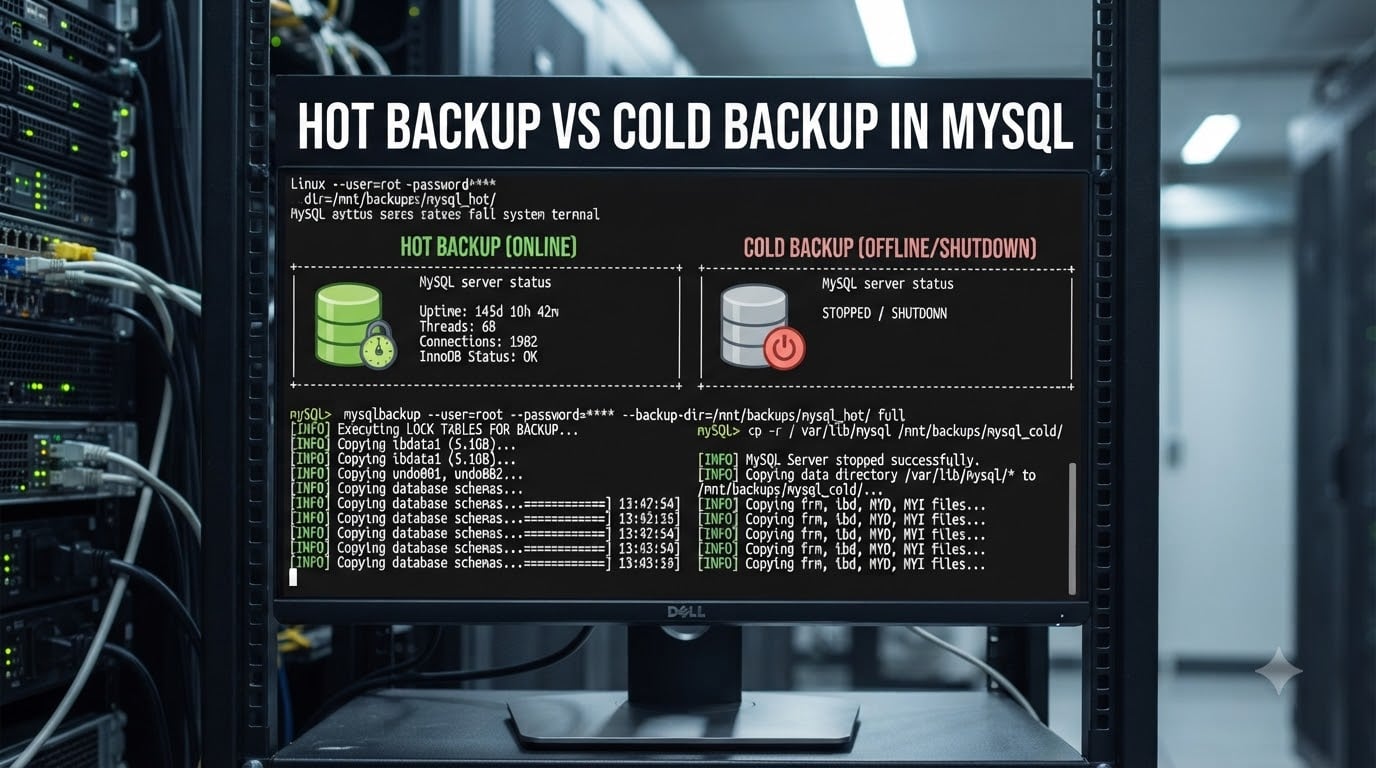
If you manage a MySQL database, choosing between hot backup and cold backup comes down to one question: can your application tolerate downtime? A hot backup keeps the server running while copying data, while a cold backup stops MySQL entirely to capture a consistent snapshot of every file. In this guide, we break down how each method works, which tools to use, and how to pick the right strategy for your production environment.
Table of Contents
What Is a Hot Backup in MySQL?
A hot backup copies your database files while the MySQL server remains online and continues accepting read and write queries. The backup tool uses internal mechanisms—such as InnoDB’s MVCC-based consistent snapshot—to guarantee that the copied data reflects a single point in time, even though the server never stops.
Hot backups rely on the storage engine’s ability to manage concurrent access. InnoDB, MySQL’s default engine, tracks changes in its redo log and can reconstruct a consistent view of every table at the moment the backup started. This means your application keeps serving traffic with zero planned downtime.
The trade-off is resource consumption. Hot backup tools read large volumes of data while your application is live, which adds I/O load and can slow down queries during peak hours. You also need to handle the binary log position so that you can replay transactions captured after the backup started.
What Is a Cold Backup in MySQL?
A cold backup requires shutting down the MySQL server, copying all database files to a safe location, and then restarting the server. Because MySQL is stopped, every file on disk is guaranteed to be in a consistent state—no in-flight transactions, no dirty pages flushing to disk mid-copy.
Cold backups are the simplest backup method to reason about. You copy the entire data directory, the configuration files, and the binary logs, and you have a complete, restorable snapshot. There is no locking complexity and no risk of partial writes contaminating the backup.
The obvious disadvantage is downtime. For a 500 GB database on fast NVMe storage, the copy might take 15–30 minutes, during which your application cannot reach MySQL. For 24/7 production systems, that window is usually unacceptable. Cold backups therefore fit better for development environments, staging servers, or small databases where a brief maintenance window is fine.
Hot Backup vs Cold Backup: Side-by-Side Comparison
The table below summarizes the key differences between hot backup and cold backup in MySQL.
| Factor | Hot Backup | Cold Backup |
|---|---|---|
| Server status during backup | Running (online) | Stopped (offline) |
| Downtime required | None | Full shutdown period |
| Locking | Minimal or none (InnoDB MVCC) | Not applicable (server is down) |
| Storage engine support | Native for InnoDB; requires locks for MyISAM | Works for all engines |
| Impact on live queries | I/O and CPU overhead during backup | No impact (server is offline) |
| Backup speed | Moderate (streams while serving traffic) | Fastest (no competing workload) |
| Restore speed | Slower for logical dumps; fast for physical | Fast (direct file copy) |
| Consistency guarantee | Engine-dependent (InnoDB: strong; MyISAM: requires FTWRL) | Absolute (server is stopped) |
| Best for | Production, 24/7 uptime | Dev/staging, small DBs, maintenance windows |
How to Perform a Hot Backup in MySQL
You can run a hot backup in MySQL using several tools. Below are the three most common approaches with actual commands.
Method 1: mysqldump with –single-transaction
mysqldump --single-transaction is the most accessible way to take a consistent logical hot backup of InnoDB tables. It issues a START TRANSACTION WITH CONSISTENT SNAPSHOT internally, then dumps every table while the snapshot holds.
mysqldump --single-transaction --routines --triggers --all-databases > full_backup.sqlImportant: this flag only guarantees consistency for InnoDB. If your database contains MyISAM tables, those tables are dumped without a snapshot lock, and concurrent writes can produce an inconsistent copy.
Method 2: Percona XtraBackup
Percona XtraBackup is the go-to open-source tool for physical hot backups of InnoDB. It reads the data files directly and applies the redo log to produce a consistent copy without blocking writes.
xtrabackup --backup --target-dir=/backups/full --user=backup_user --password=secretAfter the backup completes, you run the prepare step to apply logs and make the backup ready to restore:
xtrabackup --prepare --target-dir=/backups/fullMethod 3: MySQL Enterprise Backup
MySQL Enterprise Backup (available with a commercial MySQL subscription) provides mysqlbackup, which supports compressed, incremental, and partial hot backups of InnoDB tables.
mysqlbackup --backup-dir=/backups/full backupHow to Perform a Cold Backup in MySQL
A cold backup is straightforward but requires a maintenance window.
Step 1: Stop the MySQL server cleanly.
systemctl stop mysqldStep 2: Copy the entire data directory (and binary logs if stored separately).
cp -a /var/lib/mysql /backups/mysql_cold_backupStep 3: Copy configuration files.
cp /etc/my.cnf /backups/mysql_cold_backup/Step 4: Restart the server.
systemctl start mysqldFile system snapshot alternative: If you use LVM or ZFS, you can take a near-instantaneous snapshot of the volume while the server is running under a read lock (FLUSH TABLES WITH READ LOCK). This reduces downtime to seconds rather than the full copy time, but the brief lock still pauses writes.
Storage Engine Considerations: InnoDB vs MyISAM
Your storage engine choice determines how safely you can run a hot backup.
| Engine | Hot Backup Support | Notes |
|---|---|---|
| InnoDB | Full (MVCC snapshot) | mysqldump –single-transaction, XtraBackup, Enterprise Backup all work natively |
| MyISAM | Partial (requires FLUSH TABLES WITH READ LOCK) | Blocks writes during the lock; not a true hot backup |
| MEMORY | Not supported | Data exists only in RAM; cold backup or dump only |
| ARCHIVE / CSV | File copy only | Minimal write contention; cold backup recommended |
InnoDB’s crash recovery mechanism (redo log replay, undo log rollback) is what makes hot backups possible. When you copy InnoDB files while the server is running, the backup contains “dirty” pages and uncommitted transactions. The --prepare step in XtraBackup (or MySQL’s own crash recovery on restore) replays the redo log and rolls back incomplete transactions to produce a clean, consistent state.
MyISAM lacks these mechanisms. It uses table-level locks for writes, so taking a “hot” backup requires issuing FLUSH TABLES WITH READ LOCK first, which blocks all writes across every MyISAM table until you release the lock with UNLOCK TABLES. For a busy system, even a few seconds of this lock can cause query backlogs and visible stalls for end users.
Warm Backup: The Middle Ground
A warm backup sits between hot and cold. The MySQL server stays running, but you acquire a read lock before copying files and release it afterward. The lock ensures consistency without the full shutdown cost of a cold backup.
A typical warm backup uses LVM or ZFS snapshots:
FLUSH TABLES WITH READ LOCK;
lvcreate --snapshot --size=5G --name=mysql_snap /dev/vg0/mysql;
UNLOCK TABLES;
mount /dev/vg0/mysql_snap /mnt/snap && cp -a /mnt/snap /backups/
The lock window lasts only for the snapshot creation—usually under a second on modern storage. However, that brief window still pauses writes, which is why warm backups are a compromise rather than a true zero-downtime solution.
RTO vs RPO: Choosing the Right Backup Strategy
Two acronyms drive your backup strategy decision:
RTO (Recovery Time Objective): How fast must you restore service after a failure? Cold backups restore fastest because you simply copy files back. Logical hot backups (mysqldump) take much longer to import.
RPO (Recovery Point Objective): How much data can you afford to lose? Daily cold backups give an RPO of 24 hours. Combining hot backups with binary log archiving enables point-in-time recovery down to the second.
Most production teams use a hybrid approach: a weekly full hot backup (via XtraBackup), daily incremental backups using binary logs, and a monthly cold backup to a separate location for disaster recovery. This balances RTO and RPO without adding excessive operational complexity.
When to Use Hot Backup vs Cold Backup
Use hot backup when your application runs 24/7 and any downtime triggers SLA violations or revenue loss. Hot backups are essential for production MySQL servers with InnoDB-heavy workloads where even a few minutes of unavailability is costly.
Use cold backup when your database is small (under 50 GB), runs in a development or staging environment, or you have a regular maintenance window where downtime is acceptable. Cold backups are also useful as a baseline verification method—comparing a cold backup restore against a hot backup restore confirms both methods produce valid data.
For most production environments, the best strategy combines both methods. Run hot backups (XtraBackup or mysqldump –single-transaction) daily for zero-downtime protection, and schedule periodic cold backups during low-traffic windows for maximum consistency assurance.
Frequently Asked Questions
What is the difference between hot backup and cold backup in MySQL?
A hot backup copies database files while MySQL is running and accepting queries, using mechanisms like InnoDB’s MVCC to maintain consistency. A cold backup stops the MySQL server first, copies all files, then restarts it. Hot backups cause zero downtime but add I/O load; cold backups guarantee absolute consistency but require a maintenance window.
Is mysqldump a hot backup or cold backup?
mysqldump is technically a logical backup tool that can function as a hot backup when used with the u002du002dsingle-transaction flag. This flag starts a consistent snapshot for InnoDB tables, allowing the dump to run while the server stays online. Without u002du002dsingle-transaction, mysqldump locks tables and behaves closer to a warm backup.
Can you do a hot backup of MyISAM tables?
Not a true hot backup. MyISAM lacks MVCC, so you must issue FLUSH TABLES WITH READ LOCK before copying, which blocks all writes. This is technically a warm backup—the server stays online but writes are paused. If your workload mixes InnoDB and MyISAM, mysqldump u002du002dsingle-transaction only guarantees consistency for the InnoDB tables.
What tools support hot backup in MySQL?
The main hot backup tools are Percona XtraBackup (open-source, physical backup of InnoDB), MySQL Enterprise Backup (commercial, supports compressed and incremental backups), and mysqldump u002du002dsingle-transaction (logical backup, works with InnoDB). MariaDB users can also use mariabackup, which is a fork of XtraBackup.
What is a warm backup in MySQL?
A warm backup keeps the MySQL server running but acquires a brief read lock (FLUSH TABLES WITH READ LOCK) before creating a file system snapshot. The lock window is typically under a second, but it still pauses writes momentarily. Warm backups are common with LVM or ZFS snapshots for very large databases where full cold backups are impractical.
When should I use hot backup vs cold backup in MySQL?
Use hot backups for production systems that must remain available around the clock, especially those with InnoDB tables. Use cold backups for development environments, small databases, or when you need the fastest possible restore time and can schedule a maintenance window. Many teams combine both in a hybrid strategy.
Does MySQL support hot backups?
Yes. InnoDB, MySQL’s default storage engine, fully supports hot backups through MVCC-based consistent snapshots. Tools like Percona XtraBackup, MySQL Enterprise Backup, and mysqldump u002du002dsingle-transaction all leverage InnoDB’s crash recovery mechanisms to produce consistent backups without stopping the server.
Conclusion
Understanding hot backup vs cold backup in MySQL helps you protect your data without sacrificing availability. Hot backups keep your production server running during backups by leveraging InnoDB’s MVCC and consistent snapshots, while cold backups guarantee absolute consistency at the cost of downtime. For most production environments, a hybrid strategy—daily hot backups via XtraBackup combined with periodic cold backups during maintenance windows—delivers the best balance of protection, performance, and operational simplicity.