
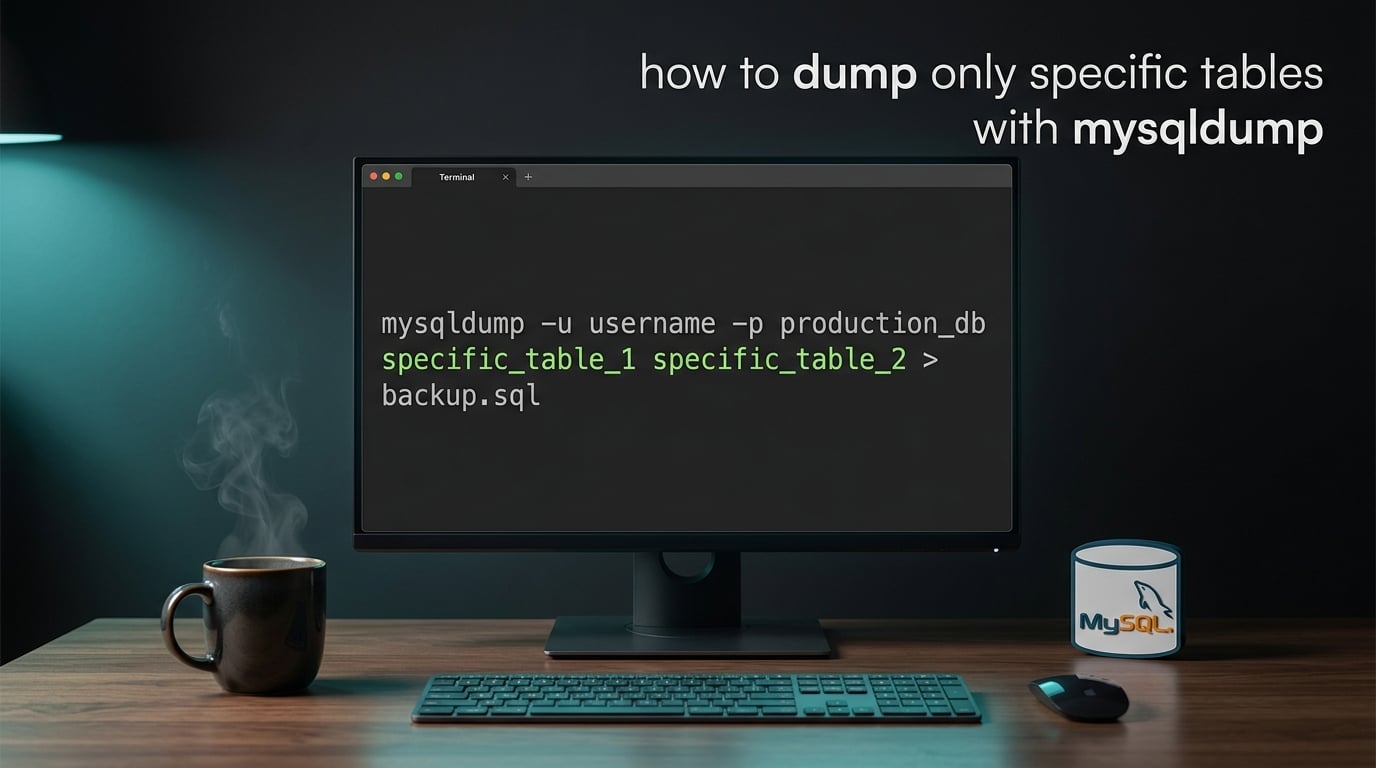
If you only need a slice of a MySQL database — not the whole thing — mysqldump can target exactly the tables you want. Here’s how to dump only specific tables with mysqldump in 2026: list the table names after the database name and mysqldump ignores everything else.
mysqldump -u root -p mydb users orders > subset.sqlThat single line is the core of this guide. Everything below builds on it: row-level filtering, table exclusion, prefix matching, compression, safe credentials, and how to restore the slice later. I walk through each scenario with copy-pasteable commands.
Table of Contents
What Is mysqldump and Why Dump Only Specific Tables
mysqldump is MySQL’s built-in command-line utility for creating logical backups. It connects to a server, reads the schema and rows of the tables you name, and writes the equivalent SQL statements (CREATE TABLE, INSERT, triggers, routines) to a file or stdout.
By default, mysqldump exports every table in a database. That is wasteful when you only need three tables out of eighty, or when the production database is too big to move in one piece. Dumping only specific tables with mysqldump cuts disk use, slashes transfer time, and keeps test environments lean.
Developers, DBAs, and DevOps engineers hit this need constantly: snapshotting a customers table for a staging server, excluding a multi-gigabyte logs table from a daily backup, or shipping a single table to a teammate for debugging.
Basic Syntax to Dump Specific Tables with mysqldump
The general pattern is mysqldump [options] database [table1 table2 ...] > file.sql. Anything you list after the database name is included; everything else is skipped.
Single table. To dump only the users table from the ecommerce database:
mysqldump -u root -p ecommerce users > users_only.sqlMultiple tables. List them space-separated, in any order. mysqldump writes them to the file in the order you list them:
mysqldump -u root -p ecommerce users orders products > core_tables.sqlQuick tip. The -p flag tells mysqldump to prompt for a password. Do not type the password directly on the command line (for example, -pMyPassword) — it ends up in shell history and the process list, where anyone on the box can read it.
Dump Table Structure Only or Data Only
Sometimes you want the table definition without the rows (for sharing a schema) or the rows without the CREATE TABLE statement (for appending into an existing table).
Schema only (–no-data). This is handy for reproducing table structure in a test environment:
mysqldump -u root -p --no-data ecommerce users orders > schema_only.sqlData only (–no-create-info). Useful when restoring into a table that already exists:
mysqldump -u root -p --no-create-info ecommerce users orders > data_only.sqlReviewers on r/mysql note that --no-data is a global flag — it applies to every table in that mysqldump invocation. If you need schema-only for some tables and full dumps for others, run two separate mysqldump commands and concatenate the output.
Dumping Specific Rows with the –where Clause
Use --where to filter rows inside a single table. Wrap the condition in quotes so the shell does not interpret it:
mysqldump -u root -p ecommerce orders --where="order_date >= '2026-01-01'" > orders_2026.sqlThe catch: --where applies to one table per mysqldump invocation. If you need filtered rows from three tables in one shot, the workaround that r/mysql users rely on is to build a temporary table with a subquery, then dump that temp table. For most practical needs, three separate mysqldump calls with different --where filters are simpler and easier to read.
How to Exclude a Specific Table with –ignore-table
The --ignore-table flag tells mysqldump to skip one table, even when dumping the whole database. The format is --ignore-table=dbname.tablename and the flag is repeatable:
mysqldump -u root -p ecommerce
  --ignore-table=ecommerce.audit_log
  --ignore-table=ecommerce.session_cache
  > ecommerce_no_logs.sql
Two things trip people up. First, the database name in the flag must match the database you are dumping — even if the table lives in a different schema, the syntax stays --ignore-table=db.table. Second, mysqldump still writes the empty CREATE TABLE statement for the ignored table. To skip the structure entirely, pair --ignore-table with --no-data only if you want every table schema-less; otherwise post-process the dump file.
Dump Tables Matching a Prefix Programmatically
mysqldump has no built-in wildcard, but you can build the table list at runtime with SHOW TABLES LIKE and pipe it into mysqldump. This is the cleanest way to dump tables by prefix:
mysql -u root -p -N -B -e "SHOW TABLES LIKE 'wp_%'" ecommerce
  | xargs mysqldump -u root -p ecommerce > wp_tables.sql
Here -N skips column names, -B runs in batch mode, and -e executes the SQL. xargs hands the matching table names to mysqldump one after another. This trick is the cleanest answer when you have twenty tables that all start with the same prefix and do not want to type each name.
Advanced Options: Locking, Compression, and Remote Hosts
Consistent InnoDB dumps (–single-transaction). InnoDB supports transactional snapshots, so --single-transaction gives you a consistent dump without locking the tables:
mysqldump -u root -p --single-transaction ecommerce users orders > consistent.sqlThis is the option to reach for on a busy production server. For MyISAM tables, mysqldump falls back to --lock-tables, which blocks writes during the dump. Reviewers on r/linuxadmin confirm this is why large production backups on MyISAM routinely cause downtime.
Compress on the fly with gzip. Pipe through gzip to shrink the file as it is written:
mysqldump -u root -p ecommerce users orders | gzip > subset.sql.gzRestore with gunzip -c subset.sql.gz | mysql -u root -p ecommerce. For multi-gigabyte dumps, gzip typically cuts file size by 70 to 80 percent.
Dump from a remote host. Add --host (and optionally --port):
mysqldump -u backup_user -p --host=db.example.com --port=3306 ecommerce users > remote_users.sqlThe connecting user needs the SELECT privilege on every table you want to dump, plus RELOAD if you use --single-transaction or --lock-tables.
Storing mysqldump Credentials Safely in .my.cnf
Putting a plaintext password on the command line leaks it into shell history and ps output. The fix is a ~/.my.cnf file with a [mysqldump] section:
[mysqldump]
user=backup_user
password=YourStrongPassword
host=localhost
Lock the file down with chmod 600 ~/.my.cnf so only your user can read it. With this in place, mysqldump ecommerce users > subset.sql reads the credentials automatically. This is also the safe pattern for cron-driven backups, where typing a password at a prompt is impossible.
Restoring Specific Tables from a mysqldump File
Restoring a table-specific dump is identical to restoring a full dump — just point the mysql client at the file:
mysql -u root -p ecommerce < subset.sqlThe harder case is pulling a single table out of a full-database dump. The dump file contains a -- Table structure for table comment followed by the usersCREATE TABLE and INSERT statements for that table, then a comment for the next table. Use sed or awk to extract the block between two markers:
sed -n '/^-- Table structure for table `users`/,/^-- Table structure for table/p'
  full_dump.sql | sed '$d' > users_from_full.sql
For multi-line dumps, the Perl one-liner severalnines recommends handles it cleanly:
perl -ne 'print if /^CREATE TABLE `users`/ .. /^UNLOCK TABLES/' full_dump.sql > users_extracted.sqlVerify the extracted file with head -5 users_extracted.sql and tail -5 users_extracted.sql before restoring, so you do not run a partial file in production.
Troubleshooting Common mysqldump Errors
mysqldump: Got error: 1044: Access denied. The user lacks SELECT on the target table. Run SHOW GRANTS FOR 'backup_user'@'localhost'; and add GRANT SELECT ON ecommerce.* TO 'backup_user'@'localhost';.
mysqldump: Table doesn’t exist when doing LOCK TABLES. You mistyped the table name, or the dump file references a table that has been dropped since. Re-list tables with SHOW TABLES; in the mysql shell.
mysqldump hangs on a huge (80GB+) database. Logical dumps through mysqldump are single-threaded and slow. Users on r/linuxadmin report they hit a wall past about 10GB; for large databases, switch to mydumper (parallel) or Percona XtraBackup (physical backup).
–ignore-table still creates an empty CREATE TABLE. This is by design — --ignore-table excludes the data, not the schema. If you want neither, post-process the dump or use sed to strip the lines after the DROP TABLE / CREATE TABLE block for that table.
Lock wait timeout exceeded. Another transaction is holding a lock. Wait it out, kill the blocking query, or retry with --single-transaction on an InnoDB-only schema.
mysqldump Cheat Sheet: Options at a Glance
| Option | Purpose | Example |
|---|---|---|
db table1 table2 | Dump only listed tables | mysqldump -u root -p mydb t1 t2 > out.sql |
--no-data | Schema only, no rows | mysqldump --no-data mydb t1 > schema.sql |
--no-create-info | Rows only, no CREATE TABLE | mysqldump --no-create-info mydb t1 > data.sql |
--where="cond" | Filter rows in one table | mysqldump --where="id < 100" mydb t1 |
--ignore-table=db.t | Skip one table (repeatable) | mysqldump --ignore-table=mydb.logs mydb |
--single-transaction | Consistent InnoDB snapshot, no lock | mysqldump --single-transaction mydb |
| gzip | Compress output on the fly | mysqldump mydb | gzip > out.sql.gz |
--host=... | Connect to remote server | mysqldump --host=db.example.com mydb |
Frequently Asked Questions
How can I dump only certain tables in MySQL?
List the table names after the database name in the mysqldump command. Everything before the first table name is treated as connection options and the database; anything after that database is the list of tables to include. For example: mysqldump -u root -p ecommerce users orders products u0026gt; core_tables.sql dumps only the users, orders, and products tables from the ecommerce database and skips everything else.
How do I ignore a specific table in mysqldump?
Use the u002du002dignore-table=dbname.tablename flag, repeated for each table you want to skip. For example: mysqldump -u root -p ecommerce u002du002dignore-table=ecommerce.audit_log u0026gt; no_audit.sql skips the audit_log table while dumping every other table in ecommerce. Note that u002du002dignore-table still emits the CREATE TABLE statement for the skipped table; pair it with post-processing if you also want the schema removed.
How can I run mysqldump without locking the tables?
Add the u002du002dsingle-transaction flag on an InnoDB-only schema. mysqldump starts a transaction and uses InnoDB’s MVCC to take a consistent snapshot, so reads and writes continue normally on the live tables. This is the recommended option for production servers. On MyISAM tables mysqldump falls back to u002du002dlock-tables, which does block writes during the dump.
How do I use a where clause with mysqldump?
Add u002du002dwhere=u0022your_conditionu0022 after the table name and quote the condition so the shell does not interpret it. For example: mysqldump -u root -p ecommerce orders u002du002dwhere=u0022order_date u0026gt;= ‘2026-01-01’u0022 u0026gt; orders_2026.sql. The u002du002dwhere flag applies to a single table per mysqldump invocation; for filtered rows across multiple tables, run one mysqldump call per table or build a temporary table first.
How do I dump only data without the CREATE TABLE statements?
Use the u002du002dno-create-info flag. The command mysqldump -u root -p u002du002dno-create-info ecommerce users orders u0026gt; data_only.sql writes only the INSERT statements, so you can replay the file into a database where the tables already exist. Combine it with u002du002dskip-add-drop-table if you do not want DROP TABLE statements before the INSERTs.
How do I restore one table from a mysqldump file?
If the file was dumped with just that table, restore it with mysql -u root -p ecommerce users_extracted.sql. Always inspect the extracted file with head and tail before restoring.
How do I dump tables matching a prefix or pattern?
mysqldump has no built-in wildcard, but you can build the list at runtime with SHOW TABLES LIKE and pipe it into mysqldump via xargs. For example: mysql -u root -p -N -B -e u0022SHOW TABLES LIKE ‘wp_%’u0022 ecommerce | xargs mysqldump -u root -p ecommerce u0026gt; wp_tables.sql. The -N flag skips column names and -B runs in batch mode so xargs receives one table name per line.
Conclusion
That covers how to dump only specific tables with mysqldump in 2026. Start with the simplest form — list the table names after the database — then layer on --where for row filtering, --ignore-table for exclusion, and --single-transaction for safe production runs. For prefix-based dumps, the SHOW TABLES LIKE ... | xargs trick is the cleanest path, and storing credentials in .my.cnf with chmod 600 keeps passwords out of shell history and cron logs.
If your database has crossed into the tens-of-gigabytes range, mysqldump starts to lose its edge — switch to mydumper for parallel logical dumps or Percona XtraBackup for hot physical backups. For everything else, this guide gives you a complete, copy-pasteable workflow from dump to restore.