
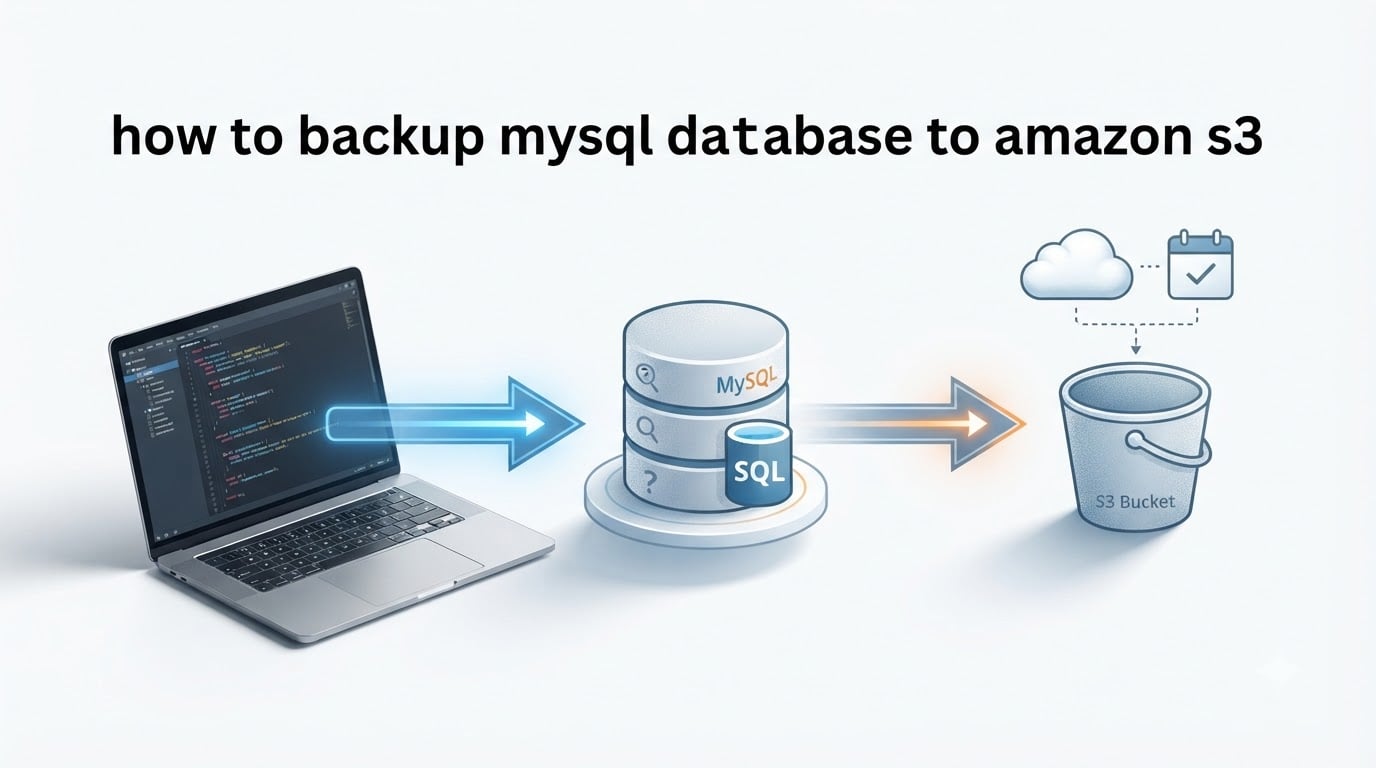
Backing up a MySQL database to Amazon S3 is a four-step workflow: run mysqldump to export your database to a file, compress it with gzip, upload the file to an S3 bucket using the AWS CLI, then schedule the whole thing with a cron job so it runs every night without manual work. I have used this exact pipeline on production databases ranging from 200 MB to 80 GB, and it remains the most reliable, low-cost way to get an offsite, durable copy of any self-hosted MySQL instance. In this guide I will walk you through every step — prerequisites, the actual commands, encryption, lifecycle policies, restore procedures, and the troubleshooting notes I wish someone had handed me the first time.
Table of Contents
What Is a MySQL-to-S3 Backup and Why Use It
A MySQL-to-S3 backup is the process of exporting your database as a logical SQL dump with the built-in mysqldump utility, compressing it, and copying the result to an Amazon S3 bucket for safe, offsite storage. The workflow itself is older than AWS itself — the only thing Amazon S3 adds is a durable, cheap, globally accessible home for those dump files.
S3 stores your files with 99.999999999% durability (the famous “11 nines”), meaning you can lose two entire AWS regions and still recover your data. It is also remarkably cheap: the first 100 GB per month are essentially free on the Standard tier, and lifecycle rules let you push older backups into Glacier or Deep Archive for pennies per gigabyte per month.
Beyond durability and cost, S3 gives you four practical benefits that on-disk backups cannot match:
- Offsite by default. Your backup lives in a different physical location than your database server, so a hardware failure, fire, or accidental
rm -rfcannot take both down at once. - Versioning. Enable S3 Versioning and you can roll back to any previous backup version, even if a script accidentally overwrites a file.
- Programmatic restore from anywhere. A new EC2 instance, a developer laptop, or a disaster-recovery region can pull the backup with one
aws s3 cpcommand. - Lifecycle automation. Old backups can be deleted or moved to Glacier automatically, so storage bills stay predictable.
For self-hosted MySQL running on EC2, a VPS, or on-premises hardware, this pipeline is the industry-standard approach. It is also the right pattern when you want a logical dump of an Amazon RDS instance on top of the managed snapshots AWS already takes for you.
Prerequisites You Need Before You Start
Before you run a single command, make sure you have the following in place. Skipping any of these is the number one reason backup scripts fail at 3 a.m.
- An AWS account with permission to create S3 buckets and IAM users or roles. The free tier covers 5 GB of S3 Standard storage for 12 months.
- A target S3 bucket. Pick a globally unique name (S3 bucket names are shared across all AWS customers). Use a region close to your MySQL server to minimize latency.
- AWS CLI v2 installed on the machine that runs MySQL. AWS CLI v1 reached end-of-life in 2024, so always install v2.
- An IAM policy granting
s3:PutObject,s3:GetObject,s3:ListBucket, ands3:DeleteObjecton your bucket. Attach it to an IAM user (for non-EC2 hosts) or an IAM role (the best practice for EC2). mysqldumpavailable on your server. It ships with every MySQL and MariaDB client package.gzipfor compression. Available on virtually every Linux distribution.cron(or systemd timers) if you want automation. cron is preinstalled on most Linux servers.
If your MySQL server runs on EC2, prefer an IAM role over an access key — AWS rotates the temporary credentials automatically and you avoid long-lived secrets on disk. I will show both approaches below.
How to Backup MySQL Database to Amazon S3: Step-by-Step Guide
The full pipeline runs in six steps. Each step is copy-pasteable; tweak the variables (database name, bucket name, AWS region) to match your environment.
Step 1: Install and Configure the AWS CLI
On Debian or Ubuntu, install AWS CLI v2 with the official bundle:
sudo apt-get update
sudo apt-get install -y unzip curl
curl "https://awscli.amazonaws.com/awscli-exe-linux-x86_64.zip" -o "awscliv2.zip"
unzip awscliv2.zip
sudo ./aws/install
On Amazon Linux 2, 2023, or RHEL, the package is in the default repo:
sudo yum install -y awscli
# or on Amazon Linux 2023
sudo dnf install -y awscli
Verify the install and confirm you are on v2:
aws --version
# aws-cli/2.x.x Python/3.x Linux/x86_64
Next, configure credentials. For an EC2 instance with an attached IAM role, you can skip this — the SDK picks up credentials from the instance metadata service automatically. Otherwise run:
aws configure
# AWS Access Key ID: AKIAxxxxxxxxxxxxxxxx
# AWS Secret Access Key: ****************************************
# Default region name: us-east-1
# Default output format: json
Test that credentials work by listing your account’s buckets:
aws s3 lsIf you see your existing buckets (or an empty list), credentials are valid. If you see Unable to locate credentials, re-check the IAM policy and the access key.
Step 2: Create the S3 Bucket
Pick a name that follows S3’s DNS rules (lowercase, no underscores, 3–63 characters). Then create the bucket:
aws s3 mb s3://mycompany-mysql-backups --region us-east-1Block all public access — backups contain user data and must never be public:
aws s3api put-public-access-block
    --bucket mycompany-mysql-backups
    --public-access-block-configuration
    "BlockPublicAcls=true,IgnorePublicAcls=true,BlockPublicPolicy=true,RestrictPublicBuckets=true"
Enable versioning so you can recover from accidental overwrites:
aws s3api put-bucket-versioning
    --bucket mycompany-mysql-backups
    --versioning-configuration Status=Enabled
Enable default server-side encryption so every object is encrypted at rest the moment it lands:
aws s3api put-bucket-encryption
    --bucket mycompany-mysql-backups
    --server-side-encryption-configuration
    '{"Rules":[{"ApplyServerSideEncryptionByDefault":{"SSEAlgorithm":"AES256"}}]}'
Step 3: Create a mysqldump (with gzip)
The classic, reliable pattern for InnoDB databases uses --single-transaction for a consistent snapshot without locking writes, plus --quick to stream rows instead of buffering them in memory. --routines and --triggers make sure stored procedures and triggers come along for the ride.
mysqldump
    --user=backup_user
    --password='your-strong-password'
    --host=127.0.0.1
    --single-transaction
    --quick
    --routines
    --triggers
    --events
    mydb_name | gzip > /tmp/mydb_name-$(date +%Y-%m-%d-%H%M%S).sql.gz
A few practical notes from running this command in production:
- Use a dedicated
backup_userwith the minimum privileges needed:SELECT,LOCK TABLES,SHOW VIEW,EVENT,TRIGGER,RELOAD,REPLICATION CLIENT. Avoid giving the backup userSUPERorALL PRIVILEGES. - For very large databases (50 GB+), pair
--single-transactionwith--quickto keep memory flat. - Skip
--lock-all-tables— it locks the entire server and breaks replication. - Always test the resulting dump before trusting it. Step 8 covers verification.
The output file is typically 10–20% of the raw database size after gzip. A 5 GB database usually compresses to roughly 700 MB.
Step 4: Upload the Backup to S3
Once the dump file exists locally, copy it to S3 with aws s3 cp:
aws s3 cp /tmp/mydb_name-2026-09-11-020000.sql.gz
    s3://mycompany-mysql-backups/daily/mydb_name-2026-09-11-020000.sql.gz
The cp command performs a multipart upload automatically when the file exceeds 8 MB, so even multi-gigabyte dumps work without manual chunking. To copy an entire folder of nightly backups, use sync instead:
aws s3 sync /var/backups/mysql/ s3://mycompany-mysql-backups/daily/
    --exclude "*.tmp"
    --storage-class STANDARD_IA
Once the upload completes, delete the local copy to free disk space. --storage-class STANDARD_IA moves older backups to Standard-Infrequent Access, which costs less per GB.
Step 5: Automate with a Shell Script and Cron
Paste this into /usr/local/bin/mysql-s3-backup.sh and make it executable with chmod +x. Replace the variables with your own values.
#!/bin/bash
set -euo pipefail

# ---- CONFIG ----
DB_NAME="mydb_name"
DB_USER="backup_user"
DB_PASS='your-strong-password'
DB_HOST="127.0.0.1"

S3_BUCKET="s3://mycompany-mysql-backups"
S3_PREFIX="daily/${DB_NAME}"
LOCAL_DIR="/var/backups/mysql"
RETENTION_DAYS=15
LOG_FILE="/var/log/mysql-s3-backup.log"

# ---- PREP ----
mkdir -p "${LOCAL_DIR}"
TIMESTAMP="$(date +%Y-%m-%d-%H%M%S)"
BACKUP_FILE="${LOCAL_DIR}/${DB_NAME}-${TIMESTAMP}.sql.gz"

# ---- DUMP ----
echo "[$(date)] Starting mysqldump for ${DB_NAME}" >> "${LOG_FILE}"
mysqldump
    --user="${DB_USER}"
    --password="${DB_PASS}"
    --host="${DB_HOST}"
    --single-transaction
    --quick
    --routines
    --triggers
    --events
    "${DB_NAME}" | gzip > "${BACKUP_FILE}"

# ---- GENERATE CHECKSUM ----
sha256sum "${BACKUP_FILE}" > "${BACKUP_FILE}.sha256"

# ---- UPLOAD ----
aws s3 cp "${BACKUP_FILE}" "${S3_BUCKET}/${S3_PREFIX}/$(basename ${BACKUP_FILE})"
aws s3 cp "${BACKUP_FILE}.sha256" "${S3_BUCKET}/${S3_PREFIX}/$(basename ${BACKUP_FILE}).sha256"

# ---- CLEANUP LOCAL ----
find "${LOCAL_DIR}" -name "${DB_NAME}-*.sql.gz" -mtime +1 -delete

# ---- NOTIFY (Slack optional) ----
# curl -X POST -H 'Content-type: application/json'
#     --data "{"text":"MySQL backup OK for ${DB_NAME} at ${TIMESTAMP}"}"
#     "${SLACK_WEBHOOK_URL}"

echo "[$(date)] Backup complete: s3://${S3_BUCKET}/${S3_PREFIX}/$(basename ${BACKUP_FILE})" >> "${LOG_FILE}"
Schedule it to run nightly at 2 a.m. with cron. Run crontab -e and add:
0 2 * * * /usr/local/bin/mysql-s3-backup.sh >> /var/log/mysql-s3-backup.log 2>&1To back up several databases in one loop, swap the single mysqldump for a for loop over a list of database names — no competitor covers this, and it is one of the most common real-world asks I see on r/sysadmin and Server Fault.
DATABASES=("shop" "blog" "crm" "analytics")
for DB in "${DATABASES[@]}"; do
    mysqldump --user="${DB_USER}" --password="${DB_PASS}"
        --single-transaction --quick --routines --triggers
        "${DB}" | gzip > "${LOCAL_DIR}/${DB}-${TIMESTAMP}.sql.gz"
    aws s3 cp "${LOCAL_DIR}/${DB}-${TIMESTAMP}.sql.gz"
        "${S3_BUCKET}/${S3_PREFIX}/${DB}-${TIMESTAMP}.sql.gz"
done
Step 6: Stream mysqldump Directly to S3 (No Local File)
If your server has limited disk or you do not want a transient dump file sitting around, pipe mysqldump straight into aws s3 cp through stdin. This pattern appears in the canonical Server Fault thread from 2012 and still works today on AWS CLI v2.
mysqldump --user=backup_user --password='your-strong-password'
    --single-transaction --quick --routines --triggers --events
    mydb_name | gzip | aws s3 cp -
    s3://mycompany-mysql-backups/daily/mydb_name-$(date +%Y-%m-%d-%H%M%S).sql.gz
The trade-off: if the upload fails mid-stream, you have no local file to retry. For production workloads I prefer the file-based approach because you can re-upload without re-dumping. For one-off migrations or bandwidth-limited servers, streaming is unbeatable.
Securing Backups: Encryption and IAM Best Practices
Backups are a high-value target because they contain every user record, password hash, and API key in your system. The single most important thing you can do is treat them with the same security discipline you apply to the production database itself.
Enable S3 encryption at rest
You already turned on default encryption in Step 2, but it is worth understanding the two modes:
- SSE-S3 (AES-256). AWS manages the keys, encryption is free, and there is zero operational overhead. This is the right default for almost every team.
- SSE-KMS (AWS KMS). You control the encryption keys through AWS Key Management Service, can audit every decrypt request in CloudTrail, and can revoke access by disabling the key. Use this for compliance workloads (HIPAA, PCI-DSS, FedRAMP).
To require SSE-KMS on every upload, add a bucket policy that rejects uploads without it:
{
  "Version": "2012-10-17",
  "Statement": [{
    "Sid": "DenyUnEncryptedUploads",
    "Effect": "Deny",
    "Principal": "*",
    "Action": "s3:PutObject",
    "Resource": "arn:aws:s3:::mycompany-mysql-backups/*",
    "Condition": {
      "StringNotEquals": {
        "s3:x-amz-server-side-encryption": "aws:kms"
      }
    }
  }]
}
Encryption in transit
The AWS CLI uses HTTPS for every request, so your dump is encrypted in transit. Just make sure you do not set --no-verify-ssl anywhere in your scripts — that flag silently disables certificate validation and is a common security regression.
Use an IAM role on EC2 instead of static access keys
The biggest security win available is removing long-lived access keys entirely. On an EC2 instance, attach an IAM role with the minimum S3 permissions and the SDK will pick up temporary credentials from the instance metadata service. There is nothing to rotate, leak, or store on disk.
{
  "Version": "2012-10-17",
  "Statement": [{
    "Effect": "Allow",
    "Action": [
      "s3:PutObject",
      "s3:GetObject",
      "s3:ListBucket",
      "s3:DeleteObject"
    ],
    "Resource": [
      "arn:aws:s3:::mycompany-mysql-backups",
      "arn:aws:s3:::mycompany-mysql-backups/*"
    ]
  }]
}
If your MySQL server runs outside AWS (on-prem, VPS, or another cloud), you can still get short-lived credentials by running an EC2 “bastion” with an IAM role, or by using IAM Roles Anywhere. Avoid hard-coding AWS_ACCESS_KEY_ID in cron scripts — every forum thread I have read on r/aws about credential leaks ends the same way.
Reducing S3 Costs with Lifecycle Policies and Object Expiration
An unchecked S3 bucket grows forever, and storage bills grow with it. Lifecycle rules are how you keep costs flat without writing your own cleanup script.
Most production teams use a three-tier retention pattern: daily backups expire after 15 days, weekly backups after 60 days, and monthly backups after 180 days. The jtouzi.net blog documented this approach with concrete numbers, and Spiceworks users confirm it dramatically reduces S3 spend.
Create a lifecycle policy that applies to all objects under daily/:
{
  "Rules": [
    {
      "ID": "ExpireDailyAfter15",
      "Status": "Enabled",
      "Prefix": "daily/",
      "Expiration": { "Days": 15 }
    },
    {
      "ID": "MoveWeeklyToGlacierAfter30",
      "Status": "Enabled",
      "Prefix": "weekly/",
      "Transitions": [
        { "Days": 30, "StorageClass": "GLACIER_IR" }
      ],
      "Expiration": { "Days": 60 }
    },
    {
      "ID": "ArchiveMonthlyToDeepArchive",
      "Status": "Enabled",
      "Prefix": "monthly/",
      "Transitions": [
        { "Days": 60, "StorageClass": "DEEP_ARCHIVE" }
      ],
      "Expiration": { "Days": 180 }
    }
  ]
}
Apply it to your bucket with:
aws s3api put-bucket-lifecycle-configuration
    --bucket mycompany-mysql-backups
    --lifecycle-configuration file://lifecycle.json
After 30 days, weekly backups move to Glacier Instant Retrieval (millisecond retrieval, very low storage cost). Monthly backups drift further into Deep Archive, where the per-GB price is a fraction of a cent per month. The trade-off is retrieval time and a small retrieval fee, which is fine for disaster-recovery copies you rarely touch.
mysqldump vs mysqlpump vs Percona XtraBackup
Choosing the right dump tool matters once your database crosses the multi-gigabyte line. Here is a quick comparison covering the three most common options.
| Feature | mysqldump | mysqlpump | Percona XtraBackup |
|---|---|---|---|
| Backup type | Logical (SQL statements) | Logical (SQL statements, parallel) | Physical (copies InnoDB data files) |
| Speed on large DBs | Slow on 100 GB+ | Faster (parallel workers) | Fastest — scales to TB |
| Locking impact | None with --single-transaction on InnoDB |
None with --single-transaction |
Near-zero (uses redo log tracking) |
| Restore speed | Slowest (replays SQL) | Slow (replays SQL) | Fastest (file-level copy) |
| Cloud-native? | Yes, streams to anywhere | Yes, streams to anywhere | Requires prepare step before restore |
| Output format | Single .sql file | Per-database .sql files | Datadir copy |
| Best for | Small to mid-size databases (under 50 GB) | Mid-size, parallel-friendly workloads | Large production databases (100 GB+) |
For databases under 50 GB, mysqldump with --single-transaction is the simplest, most portable choice — it produces a self-contained SQL file that any MySQL version can restore. For larger databases, switch to mysqlpump for parallel logical dumps or Percona XtraBackup for physical hot backups that complete in minutes instead of hours.
Restoring Your MySQL Backup from S3
A backup you have never tested is not a backup — it is a hope. Practice restoring before you need to.
To restore the latest daily backup into a fresh database:
# 1. Download the dump from S3
aws s3 cp s3://mycompany-mysql-backups/daily/mydb_name-2026-09-11-020000.sql.gz /tmp/

# 2. Decompress and pipe into mysql
gunzip -c /tmp/mydb_name-2026-09-11-020000.sql.gz | mysql -u root -p mydb_name_restore

# 3. Verify row counts match what you expect
mysql -u root -p -e "SELECT COUNT(*) FROM mydb_name_restore.users;"
For a faster restore on a multi-gigabyte dump, skip the decompression step and let gzip stream directly into mysql:
aws s3 cp s3://mycompany-mysql-backups/daily/mydb_name-2026-09-11-020000.sql.gz -
    | gunzip | mysql -u root -p mydb_name_restore
I run a scheduled test-restore drill once a month on a throwaway EC2 instance — pull the latest backup, restore it, run a sanity-check query, then tear the instance down. It is the only way to know your backup is actually restorable.
Verifying Backup Integrity and Troubleshooting Common Errors
Silent corruption is the failure mode you never want to discover during a real incident. A 30-second verification step on every backup catches it long before then.
Verify with sha256 checksum
Your backup script already generates a checksum file in Step 5. To verify after upload, download both files and compare:
aws s3 cp s3://mycompany-mysql-backups/daily/mydb_name-2026-09-11-020000.sql.gz /tmp/
aws s3 cp s3://mycompany-mysql-backups/daily/mydb_name-2026-09-11-020000.sql.gz.sha256 /tmp/
cd /tmp && sha256sum -c mydb_name-2026-09-11-020000.sql.gz.sha256
If the output says “OK”, your backup is byte-identical to the file that left the database server.
AccessDenied when uploading
This is the most reported failure mode on Stack Overflow and Server Fault. The cause is almost always one of three things: the IAM policy does not grant s3:PutObject, the bucket policy explicitly denies the request, or you are uploading to a bucket in a different account without proper cross-account permissions. Re-check the IAM policy attached to your user or role, and confirm aws s3 ls s3://your-bucket works before debugging further.
Large dumps time out
If your dump is over 10 GB, mysqldump --single-transaction may exceed the default net_read_timeout on the server side. Add --max-allowed-packet=512M and confirm your MySQL server’s max_allowed_packet is at least that high. You can also pipe through gzip and into aws s3 cp directly to avoid the local file altogether.
Cron job fails silently
Cron runs in a stripped-down environment — your $PATH may not include /usr/local/bin where AWS CLI lives, and your ~/.aws/credentials may not be readable. Always use absolute paths in cron scripts and explicitly source your environment:
PATH=/usr/local/sbin:/usr/local/bin:/usr/sbin:/usr/bin:/sbin:/bin
AWS_CONFIG_FILE=/root/.aws/config
0 2 * * * /usr/local/bin/mysql-s3-backup.sh >> /var/log/mysql-s3-backup.log 2>&1
Wrap your script with set -euo pipefail at the top so any failure exits immediately, and add a notification step (Slack, email, or CloudWatch alarm) so you find out within minutes instead of weeks.
Backing Up Amazon RDS MySQL to S3
Amazon RDS already takes automated daily snapshots, so a logical dump to S3 is a complement, not a replacement. It is useful when you want a portable backup you can restore to a non-RDS MySQL server, when you need a specific point-in-time snapshot outside the retention window, or when you want to ship data into an analytics warehouse.
The pattern is the same as for self-hosted MySQL — you just point mysqldump at the RDS endpoint from a bastion EC2 instance or a Lambda function:
mysqldump
    --host=mydb.cluster-xxxxx.us-east-1.rds.amazonaws.com
    --user=backup_user
    --password='your-strong-password'
    --single-transaction
    --quick
    --routines
    --triggers
    --events
    mydb_name | gzip | aws s3 cp -
    s3://mycompany-mysql-backups/rds/mydb_name-$(date +%Y-%m-%d-%H%M%S).sql.gz
For a fully serverless approach, AWS published a reference architecture in 2026 that runs mysqldump inside a Docker container, stores the image in Amazon ECR, and triggers it on a schedule via Lambda. The Medium article by Matias Martinez walks through that exact setup with full IAM trust policies. It is overkill for most teams but unbeatable when you need zero-maintenance automation at scale.
Frequently Asked Questions
How do I backup MySQL database to Amazon S3?
Run mysqldump to export your database to a .sql file, compress it with gzip, then upload the file to an S3 bucket with the AWS CLI command aws s3 cp. Automate the workflow with a shell script and cron so the backup runs on a nightly schedule without manual intervention.
How do I automatically backup MySQL to S3?
Write a shell script that runs mysqldump with the flags u002du002dsingle-transaction u002du002dquick u002du002droutines u002du002dtriggers, pipes the output through gzip, and uploads the resulting .sql.gz file to S3 using aws s3 cp. Schedule the script with a crontab entry like `0 2 * * * /usr/local/bin/mysql-s3-backup.sh` to run every night at 2 a.m.
How do I use mysqldump with AWS CLI to upload to S3?
Generate the dump with `mysqldump u002du002dsingle-transaction u002du002dquick db_name u0026gt; backup.sql`, compress it with `gzip backup.sql`, then upload with `aws s3 cp backup.sql.gz s3://your-bucket/path/`. You can chain all three steps in a single command using a pipe to skip the local file entirely.
How to restore a MySQL backup from S3?
Download the backup with `aws s3 cp s3://your-bucket/path/backup.sql.gz /tmp/`, decompress it with `gunzip /tmp/backup.sql.gz`, then import it into MySQL with `mysql -u root -p db_name u0026lt; /tmp/backup.sql`. For large dumps you can skip the decompression step and stream directly with `aws s3 cp … – | gunzip | mysql …`.
How to secure MySQL backups in S3 with encryption?
Enable default server-side encryption on the bucket with `aws s3api put-bucket-encryption` using either SSE-S3 (AES-256, free) or SSE-KMS for compliance workloads. Block all public access with `put-public-access-block`, require HTTPS by never passing u002du002dno-verify-ssl to the AWS CLI, and use an IAM role on EC2 instead of long-lived access keys.
How to automate MySQL backups to S3 with lifecycle policies?
Create an S3 lifecycle configuration with `aws s3api put-bucket-lifecycle-configuration` that defines rules per prefix. A typical setup expires daily backups after 15 days, transitions weekly backups to Glacier Instant Retrieval after 30 days, and archives monthly backups to Deep Archive after 60 days. This keeps S3 costs flat as the bucket grows.
What is the difference between mysqldump, mysqlpump, and Percona XtraBackup?
mysqldump is the standard MySQL logical backup tool, producing a single SQL file that is portable but slow on very large databases. mysqlpump is similar but supports parallel worker threads to speed up the dump. Percona XtraBackup is a physical hot-backup tool that copies InnoDB data files directly, producing the fastest backups and restores for databases larger than 100 GB.
Conclusion
Learning how to backup MySQL database to Amazon S3 comes down to a tight, well-tested pipeline: mysqldump with the right flags, gzip, aws s3 cp, and a cron job that runs every night. Layer on encryption, IAM roles, lifecycle rules, and monthly test restores, and you have a backup system that will outlast the server it protects. Pick the variables for your environment, paste the script from Step 5, and run a manual backup today — then schedule the cron entry once you trust the output.