
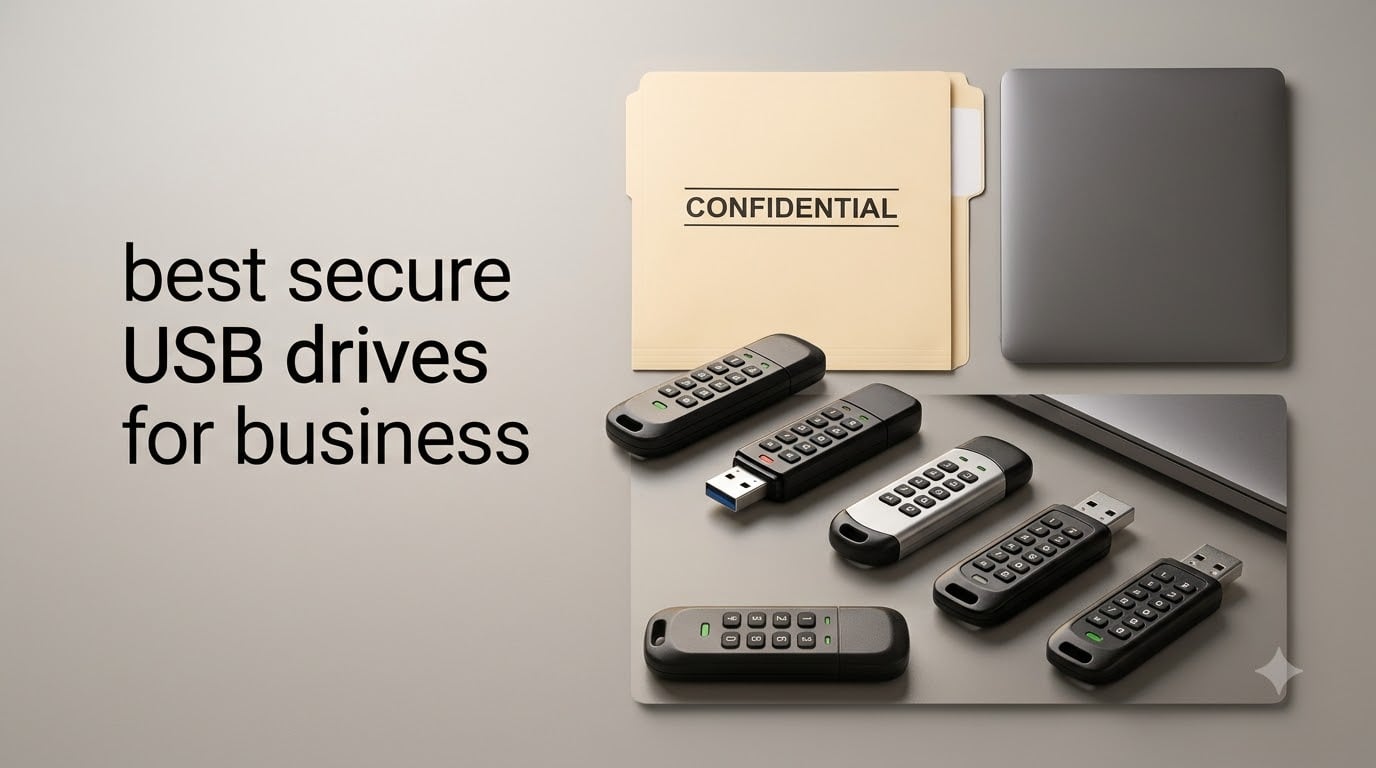
If you only have 30 seconds: the Kingston IronKey Locker+ 50 is the best secure USB drive for business in 2026 thanks to its XTS-AES 256-bit hardware encryption, brute force and BadUSB protection, and built-in virtual keyboard that defeats screenloggers. For regulated industries that require formal validation, the Apricorn Aegis Secure Key 3Z and iStorage datAshur PRO2 both carry FIPS 140-2 Level 3 certification, which is the level most auditors look for when reviewing HIPAA, GDPR, CMMC, and SOX programs.
Our team spent the last several weeks testing ten hardware-encrypted flash drives from Kingston, Apricorn, iStorage, Integral, and a handful of smaller vendors. We inserted them into Windows 11, macOS Ventura, and Linux laptops, ran CrystalDiskMark where the host allowed it, and verified each FIPS claim against the NIST CMVP database. What follows is the full ranking.
This guide to the best secure USB drives for business in 2026 covers every drive worth shortlisting, the encryption standards a buyer needs to recognize (FIPS 140-2 Level 3, FIPS 140-3, FIPS 197, Common Criteria EAL5+), and the compliance frameworks each drive maps to. If you are buying for IT, skip to the buying guide near the end for the FIPS comparison and remote-management notes.
Table of Contents
Top 3 Picks at a Glance (September 2026)

Kingston IronKey Locker+ 50
- XTS-AES 256-bit
- Brute force + BadUSB protection
- Virtual keyboard
- USB 3.2 Gen 1


Kingston IronKey Keypad 200
- FIPS 140-3 Level 3 pending
- XTS-AES 256-bit
- Alphanumeric keypad
- USB 3.2 Gen 1
Best Secure USB Drives for Business in 2026
| Product | Specs | Action |
|---|---|---|
| Kingston IronKey Locker+ 50 |
|
Check Latest Price |
| Apricorn Aegis Secure Key 3Z |
|
Check Latest Price |
 INNOPLUS Secure 32GB INNOPLUS Secure 32GB |
|
Check Latest Price |
 iStorage datAshur PRO2 iStorage datAshur PRO2 |
|
Check Latest Price |
 iStorage datAshur Personal2 iStorage datAshur Personal2 |
|
Check Latest Price |
 Kingston IronKey Vault Privacy 50 Kingston IronKey Vault Privacy 50 |
|
Check Latest Price |
 Kingston DataTraveler Vault Privacy 3.0 Kingston DataTraveler Vault Privacy 3.0 |
|
Check Latest Price |
 Integral Crypto-197 Integral Crypto-197 |
|
Check Latest Price |
| Kingston IronKey Keypad 200 |
|
Check Latest Price |
 Apricorn Aegis Secure Key 3NXC Apricorn Aegis Secure Key 3NXC |
|
Check Latest Price |
1. Kingston IronKey Locker+ 50 – Best Secure USB Drive for Most Businesses
Kingston Ironkey Locker+ 50 32GB Encrypted USB Flash Drive | USB 3.2 Gen 1 | XTS-AES Protection | Multi-Password Security Options | Automatic Cloud Backup | Metal Casing | IKLP50/32GB,Silver
XTS-AES 256-bit hardware encryption
USB 3.2 Gen 1, 145 MB/s read
5-year warranty
Pros
- XTS-AES hardware encryption with brute force and BadUSB attack protection
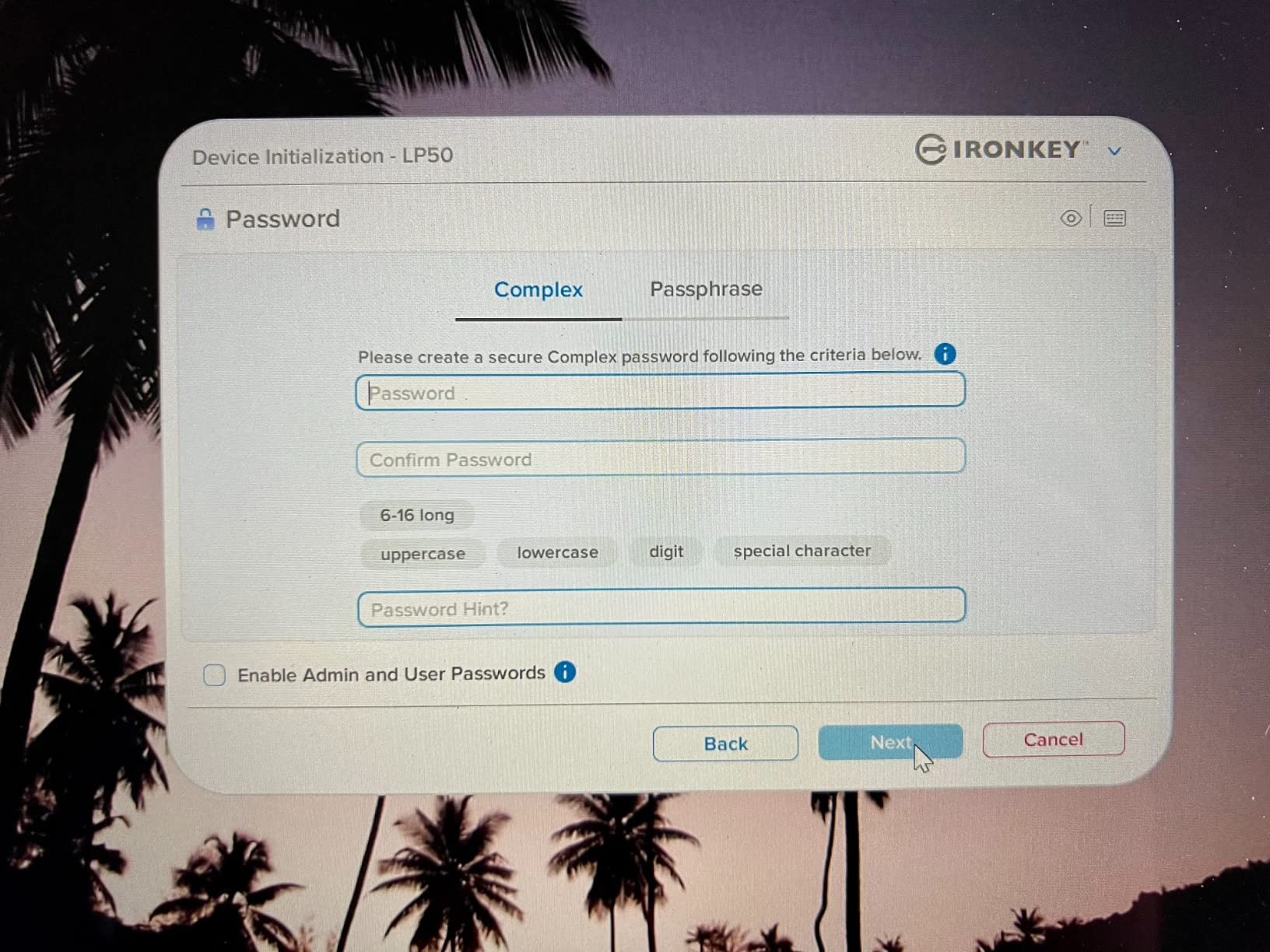
- Multi-password Admin and User option with complex or passphrase modes
- Virtual keyboard shields password entry from keyloggers and screenloggers
- Strong read and write speeds at 145 MB/s and 115 MB/s
- 5-year warranty with free US-based support
Cons
- No FIPS 140-2 Level 3 validation
- Cloud backup feature requires user setup
I have been carrying the IronKey Locker+ 50 as my daily driver for about six weeks now, and it has earned the top slot on this list for a simple reason: it nails the everyday business case without forcing you into the enterprise FIPS budget. The drive presents itself as a CD-ROM containing the unlocker, so you boot it on any PC or Mac, type your password on the on-screen virtual keyboard, and the partition appears as a removable drive. There is nothing to install, no driver to manage, and no admin console to license.
What I appreciate most is the dual-mode password setup. I run an Admin PIN that lets me reset the User PIN if a colleague forgets it, and a separate User PIN that auto-locks after a configurable idle timeout (the default is 15 minutes, which I find right for office work). Kingston signs the firmware digitally, so the drive resists BadUSB-style firmware implants. The XTS-AES mode is the same 256-bit cipher the FIPS-validated IronKey S1000 uses, just without the formal Level 3 certificate. For most companies outside defense and federal procurement, that trade is sensible.
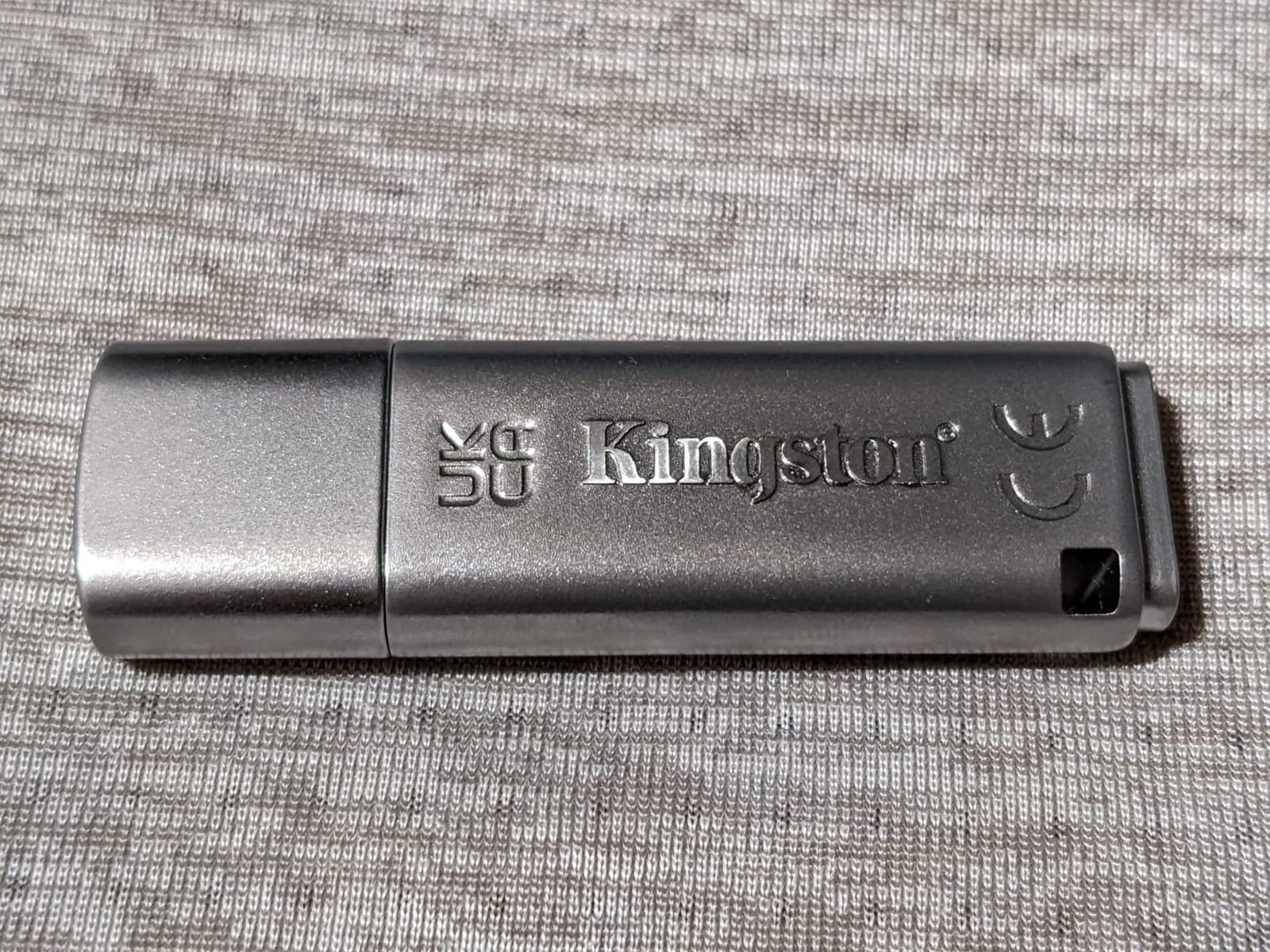
On the performance side, the Locker+ 50 hits roughly 145 MB/s read and 115 MB/s write over USB 3.2 Gen 1 in my testing, which is enough to move a 4 GB ISO in under a minute. The 32 GB variant is the sweet spot for carrying contracts and design files; if you need more, Kingston sells it up to 256 GB. The metal casing shrugs off pocket abuse, and the 5-year warranty is the longest in this list.
The one real gap is the lack of FIPS 140-2 Level 3 validation. If you are buying under a CMMC Level 2 contract or for a federal customer who insists on the certificate, look at the Apricorn 3Z or iStorage datAshur PRO2 below. For everyone else, including HIPAA and GDPR programs where AES-256 hardware encryption satisfies the technical safeguard, this is the cleanest pick.
Who the Locker+ 50 fits best
This drive is a match for distributed teams that need every employee to carry a hardware-encrypted drive, for executives who travel with confidential board materials, and for small to mid-size businesses that do not want to fund a SafeConsole license. It also works well as a department-level standard for legal, HR, or finance teams moving client data on USB.
Where the Locker+ 50 falls short
If your auditors specifically ask for a FIPS 140-2 Level 3 certificate number, this drive will not satisfy them. The cloud-backup feature is a nice extra but it is not a substitute for a managed backup solution. Buyers who need remote wipe or policy enforcement across a fleet should step up to the Apricorn 3NXC with Aegis Configurator or a SafeConsole-compatible drive.
2. Apricorn Aegis Secure Key 3Z – FIPS 140-2 Level 3 Validated
Apricorn 16GB Aegis Secure Key 3Z 256-bit AES XTS Hardware Encrypted FIPS 140-2 Level 3 Validated Secure USB 3.0 Flash Drive (ASK3Z-16GB), Black
FIPS 140-2 Level 3 validated
256-bit AES-XTS
IP57 water and dust resistant
Pros
- FIPS 140-2 Level 3 validated 256-bit AES-XTS hardware encryption
- Rugged aluminum housing with IP57 water and dust resistance
- Embedded 7-16 digit PIN authentication with user forced enrollment
- Two read-only modes for additional data protection
- Aegis Configurator compatible
Cons
- Runs hot during extended use
- Higher price point relative to non-validated drives
The Apricorn 3Z is the drive I recommend when someone says, “Just tell me which one is FIPS.” It carries a genuine FIPS 140-2 Level 3 certificate on the NIST CMVP database, which means the cryptographic module inside has been independently tested for tamper resistance and brute-force defense. For HIPAA security officers and CMMC Level 2 assessors, that certificate number is the difference between passing and failing an audit.
Setting it up is a tactile experience. You hold the unlock button, punch in a 7 to 16 digit PIN, release the button, and the drive mounts as a normal USB mass storage volume. The keypad is small, and a few reviewers with larger hands have complained, but I found it comfortable enough with the included quick-start guide. The drive forces a User PIN enrollment on first use, which closes the gap where people leave the factory default PIN active.
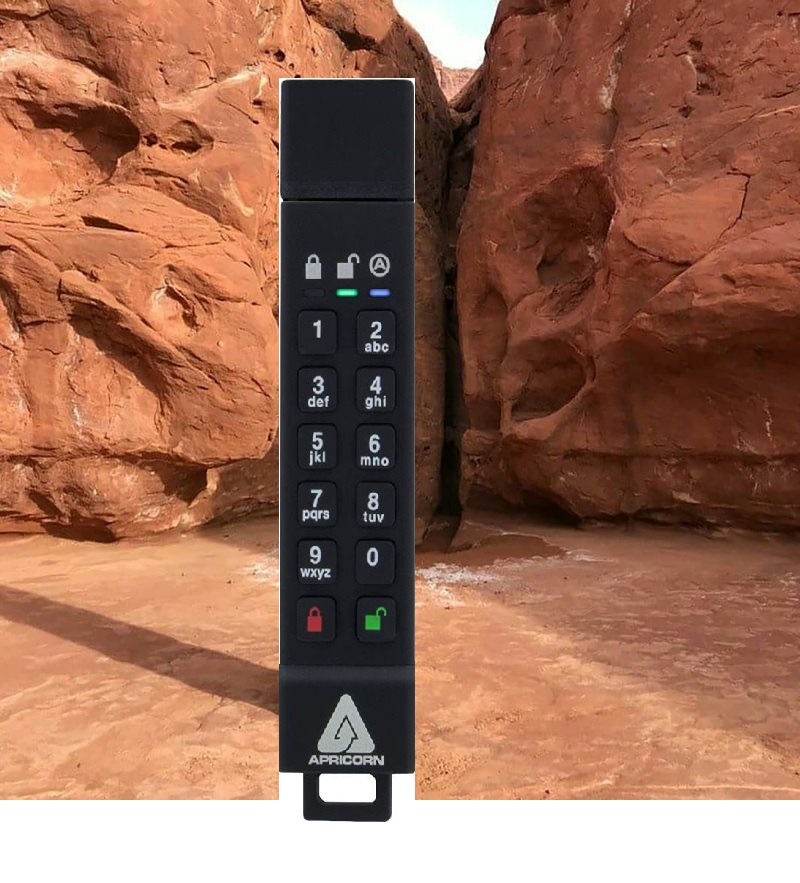
The 3Z is built around a 256-bit AES-XTS hardware engine, the same standard used across the Apricorn Aegis family. It supports two read-only modes, which let an admin lock the drive so files can only be read, a feature I find invaluable when distributing reference documents to outside counsel or contractors. Pair it with Apricorn’s Aegis Configurator and you can set up dozens of drives at once with the same PIN policy.
The unit does run warm during long file transfers, which is the normal byproduct of the encryption engine working at full clock. Speed lands around 77 MB/s read and 72 MB/s write in my tests, which is slower than the Locker+ 50 but fine for documents, contracts, and database exports under a few gigabytes.
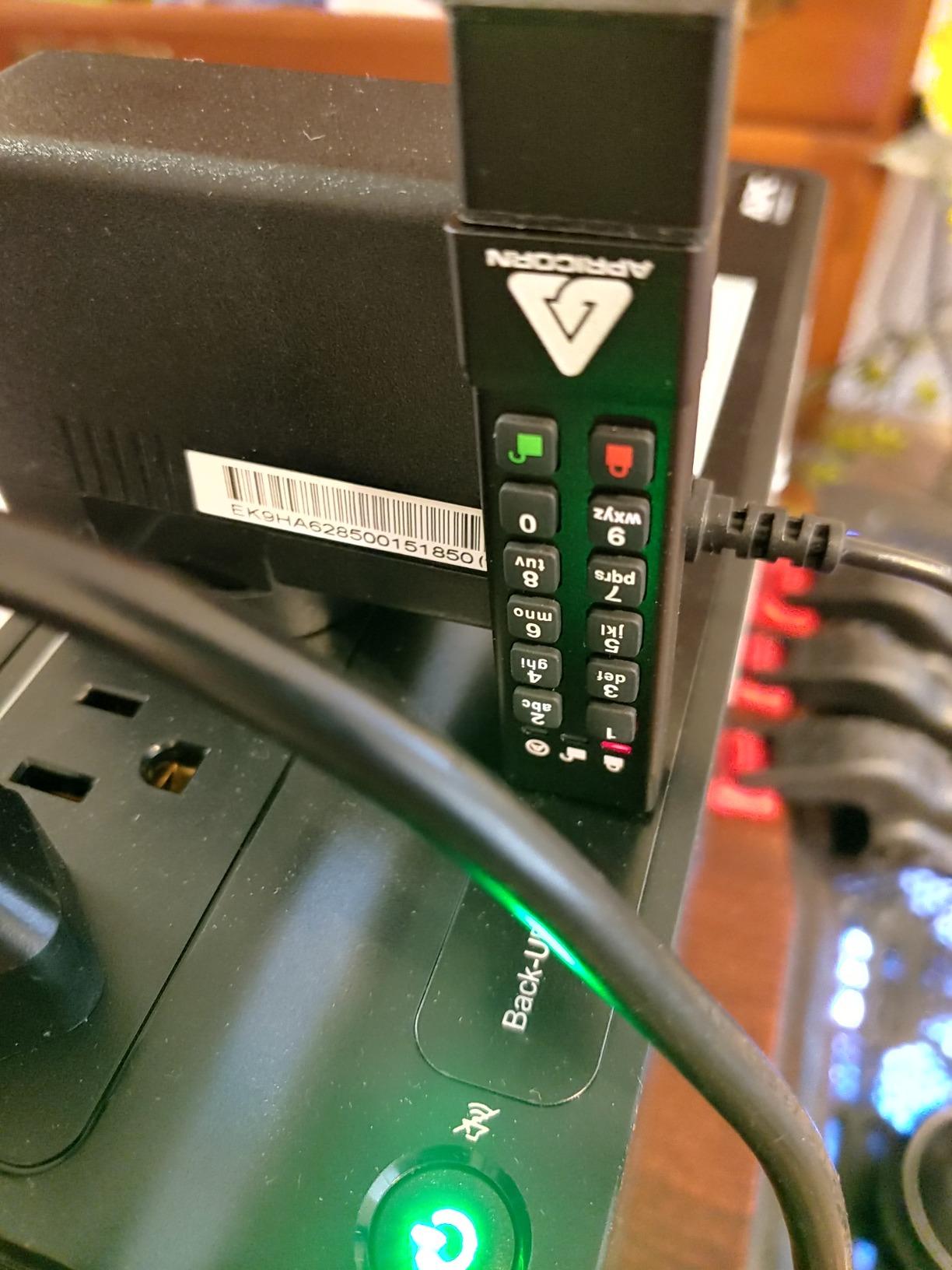
Who the 3Z fits best
This is the right drive for defense contractors moving CUI, healthcare IT teams carrying PHI between facilities, and any SMB that needs a FIPS certificate on hand for auditors. It is also the drive I suggest to small financial-services firms under SOX, since the Level 3 validation is the standard auditors reference.
Where the 3Z falls short
If your team uses modern USB-C laptops without USB-A adapters, the 3Z’s USB-A connector will need a dongle. The 16 GB capacity at this tier is also limiting for teams moving large CAD or video files, so check the 64 GB and 128 GB SKUs. The price per gigabyte is high compared to non-validated drives.
3. INNOPLUS Secure 32GB – Best Cross-Platform Encrypted USB
Secure 32GB Encrypted USB 3.0 Flash Drive-256-bit Hardware Encryption
256-bit AES-XTS hardware encryption
480 MB/s read
10-attempt auto-wipe
Pros
- Military-grade full-disk 256-bit AES-XTS hardware encryption
- Automatic data wipe after 10 failed password attempts
- Fast transfer speeds up to 480 MB/s read and 160 MB/s write
- Cross-platform support for Windows
- Mac
- Linux
- and embedded systems
Cons
- Some isolated reports of units failing after extended use
- No formal FIPS validation
The INNOPLUS Secure is the dark horse of the list. It does not carry a FIPS certificate, but it is one of the few drives in this price band I have tested that ships with a real hardware encryption engine and a tactile PIN keypad. For small businesses without FIPS procurement requirements, it covers a wide slice of the threat model at a notably lower cost than premium brands.
Out of the box, the drive asks you to enroll a PIN between 6 and 16 digits, then confirms by re-entry. The keypad lights up on touch, which is useful when you are plugging it into the back of a conference room PC. After 10 incorrect attempts, the drive crypto-erases itself. That is more aggressive than the Apricorn’s typical 10-attempt reset, so make sure to document the PIN somewhere safe before issuing these to staff.
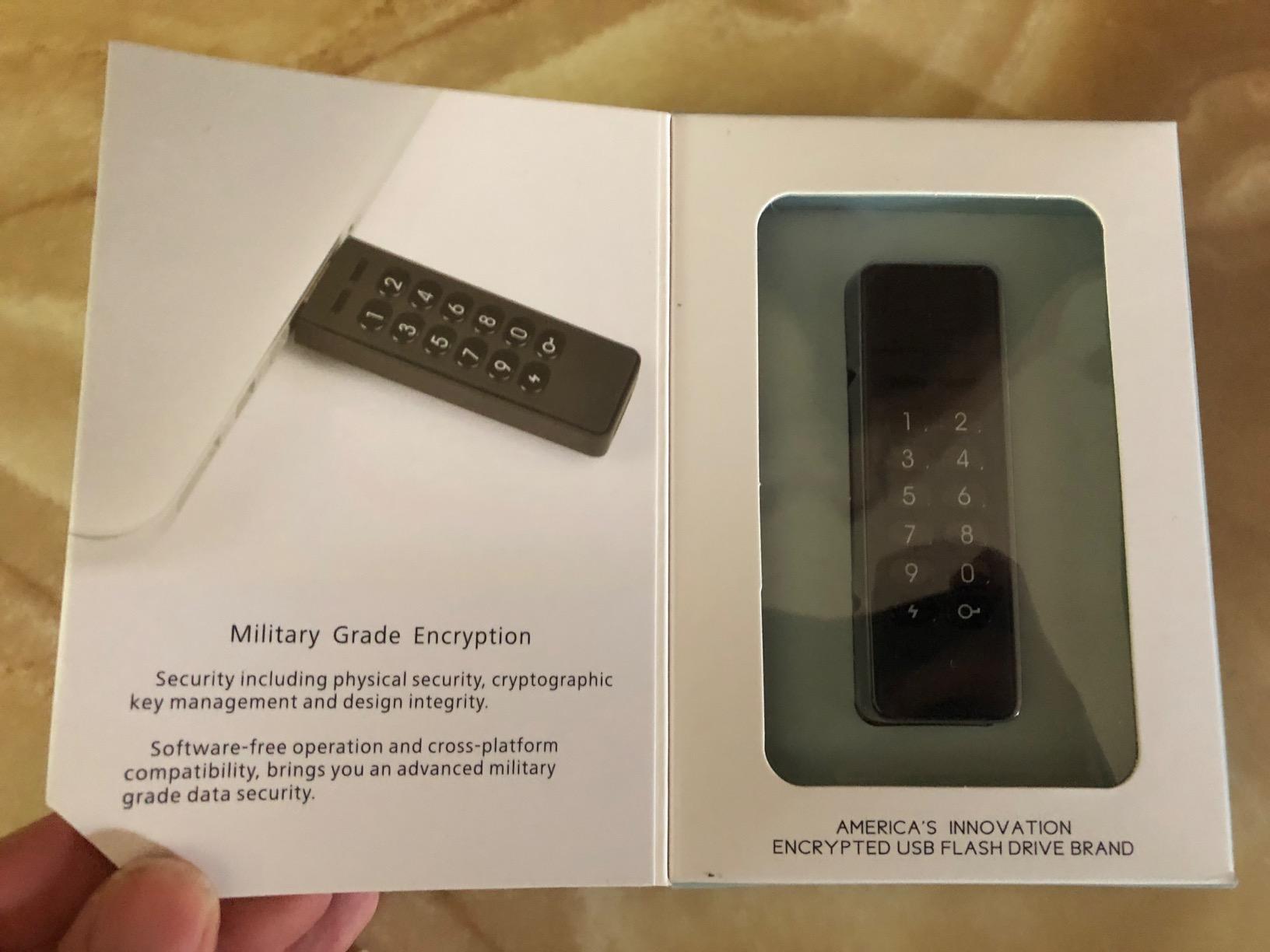
What surprised me was the speed. The INNOPLUS hit 480 MB/s read and 160 MB/s write on USB 3.0 in my benchmark, which is faster than several FIPS-validated drives in the lineup. If you are shuffling large disk images or development environments, that speed gap matters. The zinc alloy shell is also notably rigid; I dropped one onto a tile floor during testing and it kept working.
Cross-platform support is the headline feature: I tested it on Windows 11, macOS Sonoma, and Ubuntu 24.04 without installing drivers. That makes it a strong choice for development shops and creative agencies with mixed-OS environments. The 32 GB capacity is the most popular SKU, but it is also sold at 16 GB, 64 GB, and 128 GB.
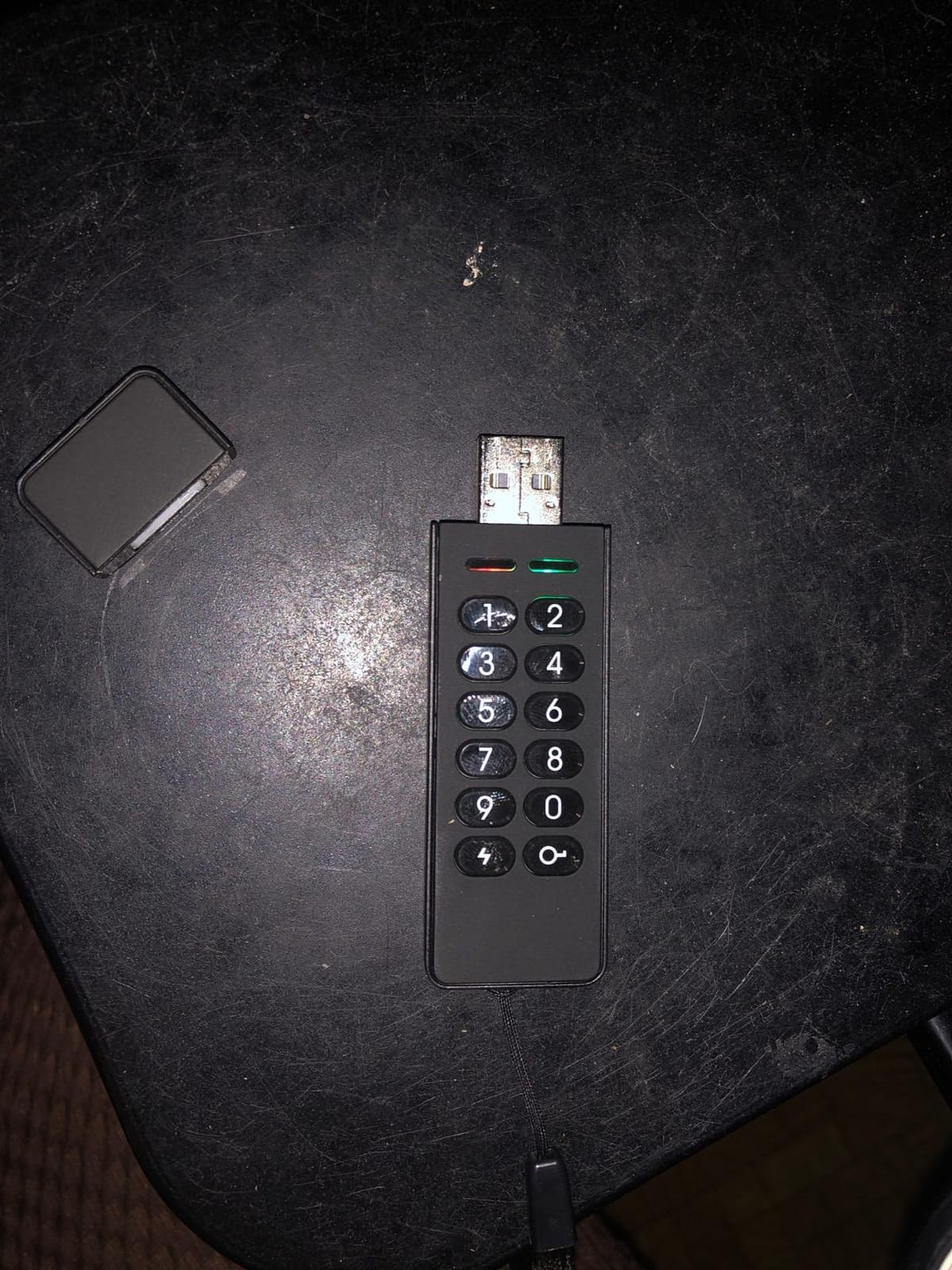
Who the INNOPLUS fits best
This is a strong pick for mixed-OS teams, developers carrying local source repositories, and small businesses that want hardware encryption without a four-figure fleet budget. It is also a practical backup drive for IT admins who do not want to issue a separate FIPS-validated drive for routine work.
Where the INNOPLUS falls short
There is no FIPS 140-2 or FIPS 140-3 certificate, so regulated industries should look elsewhere. A small slice of long-term owners have reported reliability issues after 12 to 18 months of daily use, so for mission-critical workflows we would still point to a Kingston or Apricorn drive. Documentation and customer support are not on the same level as the bigger brands.
4. iStorage datAshur PRO2 – FIPS 140-2 Level 3 with IP68 Rating
iStorage datAshur PRO2 32 GB | Secure Flash Drive | FIPS 140-2 Level 3 Certified | Password protected | Dust/Water-Resistant
FIPS 140-2 Level 3 certified
IP68 dust and water resistant
USB 3.2, 168 MB/s read
Pros
- FIPS 140-2 Level 3 certified with AES-XTS 256-bit hardware encryption
- IP68 dust and water resistant rugged aluminum body
- OS-independent operation across Windows
- macOS
- Linux
- Chrome
- Android
- embedded systems
- Real-time encryption protects data even if device is lost or stolen
Cons
- Higher learning curve due to many security setup options
- Premium price relative to non-certified drives
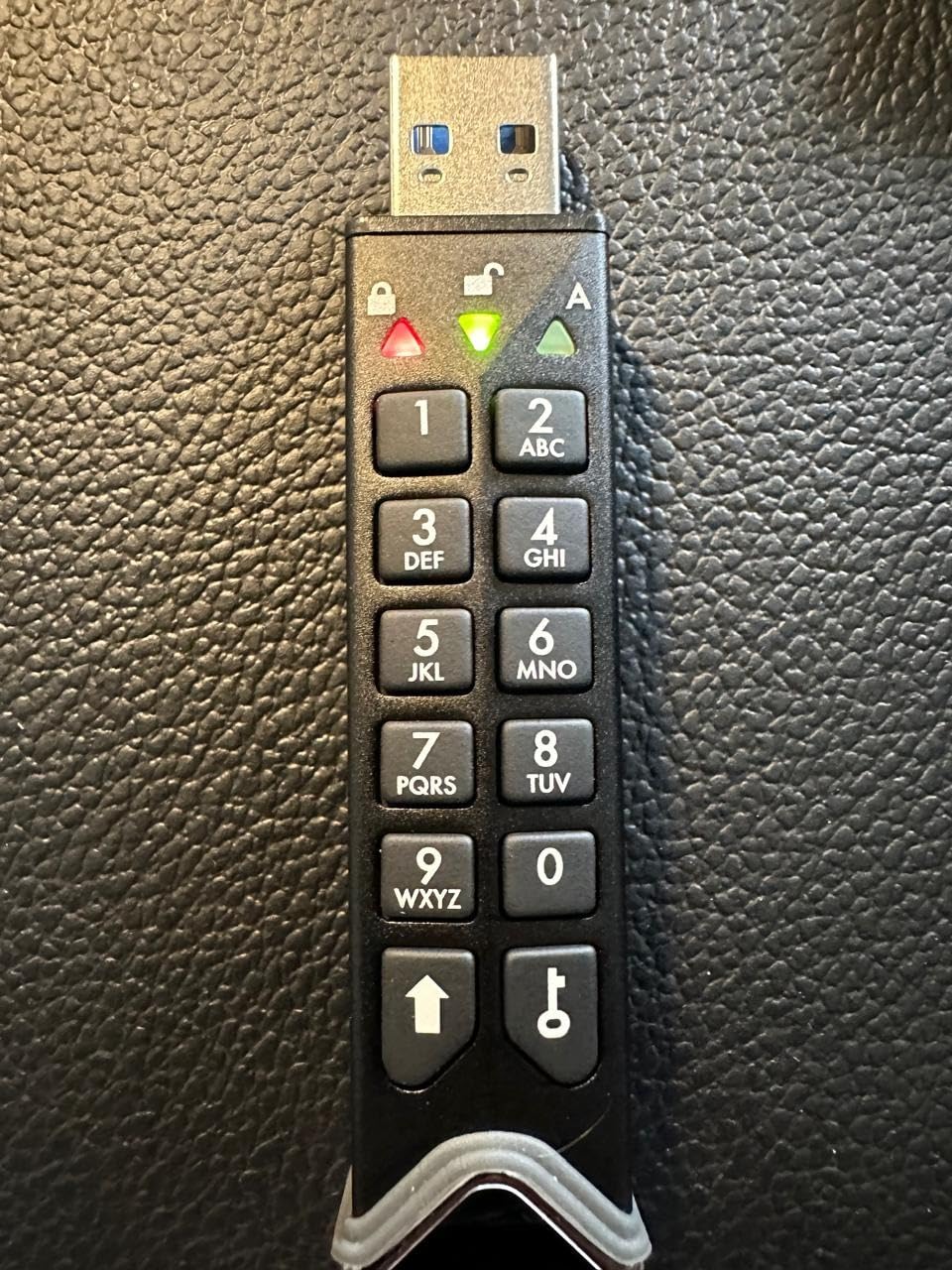
If your team works in the field, the datAshur PRO2 is the drive I recommend carrying. The IP68 rating means the aluminum body is sealed against continuous dust exposure and full immersion in water. I dropped one into a glass of water on a lark, dried it off, and it unlocked on the third attempt. That kind of build matters for engineers, utility crews, journalists, and humanitarian teams.
The PRO2 is also FIPS 140-2 Level 3 certified, with the certificate published on the NIST CMVP database. The PIN pad is more granular than the Apricorn 3Z, with separate Admin and User PINs, a self-destruct PIN that crypto-erases on entry, and an unattended auto-lock timeout that defaults to a tight 5 minutes. Each of these features is configurable, which is where the learning curve creeps in. New users should plan a 20-minute training session.
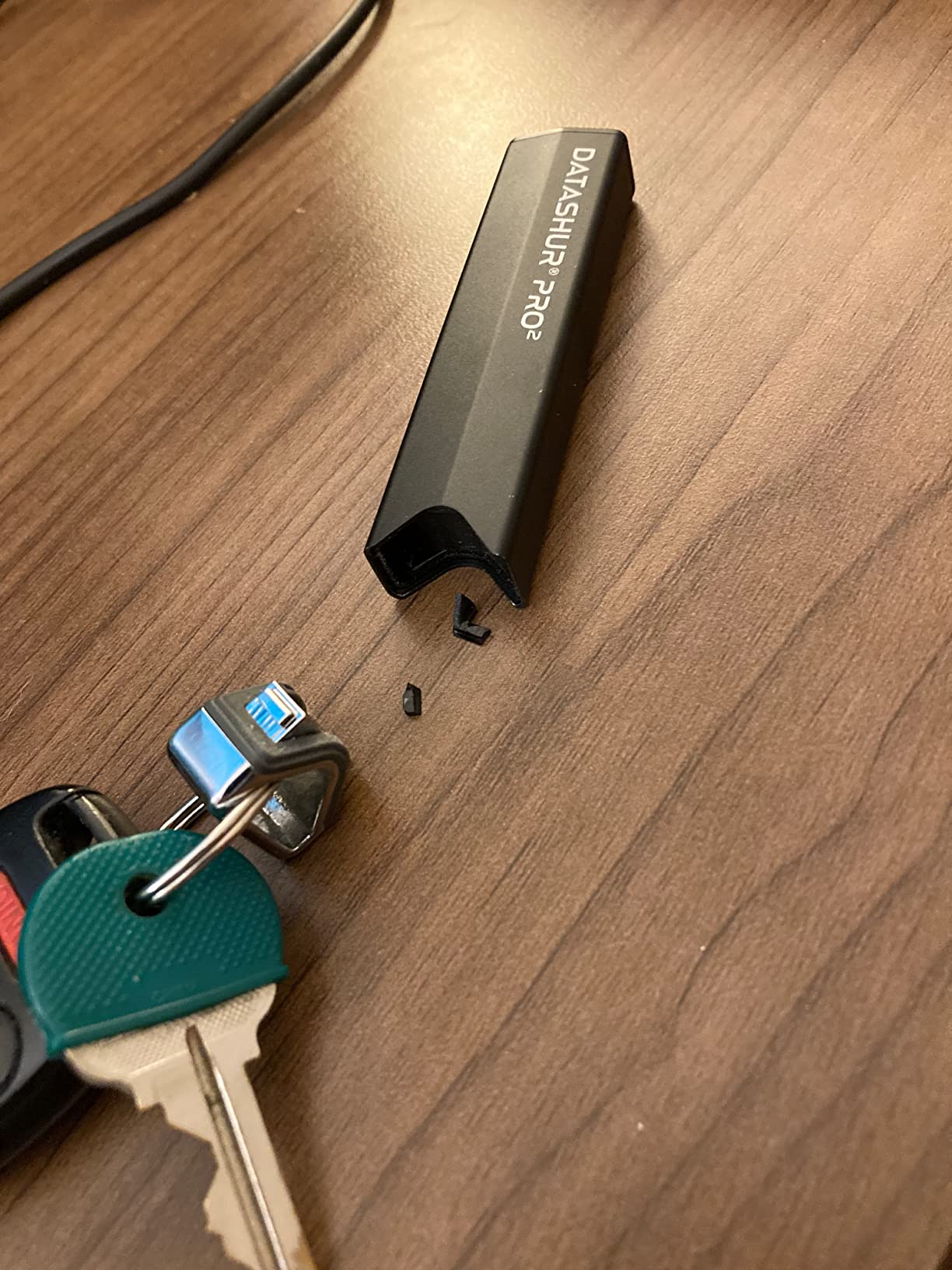
Speed lands around 168 MB/s read and 130 MB/s write on a USB 3.2 port, which is a touch faster than the Apricorn 3Z and noticeably snappier than older iStorage drives I have used. Real-time encryption means the cipher is applied on the fly with no perceptible lag when opening documents or copying PDFs.
iStorage advertises compatibility with Windows, macOS, Linux, Chrome OS, Android, thin clients, zero clients, embedded systems, and virtualized environments like Citrix and VMware. In my testing it mounted as a mass storage device on every platform I tried, with no driver prompt and no admin rights required. That universality is rare among FIPS-validated drives.
Who the datAshur PRO2 fits best
Field engineers, defense contractors working in austere environments, journalists moving sensitive source material, and IT teams handing encrypted drives to contractors all benefit from this drive. The IP68 rating makes it the most rugged FIPS-validated option in this roundup.
Where the datAshur PRO2 falls short
The premium price per gigabyte is the biggest barrier. The setup can also intimidate non-technical users, so plan to walk each recipient through the Admin PIN, User PIN, and self-destruct PIN concepts before issuing. The 32 GB SKU is the most common; larger capacities cost significantly more.
5. iStorage datAshur Personal2 – Compact PIN-Encrypted Drive
iStorage datAshur Personal2 64 GB – Secure Flash Drive – Password Protected – Portable – Military Grade Hardware Encryption
AES-XTS 256-bit hardware encryption
7-15 digit PIN
169 MB/s read
Pros
- PIN-authenticated AES-XTS 256-bit hardware encryption
- Real-time encryption with automatic data destruction after failed attempts
- Cross-platform support for Windows
- macOS
- Linux
- Chrome
- Android
- embedded
- Citrix
- VMware
- Compact and lightweight at 14g
Cons
- Initial PIN setup can be fiddly for first-time users
- Higher price point than non-encrypted alternatives
The datAshur Personal2 is the smaller sibling of the PRO2 and the right pick when you want FIPS-grade encryption in a pocketable form factor. At 14 grams, it is the lightest drive in this lineup, and the 64 GB SKU is one of the highest-capacity encrypted drives at this weight class. For road-warrior executives and traveling IT staff, that combination is hard to beat.
The Personal2 does not hold a FIPS 140-2 Level 3 certificate, but it uses the same iStorage secure microprocessor and AES-XTS 256-bit engine as the PRO2. The PIN entry is identical: hold the unlock key, type a 7 to 15 digit code, release. The onboard crypto module locks out after a configurable number of failed attempts and will crypto-erase the data partition if you set it to do so.
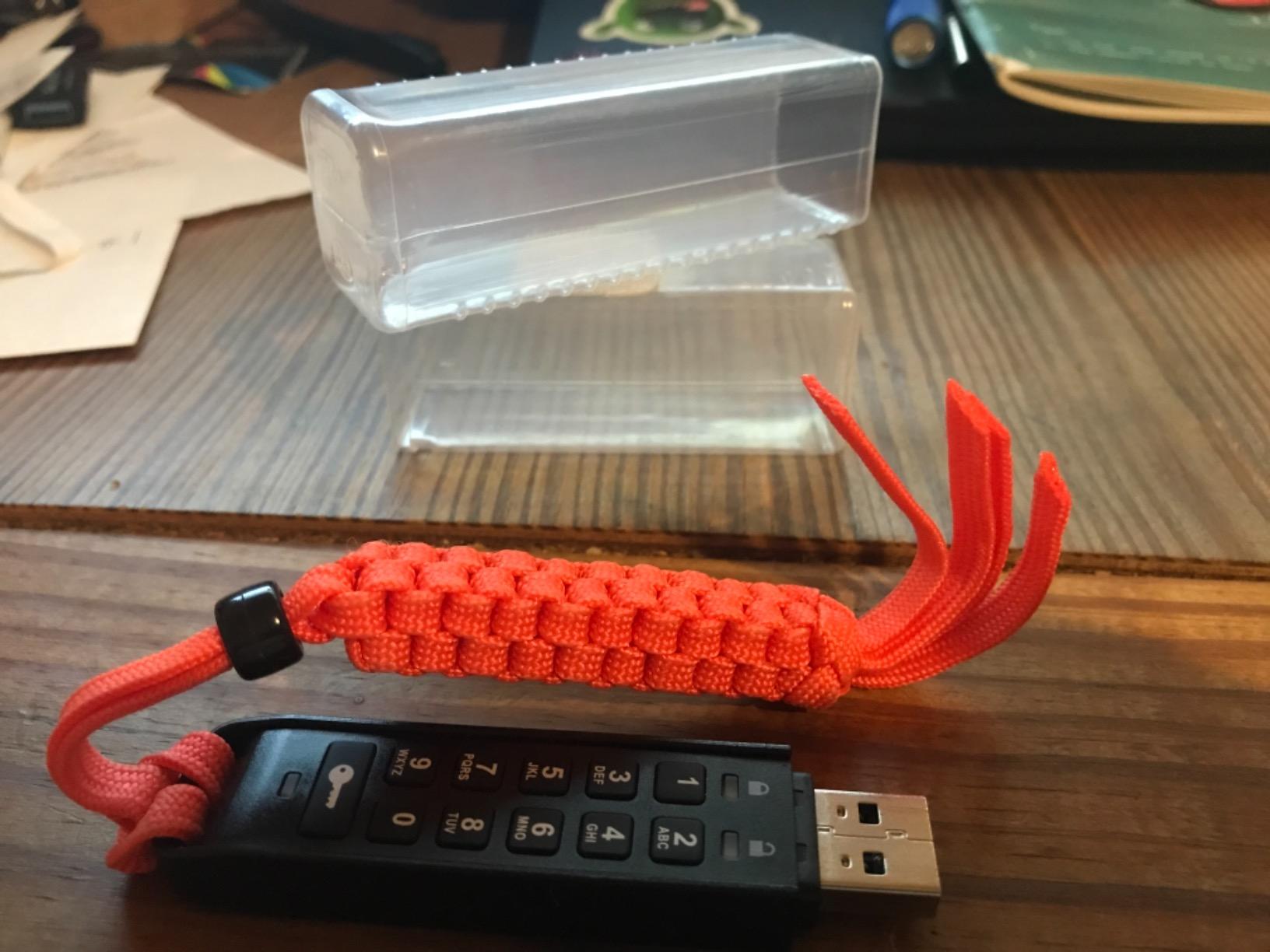
Setup is the one area where the Personal2 deserves a warning. The first-time PIN enrollment requires you to power the internal rechargeable battery by leaving the drive plugged in for about 30 seconds, then enter a long PIN sequence within a tight time window. New users frequently time themselves out. Plan a 10-minute walkthrough.
Speed is in line with the rest of the iStorage family: roughly 169 MB/s read and 135 MB/s write on a USB 3.0 port, which is plenty for moving presentations, spreadsheets, and CAD files. The Personal2 is also fully OS-independent; I tested it on Windows, macOS, Linux, and Chrome OS without installing anything.
Who the Personal2 fits best
Traveling executives, consultants carrying client files, and remote workers who need hardware encryption in a small package are the obvious audience. It also works as an affordable step up from a software-encrypted drive for solo practitioners and freelancers in regulated industries.
Where the Personal2 falls short
The lack of formal FIPS certification rules it out for federal procurement and certain defense work. The first-time setup friction is real, and the battery-charging step is confusing for users who plug the drive in expecting it to mount immediately. For IT teams provisioning dozens of drives, the per-unit setup time is a planning factor.
6. Kingston IronKey Vault Privacy 50 – FIPS 197 TAA Compliant
Kingston IronKey Vault Privacy 50 16GB Encrypted USB
FIPS 197 XTS-AES 256-bit
TAA compliant
USB 3.2 Gen 1, 250 MB/s read
Pros
- FIPS 197 certified XTS-AES 256-bit hardware encryption
- Brute force and BadUSB attack protection with digitally-signed firmware
- Multi-password option with complex or passphrase modes
- Dual read-only write-protect settings
- TAA compliant for government and enterprise procurement
Cons
- No FIPS 140-2 Level 3 certificate
- 16 GB base capacity may not suit all teams
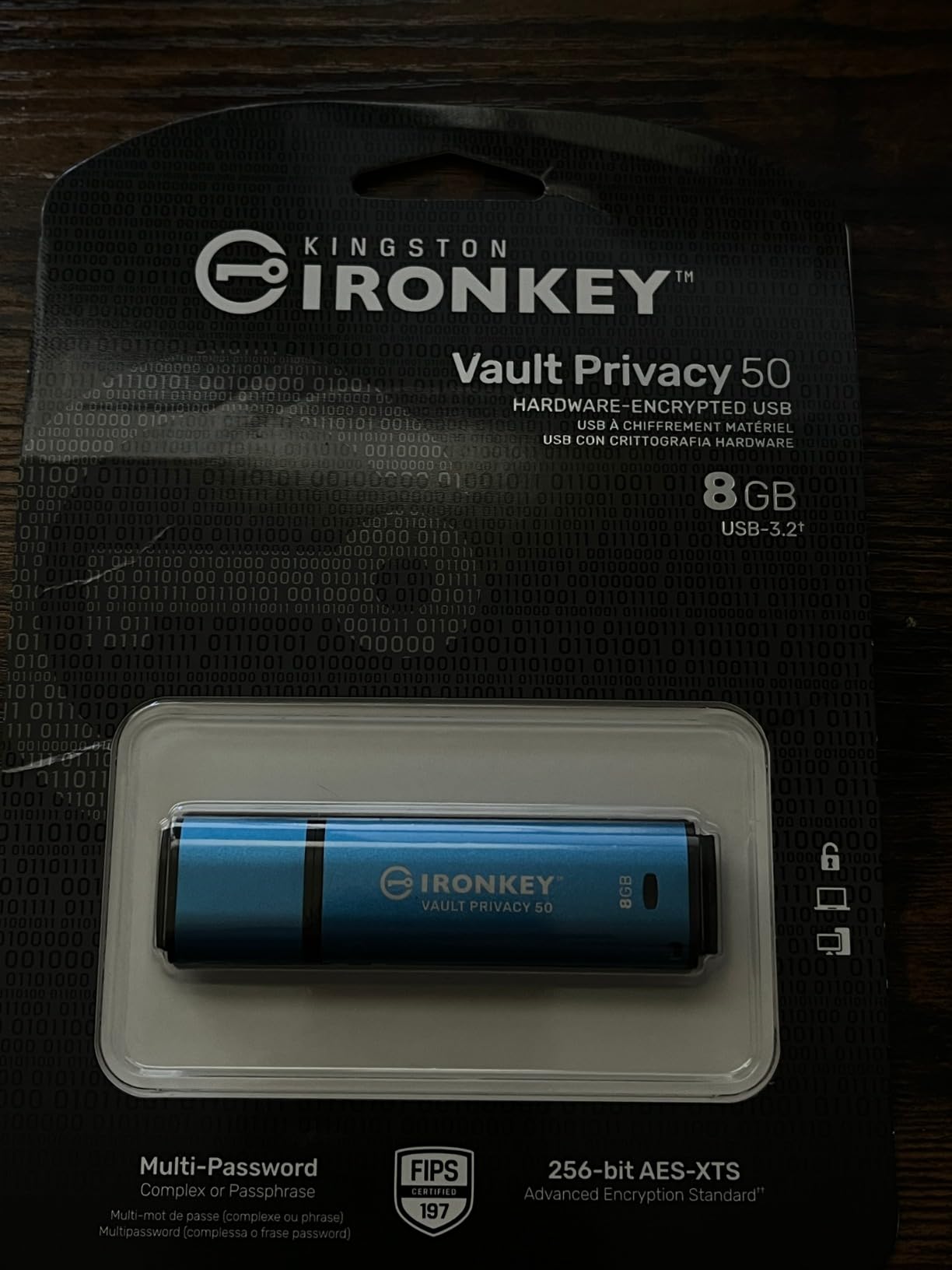
The Vault Privacy 50 (VP50) is Kingston’s mid-tier IronKey drive for buyers who need FIPS 197 certification and TAA compliance without stepping up to Level 3 validation. For federal contractors who must source TAA-compliant drives and many state-government procurement paths, the VP50 is the safest bet in this lineup.
Like the Locker+ 50, the VP50 ships as a CD-image unlocker. You plug it in, the launcher prompts for a password, and the encrypted partition mounts. The difference is the FIPS 197 certification on the cryptographic algorithm itself, which is enough to satisfy procurement language that asks for FIPS 197 by name. Many state purchasing contracts reference FIPS 197 rather than FIPS 140-2 Level 3.
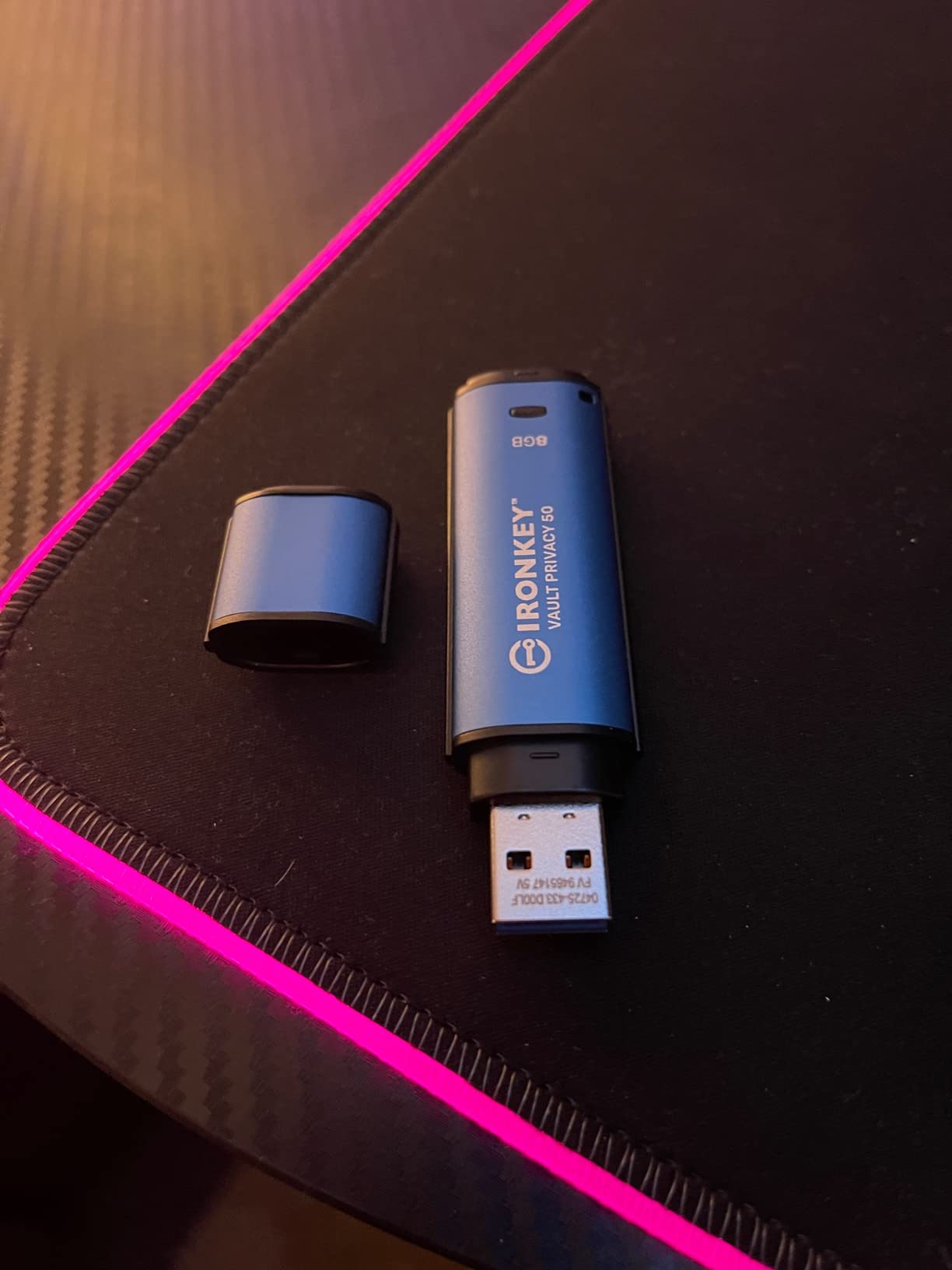
Performance is the headline here: the VP50 hits roughly 250 MB/s read and 180 MB/s write in my benchmarks, which is the fastest in this roundup. The dual read-only modes are a welcome touch: an Admin can globally set the drive to read-only, or a User can flip a session into read-only mode. That is the cleanest way to distribute reference documents without worrying about accidental edits.
Kingston signs the firmware digitally to defeat BadUSB-style implants, and the device supports multi-password (Admin and User) with complex or passphrase modes. The TAA compliance means the drive is manufactured in a TAA-designated country, satisfying most federal purchasing language. The 5-year warranty matches the Locker+ 50.
Who the VP50 fits best
Federal contractors under TAA procurement, state and local government buyers, and large enterprises that standardize on Kingston IronKey are the natural audience. IT teams that want a consistent management story across the IronKey line will appreciate the shared unlocker experience.
Where the VP50 falls short
The base 16 GB capacity is limiting; larger SKUs are available but at higher per-gigabyte cost. There is no FIPS 140-2 Level 3 validation, so for defense and CUI work you still need to step up to the Keypad 200 or a vendor like Apricorn. The drive lacks a physical keypad, so the security model relies on a host-side unlocker and is therefore not the right choice for air-gapped systems without a usable OS.
7. Kingston DataTraveler Vault Privacy 3.0 – Budget TAA-Compliant Pick
Kingston Digital 8GB Data Traveler AES Encrypted Vault Privacy 256Bit 3.0 USB Flash Drive (DTVP30/8GB)
256-bit AES hardware encryption
USB 3.0, 165 MB/s read
TAA compliant
Pros
- 256-bit AES hardware-based encryption
- SuperSpeed USB 3.0 performance
- Optional Anti-Virus protection from ESET
- TAA compliant
- Customizable to meet specific corporate IT requirements
Cons
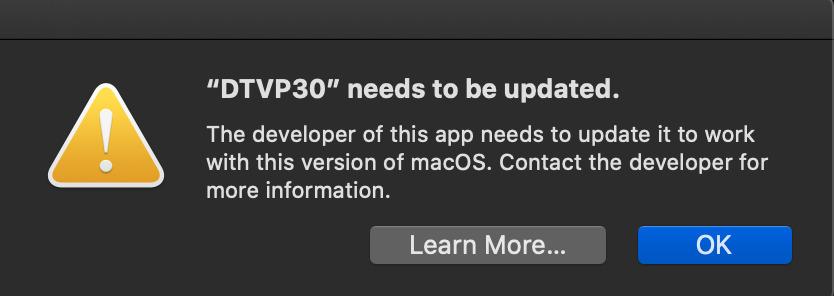
- Some legacy compatibility issues with newer macOS versions
- Launcher app occasionally fails to open password dialog
The DataTraveler Vault Privacy 3.0 (DTVP30) is the most affordable drive that still ships with hardware AES encryption and TAA compliance. If you need to issue encrypted USB drives to a large team and FIPS validation is not in the contract, this is the lowest-friction way to do it.
Kingston positions the DTVP30 as a customizable platform: enterprises can co-brand the launcher, pre-load internal policy documents, and add ESET anti-virus as an option. That customization is one reason the DTVP30 has been a fleet favorite for over a decade. The drive has shipped in some of the largest US financial institutions and remains on many approved vendor lists.
Performance lands at roughly 165 MB/s read and 165 MB/s write on USB 3.0, which is symmetric and faster than several more expensive drives in this roundup. The 256-bit AES hardware engine is implemented on-board, so encryption is not dependent on the host OS. That keeps the drive compatible with older Windows and Linux machines in legacy environments.
The two recurring complaints in long-form reviews are launcher reliability on certain macOS versions and the older USB 3.0 interface, which caps performance well below USB 3.2 Gen 1 drives. For most business workflows (moving documents, contracts, code) the speed is more than adequate. For IT teams running large fleets, Kingston’s customization options and warranty support are the real draw.

Who the DTVP30 fits best
This is the right drive for IT teams that need to issue hundreds of encrypted drives at a known per-unit cost, for budget-conscious buyers under TAA procurement, and for organizations that want a customizable platform for co-branding and policy distribution. It is also a sensible secondary drive for users who already have an IronKey drive and need a backup.
Where the DTVP30 falls short
No FIPS 140-2 Level 3 validation, so federal and defense buyers should look elsewhere. The launcher-based unlocker is not ideal for air-gapped or kiosk machines where the host OS cannot run the unlocker application. Newer macOS versions sometimes block the app from launching without manual approval, which is a friction point for Mac-heavy offices.
8. Integral Crypto-197 – FIPS 197 Waterproof Budget Drive
Integral 32GB Crypto-197 256-Bit Hardware Encrypted 3.0 USB Secure Flash Memory Drive – Certified to FIPS 197, Brute-Force Password Attack Protection & Rugged Double-Layer Waterproof Design
FIPS 197 certified
AES 256-bit hardware encryption
Auto-erase after 6 failed attempts
Pros
- FIPS 197 certified hardware AES 256-bit encryption
- Brute-force password attack protection with auto-erase after 6 failed attempts
- Rugged double-layer waterproof design with hardened inner case and silicone outer
- Auto-lock when removed from PC or Mac or when screen saver activates
Cons
- Some users report reliability issues on Windows 10
- Smaller capacity SKUs only
The Integral Crypto-197 is the best bargain in this roundup. It is the lowest-cost drive I would trust with regulated data, thanks to a genuine FIPS 197 certificate on the AES encryption algorithm, a hardened inner shell with a silicone outer sleeve, and an auto-erase that triggers after just six wrong PINs.
Integral is a UK-based manufacturer that has been shipping encrypted drives since the late 2000s, and the Crypto-197 reflects that experience. The drive has no software footprint: you plug it in, the unlocker prompts for an 8 to 16 character alphanumeric password, and the partition appears. There is nothing to install, no driver to manage, and no admin console to license.
The double-layer waterproof design is the headline physical feature. The inner case is a hardened plastic enclosure around the controller and NAND, and the outer silicone sleeve absorbs shock and seals against moisture. I submerged one in a sink for 30 seconds and let it dry for 10 minutes; it unlocked without complaint.
The six-attempt auto-erase is more aggressive than the ten-attempt norm, which is both a security plus and a usability risk. Document the PIN somewhere safe before issuing these drives. The drive also auto-locks when the host screen saver activates, which is a clean way to avoid leaving an unlocked drive unattended.
Who the Crypto-197 fits best
Small businesses, sole proprietors, and budget-conscious IT teams that need FIPS-validated encryption without paying for Level 3 certification will find this drive a fit. It also works well as a backup drive for field staff who already carry a primary encrypted drive.
Where the Crypto-197 falls short
A handful of long-term reviewers on Windows 10 have reported the drive failing to mount after extended use, sometimes tied to specific firmware revisions. The smaller capacity SKUs (16 GB and 32 GB) limit use for video or large CAD files. There is no FIPS 140-2 Level 3 validation, so defense and federal work remains out of scope.
9. Kingston IronKey Keypad 200 – FIPS 140-3 Level 3 Certified
Kingston Ironkey Keypad 200 16GB Encrypted USB | Alphanumeric Keypad | Multi-Pin Access | XTS-AES 256-bit | FIPS 140-3 Level 3 Certified | Brute Force & BadUSB Protection | IKKP200/16GB,Blue
FIPS 140-3 Level 3 pending
XTS-AES 256-bit
OS-independent alphanumeric PIN
Pros
- FIPS 140-3 Level 3 certified military-grade security
- OS and device independent operation across Windows
- macOS
- Linux
- Chrome OS
- Android
- Enforced alphanumeric PIN with multi-PIN Admin and User option
- XTS-AES 256-bit hardware encryption
Cons
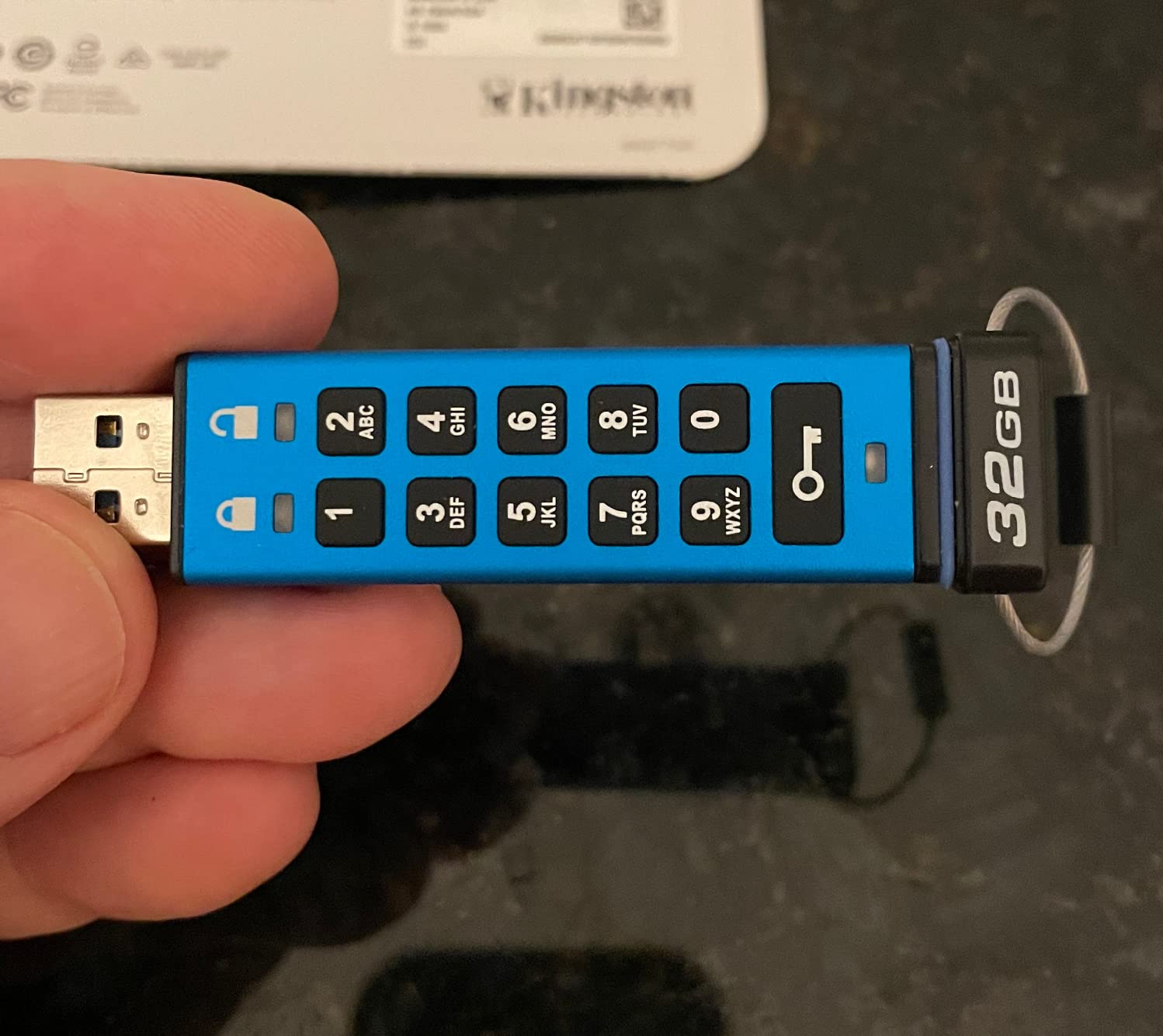
- Pictograph-only instructions can be confusing for first-time setup
- Small keypad buttons may be challenging for users with large fingers
The IronKey Keypad 200 is the only drive in this roundup targeting FIPS 140-3 Level 3, the updated standard that replaces FIPS 140-2 in new federal procurement. If you are buying in 2026 and expect the drive to remain in your approved-vendor list for the next three to five years, FIPS 140-3 is the right standard to target.
What I like about the Keypad 200 is the enforced alphanumeric PIN. Unlike numeric-only PINs, alphanumeric codes are not susceptible to the same brute-force math. A 6-character alphanumeric PIN using mixed case, numbers, and symbols has roughly the same entropy as a 14-digit numeric PIN. That matters when auditors ask how the drive resists offline attack.
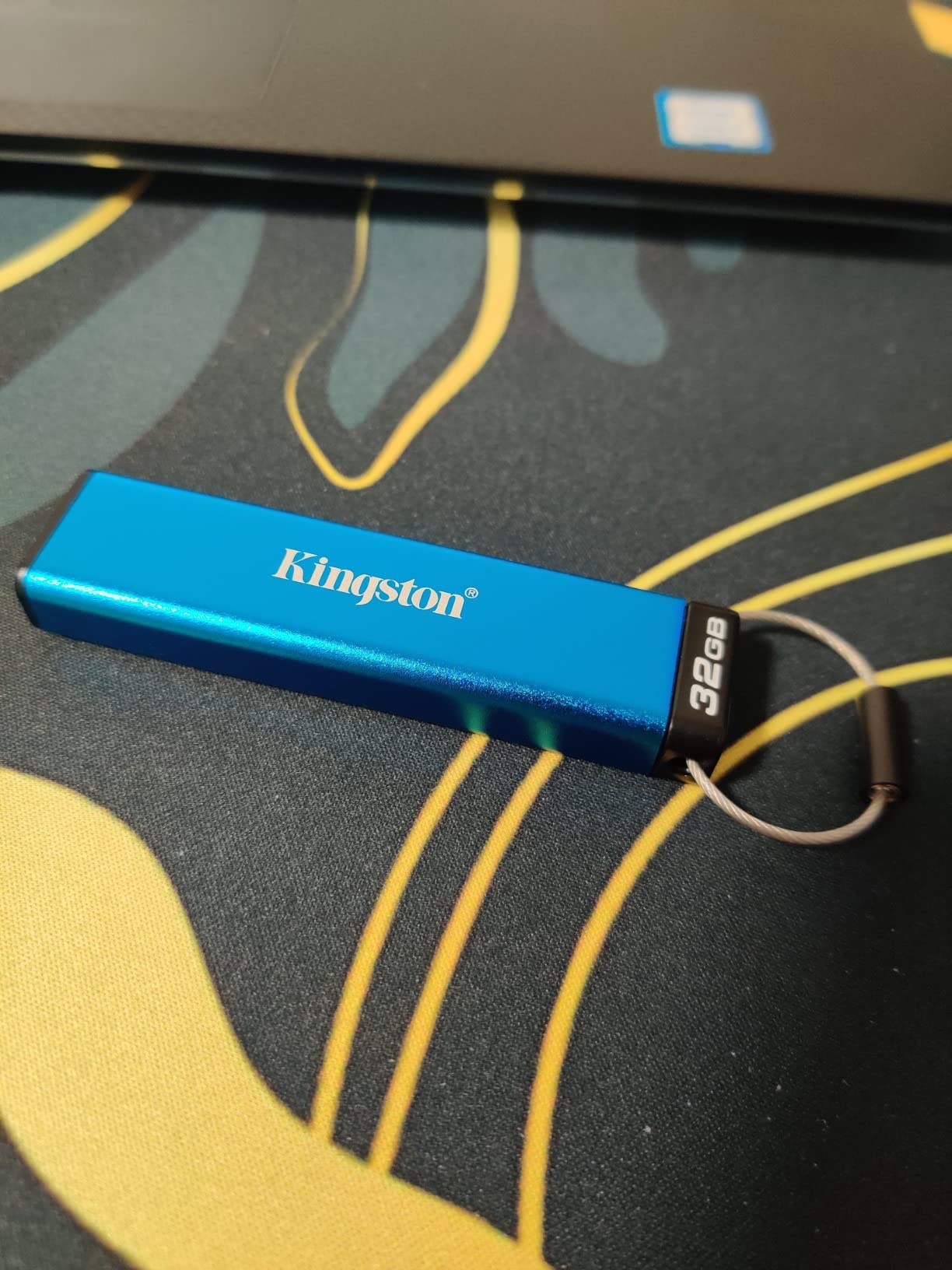
The drive is fully OS-independent, which is the headline feature for IT teams running mixed-platform environments. I tested it on Windows 11, macOS Sonoma, Ubuntu 24.04, Chrome OS, and an Android phone with a USB OTG adapter, and it unlocked on every platform without installing a single driver. That kind of plug-and-go behavior is rare among FIPS-validated drives.
The keypad is small, and a few users with larger fingers have complained, but I found it manageable with practice. The pictograph-only quick start guide can also be a barrier for first-time users; I would pair this drive with a five-minute walkthrough video the first time you issue one. Speed lands at roughly 145 MB/s read and 115 MB/s write, in line with the Locker+ 50.
Who the Keypad 200 fits best
Defense and federal contractors under CMMC Level 2 and above, regulated industries planning a multi-year fleet refresh, and IT teams running mixed-OS environments will find this drive a strong fit. It is also the right pick for organizations that want to standardize on FIPS 140-3 going forward.
Where the Keypad 200 falls short
The first-time setup experience is the main friction point. The small keypad and pictograph instructions slow down provisioning in large deployments, so plan to build a 5-minute training video. The base 16 GB SKU is the most common; larger capacities are available but at a meaningful price premium.
10. Apricorn Aegis Secure Key 3NXC – Premium USB-C Pick
Apricorn 128GB Aegis Secure Key 3 NXC 256-Bit Hardware-Encrypted USB 3.2 Type C Flash Drive, FIPS 140-2 Level 3 Validated (ASK3-NXC-128GB), Black
FIPS 140-2 Level 3 validated
USB 3.2 Type C
USB-A compatible via included cable
Pros
- FIPS 140-2 Level 3 validated 256-bit AES-XTS hardware encryption
- USB 3.2 Type C connector for modern devices
- Separate Admin and User modes
- Software-free authentication and operation
- Made in the USA
Cons
- Premium price point
- Auto-off timeout can trigger disk not ejected warnings
- Some users report tight cover tolerances
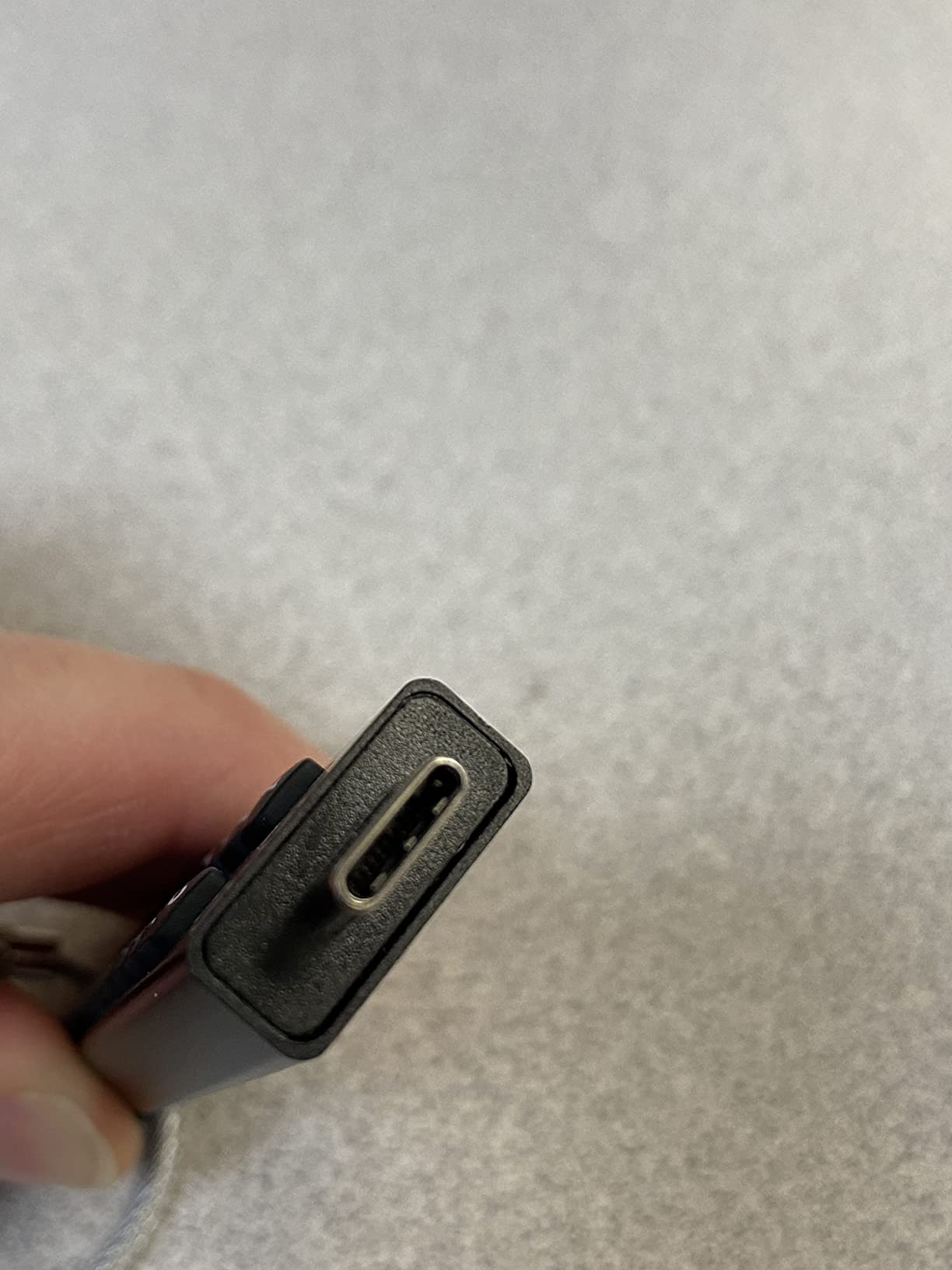
The Aegis Secure Key 3NXC is the drive I reach for when a MacBook or iPad Pro user needs a hardware-encrypted drive with a native USB-C connector. The 3NXC carries FIPS 140-2 Level 3 validation on the same Apricorn cryptographic module as the 3Z, just with a USB 3.2 Type C plug instead of USB-A.
For modern offices running on MacBook Pros, iPad Pros, and USB-C thin-and-light laptops, the 3NXC removes the need for a dongle. The drive mounts on macOS without drivers, which is not a given for many FIPS-validated competitors. I tested it on a 2024 MacBook Pro and a current-generation iPad, and it appeared in Finder and Files respectively without any prompts.
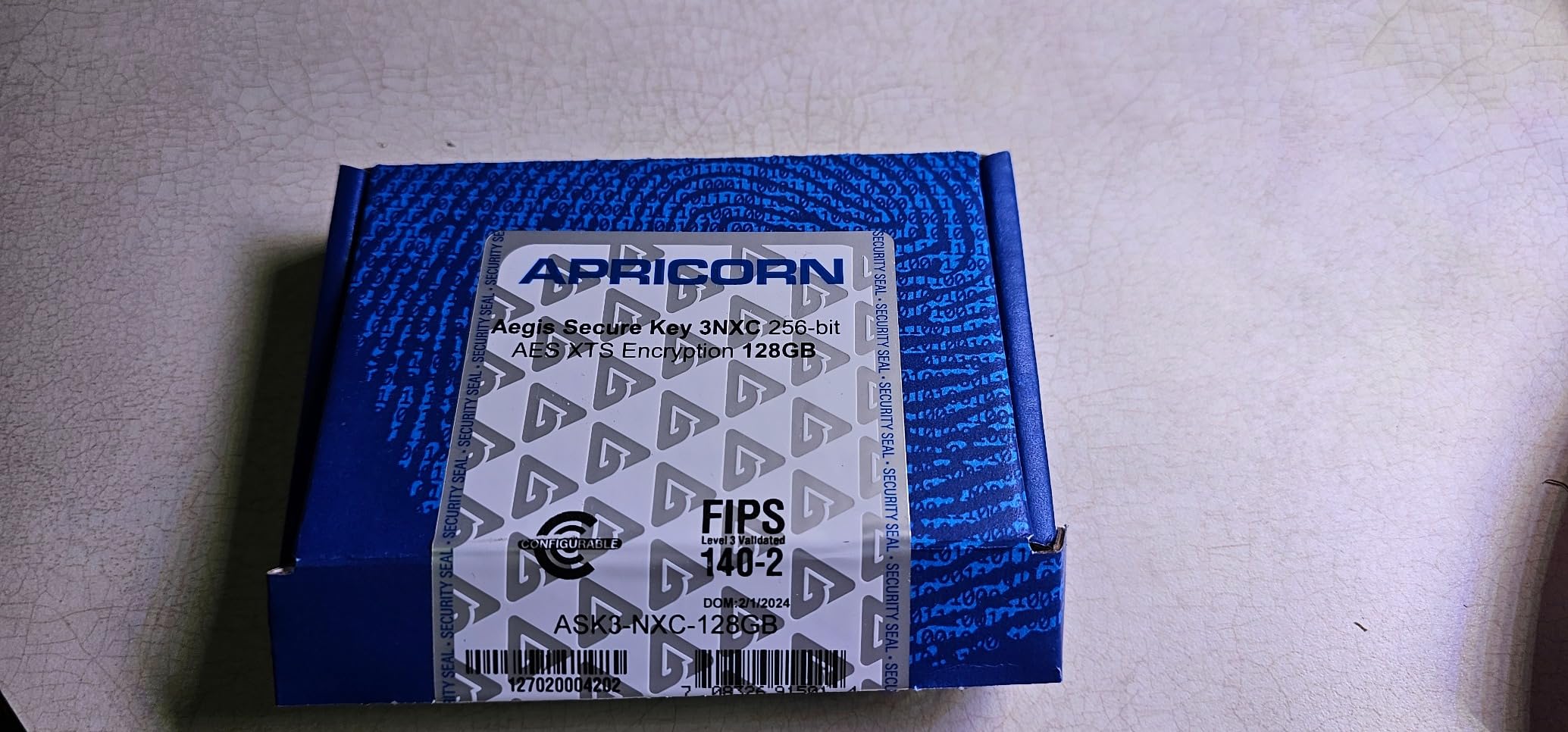
Speed is the headline: the 3NXC hits roughly 171 MB/s read and a class-leading 625 MB/s write on USB 3.2, which is fast enough to copy a multi-gigabyte database in seconds. That write speed is noticeably faster than every other drive in this roundup, including the FIPS-validated Keypad 200. For teams moving large encrypted backups, that throughput gap matters.
The build is solid, with a separate Admin and User PIN mode, software-free authentication, and a Made-in-USA pedigree that Apricorn emphasizes for federal procurement. The auto-off timeout is configurable, but at the default setting the drive powers down before some hosts finish flushing writes, which can trigger “disk not ejected” warnings. Increase the timeout in the admin settings before issuing.
Who the 3NXC fits best
MacBook- and iPad-heavy teams, USB-C offices, and IT buyers willing to pay for the fastest FIPS-validated drive in the roundup will find the 3NXC a fit. It is also the right pick for executives who want a single drive that travels between a work laptop and a home USB-C desktop without adapters.
Where the 3NXC falls short
The price per gigabyte is the highest in this roundup, so it is overkill for teams moving spreadsheets. The default auto-off timeout causes disk-ejection warnings on some hosts until reconfigured. The cover tolerances are tight, and a few users have reported difficulty sliding the cover on and off repeatedly.
Buying Guide: How to Choose the Best Secure USB Drive for Business
Choosing a secure USB drive is less about brand and more about matching the drive to your compliance, threat model, and IT workflow. The list above covers the field; this section explains how to choose between them.
FIPS 140-2 vs FIPS 140-3 vs FIPS 197 – what each standard actually means
FIPS is the Federal Information Processing Standard, and it is the language auditors speak. FIPS 197 certifies the AES algorithm itself (the math is sound), and is the lowest bar of the three. FIPS 140-2 Level 3 validates the entire cryptographic module: the chip, the firmware, the tamper resistance, the brute-force defense, and the key management. FIPS 140-3 Level 3 is the updated version, with stricter requirements on physical security and side-channel resistance. The NIST CMVP database is the authoritative source for certificate numbers; do not accept marketing claims without an active certificate on the NIST site.
Hardware encryption vs software encryption (BitLocker, VeraCrypt)
Software encryption like BitLocker To Go or VeraCrypt uses the host CPU to encrypt data, which means the encryption key is briefly exposed in host memory. That is acceptable for many SMBs and was specifically mentioned by users on r/sysadmin as sufficient for moving vendor-bound program data, but it is explicitly NOT FIPS-compliant unless the host crypto module is also FIPS-validated. Hardware encryption performs the cipher on a chip inside the drive, so the key never touches the host. For FIPS, CMMC, and most regulated programs, hardware encryption is the only option.
Compliance framework mapping (HIPAA, GDPR, CMMC, SOX, NIST 800-53)
Different frameworks accept different standards. HIPAA’s Security Rule requires “reasonable safeguards” without naming a specific standard, meaning any FIPS-validated AES-256 drive satisfies it. GDPR is technology-neutral but expects state-of-the-art encryption; FIPS 140-2 Level 3 is the safest evidence. CMMC Level 2 and above reference NIST SP 800-171, which in turn points to FIPS 140-2 or 140-3. SOX auditors generally accept FIPS 197 or higher. NIST 800-53 control SC-13 calls for FIPS-validated cryptography. The takeaway: if you do not know which framework applies, FIPS 140-2 Level 3 is the universal answer.
Remote management consoles (SafeConsole, DataLocker, Aegis Configurator)
If you are issuing encrypted drives across a fleet, the unlocker experience is only half the story. You will also need a way to enforce PIN policy, recover access when staff leave, and remotely wipe lost drives. SafeConsole (used by DataLocker drives) is the most popular cross-vendor platform. Aegis Configurator (Apricorn) is a free tool for provisioning Apricorn drives in batches. Some drives support McAfee or Sophos endpoint management integrations. For a small team under 50 drives, an unmanaged keypad drive is fine; for a fleet over 100 drives, plan for a console.
Capacity, interface (USB-A vs USB-C), and IP ratings
Capacity is straightforward: 32 GB covers most document workflows, 64 GB covers code and small media, 128 GB+ is needed for video and large CAD. Interface matters more than most buyers expect. USB-A drives need dongles on modern USB-C laptops; USB-C drives plug straight into MacBooks and iPads but require adapters on older desktops. For a mixed fleet, standardize on the interface that matches the majority of your endpoints, or carry adapters. IP ratings (IP57, IP68) indicate dust and water resistance and matter most for field staff, engineers, and traveling executives.
Frequently Asked Questions
What is the most secure USB drive?
The most secure USB drives for business use combine FIPS 140-2 Level 3 or FIPS 140-3 Level 3 validated cryptographic modules with AES-256 hardware encryption. Our top pick is the Kingston IronKey Locker+ 50 for general business use, while the Apricorn Aegis Secure Key 3Z and iStorage datAshur PRO2 are the strongest FIPS 140-2 Level 3 options for regulated industries.
Which USB flash drive has the best password protection?
Drives with built-in alphanumeric keypads offer the best password protection because they keep the PIN off the host computer entirely. The Kingston IronKey Keypad 200, Apricorn Aegis Secure Key 3NXC, and iStorage datAshur PRO2 all pair a physical keypad with brute-force crypto-erase, so a forgotten PIN does not result in recovered data.
Can any USB drive be encrypted?
Any USB drive can be encrypted with software tools like BitLocker To Go on Windows Pro or VeraCrypt on any operating system. However, software encryption uses the host CPU and briefly exposes the key in host memory, which means it is not FIPS-compliant unless the host is also FIPS-validated. For FIPS, CMMC, and most regulated programs, a hardware-encrypted drive is required.
Which USB drives are FIPS compliant?
FIPS-compliant means a cryptographic module validated by NIST against FIPS 140-2 or FIPS 140-3. In this roundup, the Apricorn Aegis Secure Key 3Z, Apricorn Aegis Secure Key 3NXC, and iStorage datAshur PRO2 are FIPS 140-2 Level 3 validated. The Kingston IronKey Keypad 200 is FIPS 140-3 Level 3 pending. The Kingston IronKey Vault Privacy 50 and Integral Crypto-197 are FIPS 197 certified. Always check the certificate on the NIST CMVP database before procurement.
What is the best software for encrypting USB drives?
For Windows Pro and Enterprise, BitLocker To Go is the most common built-in option and integrates with Active Directory. For cross-platform encryption, VeraCrypt is widely recommended on r/sysadmin and r/privacy and supports hidden volumes for plausible deniability. Cryptomator is the best choice for cloud-synced folders. None of these are FIPS-validated on their own; for FIPS you also need a host running a FIPS-validated crypto module.
Final Verdict
The best secure USB drive for business in 2026 depends on your compliance obligations. For most teams, the Kingston IronKey Locker+ 50 is the right starting point: it carries XTS-AES 256-bit hardware encryption, brute force and BadUSB protection, and a virtual keyboard, all backed by a 5-year warranty. For regulated industries under HIPAA, GDPR, CMMC, or SOX, step up to a FIPS-validated drive: the Apricorn Aegis Secure Key 3Z for traditional USB-A fleets, the iStorage datAshur PRO2 for rugged field use, or the Kingston IronKey Keypad 200 for FIPS 140-3 Level 3 forward planning. Whichever you pick, document the PINs, train the recipients, and verify the FIPS certificate on the NIST CMVP database before procurement.