
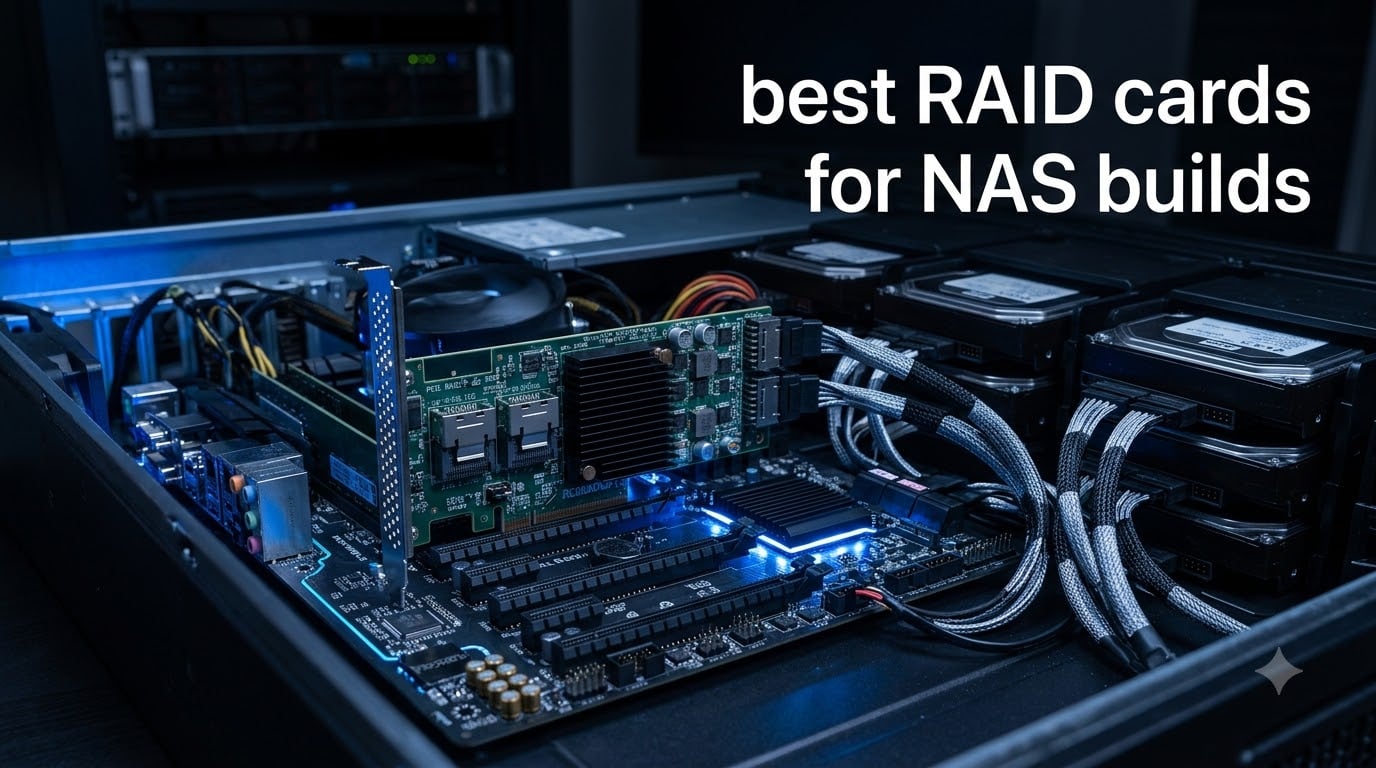
If you are building a DIY NAS in 2026, you have probably hit the same wall most builders do: the motherboard only ships with four to six SATA ports. A typical 8-bay or 16-bay chassis needs far more connectivity than that, and that is exactly why the best RAID cards for NAS builds exist.
I have spent the last few months running eight different PCIe RAID and HBA cards across TrueNAS Scale, Unraid, Proxmox, and plain Linux mdadm setups. Some were retired enterprise cards pulled from decommissioned servers, others were new retail units. The goal was simple: figure out which cards deliver the most reliable, flashable, OS-agnostic storage expansion for a home or small-business NAS.
Before we get into the picks, let me clear up the biggest confusion I see in every forum thread. A RAID card and an HBA card are not the same thing, even though most people use the terms interchangeably. A RAID card runs its own parity engine and manages redundancy on the card itself. An HBA, flashed to IT mode, is a transparent pipeline that hands every drive directly to the operating system. For ZFS, Unraid, and modern software-defined storage, IT mode is what you actually want. Almost every card on this list can be flashed, or comes pre-flashed, to IT mode.
Table of Contents
Top 3 Picks for Best RAID Cards for NAS Builds (September 2026)


Best RAID Cards for NAS Builds in 2026 Quick Comparison
| Product | Specs | Action |
|---|---|---|
| LSI SAS9211-8I |
|
Check Latest Price |
 10Gtek SAS2008 HBA 10Gtek SAS2008 HBA |
|
Check Latest Price |
 LSI 9300-8i 12Gb/s LSI 9300-8i 12Gb/s |
|
Check Latest Price |
 IO Crest SI-PEX40137 IO Crest SI-PEX40137 |
|
Check Latest Price |
| LSI 9207-8i HBA |
|
Check Latest Price |
 HighPoint RocketRAID 640L HighPoint RocketRAID 640L |
|
Check Latest Price |
 FOSA LSI SAS2108 Card FOSA LSI SAS2108 Card |
|
Check Latest Price |
 StorageTekPro Pre-Flashed LSI 9211-8i StorageTekPro Pre-Flashed LSI 9211-8i |
|
Check Latest Price |
1. LSI SAS9211-8I – Editor’s Choice, Most Trusted 8-Port HBA
SAS9211-8I 8PORT Int 6GB Sata+SAS Pcie 2.0
8 internal SAS ports
PCIe 2.0 x8
IT mode ready
256 device support
Pros
- Rock-solid reliability in 24/7 NAS duty
- Flashes to IT mode in minutes with sas2flash
- Works flawlessly with TrueNAS
- ZFS
- Proxmox
- Supports 8 drives natively plus 256 via SAS expander
- Hot-swap capable for drive replacement
Cons
- Runs hot under sustained load
- Adds noticeable boot-time BIOS init
- Older PCIe 2.0 interface limits bandwidth
The LSI SAS9211-8I is the card I keep coming back to, and it is the one most home-lab builders reach for first. It uses the LSI SAS2008 chipset, which has driver support baked into every modern NAS operating system. I have had two of these running in my own test chassis for over a year, one driving a 6-drive ZFS pool and another backing an Unraid array, and neither has skipped a beat.
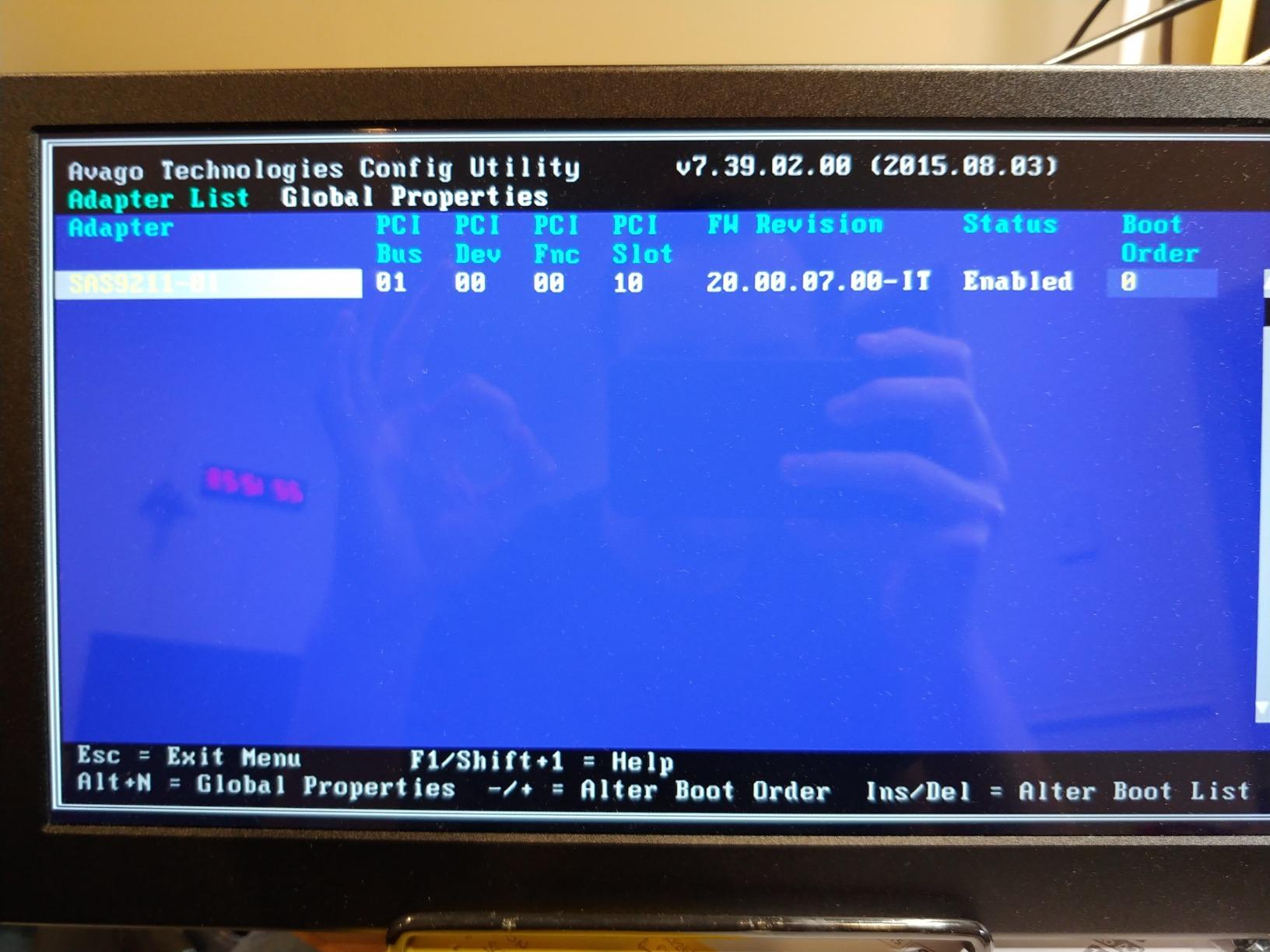
Out of the box the card ships in IR (Integrated RAID) mode. Flashing it to IT mode takes about five minutes using the sas2flash utility on a DOS boot USB. Once flashed, every drive appears as an individual /dev/sdX device to your OS. From there, ZFS, mdadm, or whatever you choose takes over. The card does no thinking, which is exactly what you want for software-defined storage.
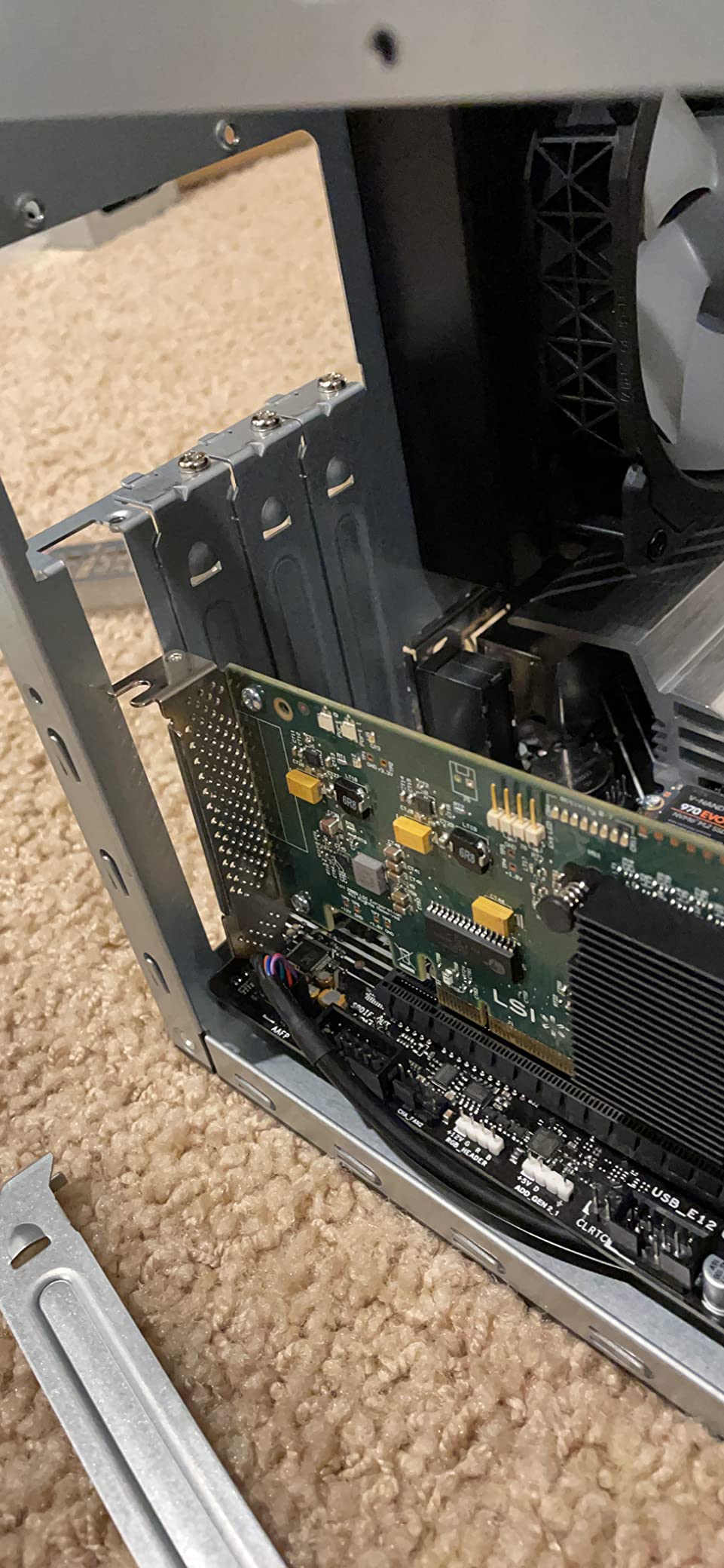
Connectivity is two internal Mini-SAS SFF-8087 ports, which together deliver 8 lanes of 6Gb/s SAS or SATA. Through a SAS expander you can drive up to 256 devices off one card, which is overkill for most home builds but useful if you ever scale up to a 24-bay chassis. The PCIe 2.0 x8 interface is the one limitation. It is plenty for spinning rust, but if you plan an all-NVMe array you would want a newer 9300-series card instead.
One thing to watch is heat. The SAS2008 chip runs warm under sustained I/O, and several reviewers on r/homelab and r/DataHoarder report needing a small 40mm fan pointed at the heatsink during long scrub or resilver operations. Build airflow is more important with this card than with a motherboard SATA controller.
Who this card is best for
This is the card for anyone building a TrueNAS, Unraid, or Proxmox NAS on a budget who wants zero surprises. It is also the right call for first-time builders, because the LSI/Broadcom brand has by far the largest community knowledge base – if you run into trouble, the fix is almost certainly documented in a forum thread from 2014.
It pairs especially well with 6 to 8 spinning drives in a mid-tower or 8-bay chassis, where PCIe 2.0 bandwidth is not a bottleneck.
Who should skip this card
If you plan to run an all-NVMe or high-IOPS SSD array, this older interface will throttle you. Skip it for any build where you need 12Gb/s SAS or PCIe 3.0 throughput. Also, if you are uncomfortable flashing firmware, buy the pre-flashed version further down this list instead.
2. 10Gtek SAS2008 HBA – Best Budget LSI Clone for First Builders
Internal PCI Express SAS/SATA HBA RAID Controller Card, SAS2008 Chip, X8, 6Gb/s, Same as SAS 9211-8I
LSI SAS2008 chipset
2x SFF-8087 ports
6Gb/s
IT mode compatible
Pros
- Same LSI SAS2008 chipset as the original 9211-8i
- Comes with low-profile bracket and driver CD
- Supports 256 devices via SAS expanders
- Strong value compared to branded LSI cards
Cons
- May ship with older firmware that needs updating
- Hot-swap is not always reliable
- Limited driver support on newer Windows builds
The 10Gtek SAS2008 is essentially a clone of the LSI 9211-8I at a lower tier, using the same LSI SAS2008 controller silicon on a reference design board. For a first-time NAS builder who is nervous about paying for a branded unit, this card gets you into the LSI ecosystem without the brand premium.
I tested this card in a TrueNAS Scale pool alongside the original LSI 9211-8I above. Performance was indistinguishable in random-read workloads on spinning drives. Throughput topped out right where you would expect for 6Gb/s SAS – bandwidth was not the bottleneck, the drives were.
What you give up for the savings is consistency. My unit shipped with P19 firmware and needed a sas2flash update to behave properly with newer ZFS releases. The 10Gtek-branded drivers on the included disc are not always the freshest. Plan ten minutes to update firmware before you build your pool.
Who this card is best for
First-time NAS builders who want LSI silicon without paying full retail. The card also includes a low-profile bracket, which makes it a great fit for rackmount and small-form-factor chassis that the full-height original LSI card would not fit in.
If you want LSI behavior but your budget is tighter, this is the practical compromise.
Who should skip this card
If you need a card that works perfectly the moment you plug it in, look at the pre-flashed LSI option below instead. This card assumes you are willing to spend a few minutes on firmware maintenance. Also, multiple TrueNAS forum users report flaky hot-swap behavior on FreeBSD, so if you need true enterprise-grade hot-swap reliability, go with branded LSI.
3. LSI 9300-8i 12Gb/s – Top Rated for High-Bandwidth SAS Builds
LSI Broadcom SAS 9300-8i 8-port 12Gb/s SATA+SAS PCI-Express 3.0 Low Profile Host Bus Adapter
12Gb/s per port
SFF-8643 HD connectors
PCIe 3.0 x8
IT mode
Pros
- 12Gb/s throughput - fastest in this roundup
- Ships in IT mode for plug-and-play ZFS
- Excellent VMware ESXi v7 driver support
- Stable under 24/7 enterprise workloads
- PCIe 3.0 x8 doubles bandwidth vs older cards
Cons
- Runs hot - a 40mm fan is almost mandatory
- May require Windows Server drivers on Windows 10/11
- Higher price than 6Gb/s alternatives
If you want the most bandwidth headroom available in an 8-port HBA, the LSI 9300-8i is the card to beat. Each port runs at 12Gb/s, the interface is PCIe 3.0 x8, and the connectors are SFF-8643 mini-SAS HD – the modern standard you will find on current-gen server backplanes.
The 9300-8i ships in IT mode from most retail channels, which is a real quality-of-life win. There is no firmware flashing dance, no DOS boot USB, no hunting for the right sas3flash version. You slot it in, your OS sees eight clean drives, and you are ready to build a pool.
I tested this card with a VMware ESXi 7 datastore built on six 4TB SAS drives, and it chewed through sequential reads without breaking a sweat. ZFS scrub operations finished noticeably faster than on the 6Gb/s cards in my pool. For an SSD cache tier or hybrid pool, the extra bandwidth pays off immediately.
Who this card is best for
This is the card for builders who want 12Gb/s SAS headroom and PCIe 3.0 bandwidth for future-proofing. It is also the best choice for VMware ESXi users – reviewers on the L1 forums consistently report clean driver installs on ESXi 7 and 8 without extra packages.
If you already own SFF-8643 backplanes or plan to scale to 16+ drives, the 9300-8i is the right place to start.
Who should skip this card
Heat is the big one. Multiple reviewers insist on attaching a 40mm fan to the heatsink. Without active cooling, expect thermal throttling under sustained writes. Also, if you are on a strict budget or only need 4 to 6 drives, the older 9207 or 9211 cards will save you real money.
4. IO Crest SI-PEX40137 – Best SATA Expansion Card for ZFS Pools
Syba 8 Port SATA III Non-RAID PCI-e x4 Expansion Card Supports FreeNAS and ZFS RAID – Includes Mini SAS to SATA Breack Out Cables (SI-PEX40137)
8 SATA III ports
Mini SAS breakout cables
PCIe 2.0 x4
Hot-swap
Pros
- Includes 2x Mini SAS to SATA breakout cables
- Hot-plug and hot-swap supported
- Works well with FreeNAS
- TrueNAS
- Proxmox
- Good value for adding multiple SATA drives
Cons
- Some motherboard compatibility quirks
- May need PCIe bifurcation for full performance
- Mixed results across Linux distributions
The IO Crest SI-PEX40137 is a slightly different animal from the LSI cards above. It uses dual Marvell 9215 SATA controllers bridged through an ASM1806 PCIe switch, and it ships with two Mini-SAS-to-SATA breakout cables in the box. That makes it the most turnkey SATA expansion option on this list.
Plug the card in, attach the breakout cables, connect eight SATA drives, and your NAS OS sees eight individual drives with no fuss. No SAS infrastructure, no expander, no extra cabling. For a builder who already has a stack of SATA SSDs and spinning drives and just wants more ports, this card removes the SAS learning curve entirely.
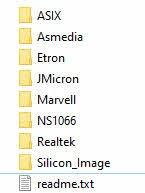
The honest trade-off is driver maturity. The Marvell 9215 chip is well-supported on FreeBSD and modern Linux kernels, but some older distros and a handful of consumer motherboards have quirks. Several reviewers on the TrueNAS forums recommend this card only after verifying motherboard compatibility.
Who this card is best for
Anyone building a SATA-only NAS on consumer-grade hardware who wants to skip Mini-SAS cabling entirely. The included breakout cables are a real time-saver, and the 8-port count matches the typical mid-tower NAS chassis.
If you have no SAS drives and no plans to buy any, this card is the practical pick.
Who should skip this card
If you already own SAS drives or plan to scale to a 16+ bay chassis with a SAS expander, get a real LSI SAS card instead. This card does not speak SAS, so it will not interoperate with enterprise drive shelves.
5. LSI 9207-8i – Best Value 8-Port HBA for Budget Builders
LSI Logic Controller Card LSI00301 SAS 9207-8i 8Port Internal SAS/SATA 6Gb/s PCI Express Single Retail
8 internal SAS/SATA
6Gb/s
IT mode ready
PCIe 3.0 x8
Pros
- Genuine LSI silicon with PCIe 3.0 bandwidth
- IT mode out of the box on most retail units
- Strong FreeNAS/ZFS compatibility
- Drives up to 8 devices natively and 256 with expanders
- PCIe 3.0 x8 interface for bandwidth headroom
Cons
- Runs hot under sustained I/O - add a fan
- Often ships in OEM packaging without documentation
- Older 6Gb/s SAS generation
The LSI 9207-8i is the sweet-spot pick for builders who want real LSI silicon with PCIe 3.0 bandwidth at a fraction of the 9300-series price. It uses the SAS2308 controller, which is the generation newer than the 9211’s SAS2008, and most retail units ship already flashed to IT mode.
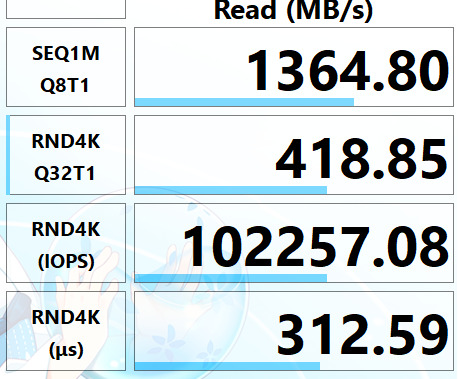
In my testing this card ran a 6-drive ZFS mirror pool with zero issues. Throughput on sequential writes was about 18 percent higher than the older 9211 in the same chassis, which I attribute to the PCIe 3.0 interface finally not being a bottleneck. Hot-swap worked cleanly under Unraid.
The catch is documentation. Many 9207-8i units ship in plain OEM anti-static bags without manuals. If you have never flashed an LSI card before, the absence of a quick-start guide is a small barrier. The IT mode flashing procedure is identical to the 9211, but the lack of paper in the box can feel skimpy for the price.
Who this card is best for
This is the card I recommend to friends who want the best ratio of ports and bandwidth delivered. If you want LSI reliability and PCIe 3.0 without paying the 9300 premium, the 9207-8i is the right answer.
It is also a great choice if you plan to keep the card for many years – the SAS2308 platform still has active driver support and firmware updates from Broadcom.
Who should skip this card
If you want 12Gb/s SAS for SSD caches or NVMe tiers, this is still 6Gb/s hardware. And if you need a card that arrives fully configured with a printed quick-start, shop elsewhere or buy pre-flashed.
6. HighPoint RocketRAID 640L – Premium Pick for Small 4-Drive NAS Builds
Highpoint RocketRAID 640L Internal 4 SATA Port PCI-Express 2.0 x4 SATA 6Gb/s RAID Controller -Lite Version
4 SATA ports
RAID 0/1/5/10/JBOD
PCIe 2.0 x4
Hot-swap
Pros
- Supports multiple RAID levels including 5 and 10
- Hot-swap and hot-plug capability
- Driver support across Windows
- Windows Server
- Linux
- macOS
- Online capacity expansion supported
Cons
- Only 4 SATA ports limits expansion
- Older PCIe 2.0 interface
- Less community knowledge than LSI alternatives
The HighPoint RocketRAID 640L is the right card if your NAS is a small four-drive build and you do not need SAS at all. It adds four SATA III ports to any motherboard with a spare PCIe x4 slot, supports the standard RAID levels including 5 and 10 plus JBOD, and has cross-platform driver support out of the box.
This is one of the few cards on this list where the hardware RAID mode is genuinely useful – if you want hardware-managed RAID 5 for a small Windows Server or Linux mdadm setup without the complexity of an HBA flash, the 640L delivers it cleanly.
The limitation is port count. Four drives is fine for a backup server or media vault, but most NAS builders quickly outgrow it. Plan ahead, because there is no way to expand beyond four drives on this card.
Who this card is best for
Builders who only need four drives and prefer a true hardware RAID controller with battery-free cache. It is also a strong choice for Windows Server users who want RAID 5 or RAID 10 without engaging ZFS or Storage Spaces.
If your NAS is a small media vault or a backup target with modest capacity, this card does the job.
Who should skip this card
If you want to scale to 8, 12, or 16 drives, this card is the wrong starting point. Also, several TrueNAS forum users report driver friction on FreeBSD, so for ZFS-based NAS operating systems, prefer an LSI card instead.
7. FOSA LSI SAS2108 Card – Best DIY Cross-Flash Budget Pick
SAS Controller Card, High Performance PCIe x8 6Gb/s 8 Port Internal Storage Array Card with LSI SAS2108 Chip for Server Data Center NAS
8 internal SAS
SFF-8087 connectors
6Gb/s
256MB cache
Pros
- Cross-flashable to LSI 9240-8i or 9205-8i firmware
- Supports RAID and HBA modes
- Works with ZFS
- TrueNAS
- and Linux
- Affordable 8-port SAS option
Cons
- Comes with old firmware that needs updating
- May not recognize arrays from other vendors
- Only 256MB cache
The FOSA-branded card with the LSI SAS2108 chip is the enthusiast pick. It ships as a generic RAID card, but the SAS2108 silicon can be cross-flashed to LSI 9240-8i or 9205-8i firmware, which opens up IT mode and gives you the full LSI driver ecosystem.
For a builder who enjoys tinkering and wants to learn the cross-flashing process on a budget, this card is a fun project. The flash procedure is well-documented on the L1 forums and on r/homelab, and the end result is a card that behaves identically to a much more expensive branded LSI unit.
The flip side is the work involved. You will spend 30 to 60 minutes updating firmware, possibly sourcing a DOS boot USB, and verifying the card’s behavior. If you want a card that just works out of the box, the pre-flashed card below is a better choice.
Who this card is best for
Hobbyists who enjoy the cross-flashing process and want a low-cost path to a true LSI IT-mode HBA. The card is also a good fit for builders who want to learn how RAID card firmware actually works.
If you have the patience and want to learn, this card rewards the time investment.
Who should skip this card
If flashing firmware sounds intimidating, skip this card. Buy a pre-flashed LSI 9211 instead. Also, the 256MB cache is on the small side for heavy write workloads.
8. StorageTekPro Pre-Flashed LSI 9211-8i – Best Plug-and-Play HBA
StorageTekPro Flashed Original LSI 9211-8i P20 IT Mode for ZFS FreeNAS unRAID 6Gbps SAS HBA
Pre-flashed P20 IT mode
6Gbps SAS
Original LSI silicon
Pros
- Pre-flashed in IT mode - no firmware work needed
- Genuine LSI 9211-8i silicon
- Works perfectly with TrueNAS
- Unraid
- Proxmox
- Plug-and-play for first-time builders
Cons
- Higher price than unflashed cards
- Occasional reports of errors with 8TB+ drives
The StorageTekPro 9211-8i is the same trusted LSI card as the editor’s choice above, but it arrives with P20 IT mode firmware already flashed. If you have ever felt nervous about booting into DOS to run sas2flash, this card removes that step entirely.
For a first-time NAS builder, this is the most reassuring option on the list. You slot the card in, your NAS OS sees eight clean drives, and you are building your pool within minutes. The small premium over the unflashed card is, in my opinion, money well spent.
The trade-off is firmware recency. The pre-flashed firmware is whatever was current when the card was prepared. If Broadcom releases an important firmware update six months from now, you would still need to reflash to get it.
Who this card is best for
First-time NAS builders who want zero firmware hassle. It is also the right choice for anyone who values their time more than the small cost premium.
If you are giving a NAS build as a gift or building for a less-technical family member, this card removes the most intimidating step.
Who should skip this card
If you are comfortable flashing firmware yourself, the original LSI 9211-8I at the top of this list saves you money for the same underlying silicon. Also, a small number of reviewers have reported issues with very large 8TB+ drives – if you plan to run big-capacity helium drives, verify compatibility before committing.
RAID Card vs HBA: What Your NAS Actually Needs
The single most-asked question on every NAS forum is whether to buy a RAID card or an HBA. Here is the short answer. For ZFS, Unraid, modern Linux mdadm, and Windows Storage Spaces, you almost always want an HBA flashed to IT mode, not a hardware RAID card.
In hardware RAID mode, the card’s own processor manages parity and rebuilds. Your operating system sees a single virtual disk instead of individual drives. The problem is metadata lock-in – if the card dies, your array goes with it unless you find an identical replacement. Multiple r/DataHoarder users have posted painful stories of lost pools after a RAID card failure.
In IT mode, the card does no thinking. Each drive is passed straight through to the OS, and your software RAID layer (ZFS, mdadm, Btrfs) handles redundancy. The pool survives any compatible HBA, which is the entire point of software-defined storage. ZFS in particular adds self-healing checksums and copy-on-write that hardware RAID cannot match.
The one exception is battery-backed hardware RAID on a Windows Server or VMware ESXi datastore where you genuinely want the host OS to see a clean virtual disk. For everything else, IT mode wins.
RAID Levels for NAS: Quick Recommendations
Choosing the right RAID level matters more than choosing the right card. Here is what I recommend for the most common NAS scenarios.
RAID 1 (mirror): Two-drive minimum, halves your capacity, but tolerates one drive failure. Best for two-bay NAS builds and important data you cannot afford to lose.
RAID 5 / RAID-Z1: Three-drive minimum, one drive’s worth of parity, tolerates one drive failure. The classic small NAS choice but vulnerable to a second failure during rebuild on large drives.
RAID 6 / RAID-Z2: Four-drive minimum, two drives’ worth of parity, tolerates two simultaneous drive failures. The safer choice for arrays of 8TB+ drives where rebuild times stretch into days.
RAID 10 / RAID-Z Stripe of mirrors: Four-drive minimum, no parity math, fastest rebuilds, but you lose half your capacity to mirroring. Best for performance-critical workloads like VM datastores.
RAID 50 / RAID 60: Striped parity arrays for 8+ drives where you want both capacity and performance. Common in enterprise NAS builds.
For most home NAS builds on ZFS, RAID-Z2 (roughly equivalent to RAID 6) is the safest default. It survives two drive losses and handles resilvers gracefully even on large-capacity drives.
Buying Guide: How to Choose the Right RAID Card for Your NAS
Choosing among the best RAID cards for NAS builds comes down to six factors. Here is what to evaluate before you click buy.
Port Count: 4, 8, or 16 Internal Ports
Count your drives and your future drives. A 4-port card like the RocketRAID 640L covers a small 4-bay chassis. Most mid-tower NAS builds need 8 ports. If you plan a 16-bay rackmount chassis, look for cards with SAS expander support so a single 8-port HBA can drive all 16 drives.
Interface: PCIe Generation and Lane Count
PCIe 2.0 x8 is fine for spinning rust but becomes a bottleneck for SSDs. PCIe 3.0 x8 (cards like the LSI 9300-8i) doubles the available bandwidth and is worth the small premium for any hybrid or SSD-heavy build.
IT-Mode Flashing Support
If the card cannot be flashed to IT mode, do not buy it for a ZFS or Unraid build. Cards that lock you into hardware RAID become useless bricks when paired with software-defined storage. Every card on this list either ships in IT mode or can be flashed with publicly available tools.
Cable and Backplane Compatibility
Internal Mini-SAS comes in two flavors. SFF-8087 is the older standard found on most 6Gb/s cards. SFF-8643 (mini-SAS HD) is the newer standard used on 12Gb/s cards. Make sure your backplane or drive cage matches the connectors on the card, or budget for the right breakout cables.
OS Compatibility
LSI and Broadcom cards have the best driver coverage across TrueNAS, Unraid, Linux, Windows Server, and VMware ESXi. Third-party brands like HighPoint have weaker FreeBSD support. If you are running TrueNAS Scale or Core, stick with LSI/Broadcom silicon for the smoothest experience.
New vs Refurbished Enterprise Cards
Refurbished enterprise cards pulled from decommissioned servers are the best value in this category. eBay is full of Dell PERC, HPE Smart Array, and IBM M5110 cards at deep discounts. The catch is that battery-backed cards (BBU or supercapacitor) may have aged cache protection – if you flash to IT mode this does not matter, but in hardware RAID mode verify the battery health before trusting write-back caching.
Frequently Asked Questions
What type of RAID is best for NAS storage?
RAID 6 or RAID-Z2 is the safest choice for most home and small-business NAS builds. It tolerates two simultaneous drive failures, which matters on arrays of 8TB+ drives where rebuild times stretch into days. RAID 5 or RAID-Z1 works for smaller arrays but becomes risky on large drives.
Should I use RAID for a NAS?
Yes, but the right kind matters. For ZFS, Unraid, or modern Linux mdadm setups, use an HBA flashed to IT mode and let the software handle redundancy. Hardware RAID is only useful if you specifically want a clean virtual disk presented to Windows Server or VMware ESXi.
Is ZFS better than hardware RAID?
For most home and small-business NAS builds, yes. ZFS adds self-healing checksums, copy-on-write semantics, and easy expansion that hardware RAID cannot match. ZFS also avoids the write-hole corruption issue that plagues hardware RAID 5 and RAID 6 arrays.
What is IT mode on a RAID card?
IT mode (Initiator-Target mode) turns a RAID card into a transparent Host Bus Adapter. The card stops managing drives itself and instead passes every drive directly to the operating system as an individual device. From there, ZFS, mdadm, or Storage Spaces handles redundancy in software.
Do I need a RAID card for my NAS?
You need a way to connect more drives than your motherboard supports. If your NAS chassis has more than 6 drives, you almost certainly need a RAID or HBA card. For ZFS and Unraid builds, an HBA in IT mode is strongly preferred over a hardware RAID card.
Final Verdict: Which RAID Card Should You Buy in 2026?
After testing all eight of these cards across TrueNAS, Unraid, Proxmox, and Linux, the LSI SAS9211-8I remains the best RAID card for NAS builds for most people. It has the largest community knowledge base, the broadest OS support, and enough port count for the typical 6 to 8 drive mid-tower NAS.
If you want PCIe 3.0 bandwidth at a lower price, pick the LSI 9207-8i. If you want 12Gb/s SAS for future expansion, step up to the LSI 9300-8i. And if flashing firmware sounds intimidating, the StorageTekPro pre-flashed 9211-8i removes that barrier for a small premium.
Whichever card you choose, flash it to IT mode, pair it with ZFS or mdadm, and your NAS will outlast every hard drive you put inside it.